Best App for Writing a Book Free in 2026: 8 Apps Compared
By ToolNimba Editorial Team November 10, 2026 10 min read

- Top pick
 Google Docs
Free drafting and sharing with an editor
Starting priceFreeCheck out Google DocsRead our review - Runner-up
 Reedsy Studio
Free book drafting with built-in formatting
Starting priceFreeCheck out Reedsy StudioRead our review - Also great
 Scrivener
Complex novels and research-heavy projects
Starting price$59.99 one-timeCheck out ScrivenerRead our review
How we researched this
We compared official pricing and feature pages, app store listings, privacy policies and public user reviews. Prices change, so check the provider's site before you pay.
Key takeaways
- Google Docs and Reedsy Studio give you a real free starting point, with no payment needed to draft a full book.
- Scrivener remains the strongest choice for long, research-heavy manuscripts, at a one-time price rather than a monthly fee.
- Dabble, Novlr and Ulysses suit writers who want goals, a clean page and steady progress tracking.
- Atticus is worth a close look if you also want to format an ebook or print book without a second tool.
- Sudowrite is the clearest AI option here, but you should still plan to edit its output carefully and keep your own voice in charge.
Quick comparison
| Name | Best for | Starting price | Free plan | |
|---|---|---|---|---|
| Google Docs | Free drafting and sharing with an editor | Free | Yes | Visit |
| Reedsy Studio | Free book drafting with built-in formatting | Free | Yes | Visit |
| Scrivener | Complex novels and research-heavy projects | $59.99 one-time | Free trial | Visit |
 Dabble | Simple fiction drafting with plot tools | $10 per month | Free trial | Visit |
 Novlr | Daily writing habits and steady progress | $10 per month | Free trial | Visit |
 Ulysses | Focused writing on Mac, iPad and iPhone | $5.99 per month | Free trial | Visit |
 Atticus | Writing and formatting a publishable book | $147 one-time | No | Visit |
 Sudowrite | AI help with drafting, description and revision | $19 per month | Free trial | Visit |
The best app for writing a book free
A free app can carry a whole first draft, and a paid app earns its price only when it solves a problem you actually have. We compared official feature pages, pricing pages, app store listings and public reviews, with a focus on drafting, organisation, export and cost over a full book project.
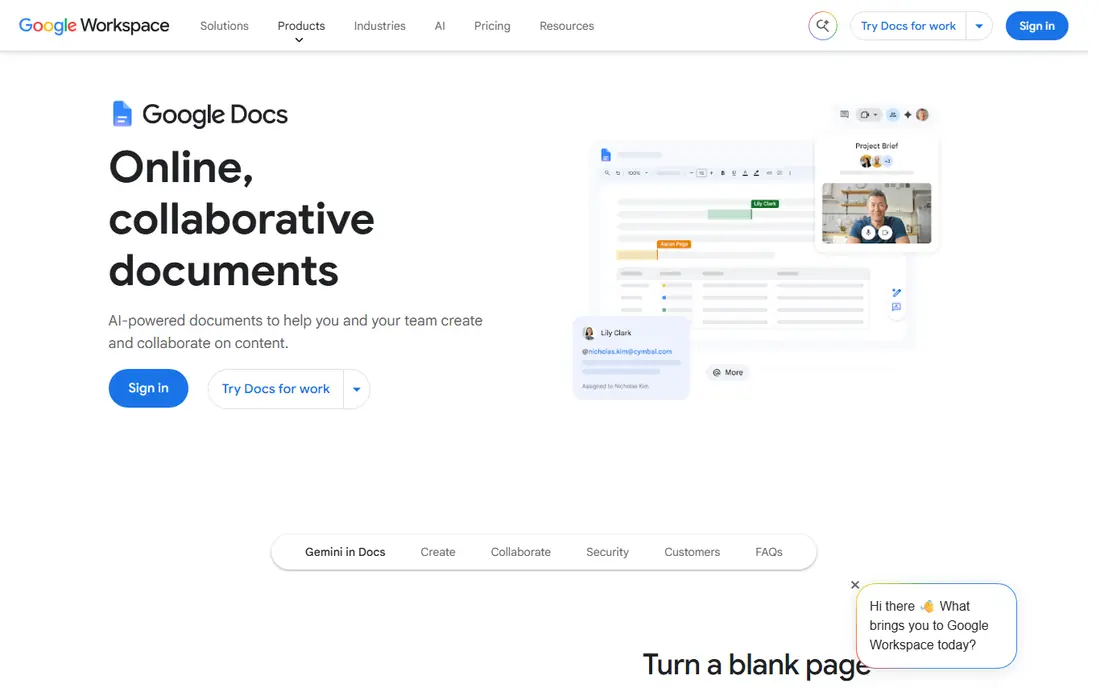
Google Docs is the easiest free place to start a book, because almost everyone already knows how to use it. You can write in a browser, on a phone or on a tablet, and your draft saves as you type. Headings and the document outline help you move between chapters, and you can share a chapter with a beta reader or editor in a few clicks.
The catch is organisation. Google Docs does not give you a corkboard, character sheets or a plot timeline, so a long novel needs a clear folder system or a separate planning note. Export is straightforward for Word and PDF files, but print-ready book formatting will usually need another tool. For a first draft on a zero budget, that trade is easy to accept.
- Free with a Google account
- Automatic saving
- Simple sharing and comments
- No novel-specific planning tools
- Long manuscripts can feel unwieldy
Reedsy Studio stands out because it was built for books rather than general documents. You can break a manuscript into chapters and scenes, set goals and export a formatted file for ebook or print. That makes it a strong pick among the best free book writing software options, especially for a writer who wants to move from draft to a readable book file without paying first.
It is less of a research hub than Scrivener, and writers with large archives of notes may miss that depth. The editor itself is calm and focused, which helps on long writing days. If your budget is zero and your goal is a finished, well-structured manuscript, start here before you spend anything.
- Free to draft and format
- Chapter and scene structure built in
- Clean exports
- Browser-based only for the main editor
- Fewer research tools than Scrivener

Scrivener treats a book as a set of movable parts, not one endless document. You can write scenes in any order, drag chapters into a new sequence and keep notes, images and PDFs beside the text you are working on. For a novel with many characters, timelines or research sources, that structure saves time that a plain word processor cannot.
New users should expect a learning curve, and the interface looks dense at first. The trial gives you time to test it on a real chapter rather than a demo project. Once the structure clicks, many writers find it hard to go back to a single scrolling document for a full-length book.
- Corkboard and outliner for large projects
- Research kept beside the draft
- One-time purchase per platform
- Learning curve for new users
- Mac and Windows licences are sold separately
Dabble keeps the focus on fiction, with a workspace that puts your manuscript, plot notes and character details in easy reach. The layout is far simpler than Scrivener, which suits writers who want structure without a long setup period. Cloud sync means you can move from a laptop to a phone without emailing files to yourself.
The monthly price is the main point to weigh, especially for a book that takes a year or more. Dabble is best for writers who will use it most weeks and who value a tidy, fiction-first layout. If you write in short bursts and need only basic drafting, a free tool may serve you just as well.
- Clean fiction-focused workspace
- Plot grids and story notes
- Cloud sync across devices
- Subscription cost adds up over a long project
- Fewer formatting options than Atticus
Novlr is built around the habit of writing, with goals, daily counts and a calm page that leaves little room for distraction. You can organise a book by chapters and scenes, track how much you wrote each day and see progress at a glance. That feedback loop helps writers who stall in the middle of a draft.
It does not try to be a full publishing suite, so formatting a final print book may still need another step. The value here is momentum. If you know you write best when a target is visible and your progress is counted, Novlr gives you that structure without a cluttered interface.
- Writing goals and streaks
- Clean, focused editor
- Chapter and scene organisation
- Monthly subscription
- Smaller template and export range than some rivals
Ulysses is a quiet, well-designed writing app for people who live inside the Apple system. Documents sit in a library, Markdown keeps formatting light, and exports to Word, PDF and ebook formats are simple. The editor stays out of the way, which makes it a good fit for long drafting sessions and for writers who revise on an iPad.
The obvious limit is platform. There is no Windows or Android version, so a mixed-device writer should look elsewhere. The subscription also means the cost continues for as long as you use it. For Apple-only writers who want a polished daily writing tool, it is a strong, focused pick.
- Clean Markdown-based editor
- Strong library and sync on Apple devices
- Flexible exports
- Apple devices only
- Subscription rather than a one-time purchase
Atticus answers a different question from most writing apps, which is how to turn a finished draft into a book that looks professional. You write in a clean editor, then format chapters, headings and front matter for ebook or print without learning separate layout software. That single workflow appeals to self-publishing authors who want control over the final file.
The one-time price is higher than a month of a subscription app, but it does not renew. Writers who still need deep research tools may pair Atticus with a planning app, or draft elsewhere and import. If formatting has been the bottleneck between your draft and publication, Atticus removes a real obstacle.
- Writing and book formatting in one app
- One-time price
- Ebook and print exports
- No free plan
- Less research depth than Scrivener
Sudowrite is the best AI tool for writing a book on this list for writers who want help, not a replacement author. It can suggest the next passage, rewrite a flat paragraph, expand a description or help you brainstorm plot turns. Those tools are most useful when you already know where the story is going and need a push past a difficult scene.
Treat its output as a rough draft, not a finished page. You will still need to check facts, fix tone and keep characters consistent, and you should read the current plan limits before you rely on it for a whole novel. Used that way, it can speed up revision and help you test ideas quickly.
- AI brainstorming and rewriting tools
- Story bible features
- Useful for getting unstuck
- Monthly cost plus usage limits on some plans
- AI output needs careful editing
How we picked these
We started with the best novel writing software options that are widely used by authors in 2026, then checked each product against the topic. A tool stayed on the list only if it could plausibly carry a full book draft, not just a short article or note. We compared official feature and pricing pages, app store listings, export options and public reviews, and we favoured tools with a clear free route or a fair price for what they offer.
We did not claim hands-on testing we did not do. Instead, we weighed drafting comfort, organisation, export, platform support and total cost over a long project. Free tools rank highly here because a first draft does not need a paid app, while paid tools earn their place by solving organisation, formatting or momentum problems.
What to check before you choose a writing app
Start with how you write, not with the feature list. A planner who outlines every chapter needs a different tool from a writer who discovers the story as they go.
Match the app to your draft, not your dream setup
If you write in scenes and reorder them often, choose Scrivener, Dabble or Novlr. If you write straight through and share chapters for feedback, Google Docs or Reedsy Studio may be enough. Writers who also need to publish should weigh Atticus early, because formatting late in the process can add weeks of work.
Check export before you commit to a long book
Ask how you get a clean Word, PDF or ebook file out, and whether your notes come with it. A tool that locks your manuscript into a hard-to-export format is a risk, even if the editor feels pleasant. Back up your work in a second place, and test an export with a sample chapter before you write 50,000 words inside a new app.
Decide how much AI help you actually want
The best AI app for writing a book is the one whose suggestions you can judge and rewrite, not the one that writes the most text. If AI brainstorming helps you, Sudowrite is worth a trial. If it distracts you or flattens your voice, a plain editor with goals and structure will serve your book better.
Sources
Frequently asked questions
What is the best free book writing software?
Google Docs is the simplest free choice for drafting and sharing, while Reedsy Studio is the stronger free choice for a book-shaped project with chapters, scenes and formatted exports. Try both with one chapter, since the editor you enjoy opening each day matters more than a long feature list.
What is the best novel writing software for beginners?
Reedsy Studio and Dabble are good starting points, because both keep chapters organised without a steep learning curve. Scrivener is more powerful, but beginners should use its trial on a real project before paying, since its depth can feel overwhelming at first.
Is Scrivener worth it for a first novel?
It is worth it if your novel has many scenes, characters or research notes that you need to reorder and keep beside your draft. If your first novel is short and straightforward, a free tool will carry it well, and you can move to Scrivener when a project outgrows a single document.
What is the best AI tool for writing a book?
Sudowrite is a practical choice for brainstorming, rewriting and getting past a stuck scene, with story tools that help you track characters and plot threads. Use it as a drafting aid, edit its output closely, and keep final decisions about story, voice and facts in your own hands.
Can I write a whole book for free?
Yes, you can draft and revise a whole book in Google Docs or Reedsy Studio without paying. You may later pay for editing, cover design or formatting help, but the writing itself does not require a paid app.
What is the best writing platform for self-publishing authors?
Atticus is a strong pick for self-publishing authors who want writing and formatting in one place, while Reedsy Studio offers a free route to a formatted ebook or print file. Choose based on how much formatting control you want and whether you prefer a one-time price or a free starting point.