Best App to Design a Room Free in 2026: 8 Apps Compared
By ToolNimba Editorial Team November 9, 2026 10 min read

- Top pick
 Planner 5D
Most people designing a room
Starting priceFreeCheck out Planner 5DRead our review - Runner-up
 Homestyler
Trying real furniture and decor
Starting priceFreeCheck out HomestylerRead our review - Also great
 Floorplanner
Accurate floor plans
Starting priceFreeCheck out FloorplannerRead our review
How we researched this
We compared official pricing and feature pages, app store listings, privacy policies and public user reviews. Prices change, so check the provider's site before you pay.
Key takeaways
- Planner 5D has the most generous free plan for full room design, with unlimited projects and a large catalog.
- Floorplanner and RoomSketcher are stronger when exact measurements and floor plans matter more than decoration.
- Homestyler and HomeByMe suit renters and buyers who want to try real furniture in a room before spending money.
- Free plans almost always limit renders, exports, or premium furniture, so check those limits before starting a big project.
Quick comparison
| Name | Best for | Starting price | Free plan | |
|---|---|---|---|---|
| Planner 5D | Most people designing a room | Free | Yes | Visit |
| Homestyler | Trying real furniture and decor | Free | Yes | Visit |
| Floorplanner | Accurate floor plans | Free | Yes | Visit |
 RoomSketcher | Simple 2D and 3D plans | Free | Yes | Visit |
 HomeByMe | Branded furniture in 3D | Free | Yes | Visit |
 Roomstyler | Quick decorative room ideas | See website | Yes | Visit |
 Magicplan | Measuring a real room fast | Free | Yes | Visit |
 Live Home 3D | Detailed 3D on Mac and Windows | Free | Yes | Visit |
The best app to design a room free
A free room app should let you draw a room, add furniture, and see it in 3D without paying first. These eight do that, with different trade-offs.
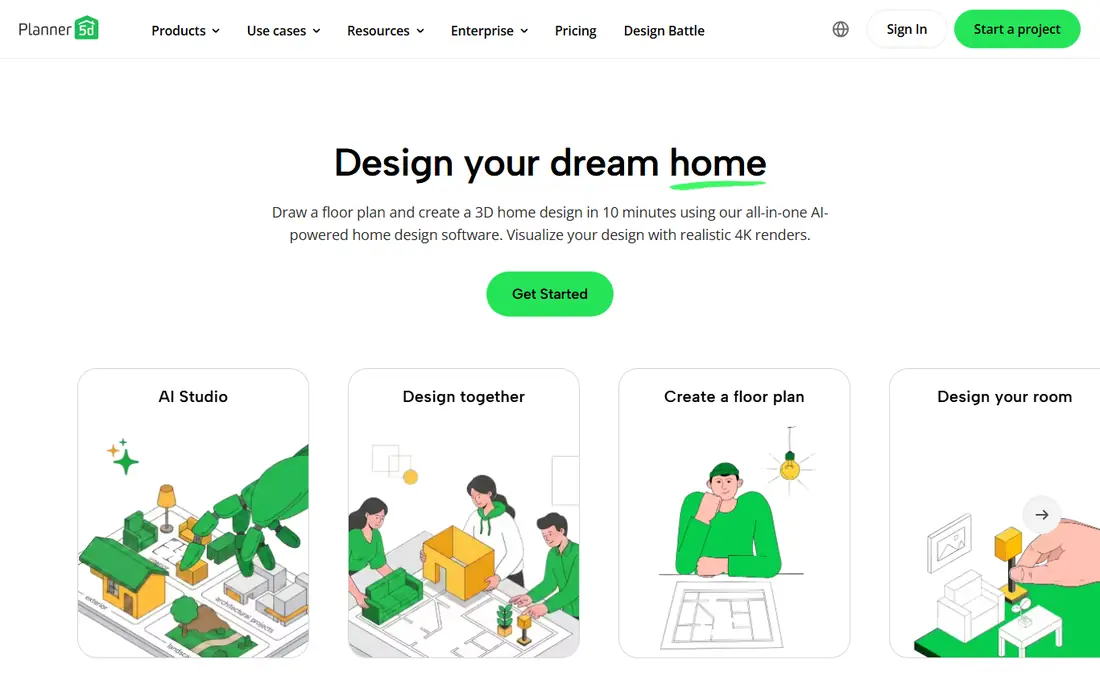
Planner 5D is our pick for most people because the free plan is genuinely usable, not just a demo. You can create unlimited projects, draw rooms in 2D, switch to 3D, and furnish them from a wide catalog. The drag and drop controls are easy to learn, and the app runs in a browser as well as on phones and tablets.
The catch is the catalog split. About half of the furniture is free, and the rest, plus features such as AI plan recognition and polished renders, sit behind Premium, listed at $19.99 per month on monthly billing or $59.99 billed annually. If you only need a solid layout and a good sense of a room, the free plan is enough. If you need presentation quality images for a contractor or a client, expect to pay.
- Unlimited projects on the free plan
- Works on web and mobile
- Large furniture catalog
- Premium furniture and high quality renders need a paid plan
- Resizing some items is paid
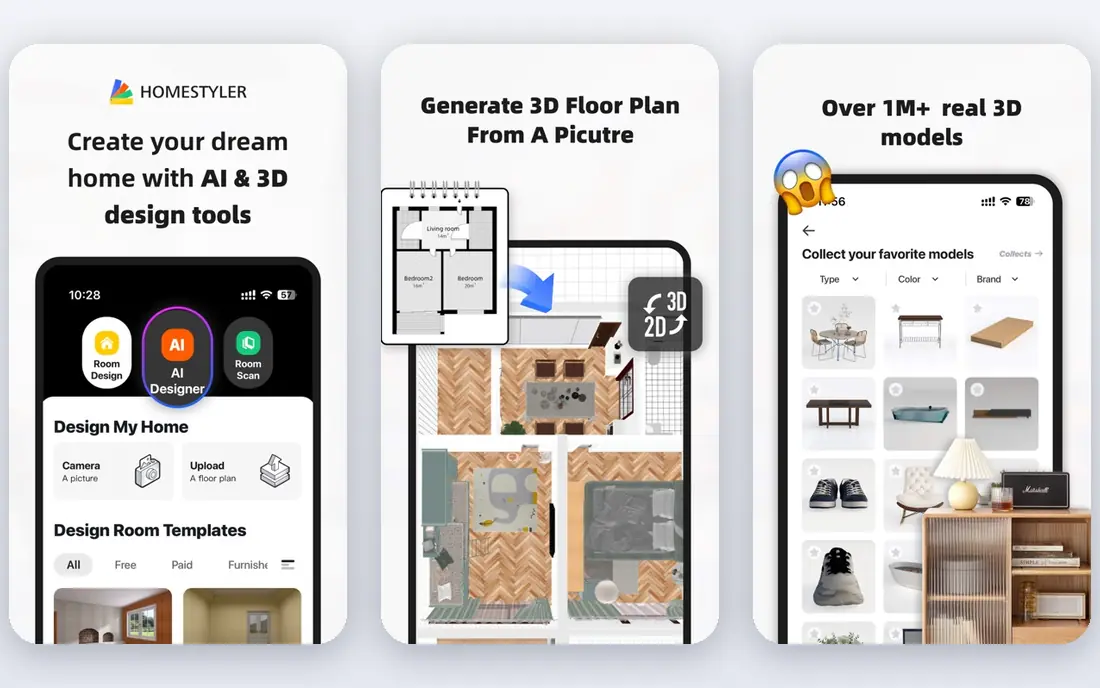
Homestyler suits anyone who wants to see how a room could look with real products and finishes. You draw the floor plan, add walls, doors, and windows, then furnish the space and view it in 3D. The interface is friendly for beginners, and the library covers common furniture, lighting, and floor and wall materials.
Free users can build and view projects, but the best renders and some catalog items require a paid plan, so check the current pricing page before you commit to a large project. For a single room refresh, the free tier usually covers the planning stage well. It is less suited to precise construction drawings than Floorplanner or RoomSketcher.
- Easy 2D to 3D switching
- Large library of furniture and finishes
- Photo-like renders
- High quality renders and some items need payment
- Web-first experience suits a computer better than a phone
Floorplanner is the better choice when measurements matter. It is built around floor plans first, so drawing walls to exact sizes, placing doors and windows, and checking that furniture fits feels natural. You can share a plan with a partner, landlord, or contractor through a link, which helps when decisions need input from someone else.
The free plan covers basic planning, but it limits the number of projects and some export options, with paid plans starting from a low monthly rate. The 3D view is useful for orientation, but it is not as rich as Planner 5D or Homestyler for decoration. Use Floorplanner to settle the layout, then move to a decoration app if you want richer visuals.
- Precise measurements and 2D plans
- Easy sharing
- Runs in a browser
- Free plan limits projects and exports
- 3D view is simpler than dedicated design apps
RoomSketcher keeps the process simple: draw the room, furnish it, and flip between a flat plan and a 3D view. The desktop and tablet apps feel steady, and the catalog includes real products, which helps when you want to buy the sofa you just placed in the plan. It is a good fit for home sellers, landlords, and renters who need a clean plan without a steep learning curve.
The free plan includes the apps and basic snapshots, while VIP, listed at $49 per year, adds credits and extra features. That price is modest compared with monthly design subscriptions, but credits can run out on image heavy projects. Start free, and only upgrade if you need extra floor plan images or 3D photos.
- Clear 2D and 3D views
- Apps for desktop and tablet
- Real brand products in the catalog
- VIP features and credits cost extra
- VIP is $49 per year
HomeByMe is built for people who want to furnish a room with products they can actually buy. The catalog is large and brand led, so you can test a sofa, a lamp, or a floor finish in context rather than guessing from a shop photo. The 3D view and 360 degree images help you judge a room from more than one angle, which matters in small or awkward spaces.
The free Starter plan includes a small number of projects and renders, and paid packs add more. That limit is the main thing to plan around: sketch freely, then use renders sparingly. If you want unlimited projects and renders, the monthly Unlimited plan is the honest comparison point, so check its current price before you start.
- More than 20,000 products to furnish with
- Realistic images
- 360 degree views
- Free plan limits projects and renders
- Paid packs can add up
Roomstyler is for quick ideas rather than exact plans. You pick a room shape, add furniture and decor, and view the result in 3D, all in a browser. The community gallery is useful when you are stuck: browsing other rooms often suggests a layout or color pairing you would not have tried on your own.
Precision is the trade-off. Wall sizes and measurements are less central here than in Floorplanner, so it is not the best pick for a renovation that needs exact dimensions. It is a good, low pressure starting point for a bedroom or living room refresh, especially if you want to test styles before buying anything.
- Very easy to start
- Community rooms for inspiration
- No download needed
- Less precise than plan-first tools
- Pricing and feature details are less clear
Magicplan takes a different route: instead of drawing from scratch, you measure a real room with your phone camera and the app builds a floor plan from those measurements. That is a big time saver when you are planning around an existing space, a rental, or a home you are about to move into. You can add furniture, notes, and photos to the plan.
The free tier lets you try the core flow, but exports and fuller features sit behind a paid plan, so confirm the current price in the app store listing before relying on it for a paid job. Take time with the measuring step, since a rushed scan produces a plan that looks right but measures wrong. Double check key walls with a tape measure.
- Creates a plan from phone camera measurements
- Good for existing rooms
- Exports plans
- Full features and exports need a subscription
- Accuracy depends on careful measuring
Live Home 3D suits people who enjoy detail. You can build a room or a whole home, adjust materials and lighting, and walk through the result in 3D. The desktop apps feel more complete than many browser tools, and offline work is handy when you are designing on a laptop away from reliable internet.
The free version is a real starting point, but some advanced features and export options require the paid Pro version, so check the current store price for your platform. It has more controls than a beginner may want at first, but that depth pays off if you plan to design several rooms or a full home.
- Rich 3D views and walkthroughs
- Works offline on desktop
- Good material and lighting controls
- Free version limits some features
- Mobile version differs from desktop
How we picked these
We compared official feature pages, pricing pages, and app store listings for room design apps with a working free tier in October 2026. We favored apps that let you design a complete room for free, not just view a demo, and we noted where renders, exports, or catalog items require payment. We did not claim hands-on testing; our comparison is based on published features, pricing, and public reviews.
What to check before you start
Start with the room, not the app. Measure the walls, note door swings, window positions, and ceiling height, and keep those numbers beside you while you draw. A pretty 3D view built on wrong measurements will mislead you at the furniture shop, so spend ten minutes measuring before you spend an hour decorating.
Next, decide what the output must be. If you only need to test layouts for yourself, almost any free plan here will do. If you need images for a contractor, a landlord, or a listing, check render limits and export formats first. Some free plans limit the number of renders, and some add a watermark.
Match the app to the job
For a quick refresh, Planner 5D or Roomstyler will get you there fastest. For a renovation with exact sizes, Floorplanner or RoomSketcher is the safer base. For an existing room you have not measured yet, Magicplan can build the starting plan for you. For a home you want to furnish with real products, HomeByMe and Homestyler are the natural shortlist.
Watch the free plan limits
Free rarely means unlimited. Common limits are the number of projects, the number of renders, access to premium furniture, and export quality. Start your real project only after you know which of those limits apply, and save or export your work early. If you hit a limit mid-project, you will either pay or rebuild elsewhere.
Sources
Frequently asked questions
What is the best free app to design a room?
Planner 5D is our pick for most people, because its free plan allows unlimited projects and covers full room design in 2D and 3D. If exact measurements matter more, Floorplanner or RoomSketcher may suit you better. The best choice depends on whether you need a layout, a shopping list, or presentation images.
Can I design a room for free without downloading anything?
Yes. Planner 5D, Homestyler, Floorplanner, HomeByMe, and Roomstyler all run in a browser. You need an account for most of them, but you can start a room plan without installing software. Desktop and mobile apps are optional extras for most of these tools.
Do free room design apps let you use real furniture?
HomeByMe and RoomSketcher include real brand products in their catalogs, and Homestyler has a large library of furniture and finishes. Availability varies by region and brand, so search for the exact item before you assume it is included. Free plans may still limit some branded items to paid tiers.
Are free room planner apps accurate enough for a renovation?
They are accurate enough for planning layouts and testing furniture sizes, provided you enter correct measurements. For construction work, confirm dimensions with a tape measure and share the plan with your contractor. Do not rely on a camera measured plan alone for structural changes.
Which free room design app is best for a small room?
Planner 5D and Magicplan both work well for small rooms. Planner 5D makes it easy to test several layouts quickly, while Magicplan builds a plan from your actual room measurements. In a small space, test door swings and walkways in the plan before buying furniture.