Best Apps for Goal Setting in 2026: 9 Apps Compared
By ToolNimba Editorial Team November 10, 2026 10 min read

- Top pick
 Habitica
Gamified habit and goal tracking
Starting priceFreeCheck out HabiticaRead our review - Runner-up
 Strides
Simple visual goal tracking on Apple devices
Starting priceFreeCheck out StridesRead our review - Also great
 Todoist
Turning goals into tasks
Starting priceFreeCheck out TodoistRead our review
How we researched this
We compared official pricing and feature pages, app store listings, privacy policies and public user reviews. Prices change, so check the provider's site before you pay.
Key takeaways
- TickTick and Todoist are the best all-round picks for turning goals into daily tasks, with strong free plans and calendar views.
- Habitica suits people who need fun and rewards to stay consistent, while Strides suits Apple users who want simple visual progress.
- Notion is best when you want to design your own goal system, but it needs more setup than a dedicated tracker.
- Coach.me is the pick if human accountability matters more to you than another app feature, though coaching costs extra.
Quick comparison
| Name | Best for | Starting price | Free plan | |
|---|---|---|---|---|
| Habitica | Gamified habit and goal tracking | Free | Yes | Visit |
| Strides | Simple visual goal tracking on Apple devices | Free | Yes | Visit |
| Todoist | Turning goals into tasks | Free | Yes | Visit |
 TickTick | Tasks, calendar, and habits in one app | Free | Yes | Visit |
 Notion | Building a custom goal system | Free | Yes | Visit |
 Coach.me | Coaching and accountability | Free | Yes | Visit |
 Habitify | Clean habit tracking | Free | Yes | Visit |
 Fabulous | Daily routines and habit building | Free | Yes | Visit |
 Streaks | Simple streak-based tracking on Apple devices | $4.99 per month | No | Visit |
The best apps for goal setting
A good goal app does more than store a wish list. It breaks a large goal into small steps, reminds you at the right time, and shows progress clearly enough that you keep going. We compared apps on goal and habit tracking, reminders, planning tools, price, and free plans. Start with the free plan of your top pick for two weeks before you pay for anything.
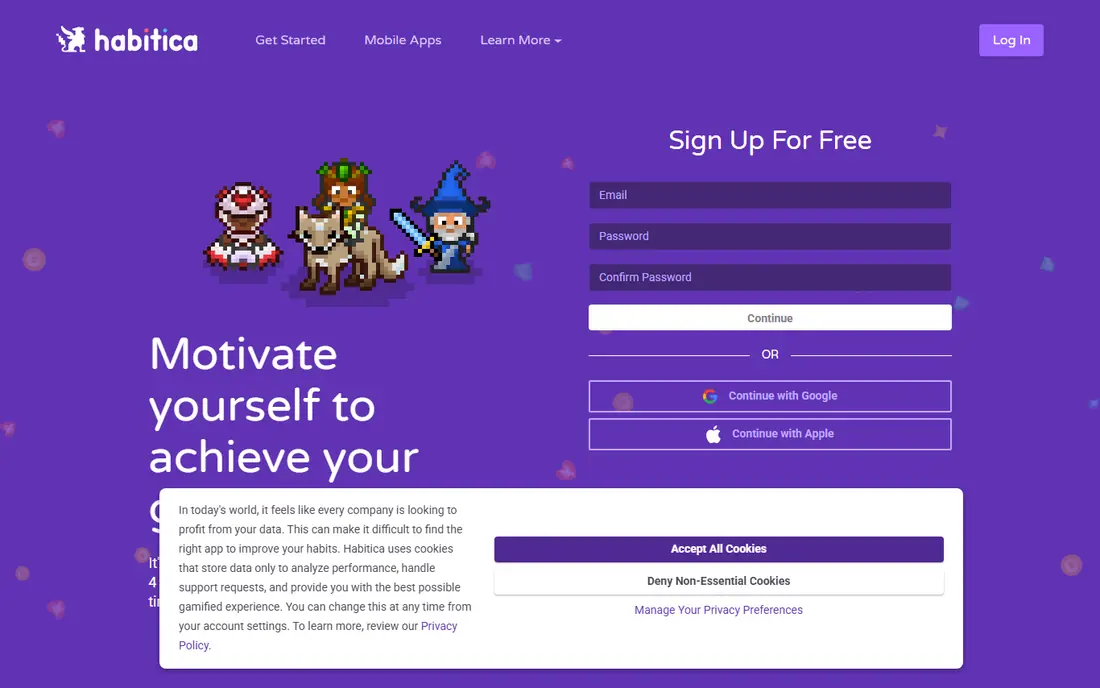
Habitica turns habits, daily tasks, and to-do items into a role-playing game. You earn experience and gold for completing tasks, level up a character, and can join parties and challenges with other users. For people who abandon plain trackers, that reward loop is often the difference between a week of effort and a lasting routine.
The catch is the theme. If pixel art and quests do not appeal to you, the extra layers may feel like clutter. A paid subscription, listed at $4.99 per month, adds extra gems and items but is not needed for core tracking. Habitica is best for goal setters who know they need motivation built into the app itself.
- Full core app is free
- Game rewards make daily check-ins fun
- Groups and challenges add social support
- Game style can feel childish to some users
- Interface is busier than a simple tracker
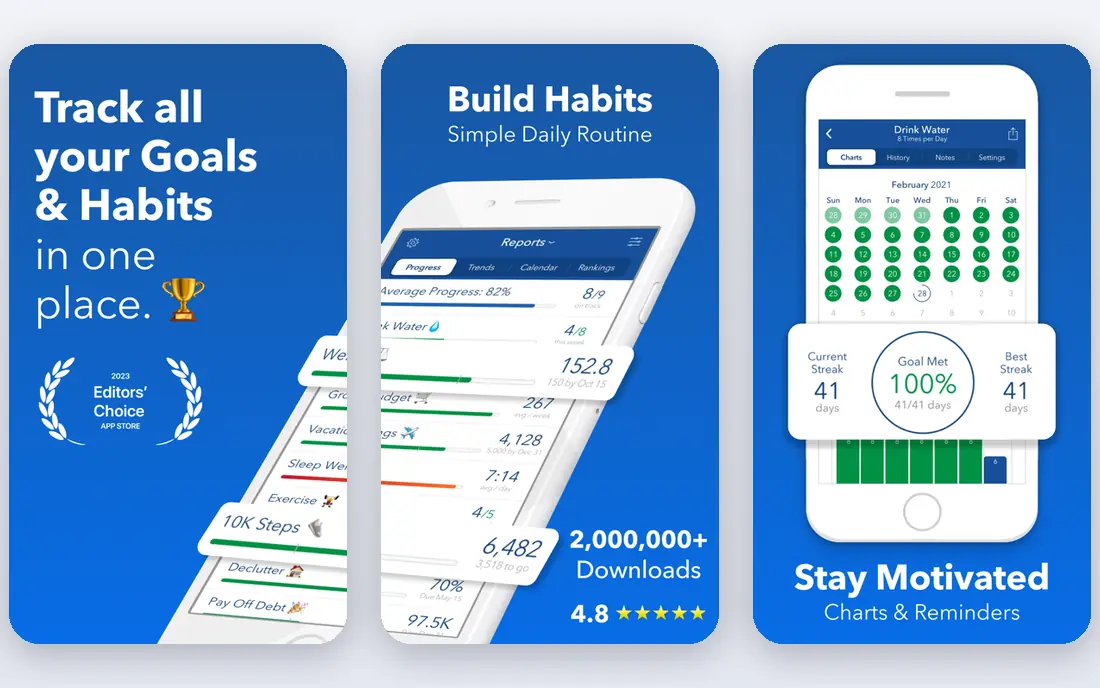
Strides answers one question very well: are you on track? It supports habits, targets, averages, and project milestones, and shows progress as clean charts and bars. Daily check-ins take seconds, which matters when a goal system fails because it takes too long to use. SMART goal templates help you shape a vague aim into a measurable target.
The limits are platform and scope. Strides is for iPhone, iPad, and Apple Watch, so Android and Windows users need another pick. Paid plans start at $4.99 per month, with a lifetime option also listed. For Apple users who want a calm, visual tracker without extra clutter, Strides is a strong choice.
- Four tracker types for habits, targets, averages, and milestones
- Clear progress bars
- Fast daily check-ins
- Apple devices only
- No built-in coaching or team features
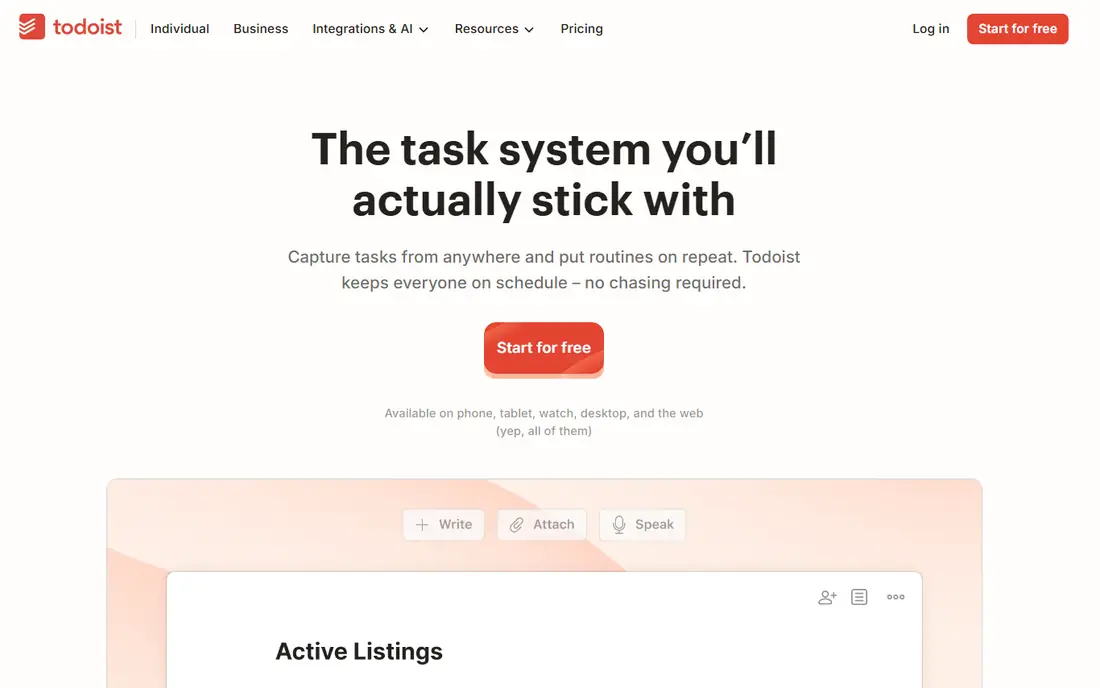
Todoist is less a goal journal and more a goal engine. You break a goal into a project, split it into tasks with dates and priorities, and work through them in a clean daily view. Natural language input lets you type a task and date in one line, and filters help you focus on one goal at a time. That structure suits people whose goals stall because the next step is unclear.
The gap is habit tracking. Todoist does not track streaks or daily habits natively, so pair it with a habit app if daily repetition matters to you. The free plan covers basic projects, while Pro is listed at $5 per month billed annually. For task-driven goal setters, Todoist remains a dependable core app.
- Fast task capture
- Projects, filters, and priorities
- Works on almost every platform
- No built-in habit tracking
- Best features sit on the paid plan
TickTick is our pick for most people who want one app instead of three. It combines to-do lists, a calendar view, habit tracking, and a Pomodoro focus timer, so a goal, its daily habits, and its scheduled work all live together. The free plan includes lists, calendar views, habits, and the timer, which covers most personal goals without payment.
Premium, listed at $49.99 per year, adds more lists, calendar views, and full statistics. The trade-off is density: all those features make the interface busier than Todoist or Strides. If you want a single home for goals, habits, and your day, TickTick offers the best value on this list.
- Tasks, calendar, habit tracker, and focus timer in one app
- Generous free plan
- Low yearly premium price
- Interface can feel busy
- Team features are limited
Notion is a blank workspace that can become almost any goal system you can design: a yearly goals dashboard, a quarterly review page, a habit database, and a journal in one place. Templates help you start, and databases let you track progress, deadlines, and notes together. That flexibility is ideal for people who enjoy building a system around their own way of working.
The cost is time. Notion does not remind you, coach you, or cheer you on by itself, and a poorly built setup can become another chore. Paid plans start at $10 per user per month for Plus. If you want a ready-made tracker, pick TickTick or Strides instead. If you want a system you control fully, Notion is hard to beat.
- Flexible databases, pages, and templates
- Goal dashboards and journals in one workspace
- Strong free plan
- Needs setup time
- No built-in accountability or habit coaching
Coach.me takes a different route: it pairs tracking with people. The free tier covers basic habit tracking, while paid coaching connects you with a coach for fitness, productivity, business, and other goals. Community challenges add peer support for people who do better when someone else is watching progress.
That human layer is also the cost. Coaching prices vary by coach and plan, so check the current coaching page before you commit. The app itself is simpler than Todoist or Notion, with fewer task and planning tools. For goal setters who have tried apps alone and stalled, a coach may matter more than any new feature.
- Habit tracking plus access to human coaches
- Community challenges
- Plans for common goals
- Coaching costs extra
- App is simpler than full task managers
Habitify focuses on doing one thing cleanly: tracking daily habits that support a larger goal. You set habits, get reminders, build streaks, and review progress in simple charts. The design stays out of the way, which helps if a busy app is what made you quit last time. It works across iOS and Android, so it fits mixed-device households.
The free plan limits how many habits you can track, and paid plans start at $2.49 per month on some listings, so check the app store page for current pricing. Habitify is not a full project planner. Pair it with a task app if your goal needs detailed steps, or use it alone if daily consistency is the main problem.
- Clean design
- Streaks, reminders, and progress stats
- Works on iOS and Android
- Free plan limits habit count
- Goal planning tools are lighter than Notion or TickTick
Fabulous is built for people who want help building a routine, not just a blank tracker. It guides you through morning and evening routines, adds habits step by step, and uses short coaching journeys to explain why each habit matters. That guided style suits beginners who feel lost when an app just shows an empty list.
The trade-off is flexibility. If you already have a detailed goal system, Fabulous can feel prescriptive, and many features sit behind a subscription, so check current pricing in the app store. For someone starting from zero, especially with health and morning-routine goals, the structure is a real advantage.
- Guided routines for mornings and evenings
- Coaching-style journeys
- Attractive design
- More guided than flexible
- Full features need a paid plan
Streaks keeps goal tracking as simple as possible: pick up to a set of habits, check them off daily, and watch the streak grow. The design is clean, the Apple Watch app makes logging fast, and there is little to configure. That simplicity is the point, and it suits people who want a tracker they can open, tap, and close in seconds.
The limits are clear. Streaks is Apple-only, there is no free plan, and it does not manage projects, notes, or complex goals. If you need a full planning system, look elsewhere. If you want a focused streak tracker and you live in the Apple ecosystem, Streaks is a tidy, low-friction pick.
- Very simple design
- Streaks make progress visible at a glance
- Apple Watch support
- Apple devices only
- No free plan
- Fewer planning features than TickTick or Notion
How we picked these
We compared official product pages, app store listings, pricing pages, and public reviews, focusing on apps that support real goal setting rather than only to-do lists or only habit streaks. We checked free plans, paid prices, platform coverage, reminders, and progress views, and we favored apps that are still actively offered in 2026. We did not claim hands-on testing, and prices change, so confirm the current price on the vendor site or app store page before you pay.
How to pick a goal app that you will actually keep using
Start by naming the real problem. If you forget the next step, pick a task app such as Todoist or TickTick. If you know the steps but skip the daily work, pick a habit tracker such as Habitica, Strides, or Habitify. If you need a person to answer to, Coach.me is the better bet than a prettier tracker. A mismatch here is the most common reason a goal app gets abandoned.
Then test for two weeks with one goal only. Set a measurable target, add a daily reminder, and check progress each evening. If the app takes more than a minute or two a day to maintain, simplify it or switch. Finally, review weekly: what got done, what slipped, and what needs a smaller next step. A goal app works when it makes that review easy, not when it holds the most features.
Sources
Frequently asked questions
What is the best goal tracker app overall?
TickTick is our all-round pick because it combines tasks, calendar, habits, and a focus timer with a generous free plan. Todoist is better if you want the cleanest task system, while Strides suits Apple users who want simple visual tracking. The best app is the one you will open daily.
Is there a good free goal setting app?
Yes. Habitica, TickTick, Todoist, Notion, and Strides all offer free plans that cover core goal and habit tracking. Free plans usually limit advanced features or habit counts, but they are enough to test whether the app fits your routine. Start free and upgrade only if a paid feature solves a real problem.
What is the best goal setting software for teams?
Notion and Todoist work best for shared goal tracking, since both support shared projects and collaboration. TickTick has weaker team features, and Habitica suits small social groups more than work teams. For formal company goals, a dedicated OKR tool may fit better than a personal app.
How is goal setting software different from a habit tracker?
Goal software helps you plan steps, deadlines, and milestones toward a larger outcome. A habit tracker focuses on repeating a daily action and building a streak. Many people need both: a plan for the goal and a tracker for the daily habits that support it. TickTick covers both in one app.
Can an app replace a coach for goal setting?
An app can remind you, track progress, and show streaks, but it cannot ask the hard questions a coach can. Coach.me offers human coaching for people who want that accountability. If you have stalled with apps alone, coaching or a peer group may help more than switching apps again.