Best Art Apps in 2026: 9 Apps Compared
By ToolNimba Editorial Team November 9, 2026 11 min read

- Top pick
 Procreate
iPad drawing and painting
Starting price$12.99 one-timeCheck out ProcreateRead our review - Runner-up
 Krita
Free digital painting
Starting priceFreeCheck out KritaRead our review - Also great
 Clip Studio Paint
Manga, comics, and illustration
Starting priceSee websiteCheck out Clip Studio PaintRead our review
How we researched this
We compared official pricing and feature pages, app store listings, privacy policies and public user reviews. Prices change, so check the provider's site before you pay.
Key takeaways
- Procreate remains the best iPad drawing app for most artists, with a low one-time price and no subscription.
- Krita and Affinity offer professional-grade painting and vector tools at no cost, which changes the value calculation for beginners.
- Clip Studio Paint and MediBang Paint suit manga and comic artists best, because of panel, inking, and screen tone tools.
- The best digital art app for you depends first on your device, because Procreate is iPad-only while Krita and Clip Studio cover more platforms.
Quick comparison
| Name | Best for | Starting price | Free plan | |
|---|---|---|---|---|
| Procreate | iPad drawing and painting | $12.99 one-time | No | Visit |
| Krita | Free digital painting | Free | Yes | Visit |
| Clip Studio Paint | Manga, comics, and illustration | See website | Free trial | Visit |
 Adobe Photoshop | Painting, photo editing, and compositing | $22.99 per month | Free trial (7 days) | Visit |
 Affinity | Free vector and raster design | Free | Yes | Visit |
 MediBang Paint | Free manga and collaboration | Free | Yes | Visit |
 Concepts | Infinite-canvas sketching | Free | Yes | Visit |
 Autodesk Sketchbook | Simple sketching for beginners | Free | Yes | Visit |
 ibis Paint | Mobile manga-style illustration | Free | Yes | Visit |
The best art apps
We compared official pricing pages, app store listings, and recent art software summaries for apps that support digital drawing and painting today. The best art apps are not interchangeable: some excel at raster painting, some at vector illustration, and some at comics. The list below mixes painting, vector, and comic tools across iPad, desktop, and mobile, so you can pick by device and by the kind of art you make.

Procreate is our pick for most people with an iPad and Apple Pencil. For a one-time price, you get a fast painting and illustration app with hundreds of brushes, a large layer count, and a clean interface that stays out of the way while you draw. The automatic time-lapse recording is a bonus for artists who share process videos, and the app handles large canvases well on modern iPads.
The limit is platform. There is no Windows, Mac, or Android version, so Procreate only makes sense if you already own or plan to buy an iPad. Serious animators may also outgrow its basic timeline and need a dedicated animation tool. For iPad illustration and painting, though, Procreate offers the best balance of price, speed, and brush quality in 2026.
- Fast brush engine with Apple Pencil
- One-time price with no subscription
- Automatic time-lapse for every piece
- IPad only
- No desktop or Android version
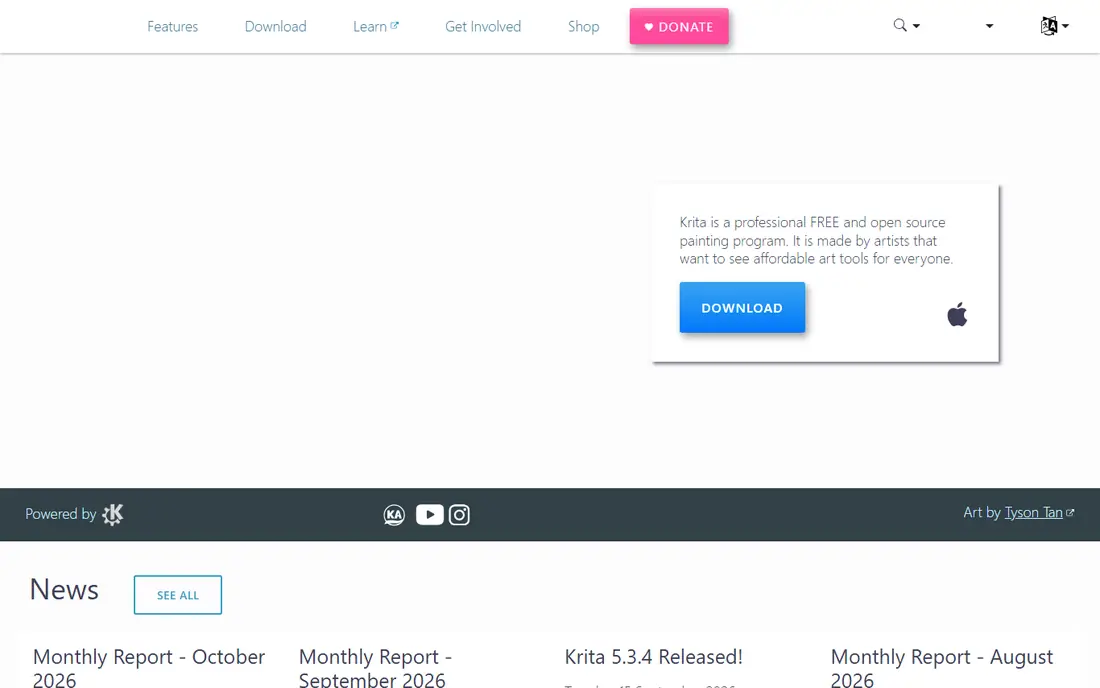
Krita is a free, open-source painting program that covers most hobbyist and many freelance workflows without a subscription. Its brush engine, color management, and animation tools suit illustration, concept art, and comics, and it runs on Windows, Mac, and Linux. For artists who want a desktop painting app at no cost, Krita is the first tool to try.
The interface packs many tools onto the screen, which can overwhelm a beginner used to a mobile app. Krita also focuses on raster painting rather than vector design, so logo and print layout work belongs elsewhere. If you paint on a computer and want a free, capable studio, Krita is hard to beat, and its community offers many free brushes and tutorials.
- Completely free and open source
- Strong brush engine for painting
- Runs on Windows, Mac, and Linux
- Interface can feel busy for beginners
- Less vector depth than Affinity
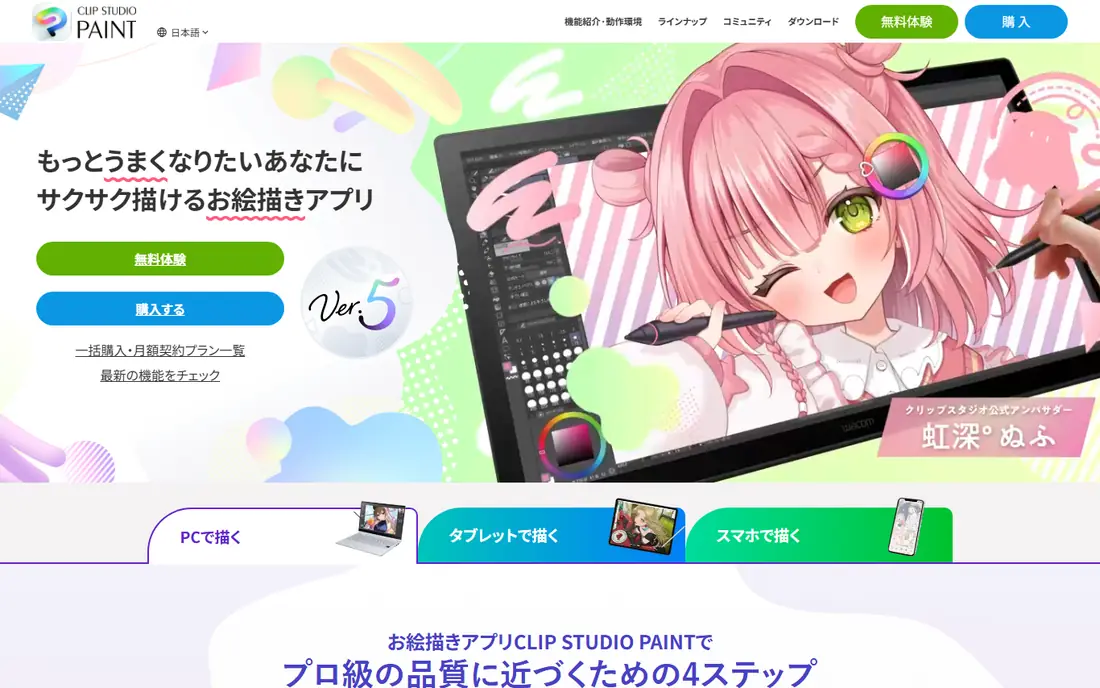
Clip Studio Paint is built for comics and manga, with panel layout, perspective rulers, inking brushes, and screen tones that general painting apps lack. It also handles illustration well, and it runs on Windows, Mac, iPad, Android, and Chromebook, so artists can move between devices. That comic focus makes it the standard choice for many manga artists and illustrators who publish serial work.
Pricing is the confusing part, because desktop perpetual licenses and mobile subscriptions differ, and prices vary by version and device. Check the official pricing page for your device before buying, and use the trial to test the comic tools on a real page. For manga and comic creation, Clip Studio Paint remains the most complete option in this list.
- Panel, inking, and screen tone tools
- Cross-platform on desktop and mobile
- Strong comic and manga workflows
- Pricing varies by device and license type
- Subscription needed for ongoing iPad use
Adobe Photoshop remains the industry standard for a reason: it does painting, illustration, photo editing, and compositing in one program, with thousands of brushes and the deepest tooling on this list. Files open in most studios and schools, and most tutorials assume Photoshop, which makes learning easier. For professional designers and illustrators who already work in Adobe workflows, Photoshop is often a required tool.
The subscription model is the main drawback, because you never stop paying, and the sheer number of tools can overwhelm a beginner. It is also built photo-first, so painters sometimes prefer Krita or Procreate for natural media feel. If you need one deep tool for everything and you use it daily, Photoshop justifies its price. If you paint as a hobby, a free or one-time app may serve you better.
- Deepest toolset for painting and editing
- Files open almost everywhere
- Huge tutorial and brush ecosystem
- Subscription-only pricing
- Can overwhelm beginners
Affinity, now part of Canva, became free in late 2025, which makes it one of the best value options for digital art and design. It offers vector illustration, raster painting, and layout tools in a professional package, without a subscription. That combination suits illustrators who need vector logos, print work, and painting in one place, especially on desktop and iPad.
Because the free model is recent, some workflows and pricing details are still evolving, so check the current Affinity pages before planning a long project. Plugin and tutorial depth also trails Photoshop. For artists who want pro-grade vector and raster tools at no cost, Affinity is now a serious alternative to paid design software.
- Free pro-grade vector and raster tools
- Runs on Windows, Mac, and iPad
- Good for illustration and print design
- New free model means some workflows are still changing
- Less plugin depth than Photoshop
MediBang Paint is a free comic and illustration app that works on Windows, Mac, iPad, and Android, with cloud sync for moving projects between devices. It includes comic panels, tones, and fonts, plus collaboration features that let teams work on the same project. That makes it a good choice for beginners, students, and small comic teams who want a free, cross-device tool.
It does not match Clip Studio Paint for professional comic depth, especially for advanced inking and publishing workflows. Cloud features also require a MediBang account. For free manga creation and for artists who switch between phone, tablet, and computer, MediBang Paint offers a friendly, capable starting point.
- Free on desktop and mobile
- Comic panels and cloud sync
- Team collaboration features
- Cloud sync needs a MediBang account
- Less deep than Clip Studio Paint for professional comics
Concepts is built for sketching and concept work on an infinite canvas, where strokes stay editable as vectors rather than becoming fixed pixels. That makes it useful for designers, architects, and illustrators who brainstorm, iterate, and export ideas for later refinement. The interface is clean, and the brush and color tools suit quick visual thinking.
The free plan limits layers, and some export and brush features require a paid Essentials plan or subscription. Concepts is not a full painting studio like Krita or Procreate, so finished illustration work may still move to another app. For ideation, storyboarding, and concept sketching, Concepts is a distinctive, useful tool.
- Infinite canvas with editable vector strokes
- Good for ideation and concept work
- Clean sketching interface
- Free plan limits layers
- Paid features needed for full export and brush options
Autodesk Sketchbook suits beginners who want a clean, distraction-free sketching app. It offers a simple interface, a solid brush set, and layer tools without the complexity of a full studio, and it runs on Windows, Mac, iOS, and Android. That simplicity makes it a good first drawing app for students, hobbyists, and anyone who sketches for ideas rather than finished illustration.
Advanced users will miss the depth of Procreate, Krita, or Clip Studio Paint, including advanced masks, layer grouping, and comic tools, some of which sit in a paid bundle. For quick sketches, notes, and learning to draw digitally, Sketchbook remains one of the easiest apps to pick up and enjoy.
- Free and easy to learn
- Clean interface for quick sketches
- Works on desktop and mobile
- Fewer advanced features than Procreate or Krita
- Some pro features are in a paid bundle
ibis Paint is a popular mobile illustration app, especially for manga-style drawing on phones and tablets. It offers a large brush library, layer tools, and a social community where artists share work and process videos. The free version covers most drawing needs, with an optional membership that removes ads and adds extra tools.
Ads and paid upgrades can interrupt the workflow, and canvas size and layer limits depend on device and tier. ibis Paint is not a desktop studio replacement, but for mobile artists who draw on a phone, it is one of the most complete free options. Beginners who want to learn digital drawing on a device they already own should try ibis Paint before buying a tablet app.
- Free on mobile with many brushes
- Manga-style tools and social features
- Works on phones and tablets
- Ads and optional paid tools affect workflow
- Smaller canvas options than desktop apps
How we picked these
We compared official pricing pages, app store listings, and recent art software summaries for apps that support digital drawing and painting today. We favored apps with a clear free tier, trial, or one-time price, a realistic fit for beginners or professionals, and a distinct strength in painting, vector, or comics. We did not claim hands-on testing, and where pricing could not be confirmed from a vendor page in our research, we wrote See website. Check the app store price for your region before buying, because mobile prices vary.
How to choose the right art app for your device and style
Start with your device, because it narrows the list fast. iPad owners should test Procreate first, plus Affinity and Clip Studio Paint for vector and comic work. Windows, Mac, and Linux users should test Krita and Affinity first, plus Clip Studio Paint for comics and Photoshop for professional compositing. Phone artists should test ibis Paint and MediBang Paint first, because both are free and mobile-first.
Next, match the app to your art style. Raster painting suits Procreate, Krita, and Photoshop. Vector illustration and logos suit Affinity and Concepts. Manga and comics suit Clip Studio Paint and MediBang Paint. Simple sketching suits Sketchbook and Concepts. Many artists use two apps: one for sketching and one for finishing, so do not feel you must find one app that does everything.
Free versus paid for beginners
Free apps now cover most beginner and intermediate work, so a subscription is not required to learn digital art. Krita, Affinity, MediBang Paint, and Sketchbook all offer full drawing tools at no cost, and Procreate costs only $12.99 one-time on iPad. Pay for a subscription only when a specific feature, such as Photoshop compositing or Clip Studio comic publishing, solves a problem you already have. A good stylus and practice matter more than an expensive app.
Brushes, layers, and file formats
Check brush variety, layer limits, and export formats before committing to a long project. Brush feel matters more than brush count, so test a few brushes on a real sketch. Layer limits depend on canvas size and device memory, especially on mobile. Export in PSD or PNG for sharing, and keep a native project file as backup, because moving between apps can flatten layers or change colors.
Sources
Frequently asked questions
What are the best digital art apps for beginners?
Krita, Autodesk Sketchbook, and MediBang Paint are strong free starting points for beginners, because they cover painting and comics without a subscription. Procreate is the best paid beginner option for iPad owners, at $12.99 one-time. The best drawing apps for beginners are the ones with a clean interface and enough brushes to learn, not the ones with the longest feature list.
What is the best digital drawing app for iPad?
Procreate is the best digital drawing app for iPad for most artists, because of its brush engine, one-time price, and speed with Apple Pencil. Affinity suits iPad vector work, Clip Studio Paint suits iPad comics, and Concepts suits iPad sketching. If you only buy one iPad art app, Procreate is the safest first purchase.
What is the best app for digital art on Android?
Krita, MediBang Paint, and ibis Paint are strong Android options, with Krita offering desktop-grade painting and MediBang and ibis Paint offering mobile-friendly manga tools. Clip Studio Paint also runs on Android, with subscription pricing for ongoing use. Test the free apps first, because Android drawing quality depends heavily on your device and stylus support.
Is Procreate better than Clip Studio Paint?
Procreate suits general iPad illustration and painting with a simple one-time price, while Clip Studio Paint suits manga and comics with panel, inking, and tone tools across platforms. Neither is better in absolute terms. Choose Procreate for iPad painting, Clip Studio Paint for comics or cross-platform work, and use both if you draw both kinds of art.
What is the best free art software for PC?
Krita is the best free art software for PC for painting, and Affinity is the best free option for vector and design work, since both are free and run on Windows and Mac. MediBang Paint is another free PC option for comics. Together, Krita and Affinity cover most digital art needs on a computer without a subscription.
What is the best art software for manga and comics?
Clip Studio Paint is the best art software for manga and comics overall, because of its panel, perspective, inking, and tone tools. MediBang Paint is the best free alternative for comics, especially for beginners and teams. ibis Paint also suits mobile manga-style work. For professional comic publishing, Clip Studio Paint remains the standard most artists compare against.