Best At Home Workout App in 2026: 9 Options Compared
By ToolNimba Editorial Team November 9, 2026 12 min read

- Top pick
 Nike Training Club
Free guided workouts for all levels
Starting priceFreeCheck out Nike Training ClubRead our review - Runner-up
 FitOn
Free home classes with community features
Starting priceFreeCheck out FitOnRead our review - Also great
 Peloton App
Coached classes and community motivation
Starting price$12.99 per monthCheck out Peloton AppRead our review
How we researched this
We compared official pricing and feature pages, app store listings, privacy policies and public user reviews. Prices change, so check the provider's site before you pay.
Key takeaways
- Nike Training Club is the best free starting point, with guided workouts at no cost.
- FitOn is another strong free option, with a large class library for home sessions.
- Apple Fitness+ suits Apple Watch owners who want live metrics during classes.
- Peloton App suits readers who want coached classes and community, but it costs more than the free options.
Quick comparison
| Name | Best for | Starting price | Free plan | |
|---|---|---|---|---|
| Nike Training Club | Free guided workouts for all levels | Free | Yes | Visit |
| FitOn | Free home classes with community features | Free | Yes | Visit |
| Peloton App | Coached classes and community motivation | $12.99 per month | Yes | Visit |
 Apple Fitness+ | Apple Watch owners who want studio classes | $9.99 per month | Free trial | Visit |
 Down Dog | Yoga, Pilates, and barre at home | See website | Yes | Visit |
 Centr | Full lifestyle programs with coaching | $29.99 per month | Free trial (7 days) | Visit |
 Sweat | Trainer-led programs for women at home | $24.99 per month | Free trial (7 days) | Visit |
 Daily Burn | Beginner-friendly variety at home | $19.99 per month | Yes | Visit |
 Fitbod | Adaptive strength training at home or gym | $15.99 per month | Free trial (7 days) | Visit |
The best at home workout apps
Home workouts fail when the app asks for equipment you do not own or classes longer than your free time. The apps below cover no-equipment sessions, dumbbell strength, yoga, and coached classes, so you can match the app to your space, gear, and schedule.

For readers who want free guided workouts for all levels, Nike Training Club is a natural place to start. It is free, which removes the main barrier to starting. Workouts cover strength, cardio, and mobility, with plans that suit beginners and experienced trainers alike. That focus matters because it shapes what you see each day, what you pay for, and what you can skip. We compared its official feature and pricing pages with what other users report, and the picture is consistent: the core tools work as described, while the extras vary in value.
Because it is free, support and community features are lighter than paid rivals. If you need live coaching or a strong social push, a paid app may motivate you more. Before you commit, check the current price at checkout, read the cancellation terms, and try the free tier or trial if one is offered. If the fit feels right, it is a sensible pick. If it feels forced, move on rather than paying for features you will not use.
- Free guided workouts
- Strength, cardio, yoga, and mobility
- Plans for many levels
- No live class community like Peloton
- Equipment guidance varies
- Needs a Nike account
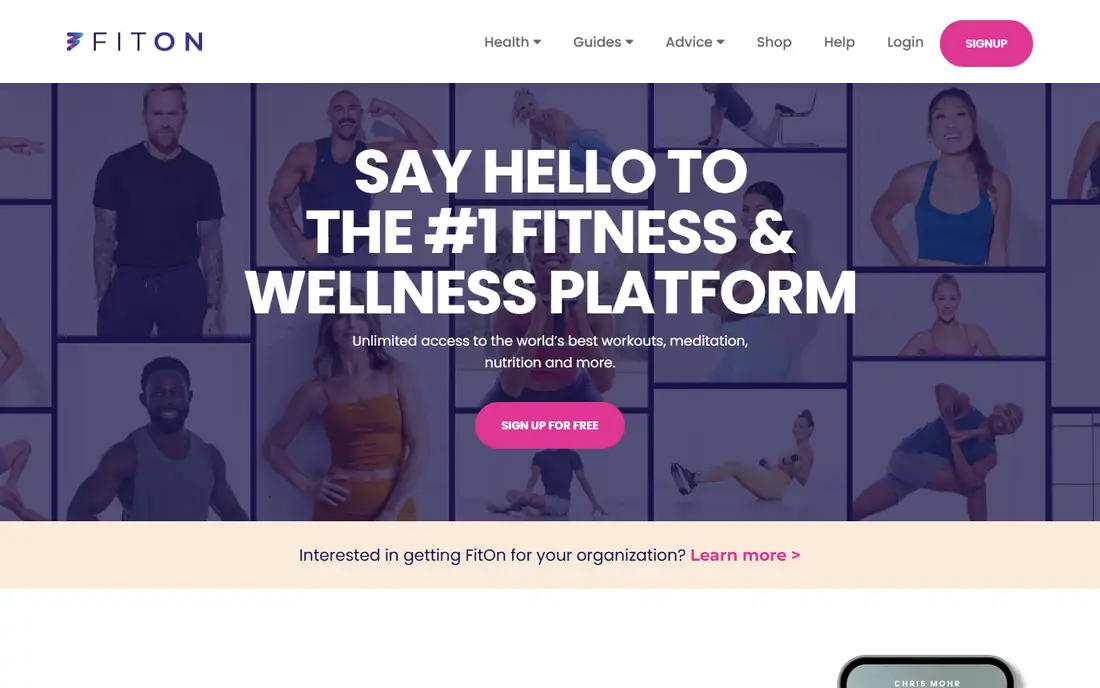
FitOn suits readers who put free home classes with community features first, and it shows in how the service is set up. FitOn offers a large library of home classes at no cost, with friends and challenges that add motivation. That combination is rare at this price. That focus matters because it shapes what you see each day, what you pay for, and what you can skip. We compared its official feature and pricing pages with what other users report, and the picture is consistent: the core tools work as described, while the extras vary in value.
The free library is the core value. If you want structured long-term programs or advanced coaching, you may outgrow it faster than a paid program. Before you commit, check the current price at checkout, read the cancellation terms, and try the free tier or trial if one is offered. If the fit feels right, it is a sensible pick. If it feels forced, move on rather than paying for features you will not use.
- Large free class library
- Cardio, strength, yoga, and Pilates
- Social features
- Paid upgrade adds extras
- Class depth varies
- Some features need the app, not web
If coached classes and community motivation is your main goal, Peloton App deserves a close look before you pay anywhere else. Peloton App One gives you coached classes without Peloton hardware, with instructors and a community that many users credit for consistency. That focus matters because it shapes what you see each day, what you pay for, and what you can skip. We compared its official feature and pricing pages with what other users report, and the picture is consistent: the core tools work as described, while the extras vary in value.
The price is the main question. If you train a few times a month, a free app may serve you just as well. It earns its fee when you use classes several times a week. Before you commit, check the current price at checkout, read the cancellation terms, and try the free tier or trial if one is offered. If the fit feels right, it is a sensible pick. If it feels forced, move on rather than paying for features you will not use.
- Strength, yoga, Pilates, and cardio classes
- Live and on-demand sessions
- Community features
- Costs more than free rivals
- Best experience needs the app ecosystem
- Equipment classes need gear
Apple Fitness+ takes a different route to apple watch owners who want studio classes, which is part of its appeal. It shows live heart rate and calories on screen during classes, which helps Apple Watch owners pace themselves. The class range is wide and well produced. That focus matters because it shapes what you see each day, what you pay for, and what you can skip. We compared its official feature and pricing pages with what other users report, and the picture is consistent: the core tools work as described, while the extras vary in value.
Without Apple devices, much of the appeal fades. Android users should pick Nike Training Club or FitOn instead, since Fitness+ is built around Apple hardware. Before you commit, check the current price at checkout, read the cancellation terms, and try the free tier or trial if one is offered. If the fit feels right, it is a sensible pick. If it feels forced, move on rather than paying for features you will not use.
- Studio classes with live Watch metrics
- Strength, yoga, HIIT, and dance
- Family sharing
- Needs Apple devices for the full experience
- No Android app
- Watch adds most value
Readers focused on yoga, pilates, and barre at home will find Down Dog easy to understand from the first visit. Down Dog lets you shape each session by level, focus, and length, which suits home yoga practice better than a fixed class list. That focus matters because it shapes what you see each day, what you pay for, and what you can skip. We compared its official feature and pricing pages with what other users report, and the picture is consistent: the core tools work as described, while the extras vary in value.
It is not an all-round fitness app. If you also want strength and cardio programs, pair it with a general app or choose a broader paid option. Before you commit, check the current price at checkout, read the cancellation terms, and try the free tier or trial if one is offered. If the fit feels right, it is a sensible pick. If it feels forced, move on rather than paying for features you will not use.
- Custom yoga and Pilates sessions
- Level and focus controls
- Offline options
- Narrower than all-round apps
- Pricing varies by plan
- No strength equipment programs
Centr is best judged on one question: does it deliver full lifestyle programs with coaching without extra fuss. Centr bundles training with meal ideas and mindfulness, which suits readers who want one plan for fitness and daily habits. That focus matters because it shapes what you see each day, what you pay for, and what you can skip. We compared its official feature and pricing pages with what other users report, and the picture is consistent: the core tools work as described, while the extras vary in value.
The monthly price is high, and the 7-day trial is short. Use the trial for a full week of sessions before you judge whether the bundle beats separate free apps. Before you commit, check the current price at checkout, read the cancellation terms, and try the free tier or trial if one is offered. If the fit feels right, it is a sensible pick. If it feels forced, move on rather than paying for features you will not use.
- Training, meals, and mindfulness in one app
- Coached programs
- Varied workout styles
- Higher price than rivals
- Trial is short
- Meal plans may not suit all diets
For trainer-led programs for women at home, Sweat is one of the more dependable names on this list. Sweat offers structured trainer-led programs with clear progression, which helps readers who want a plan rather than a class library. That focus matters because it shapes what you see each day, what you pay for, and what you can skip. We compared its official feature and pricing pages with what other users report, and the picture is consistent: the core tools work as described, while the extras vary in value.
The price and short trial mean you should know what program style you want before you pay. Free apps are a better first step if you are still exploring. Before you commit, check the current price at checkout, read the cancellation terms, and try the free tier or trial if one is offered. If the fit feels right, it is a sensible pick. If it feels forced, move on rather than paying for features you will not use.
- Trainer-led programs
- Home and gym options
- Community features
- Higher price
- Trial is short
- Program style may not suit everyone
Daily Burn earns its place here through its approach to beginner-friendly variety at home, not through hype. Daily Burn suits beginners who want variety without choosing a niche. Programs cover strength, cardio, yoga, and dance, with levels that build gradually. That focus matters because it shapes what you see each day, what you pay for, and what you can skip. We compared its official feature and pricing pages with what other users report, and the picture is consistent: the core tools work as described, while the extras vary in value.
The cost is hard to justify against free options unless you use its programs often. Try the free tier or trial and compare it directly with Nike Training Club. Before you commit, check the current price at checkout, read the cancellation terms, and try the free tier or trial if one is offered. If the fit feels right, it is a sensible pick. If it feels forced, move on rather than paying for features you will not use.
- Wide workout variety
- Beginner-friendly programs
- Live and on-demand classes
- Price is higher than free rivals
- Interface feels older
- Some programs need equipment
When adaptive strength training at home or gym matters most, Fitbod gives you a clear, practical way to get started. Fitbod builds strength sessions around the equipment you have, including dumbbells at home, and adapts as you get stronger. That personalisation is its main edge. That focus matters because it shapes what you see each day, what you pay for, and what you can skip. We compared its official feature and pricing pages with what other users report, and the picture is consistent: the core tools work as described, while the extras vary in value.
It is not a general class app. If you want yoga, dance, or coached cardio, pair it with a free class app or choose a broader paid service. Before you commit, check the current price at checkout, read the cancellation terms, and try the free tier or trial if one is offered. If the fit feels right, it is a sensible pick. If it feels forced, move on rather than paying for features you will not use.
- Adaptive strength plans
- Equipment-aware workouts
- Progress tracking
- Strength-focused, so cardio and yoga are lighter
- Price adds up
- Needs equipment for best results
How we picked these
We compared official feature pages, pricing pages, app store listings, privacy information, and public user feedback for each option, and we kept only products that exist now and truly fit the topic. We checked starting prices and free tiers where the vendor publishes them, and we wrote See website where a price could not be verified from the vendor. We did not claim hands-on testing, and we favoured options with clear terms and a usable free tier or trial where one exists.
How to pick a home workout app you will actually use
Start with your space and gear. No-equipment apps suit small rooms, while dumbbell apps need a clear floor and a set of weights. Next, match the session length to your day. A 20-minute plan you finish beats a 60-minute plan you skip. Try free options first for two weeks and track how often you train, not how the app looks. If you train consistently, a paid app may add structure and coaching worth paying for. If you stop after a week, the problem is usually fit, not price, so switch styles before you switch to a paid plan. Check safety too: warm up, use good form, and stop if you feel sharp pain. These apps are general fitness tools, not medical advice, and readers with health conditions should check with a clinician before starting a new program.
Sources
Frequently asked questions
What is the best home workout app?
Nike Training Club is the best free starting point, while Peloton App suits coached classes and Apple Fitness+ suits Apple Watch owners. The best pick depends on budget, gear, and motivation style.
What is the best free home workout app?
Nike Training Club and FitOn both offer large free libraries. Nike Training Club leans toward guided plans, while FitOn leans toward classes and community features.
Do I need equipment for home workout apps?
No. Many apps offer no-equipment sessions, and Fitbod and others adapt to dumbbells if you have them. Check the equipment filter before you start a program.
Is Peloton App worth it without a bike?
It can be, if you use its strength, yoga, and cardio classes several times a week. If you train rarely, a free app will give you similar sessions for no cost.
Can home workout apps replace a gym?
For general fitness, yes, especially with dumbbells and a consistent plan. Heavy lifting and specialist equipment are harder to replace at home, so set goals that match your gear.