Best Board Management Software Solutions in 2026: 8 Tools Compared
By ToolNimba Editorial Team November 9, 2026 9 min read

- Top pick
 Diligent Boards
Large enterprise boards
Starting priceSee websiteCheck out Diligent BoardsRead our review - Runner-up
 BoardEffect
Nonprofits and mid-size boards
Starting priceSee websiteCheck out BoardEffectRead our review - Also great
 OnBoard
Balanced mid-market pick
Starting priceSee websiteCheck out OnBoardRead our review
How we researched this
We compared official pricing and feature pages, app store listings, privacy policies and public user reviews. Prices change, so check the provider's site before you pay.
Key takeaways
- Diligent Boards and Nasdaq Boardvantage suit large, regulated boards, while BoardPro and OnBoard suit smaller boards and nonprofits that want simpler pricing.
- Most enterprise board tools do not publish prices, so budget on a custom quote and ask what is included for implementation, training, and support.
- BoardPro is the clearest budget pick here, with published per-board pricing starting at $150 per month, rather than per-user pricing that grows with board size.
- Security, offline access, and minutes workflows matter more than extra features: directors will only use a portal that is easy on a tablet before a meeting.
Quick comparison
| Name | Best for | Starting price | Free plan | |
|---|---|---|---|---|
| Diligent Boards | Large enterprise boards | See website | No | Visit |
| BoardEffect | Nonprofits and mid-size boards | See website | No | Visit |
| OnBoard | Balanced mid-market pick | See website | No | Visit |
 Nasdaq Boardvantage | Public and regulated boards | See website | No | Visit |
 BoardPro | Small boards and nonprofits | $150 per month | Free trial | Visit |
 Aprio | Simple board portals | See website | Free trial | Visit |
 Govenda | Secure board collaboration | See website | No | Visit |
 Azeus Convene | Meetings and document control | See website | Free trial | Visit |
The best board management software solutions
Board management software replaces email attachments and printed board packs with a secure portal for agendas, documents, minutes, votes, and signatures. The right tool depends on board size, regulatory needs, and budget, because enterprise tools and small-board tools solve the same problem at very different prices.
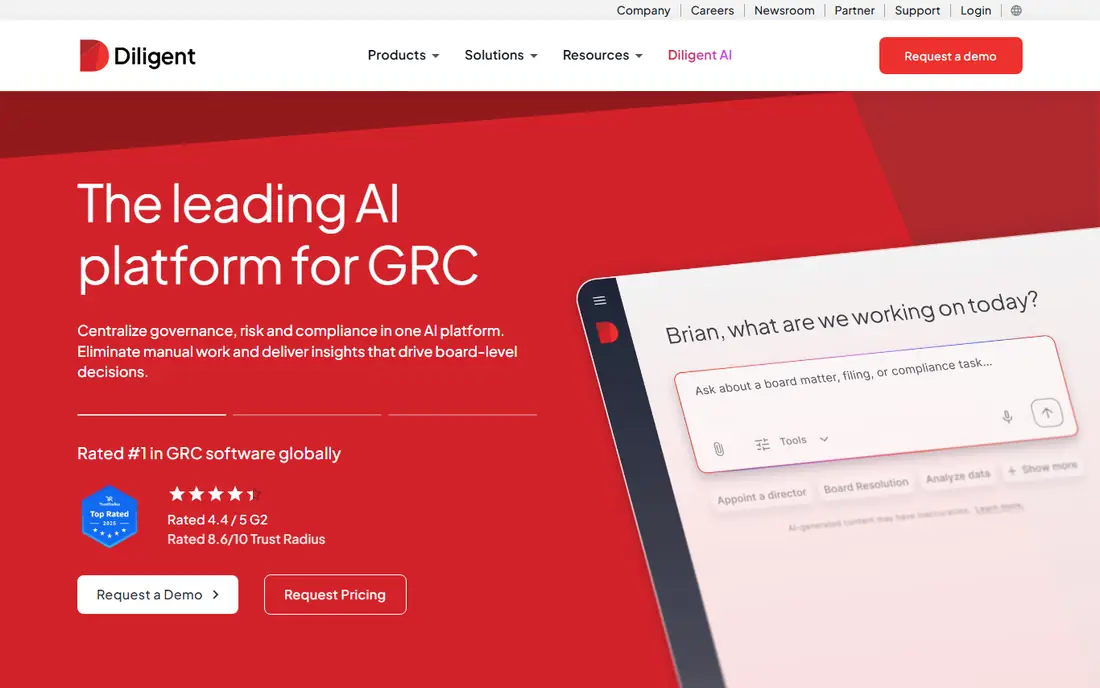
Diligent Boards is the default enterprise pick for large public companies and regulated organizations. It combines board books, agendas, minutes, voting, questionnaires, and entity management in one secure portal, with single sign-on, document annotation, and real-time sync across devices. For boards that also manage subsidiaries and compliance records, that breadth is a real advantage over a simple meeting tool.
The cost and complexity are the drawbacks. Pricing is custom, often reported in the tens of thousands per year for enterprise use, and smaller boards may find the suite more than they need. Implementation, training, and administrator time should be budgeted alongside the license. Choose Diligent when governance depth and compliance matter most, not when you only need a simple board pack tool.
- Deep governance and entity tools
- Strong security and compliance features
- Broad adoption among large companies
- Custom pricing only
- Can be complex for small boards
- Implementation takes planning
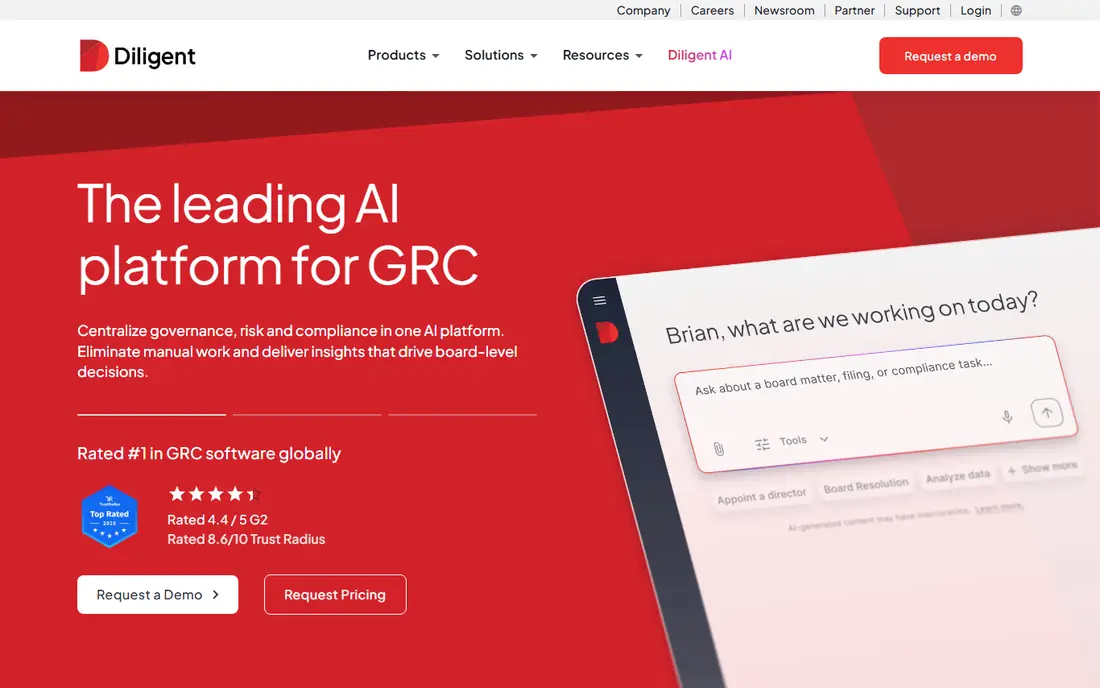
BoardEffect, also from Diligent, focuses on meeting operations for nonprofits and mid-size organizations. It offers dynamic board book building, AI-assisted agenda creation and meeting summaries, customizable approval workflows, and surveys and polls. That mix helps nonprofit boards that need structure without enterprise complexity, and it supports directors who prepare on tablets and phones.
Pricing is by custom quote, so small nonprofits should ask for the full annual cost, including onboarding and support, before comparing it with BoardPro or Aprio. Dashboard customization is also more limited than some rivals. BoardEffect is a strong pick for nonprofits that want a modern portal with AI meeting help, especially if they already use other Diligent tools.
- Strong nonprofit focus
- AI-assisted agendas and summaries
- Approval workflows and surveys
- Pricing is custom
- Dashboard customization is limited
- Less tailored to large for-profit boards
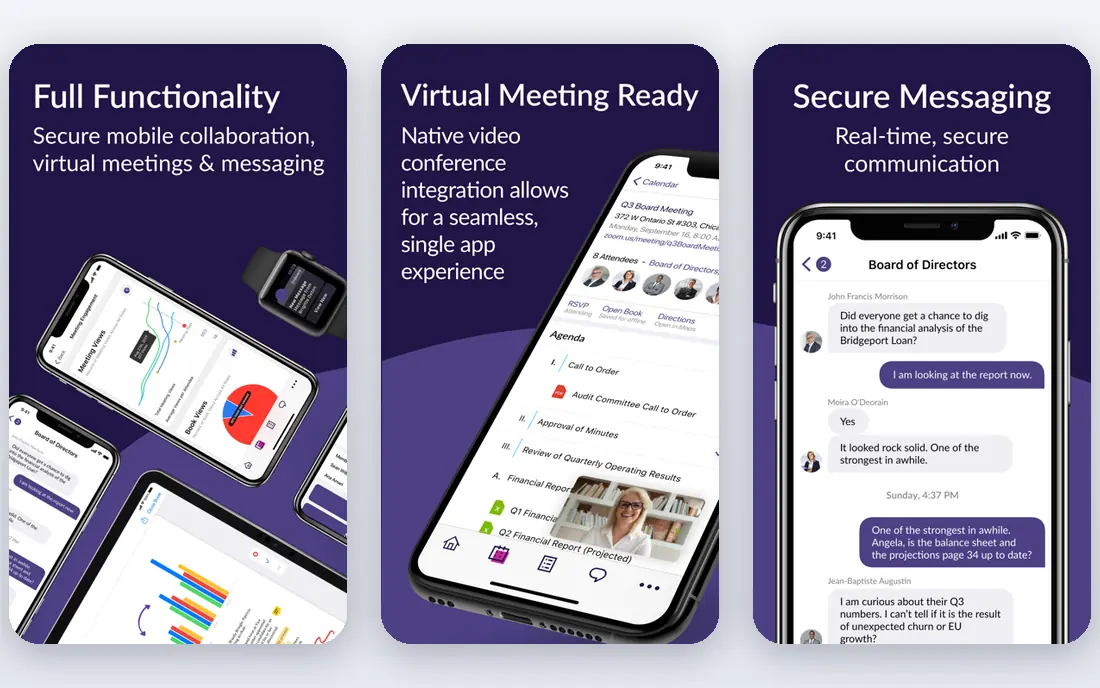
OnBoard is the balanced choice for mid-market companies and nonprofits that want a portal directors will actually use. Its design is clean and mobile-friendly, with board books, agendas, minutes, voting, and e-signatures in one place. High adoption matters for board tools, because a portal only helps if directors open it before the meeting, and OnBoard's usability is a consistent strength in reviews.
The main limit is pricing transparency. OnBoard uses custom quotes, so you need a demo and a written quote to compare it fairly against BoardPro's published pricing. Advanced entity and compliance features are also thinner than Diligent Boards. If your board needs a modern, easy portal without enterprise depth, OnBoard is a strong shortlist pick.
- Modern, mobile-friendly design
- Good balance of features and usability
- Popular with nonprofits and private boards
- Pricing is custom
- Advanced governance features are thinner than Diligent
- Some workflows need administrator setup
Nasdaq Boardvantage suits public companies and highly regulated organizations that need issuer-grade security and workflows. It offers secure board books, voting, e-signatures, and offline access, so directors can review materials without a live connection. Its compliance focus and audit trails help boards that face strict reporting and disclosure rules.
Pricing is custom and at the higher end, which makes it a poor fit for small boards or nonprofits on a tight budget. Implementation also needs planning, because security settings and user roles must be set up carefully. Choose Boardvantage when public-company governance and security are the top priorities, and compare Diligent Boards alongside it for a fair enterprise comparison.
- Issuer-grade security and workflows
- Digital board books and voting
- Offline access support
- Custom, higher-end pricing
- Built for larger organizations
- Overkill for small nonprofit boards
BoardPro is the clearest value pick for small and mid-size boards, nonprofits, and schools. It charges per board rather than per user, starting at $150 per month, with unlimited users, so adding directors does not raise the price. Features include agenda building, one-click board pack compilation, minutes with AI assistance, e-signatures, and between-meeting voting on higher plans.
The limits are modest but worth noting. There is no built-in messenger, voting and some signing features sit on the Premium plan, and support hours reflect the company's New Zealand base, which can affect US response times. Even with those limits, BoardPro's published pricing and simple setup make it the easiest board tool to budget and trial. For most small boards, it should be the first demo you book.
- Published per-board pricing, not per-user
- Unlimited users at no extra cost
- AI-assisted minutes and e-signatures
- No built-in messenger
- Voting options are limited on lower plans
- Support hours reflect its New Zealand base
Aprio is a straightforward board portal for organizations that want the essentials without enterprise complexity. It covers board books, agendas, minutes, document storage, and voting, with a clean interface that directors can learn quickly. For small boards moving from email and shared drives, that simplicity reduces training time and support calls.
Pricing is less transparent than BoardPro, with a free trial but no clear published entry price, so request a written quote. Advanced governance, entity management, and deep customization are also limited compared with Diligent. Aprio works best as a simple, affordable portal for boards that need secure packs and minutes, not as a full governance suite.
- Simple, easy-to-learn portal
- Good for small and mid-size boards
- Board books, minutes, and voting in one place
- Pricing is not published clearly
- Advanced governance features are limited
- Customization is modest
Govenda focuses on secure board collaboration, with board books, committee work, voting, and document sharing in a controlled portal. Its security and permission controls help boards that handle sensitive materials, and its meeting tools cover the full cycle from agenda to minutes. For boards that prioritize document control and audit trails, Govenda is a credible enterprise alternative.
The main drawback is pricing opacity: Govenda uses custom quotes, so you cannot compare its cost without a demo. Its market presence is also smaller than Diligent or Nasdaq, which can matter for references and integrations. Include Govenda in an enterprise shortlist when security and document control are priorities, and ask for customer references in your sector.
- Secure document sharing and collaboration
- Board books and voting
- Committee and meeting tools
- Custom pricing only
- Smaller market presence than Diligent
- Feature depth varies by plan
Azeus Convene is a board portal that emphasizes meeting management and document control. It offers agenda building, board pack distribution, voting, resolutions, and a document library with version control, plus live meeting features for remote and hybrid boards. That combination suits organizations that run formal meetings with strict document handling.
Pricing is custom, and the interface can feel dense for directors who only open the portal before meetings. Administrator training helps, so budget time for setup and onboarding. Convene is a good fit for boards that need strong document control and formal voting workflows, especially in regulated or multi-committee settings.
- Board books, agendas, and voting
- Document library with version control
- Live meeting tools
- Pricing is custom
- Interface can feel dense
- Some features need administrator training
How we picked these
We compared board portals that serve real boards today, using official product pages, pricing information, and public comparisons. We included enterprise tools, mid-market tools, and small-board tools, so readers can match the tool to board size and budget. Where a vendor does not publish pricing, we list See website and note that a custom quote is required, rather than repeating an unverified price.
How to choose a board portal
Start with security and usability, not feature count. Ask how documents are encrypted, how permissions work for committees, whether directors can annotate offline on a tablet, and how quickly a departing director's access can be removed. Then run a trial with a real board pack: build an agenda, distribute documents, collect annotations, and take minutes. If directors struggle in the trial, they will struggle before a real meeting.
Next, compare total cost. Ask for the annual license, implementation, training, and support costs in writing, and confirm whether pricing is per board, per user, or per administrator. Per-user pricing can grow quickly as committees expand, while per-board pricing such as BoardPro's stays flat. Finally, check data export and contract terms, so you can leave with your minutes and documents if you switch tools later.
Sources
Frequently asked questions
What is board management software?
Board management software is a secure online portal for running board meetings. It stores board packs, agendas, minutes, votes, and signatures in one place, with permissions so only the right directors see each document. It replaces email attachments and printed packs, which are harder to secure and track.
How much does board management software cost?
It varies widely. Small-board tools such as BoardPro publish pricing starting at $150 per month per board, while enterprise tools such as Diligent Boards and Nasdaq Boardvantage use custom quotes that can reach tens of thousands per year. Always ask for the full annual cost, including implementation and support.
Is board management software secure?
Reputable board portals use encryption, role-based permissions, audit trails, and secure login options, which are stronger than email attachments. Security still depends on setup: use strong passwords or single sign-on, remove access promptly when directors leave, and avoid sharing portal documents outside the system.
Can small nonprofits afford board management software?
Yes, if they choose a small-board tool. BoardPro and Aprio are designed for smaller budgets, with simpler pricing and setup than enterprise tools. Some vendors also offer nonprofit pricing, so ask directly. A small board should not pay enterprise prices for basic pack and minutes features.
Do directors need training to use a board portal?
Most directors need only a short orientation if the portal is well designed, especially for reading packs and annotating on a tablet. Administrators need more training for agenda building, permissions, and minutes workflows. Choose a tool with a free trial and test it with two or three directors before rolling it out to the full board.
What happens to our documents if we cancel?
That depends on the vendor contract, so check export options before you sign. Good vendors let you export minutes, agendas, and documents in standard formats. Ask how long data is retained after cancellation, and who can access it during that period, so you are not locked in by your own board records.