Best Business Management Software in 2026: 10 Apps Compared
By ToolNimba Editorial Team November 8, 2026 11 min read

- Top pick
 Zoho One
All-in-one suite for small firms
Starting priceSee websiteCheck out Zoho OneRead our review - Runner-up
 Odoo
Modular operations and inventory
Starting priceFreeCheck out OdooRead our review - Also great
 HoneyBook
Client workflow and payments
Starting priceSee websiteCheck out HoneyBookRead our review
How we researched this
We compared official pricing and feature pages, app store listings, privacy policies and public user reviews. Prices change, so check the provider's site before you pay.
Key takeaways
- Zoho One and Odoo suit businesses that want many functions from one vendor, while HoneyBook suits client-based businesses best.
- The best software to manage small business work depends on the bottleneck, whether that is clients, projects, money, or inventory.
- Free plans from HubSpot, Odoo, and ClickUp cover real starting points, but paid tiers quickly change the total cost.
- Check pricing by seats, modules, and add-ons, since the headline monthly price rarely equals the full bill for a team.
Quick comparison
| Name | Best for | Starting price | Free plan | |
|---|---|---|---|---|
| Zoho One | All-in-one suite for small firms | See website | Free trial | Visit |
| Odoo | Modular operations and inventory | Free | Yes | Visit |
| HoneyBook | Client workflow and payments | See website | Free trial | Visit |
 HubSpot | Sales and customer management | Free | Yes | Visit |
 monday.com | Visual work management | See website | Yes | Visit |
 ClickUp | Customizable project workspaces | Free | Yes | Visit |
 QuickBooks Online | Accounting-led management | See website | Free trial | Visit |
 Bitrix24 | Free starting suite for small teams | Free | Yes | Visit |
 Thryv | Local service business management | See website | Free trial | Visit |
 Scoro | Agency profitability tracking | See website | Free trial | Visit |
The best business management software
We compared scope, pricing models, ease of adoption, and fit for common small-business jobs, so you can choose a system that matches your main workflow rather than the largest feature list.
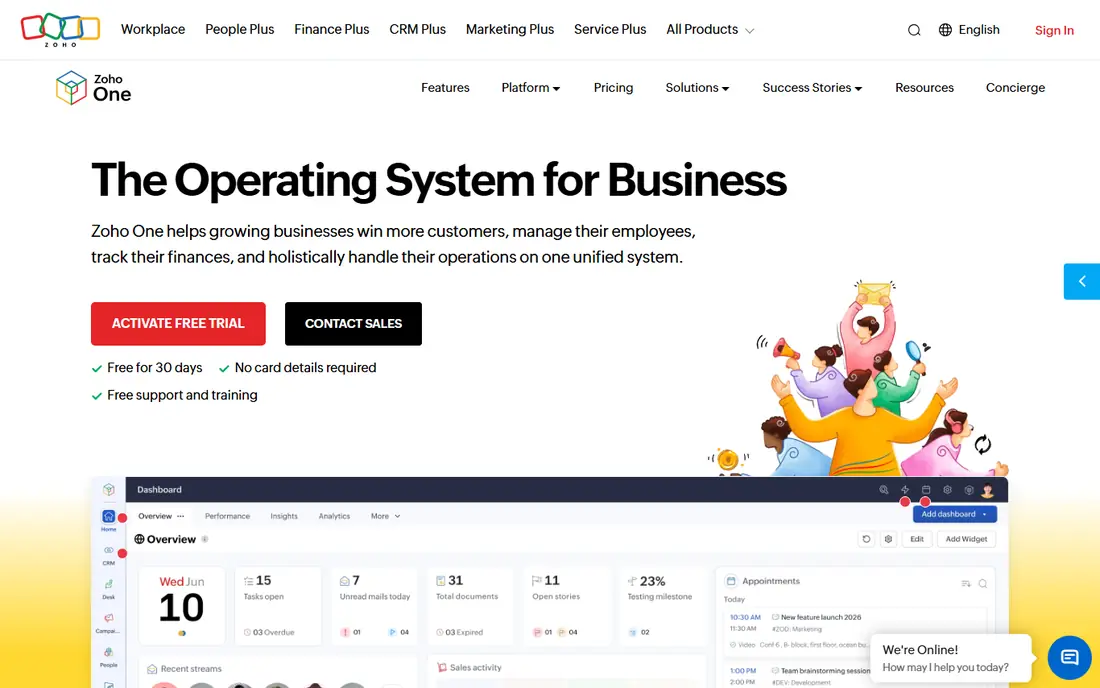
Zoho One is our pick for a small business that wants one vendor for most daily work. CRM, projects, accounting, HR, help desk, and marketing tools share one admin and login, which cuts down on separate subscriptions and duplicate customer records. For a growing firm that currently juggles five or six tools, that consolidation is the main benefit, and it often simplifies permissions and billing as well.
The catch is scope. A team that only needs invoicing and scheduling will pay for breadth it never opens, and learning several Zoho apps at once takes time. Start with the two or three apps that solve your biggest bottleneck, and add others only when the team is comfortable. Used that way, Zoho One is one of the best business management tools for firms that want room to grow without rebuilding their stack.
- Dozens of apps under one login and admin
- CRM, projects, accounting, and help desk included
- Consistent pricing model
- Breadth can overwhelm small teams
- Some apps are stronger than others
- Setup takes planning
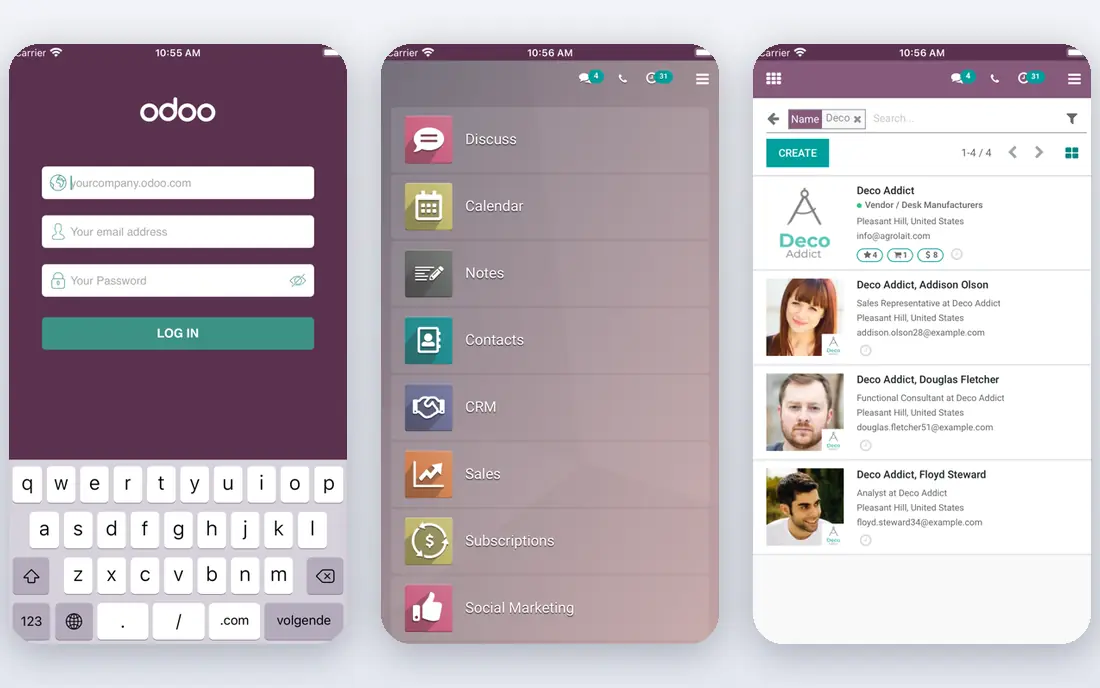
Odoo suits product and operations-heavy businesses that need inventory, sales, purchasing, and accounting connected. You pick only the modules you need, and the free single-app plan gives unlimited users on one app, which is a strong starting point for a small team. As the business grows, you can add modules rather than switching systems, and that modular path keeps costs tied to actual use.
The honest limit is implementation. A simple setup is manageable, but a full inventory and accounting rollout may need a partner or careful internal planning. Module quality also varies, so test the exact apps you plan to use. For businesses where stock, orders, and finance must stay in sync, Odoo is one of the best business management apps available, especially at the entry price.
- Free single-app plan for unlimited users
- Modular apps for inventory, sales, and accounting
- Self-hosting option
- Full implementation can need partner help
- Interface varies by module
- Paid pricing depends on apps and users
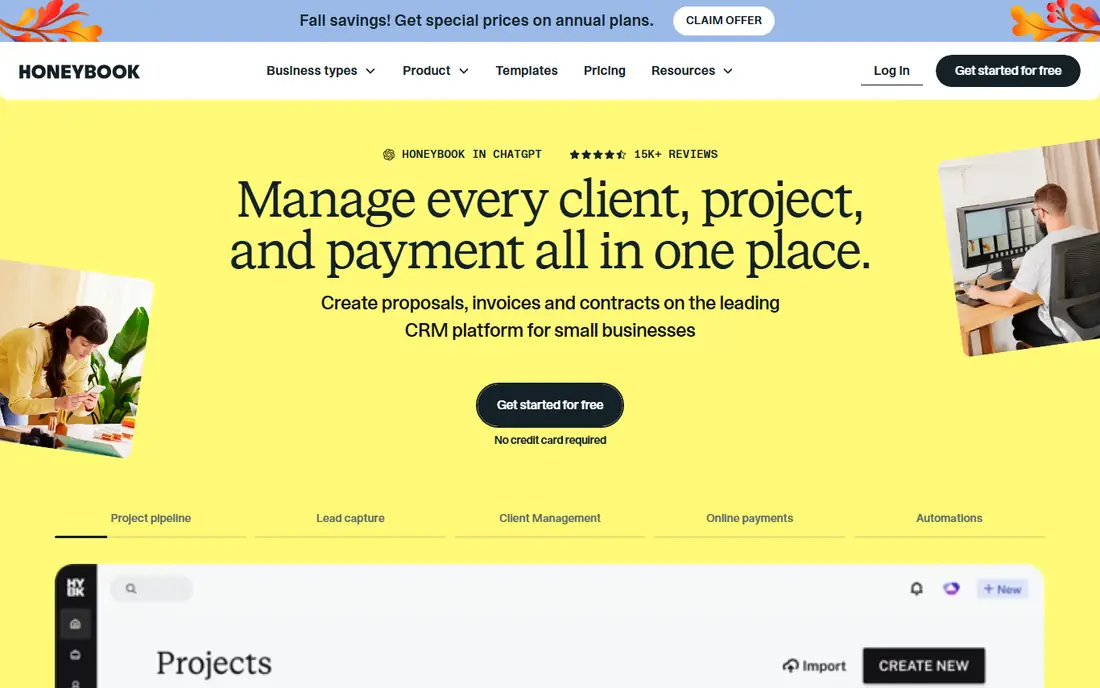
HoneyBook is built for client-based businesses such as photographers, designers, consultants, and coaches. The core flow is simple: send a proposal, get a contract signed, collect payment, and schedule the next step, all without leaving the platform. That single flow saves owners who do their own admin between client calls, and the client portal keeps communication tidy.
Larger firms with complex inventory, payroll, or multi-department operations will outgrow HoneyBook, and that is not a flaw, it is a focus. Team features and advanced reporting sit on higher tiers, so check the plan that fits your team size. For independent businesses and small teams, HoneyBook is one of the best software options for business management, because it matches how client work actually moves.
- Proposals, contracts, invoices, and payments in one flow
- Scheduling and client portal
- Easy for independent businesses
- Built for small client-based teams, not large operations
- Team features need higher tiers
HubSpot suits sales-led businesses that need a clear view of leads, deals, and customer history. The free CRM covers contacts, deals, and basic pipelines, and it connects to marketing and service tools as the business grows. That shared customer record avoids the common problem of sales, marketing, and support each holding a different version of the same client.
Costs rise as you add paid hubs, seats, and advanced features, so map your growth path before you commit. The free CRM is still a genuine starting point, not just a demo, and it works well for small teams that want to replace spreadsheets. For customer-focused management, HubSpot remains a strong and well-supported choice among the best business management software options.
- Free CRM with contacts and deals
- Marketing and service tools connect to the same records
- Strong integrations
- Paid hubs can become expensive
- Free plan limits contacts and advanced features
monday.com is the best app for business management when work visibility is the main problem. Boards, timelines, and dashboards show who owns what, what is late, and where a project stands, without a steep learning curve. Templates for operations, marketing, and client work help teams start quickly, and automations handle routine status changes.
It is not a full accounting or inventory system, so finance-led businesses will still need a tool such as QuickBooks Online alongside it. Paid plans also have minimum seat rules, which matter for very small teams. For project-led and operations-led work, though, monday.com gives a clear, team-friendly way to manage the business day to day.
- Clear boards, timelines, and dashboards
- Many templates
- Easy adoption for non-technical teams
- Minimum seats on paid plans
- Accounting and inventory are not core strengths
ClickUp suits teams that want one customizable workspace for tasks, docs, goals, and time tracking. The free plan covers real project work, and views such as lists, boards, calendars, and Gantt charts let different teams work in the style they prefer. For agencies and service firms, that flexibility means one tool can cover delivery, content, and internal operations.
Flexibility is also the risk. Without clear rules, a ClickUp workspace can grow messy, with too many statuses, views, and custom fields. Start with a simple structure, name owners for each space, and add complexity only when a workflow demands it. Used with discipline, ClickUp is a strong, low-cost pick for the best software for business management in project-heavy firms.
- Free plan with tasks, docs, and goals
- Highly customizable views
- Broad integrations
- Breadth can feel crowded
- Setup needs discipline to stay simple
QuickBooks Online is the hub for finance-led businesses. Invoicing, expenses, bank connections, and tax reports sit in one accounting system, and most accountants already know how to work with it. That matters at year end, when clean books save time and fees, and it makes QuickBooks a natural center for a stack that adds CRM or project tools around it.
It does not replace a project tool or a full CRM, so teams that need deep client or project management should pair it with HubSpot, monday.com, or ClickUp. Pricing also varies by plan and add-ons, so check payroll, inventory, and user needs before you choose a tier. For money-first management, QuickBooks Online remains the standard small-business choice.
- Strong invoicing, expenses, and reporting
- Wide accountant and bank connections
- Payroll add-ons
- Not a full project or CRM system
- Pricing rises with features and users
Bitrix24 gives small teams a broad suite at a low entry cost, with CRM, project tasks, chat, and document tools in one place. The free plan suits very small teams testing a shared system, and paid tiers use flat pricing rather than per-user pricing in many cases, which can help a team that grows in headcount without growing its software bill at the same rate.
The interface packs a lot into one screen, so new users may need a short onboarding period. Advanced CRM and automation features also sit on higher tiers. For a small business that wants to try an all-in-one system without a large monthly commitment, Bitrix24 is a practical starting point, and it is easy to compare against Zoho One once you know which modules you actually use.
- Free plan with CRM, projects, and collaboration
- Flat-price paid tiers
- Chat and video tools included
- Interface can feel busy
- Some advanced features need higher tiers or setup time
Thryv suits local service businesses such as salons, clinics, home services, and professional offices. Scheduling, invoicing, payments, customer messaging, and review requests sit in one dashboard, which fits owners who manage clients from a phone between appointments. The marketing tools also help small local firms stay in touch with past customers without a separate platform.
Product businesses with inventory, manufacturing, or complex orders will find Thryv too narrow, and some pricing is not fully public, so request a clear quote. For local, appointment-based work, Thryv is one of the best business management apps, because it centers the daily client flow rather than back-office modules a small shop may never open.
- Scheduling, payments, and customer messaging in one dashboard
- Review and marketing tools
- Built for local services
- Less suited to product or inventory-heavy businesses
- Pricing is quote-based on some plans
Scoro is built for agencies and professional services firms that need to know whether a project is actually profitable. Projects, time tracking, quotes, invoices, and utilization reports connect, so managers can see planned versus actual time and margin without exporting data to a spreadsheet. That link between delivery and finance is the reason agencies choose Scoro over a general project tool.
The price and setup reflect that focus, and a solo operator or a simple service business will likely find it more than needed. For agencies with multiple clients, retainers, and billable staff, Scoro gives a clearer business view than a task list alone. Trial it with a real client project, since profitability reporting only proves its value on live data.
- Projects, time, quotes, and invoicing linked to profitability
- Strong reporting for agencies
- Resource planning
- Pricier than simple project tools
- Overkill for very small or non-agency teams
How we picked these
We compared official feature and pricing pages, along with recent independent comparisons from 2026, and we kept tools that cover a real business management job, not just one function. We favored systems with a working free plan or trial, clear pricing models, and active support for small businesses. We also noted where pricing is quote-based or seat-based, since that changes the total cost more than any single feature difference.
How to choose the right system for your business
Name the one workflow costing you the most time today, whether that is chasing invoices, tracking projects, managing clients, or controlling stock. Then match the tool to that workflow, not to the longest feature list. A system your team avoids is worse than a simpler system they actually use, so trial the tool on a busy week, not a quiet one.
Compare total cost, not just the monthly price
Count seats, modules, add-ons, and implementation help, and check whether pricing is per user, flat, or quote-based. Ask what happens when you add a team member, a module, or a location, since those changes often drive the second-year bill. Also confirm data export options before you commit, so you can leave if the tool stops fitting your business.
Sources
Frequently asked questions
What is the best software to manage small business operations?
Zoho One and Odoo are strong all-in-one options, while HoneyBook suits client-based businesses and QuickBooks Online suits finance-led businesses. The best software to manage small business work depends on whether clients, projects, money, or inventory is your main bottleneck. Start with that bottleneck, then trial two tools on real work.
What is the best business management app for freelancers?
HoneyBook is a strong pick for freelancers with clients, contracts, and invoices, while ClickUp and monday.com suit freelancers who manage projects. Bitrix24 and HubSpot free plans also work for very small setups. Choose the tool that covers your client flow with the least extra admin.
What is the best review management software for businesses?
Thryv includes review requests and customer messaging, which helps local service businesses collect reviews as part of daily work. HubSpot and Zoho One also connect customer records to service follow-up, which supports review requests. For dedicated review management at scale, a specialist review tool may still be needed alongside a management suite.
Is there free business management software?
Yes. HubSpot CRM, Odoo single-app, ClickUp, and Bitrix24 all offer free plans that cover real work for small teams. Free plans limit users, features, or modules, so check those limits against your team size. A free plan is a good trial, but budget for a paid tier as you grow.
How much does business management software cost?
Costs range from free on entry plans to several hundred dollars per month for larger teams and agency tools. Most small-business plans land in a broad middle range, and the total depends on seats, modules, and add-ons. Always compare the plan that fits your team, not the cheapest advertised tier.
Should a small business use one all-in-one tool or several specialist tools?
One all-in-one tool suits businesses that want one login, one bill, and shared customer data. Specialist tools suit businesses with a deep need in one area, such as inventory or accounting, where a general suite falls short. Many small businesses start with one suite and add a specialist tool only for the workflow that needs it.