Best CAD Software for 3D Printing in 2026: 9 Tools Compared
By ToolNimba Editorial Team November 8, 2026 9 min read

- Top pick
 Tinkercad
Absolute beginners and kids
Starting priceFreeCheck out TinkercadRead our review - Runner-up
 FreeCAD
Real parametric modeling for free
Starting priceFreeCheck out FreeCADRead our review - Also great
 Blender
Organic shapes, sculpting and art
Starting priceFreeCheck out BlenderRead our review
How we researched this
We compared official pricing and feature pages, app store listings, privacy policies and public user reviews. Prices change, so check the provider's site before you pay.
Key takeaways
- Most beginners should start free with Tinkercad, FreeCAD or Blender, and only pay when a project outgrows them.
- Fusion is the best step up for serious makers, with professional parametric CAD and a free personal-use tier.
- Onshape is best for teams and classrooms that want CAD in a browser with real collaboration.
- SolidWorks is the professional standard for mechanical parts, but its price only makes sense for paid work.
- For 3D printing, export quality matters as much as modeling: check STL and STEP export before you commit to a tool.
Quick comparison
| Name | Best for | Starting price | Free plan | |
|---|---|---|---|---|
| Tinkercad | Absolute beginners and kids | Free | Yes | Visit |
| FreeCAD | Real parametric modeling for free | Free | Yes | Visit |
| Blender | Organic shapes, sculpting and art | Free | Yes | Visit |
 Autodesk Fusion | Serious hobby projects, near-pro CAD | $680 per year | Yes | Visit |
 SketchUp | Fast concept modeling in a browser | $129 per year | Yes | Visit |
 Onshape | Cloud CAD with real collaboration | $1,500 per year | Yes | Visit |
 Shapr3D | Modeling on iPad and tablet | $299 per year | Yes | Visit |
 OpenSCAD | Programmers who model with code | Free | Yes | Visit |
 SolidWorks | Professional mechanical design | $2,820 per year | No | Visit |
The best CAD software for 3D printing
Good CAD for 3D printing is not just about drawing a shape. It is about making a watertight, printable model with the right dimensions, wall thickness and tolerances, then exporting it cleanly to a slicer. The tools below cover beginners, makers, programmers and professionals, and we compared official pricing pages, export options and public reviews. Prices are annual where the vendor sells annually, since that is how these tools are priced.
Tinkercad is where most people should start. It runs in a browser, it is free, and you build models by combining and cutting simple shapes. That sounds basic, and it is, but it is enough for brackets, stands, organizers, toys and classroom projects, and it exports STL files for printing.
The limit arrives quickly for mechanical work. There is no full parametric timeline, no assemblies in the professional sense, and precise engineering drawings are out of reach. Use Tinkercad to learn 3D thinking and to print useful things fast, then move on when you need real dimensions and revisions.
- Runs in a browser with no install
- Very easy to learn
- Free for all users
- Limited precision tools
- Not suited to complex mechanical parts
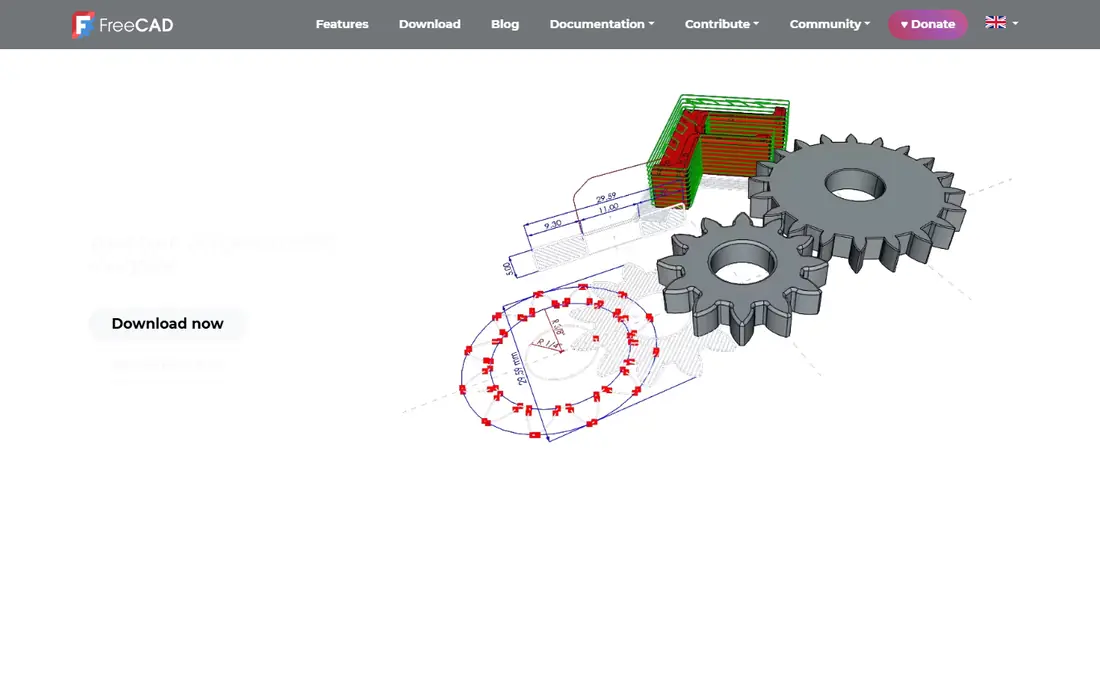
FreeCAD is the free tool that serious makers graduate to. It is open source, it runs on Windows, Mac and Linux, and it offers parametric modeling, which means you can change a dimension later and the model updates. It reads and writes STEP and STL files, so it fits both printing and wider engineering work.
The trade is polish. The interface is less smooth than paid tools, and some workflows take extra steps. Recent versions have improved stability and fixed long-standing modeling quirks, but expect a learning curve. For a maker who wants professional-style modeling without a subscription, FreeCAD is the best value in this list.
- Fully free and open source
- True parametric modeling
- STEP and STL export
- Steeper learning curve
- Interface feels less polished
Blender is not CAD in the traditional sense, but it belongs here because so much 3D printing is artistic. Sculpting, organic shapes, figurines, cosplay parts and decorative models are far easier in Blender than in a parametric tool. It is free, it runs everywhere, and its 3D Print Toolbox add-on checks models for common print problems.
The catch is precision. Blender models by mesh, not by parametric solids, so a functional bracket with exact holes and tolerances takes more care. Use Blender for art and organic work, and pair it with FreeCAD or Fusion when a part must fit another part exactly.
- Free and powerful for sculpting
- Huge community and tutorials
- 3D print toolbox add-on
- Not parametric CAD
- Dimensions need care for functional parts
Fusion is the closest a hobbyist gets to professional CAD without a professional price. It combines parametric modeling, assemblies, drawings and CAM for CNC work in one package, and it exports STL files for printing. The personal-use tier is free for non-commercial projects, with limits such as 10 active documents and restricted exports.
The line to watch is commercial use. If you sell printed parts, take commissions or use Fusion for client work, you need the commercial plan at $680 per year. For a serious maker or small product team, that price buys a lot of capability, and the tutorial library makes learning faster than with most rivals.
- Professional parametric CAD plus CAM
- Free personal-use tier
- Huge tutorial library
- Personal tier has document and export limits
- Commercial use needs the paid plan
SketchUp is the fastest way to sketch a 3D idea. The free web version lets you model in a browser, and paid plans from $129 per year add desktop tools, solid modeling and more export options. It is popular for architecture, woodworking, furniture and concept work, and it exports STL files with the right extension or plan.
For 3D printing, the weakness is mechanical precision. SketchUp is not a parametric engineering tool, and models need checking for watertight geometry before slicing. Use it for fast concepts and visual models, and move to Fusion or FreeCAD for parts that must fit tightly.
- Very fast for concept models
- Free web version
- Easy to learn
- Free designs are not private
- Weaker for precise mechanical parts
Onshape is professional CAD that runs entirely in a browser. Teams can work on the same model, track versions and roll back changes without passing files around, which is a real advantage for classrooms, startups and distributed teams. It handles parametric modeling, assemblies and drawings, and it exports STL and STEP files.
The free tier is the catch for private work: free documents are public, so it suits learning and open projects rather than commercial designs. Paid Standard plans start at $1,500 per year per user. For a solo maker, that is hard to justify. For a team that needs cloud collaboration, it is a strong pick.
- Full CAD in a browser
- Strong version control and sharing
- No install
- Free tier documents are public
- Paid plans are pricey for solo makers
Shapr3D is the standout for tablet modeling. On an iPad with an Apple Pencil, sketching and pushing shapes feels direct in a way that mouse-based CAD does not, and it also runs on Mac and Windows. It exports STL files for printing, and the interface is cleaner than most professional tools.
The free Basic plan is genuinely usable but limited to two designs, so active makers will need Pro at $299 per year. It also lacks some of the deep assembly and CAM depth of Fusion. For a designer who thinks on a tablet, or a maker who wants to model away from a desk, it is the best tablet CAD available.
- Excellent Apple Pencil modeling
- Runs on iPad, Mac and Windows
- Clean interface
- Free Basic plan limited to two designs
- Less depth than Fusion for assemblies
OpenSCAD is for people who would rather write a model than draw it. You describe shapes, holes and patterns in code, with variables for dimensions, so changing a size regenerates the whole part. That makes it excellent for parametric brackets, enclosures, gears and families of parts, and it exports STL files directly.
The trade is obvious: there is no direct modeling, no sculpting and no visual dragging. If you do not enjoy code, it will feel slow. If you do, it is precise, repeatable and free, and your models live in version control like any other code.
- Free and precise
- Models are code you can version and reuse
- Great for parametric parts
- No visual dragging or sculpting
- Preview can be slow on complex models
SolidWorks is the professional standard for mechanical and product design, and it is included because many readers print parts for paid engineering work. Assemblies, drawings, sheet metal and simulation are deep, employers recognize it, and suppliers accept its files without fuss. It exports STL files for printing, and a Makers edition exists at a lower price for non-commercial use.
For hobby printing, the full commercial price at around $2,820 per year is hard to justify, and it runs on Windows only. If you are learning for a career, or you already work in product design, it is the benchmark. If you are printing for fun, start free and only move here when paid work demands it.
- Industry standard for mechanical parts
- Excellent assemblies and drawings
- Huge ecosystem
- Expensive
- Windows only
- Overkill for hobby printing
How we picked these
We compared official pricing pages, free tiers, export formats and platform support, plus public reviews. A tool earned a place when it could produce a printable model and export it cleanly, not just when it could draw in 3D. We favored tools with free or low-cost entry for makers, and we noted where free tiers limited documents, privacy or commercial use. We did not claim hands-on testing.
How to choose for your printer
Start with the kind of part you print most. Functional brackets, enclosures and replacement parts call for parametric CAD such as FreeCAD or Fusion. Artistic models, figurines and organic shapes call for Blender. Code-driven parts call for OpenSCAD, and fast concepts call for SketchUp or Tinkercad.
Then check the export path. Export an STL, slice it, and check wall thickness, overhangs and tolerances on a test print before you commit to a tool. A model that looks good on screen but fails in the slicer wastes more time than learning a better tool. Finally, match the license to your use: personal tiers often bar commercial work, so read the terms if you sell prints.
Sources
Frequently asked questions
What is the best CAD software for 3D printing for beginners?
Tinkercad is the best first tool, since it is free, runs in a browser and teaches 3D thinking fast. Move to FreeCAD when you need precise, parametric parts, or to Fusion when you want professional tools.
What is the best free CAD software for 3D printing?
FreeCAD is the best free parametric CAD tool, Blender is best for organic and artistic models, and OpenSCAD is best for code-driven parts. All three are free and export STL files for printing.
Is Fusion free for 3D printing?
Fusion offers a free personal-use tier for non-commercial projects, with limits on active documents and exports. If you sell printed parts or use it for client work, you need the commercial plan at $680 per year.
Can I use Blender for 3D printing?
Yes. Blender is free and strong for sculpting and organic models, and its 3D Print Toolbox add-on checks for common problems. It is less suited to precise functional parts than FreeCAD or Fusion.
What file format do I need for 3D printing?
Most slicers accept STL files, which all tools here can export. STEP files are better for sharing precise CAD models with other engineers, while STL is the standard for sending a model to a printer.