Best Case Management Software in 2026: 8 Tools Compared
By ToolNimba Editorial Team November 11, 2026 9 min read

- Top pick
 Clio Manage
All round firm management
Starting price$49 per user per monthCheck out Clio ManageRead our review - Runner-up
 MyCase
Solo and small firms
Starting price$50 per user per monthCheck out MyCaseRead our review - Also great
 PracticePanther
Automation for small firms
Starting price$49 per user per monthCheck out PracticePantherRead our review
How we researched this
We compared official pricing and feature pages, app store listings, privacy policies and public user reviews. Prices change, so check the provider's site before you pay.
Key takeaways
- Clio is the safest all round choice for most firms, thanks to its large integration range and clear per user pricing.
- MyCase and PracticePanther suit solo and small firms that want an easy setup and strong client communication.
- Smokeball and Filevine suit document heavy and personal injury practices, but pricing is often by quote.
- CosmoLex is worth a close look if you want practice management and accounting in one product.
Quick comparison
| Name | Best for | Starting price | Free plan | |
|---|---|---|---|---|
| Clio Manage | All round firm management | $49 per user per month | Free trial | Visit |
| MyCase | Solo and small firms | $50 per user per month | Free trial | Visit |
| PracticePanther | Automation for small firms | $49 per user per month | Free trial | Visit |
 Smokeball | Document heavy practices | See website | No | Visit |
 Filevine | Personal injury and litigation | See website | No | Visit |
 CosmoLex | Built in accounting | $49 per user per month | Free trial | Visit |
 Rocket Matter | Visual workflows and billing | $39 per user per month | Free trial | Visit |
 CARET Legal | Mid size firms needing reports | See website | No | Visit |
The best case management software
Case management software holds matters, documents, deadlines, billing and client messages in one place. For a law firm, the wrong choice costs time every day, so fit for your practice area matters more than a long feature list.

Clio is the default shortlist pick for a general practice, and for good reason. It covers matters, contacts, documents, calendars, time tracking and billing in a clean cloud system, and it connects with Outlook, Google Workspace, QuickBooks, Dropbox and DocuSign. The EasyStart plan starts at $49 per user per month, with higher tiers adding more automation and reporting.
The catch is total cost. A firm that needs advanced features, payments and add ons can move well above the entry price, and payment processing fees sit on top. Still, for a firm that wants a proven system with broad support and training resources, Clio is hard to beat as a first choice.
- Large integration range
- Mature mobile apps
- Clear tiered pricing
- Costs rise as you add tiers and add ons
- Reporting is thinner on entry plans
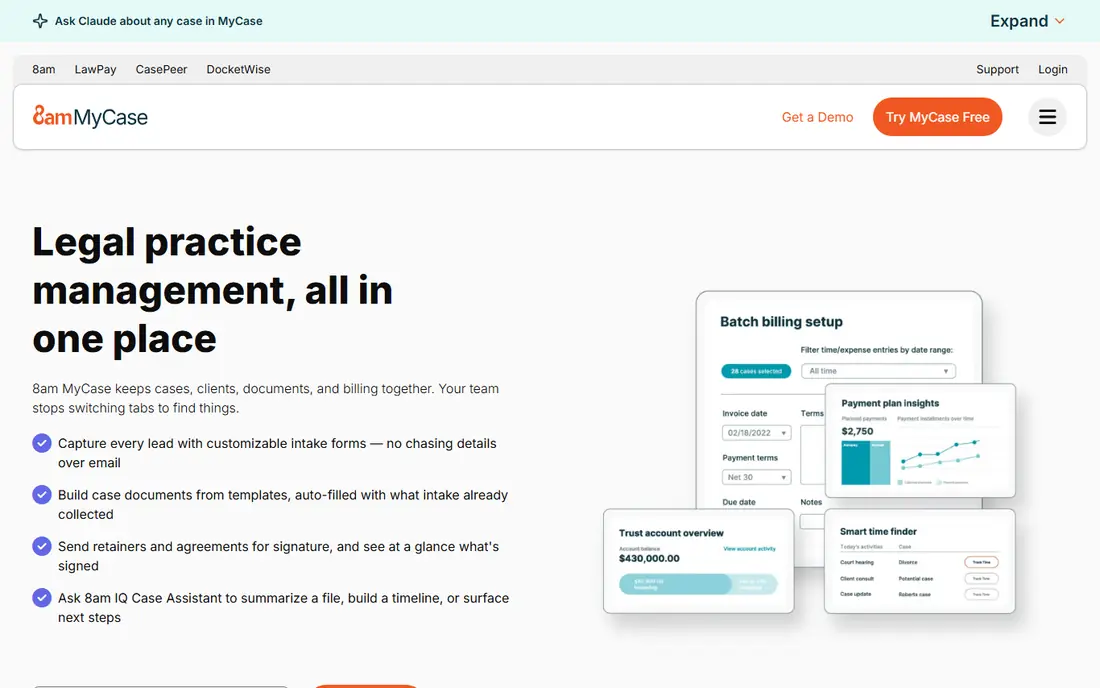
MyCase is built for solos and small firms that want to get running fast. The client portal, secure messaging and texting tools stand out, because clients can check case updates, share documents and pay without a string of emails. Intake forms and online payments are also included on higher plans, which saves a small firm from buying separate tools.
Pricing starts at $50 per user per month on annual billing for Basic, with Pro and Advanced tiers at higher rates. Firms that need advanced reporting or heavy customization may find MyCase limiting, but for a small practice that values simplicity and client communication, it is a strong pick.
- Easy to learn
- Strong client portal and texting
- Built in intake and payments
- Less deep customization than Filevine
- Tier jumps are large

PracticePanther balances ease of use with automation. Workflows can move a matter forward, send reminders and create tasks without code, and intake forms feed directly into the case file. Published plans run from Solo at $49 per user per month through Essential, Business and Business Pro, which makes budgeting straightforward.
The top tier is where the fuller accounting and trust features live, so firms that need those tools should price Business Pro, not Solo. For a growing firm that wants automation without a steep learning curve, PracticePanther is one of the most practical choices in this list.
- Code free workflow automation
- Two way texting
- Clear published plans
- Advanced accounting sits on the top tier
- Some reports need workarounds
Smokeball suits firms that draft a lot of documents and bill by the hour. Its AutoTime feature records time spent in Word and Outlook without manual entry, which helps firms that lose billable minutes to admin. The form library, with thousands of legal forms, also saves time on routine drafting.
Pricing is by quote, so you cannot compare it side by side without talking to sales. The desktop focus also means Mac users should check compatibility carefully. If document automation and time capture matter most, Smokeball is worth a demo, but budget time for setup and training.
- Automatic time capture in Word and Outlook
- Large legal form library
- Works offline as well as online
- Pricing requires a quote
- No Mac support for the desktop app
- Learning curve reported by some users
Filevine is a favorite for personal injury and high volume litigation firms because it can be shaped around a specific workflow. Teams can build matter templates, automate tasks, track medical records and liens, and generate demand letters from case data. That depth is hard to match in a simpler tool.
The trade off is complexity and cost opacity. Pricing is custom, and implementation takes longer than a plug and play tool such as MyCase. A small general practice may find Filevine more system than it needs, while a PI firm with volume will likely find the customization worth the effort.
- Deep customization
- Strong litigation workflows
- Document assembly and demand tools
- Quote only pricing
- Setup can be long
- May be more than a small general practice needs
CosmoLex solves a common firm problem: practice management in one tool and accounting in another, with data that never quite matches. Its built in accounting handles trust accounts, three way reconciliation and operating accounts without QuickBooks. That single system view can save a small firm real money, even though the per user price looks higher than entry level rivals.
Launch starts at $49 per user per month, with Core at $99 and Pro at $129. Firms that already use QuickBooks and like it may not need the accounting depth, but firms that want one system for cases and money should put CosmoLex near the top of the shortlist.
- Native trust and operating accounting
- No QuickBooks needed
- Matter and billing in one system
- Higher tiers cost $99 and $129 per user per month
- Fewer third party integrations than Clio
Rocket Matter gives firms a visual way to track cases, with Kanban boards that show where each matter sits. Time tracking, billing and document handling are built in, and the entry price near $39 per user per month makes it one of the cheaper published options. That combination suits small firms that want clarity without a large bill.
The integration range is narrower than Clio, so firms with a complex stack should check each connection before committing. Rocket Matter also works best for firms that like board style workflows. If your team prefers list based case tracking, the visual approach may take some adjustment.
- Kanban boards for matters
- Strong billing tools
- Lower entry price than many rivals
- Smaller integration range than Clio
- Advanced features vary by tier
CARET Legal, formerly Zola Suite, targets mid size firms that need stronger reporting and accounting alongside case management. Trust accounting, document management and workflow tools sit in one cloud product, and the reporting tools help partners see firm performance without exporting data to spreadsheets.
Pricing is by quote, which makes early comparison harder. Solo practices will likely find simpler tools cheaper and faster to adopt. For a firm with several attorneys that wants accounting, reporting and case tools in one place, CARET Legal deserves a demo alongside Clio and CosmoLex.
- Trust accounting included
- Business intelligence reporting
- Workflow automation
- Quote only pricing
- May be more system than a solo practice needs
How we picked these
We compared official pricing pages, practice area fit, trust accounting, client portals, document tools and published plan tiers. We favored tools with current US availability for law firms and clear information on billing and accounting. Where a vendor does not publish a price, we wrote See website rather than repeating an unverified estimate as fact.
How to choose case management software for your firm
Start with your practice area. A personal injury firm needs medical tracking, liens and settlement tools, while a family law or estate firm needs document templates and client communication more than mass tort workflows. A general practice can choose a broad tool such as Clio, but a specialist firm should weight practice specific features above a generic feature count.
Next, price the whole system, not just the per user fee. Add payment processing, eSignature, accounting add ons and any migration or training cost. A tool that looks cheap at $39 per user per month can cost more than a $49 plan that includes the accounting and payments you would otherwise buy separately. Run a trial with two real matters, including billing and a client message, before you sign a yearly contract.
Migration and security checks
Ask how your data moves in and out, including documents, time entries and trust balances. A tool that locks your data behind an export fee will cost you later. Also check security basics: encryption, access controls, audit logs and whether the vendor supports your state bar requirements for trust accounting. For client data, confirm where data is stored and how staff access is controlled.
Small law firm software on a budget
Solo and small firms should start with the lowest tier that includes billing and a client portal, then upgrade only when a missing feature blocks real work. MyCase, PracticePanther and Rocket Matter all offer entry plans that cover the core needs of a small firm. Avoid paying for enterprise reporting, mass tort tools or advanced automation until your caseload actually needs them.
Sources
- https://www.clio.com
- https://www.mycase.com
- https://www.practicepanther.com
- https://www.smokeball.com
- https://www.filevine.com
- https://www.cosmolex.com
- https://www.rocketmatter.com
- https://www.caretlegal.com
- https://ailawyer.pro/blog/legal-case-management-software
- https://costloop.app/blog/case-management-software-pricing/
Frequently asked questions
What is the best case management software for a small law firm?
MyCase and PracticePanther are strong picks for small firms, thanks to easy setup and clear pricing. Clio also works well for a small firm that expects to grow, since its integration range and tiers scale. The best choice depends on whether you value client communication, automation or accounting most.
What is the top case management software for personal injury firms?
Filevine is a leading choice for personal injury work, with matter templates, medical and lien tracking, and demand letter tools. Smokeball also suits document heavy PI practices, thanks to its form library and time capture. Compare both on a real PI workflow before deciding.
How much does case management software cost per user?
Published entry prices in 2026 generally run from $39 to $50 per user per month on annual billing, with higher tiers reaching $100 or more. Quote only tools such as Filevine and Smokeball vary by firm size and features. Always model the total cost, including payments and add ons, at your headcount.
Is Clio or MyCase better for a solo attorney?
Clio offers a larger integration range and more room to grow, while MyCase is often easier to learn and strong on client texting and portals. A solo attorney who wants simplicity may prefer MyCase, while one who uses many other tools may prefer Clio. Both offer trials, so test each with a real matter.
What is the best platform for case management with trust accounting?
CosmoLex and CARET Legal are the strongest picks when built in trust accounting matters, since both include accounting in the same product. Clio and PracticePanther handle trust billing with add ons or higher tiers. If trust compliance is a daily task, a native accounting system is worth the higher tier price.