Best Charting Platform in 2026: 8 Platforms Compared
By ToolNimba Editorial Team November 10, 2026 8 min read

- Top pick
 TradingView
All-round charting
Starting priceFreeCheck out TradingViewRead our review - Runner-up
 thinkorswim
Schwab traders and options
Starting priceFreeCheck out thinkorswimRead our review - Also great
 TrendSpider
Automated technical analysis
Starting priceSee websiteCheck out TrendSpiderRead our review
How we researched this
We compared official pricing and feature pages, app store listings, privacy policies and public user reviews. Prices change, so check the provider's site before you pay.
Key takeaways
- TradingView is our pick for most traders, with a free tier, global coverage, and a large community indicator library.
- thinkorswim is free with a Schwab account and offers deep options analysis and paper trading at no extra platform cost.
- TrendSpider suits traders who want automated trendlines and no-code backtesting, while TC2000 suits scanning and charting value.
- This is not financial advice, and charting tools do not predict prices, so use real-time data for day trading and delayed data only for learning and swing planning.
Quick comparison
| Name | Best for | Starting price | Free plan | |
|---|---|---|---|---|
| TradingView | All-round charting | Free | Yes | Visit |
| thinkorswim | Schwab traders and options | Free | Yes | Visit |
| TrendSpider | Automated technical analysis | See website | Free trial | Visit |
 TC2000 | Scanning and charting value | Free | Yes | Visit |
 NinjaTrader | Futures day trading | Free | Yes | Visit |
 MetaTrader 5 | Forex and algorithmic trading | Free | Yes | Visit |
 Webull | Free mobile charts | Free | Yes | Visit |
 StockCharts | Clean stock charts | See website | Free trial | Visit |
The best charting platforms
We compared pricing, indicator counts, scripting, backtesting, and data terms from 2026 charting comparisons and vendor pages. Free tiers often use delayed data, so check data terms before you trade live from a free chart.
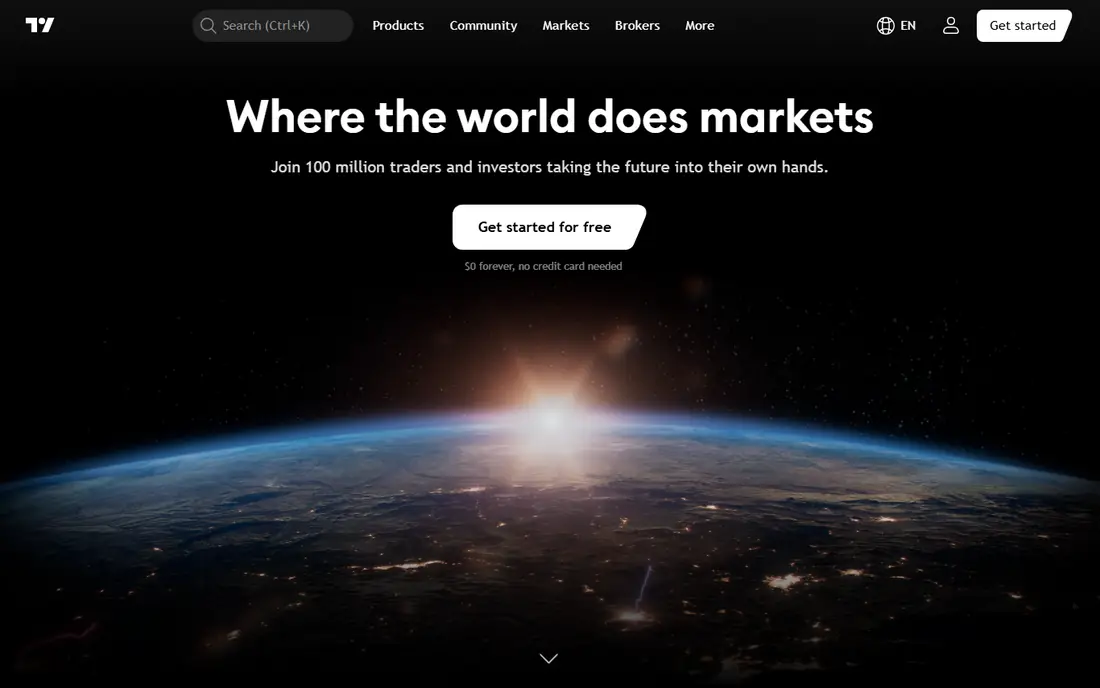
TradingView is the most versatile charting platform here. It works in a browser and on mobile, covers global markets, and lets you use community indicators built in Pine Script or write your own. The free Basic tier is enough to learn chart reading and plan swing trades, with ads and limits on indicators and chart layouts.
Paid plans rise from Essential at $14.95 per month to Plus at $34.95 and Premium at $69.95, with higher tiers above that, and real-time exchange data is often extra. If you chart across many markets and devices, TradingView is our pick for most traders.
- Free Basic tier
- Global stocks, crypto, forex, and futures
- Pine Script and large community indicator library
- Paid plans start at $14.95 per month for Essential
- Real-time exchange data costs extra
- Free tier limits indicators and charts
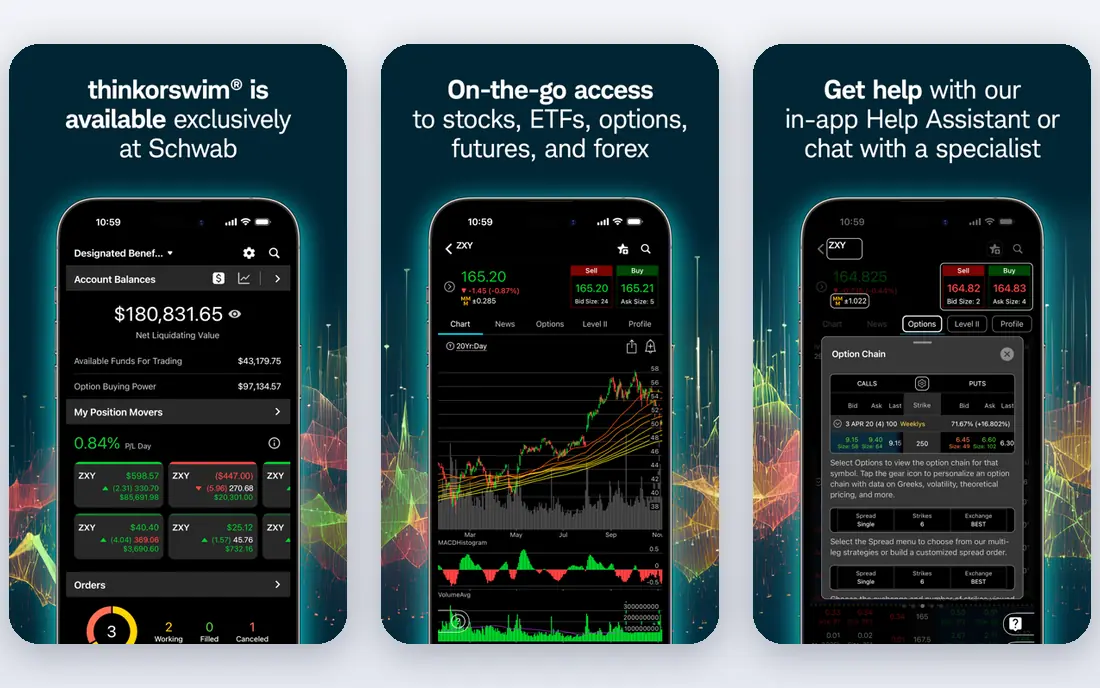
thinkorswim, from Charles Schwab, offers professional-grade charting at no extra platform fee once you open a Schwab account. It includes thinkScript for custom studies, OnDemand replay for practicing historical sessions, and strong options tools, including a risk profiler and analyze tab. PaperMoney lets you practice without risking real money.
The platform is desktop-first, so mobile charting feels lighter, and it is tied to Schwab, so traders with another broker may not want a second account just for charts. If you already trade with Schwab, thinkorswim is excellent value.
- Free with a Schwab brokerage account
- Deep options analysis and risk profiler
- PaperMoney simulator included
- Requires a Schwab account
- Desktop-first platform
- No crypto charting in the same way as TradingView
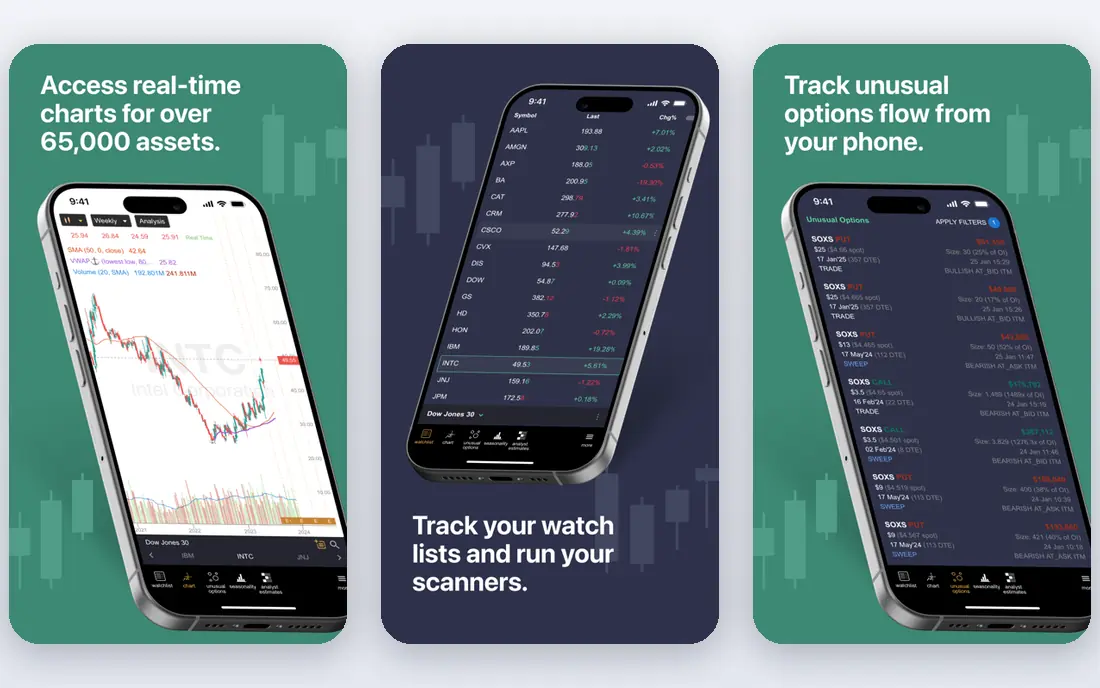
TrendSpider suits traders who want the platform to do part of the analysis. It draws trendlines automatically, scans for patterns, and lets you backtest a rule-based strategy without writing code. Multi-timeframe tables help you check a setup on several timeframes at once.
It is a standalone analysis tool, not a brokerage, so you still need a broker to place trades. Pricing varies by plan and promotion, with recent comparisons listing about $33 to $97 per month, so check the current TrendSpider pricing page. If automation saves you hours of manual chart marking, the cost can be justified.
- Automated trendlines and pattern detection
- Multi-timeframe analysis
- No-code backtesting with Strategy Tester
- Paid only after trial, with plans around $33 to $97 per month in recent comparisons
- Not a broker, so you still need one to trade
- Learning curve for automation features
TC2000 combines charting with strong scanning. You can build custom scans with PCF formulas, use EasyScan for common setups, and chart with a large indicator set. The free tier is useful for learning, and paid tiers add real-time data and more features.
The desktop app is Windows-focused, which limits Mac users, and real-time options data adds $9.99 per month on recent pricing. For stock traders who scan every morning and want charting value without the highest price, TC2000 is a strong pick.
- Free tier available
- 240 plus indicators
- EasyScan and PCF formulas for custom scans
- Paid plans are $24.99 for Basic, $49.99 for Premium, and $99.99 for Premium Plus
- Real-time options data costs extra
- Windows-focused desktop app
NinjaTrader is the pick for futures day traders who live on order flow. Its DOM ladder, footprint charts, and volume profile tools are built for fast futures trading, and its free tier covers charting and simulation. The strategy builder lets you test rules without a separate backtesting tool.
Live data, advanced features, and a lifetime license cost extra, with the lifetime option listed around $1,099 in recent comparisons. Stock and options traders will find TradingView or thinkorswim simpler, but futures traders often prefer NinjaTrader for execution and order flow.
- Free charting and simulation
- DOM ladder, footprint, and volume profile for futures
- Strategy builder with C Sharp support
- Live data and some features need paid plans
- Lifetime license is about $1,099
- Futures focus means stock charting is secondary
MetaTrader 5 is the standard platform for forex traders and algorithmic traders. It is free through a broker, offers many built-in indicators, and supports MQL5 programming for expert advisors and custom indicators. Its broker network is wide, so you can often use it with a broker you already have.
The interface feels dated next to TradingView, and its stock analysis tools are less polished. If you trade forex or you want to automate a strategy with MQL5, MetaTrader 5 is a practical free choice. If you trade US stocks and options, a broker platform will feel more complete.
- Free through a broker
- 80 plus indicators
- MQL5 for algorithmic trading and custom indicators
- Requires a broker account for live data
- Interface feels dated
- Stock and options analysis is weaker than thinkorswim
Webull suits mobile-first traders who want free charts tied to a brokerage account. Its mobile app offers clean charts, indicators, and level data options, and US stock trades are commission-free in many cases. For a beginner who trades on a phone, Webull is easy to learn.
Depth is the limit. Webull does not match TradingView for community indicators or thinkorswim for options analysis, and its scripting tools are limited. As a free mobile charting and trading combo, though, it is a solid starting point.
- Free with a Webull account
- Strong mobile charts
- Commission-free US stock trades in many cases
- Charting depth is less than TradingView
- Desktop platform is lighter than thinkorswim
- Advanced scripting is limited
StockCharts has long been a favorite for clean stock charts and technical analysis education. Its charts are easy to read, its indicator set covers common technical tools, and its chart school helps beginners learn what each indicator means. That clarity suits long-term stock traders and investors.
It is less of a social platform than TradingView, and its scripting and community indicator library are smaller. Pricing varies by tier, so check the current StockCharts pricing page. If you want readable charts without social noise, StockCharts is a calm alternative.
- Clean, readable charts
- Strong technical analysis tools
- Useful for long-term stock charting
- Pricing is subscription based and varies by tier
- Real-time data may cost extra
- Community and scripting are smaller than TradingView
How we picked these
We compared pricing, free tier terms, indicator counts, scripting, backtesting, and data terms from 2026 charting comparisons and vendor pages, and we favored platforms with a working free tier or free broker account, a clear charting use, and real-time or delayed data terms that are stated openly. We excluded tools with no charting product and tools that only offer a screener with no full charting workspace.
What to check before you choose
Check data first. Free plans often run on delayed quotes, which are fine for learning and swing planning at night, but not for day trading, where real-time data matters. Check whether your paid plan includes the exchanges you trade, or whether real-time data is an extra charge.
Next, check whether you need scripting, backtesting, or order flow. TradingView covers scripting and community indicators, thinkorswim covers options and replay, TrendSpider covers automation, and NinjaTrader covers futures order flow. Pick the strength that matches how you actually trade, and use a free tier or simulator before you pay for real-time data.
Sources
- https://daytradingtoolkit.com/comparisons/best-charting-software-day-trading
- https://www.bullsonwallstreet.com/post/best-charting-software-day-trading
- https://www.tradingview.com
- https://www.schwab.com
- https://www.trendspider.com
- https://www.tc2000.com
- https://www.ninjatrader.com
- https://www.metatrader5.com
- https://www.webull.com
- https://www.stockcharts.com
Frequently asked questions
What is the best charting platform for most traders?
TradingView is the best all-round pick, with a free tier, global coverage, and a large indicator library. thinkorswim is better if you already trade with Schwab and want deep options tools at no extra platform cost.
What is the best free stock charting software?
TradingView Basic and thinkorswim with a Schwab account both offer strong free charting. Webull is also free with an account and suits mobile traders, while TC2000 offers a free tier for stock scanning.
What is the best charting software for day trading?
TrendSpider suits automated analysis and no-code backtesting, while NinjaTrader suits futures order flow. TradingView Plus or Premium suits multi-market day traders who need more indicators and layouts.
What is the best technical analysis software for stocks?
TradingView, TC2000, and StockCharts all cover technical analysis well. TradingView leads on community indicators, TC2000 leads on scanning value, and StockCharts leads on clean, readable charts.
Is TradingView better than thinkorswim?
It depends on your broker and needs. TradingView wins on cross-device charting, Pine Script, and global coverage, while thinkorswim wins on options analysis, OnDemand replay, and execution depth for Schwab traders. Many traders use both.