Best Contractor Management Software in 2026: 8 Tools Compared
By ToolNimba Editorial Team November 1, 2026 8 min read

- Top pick
 Jobber
Small service contractors
Starting priceSee websiteCheck out JobberRead our review - Runner-up
 Buildertrend
Residential builders and remodelers
Starting priceSee websiteCheck out BuildertrendRead our review - Also great
 Procore
Large commercial general contractors
Starting priceSee websiteCheck out ProcoreRead our review
How we researched this
We compared official pricing and feature pages, app store listings, privacy policies and public user reviews. Prices change, so check the provider's site before you pay.
Key takeaways
- Jobber is our pick for most small service contractors because it covers quoting, scheduling, invoicing, and payments in one app.
- Buildertrend suits residential builders and remodelers who need a client portal and job financials.
- Procore is the standard for large commercial general contractors, but its price and setup suit bigger firms.
- Contractor Foreman and Fieldwire give smaller firms strong value, with Fieldwire offering a free basic plan.
- The right choice depends on job type, crew size, and whether clients need portal access.
Quick comparison
| Name | Best for | Starting price | Free plan | |
|---|---|---|---|---|
| Jobber | Small service contractors | See website | Free trial | Visit |
| Buildertrend | Residential builders and remodelers | See website | Free trial | Visit |
| Procore | Large commercial general contractors | See website | No | Visit |
 Contractor Foreman | Small to mid size contractors | $49 per month | Free trial | Visit |
 Fieldwire | Field crews and plan access | Free | Yes | Visit |
 Housecall Pro | Home service firms focused on growth | See website | Free trial | Visit |
 ServiceTitan | High volume trade firms | See website | No | Visit |
 JobNimbus | Roofing and exterior contractors | See website | Free trial | Visit |
The best contractor management software
Contractor software should cut the admin work around a job: quotes, schedules, crew communication, client updates, invoices, and payments. The tools below serve different trades and firm sizes, so we compared official feature and pricing pages, mobile apps, and public reviews to match each tool to its real user.
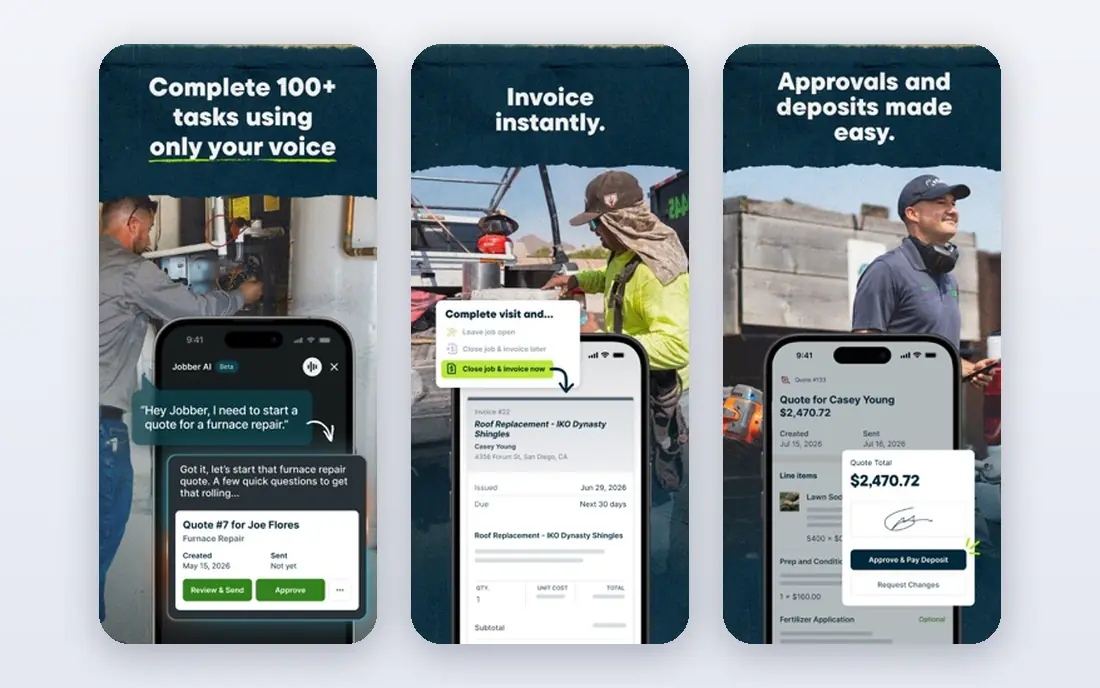
Jobber is our pick for most small contractors because it handles the daily loop well. A quote becomes a job, the job gets scheduled, the crew sees it on mobile, and the invoice and payment follow in the same system. That flow suits plumbers, electricians, lawn care crews, cleaners, and other service trades with repeat jobs.
The limit is construction depth. Jobber is not built for multi phase commercial builds with complex budgets, drawings, and submittals. For service work, though, its simplicity is a strength. Crews learn it fast, clients can approve quotes and pay online, and the office spends less time chasing paperwork.
- Quote to payment workflow in one app
- Strong mobile app for crews
- Client reminders and online booking
- Less suited to multi phase commercial construction
- Higher tiers add cost as teams grow
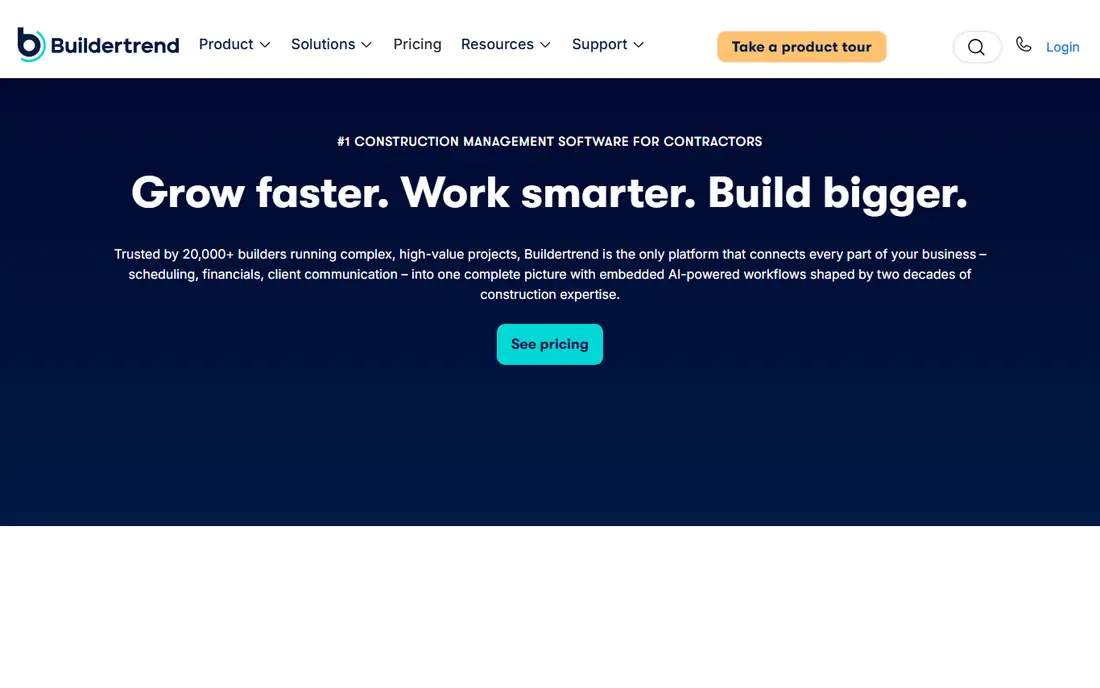
Buildertrend is the strongest choice for home builders and remodelers, largely because of its client portal. Homeowners can check schedules, approve selections, view invoices, and message the builder without a string of phone calls. That alone saves hours on a typical remodel.
Behind the portal, Buildertrend covers scheduling, estimating, daily logs, and financials, plus a lead system for new projects. Setup is the honest catch. Getting templates, selections, and financials set up right takes time, and firms that rush it will not get the full benefit. For residential work, the effort pays off.
- Client portal for selections and updates
- Scheduling and job financials
- Lead management
- Setup takes effort
- Not built for heavy commercial work

Procore is the default platform for large commercial general contractors, and for good reason. Drawings, RFIs, submittals, daily logs, budgets, and change orders live in one place, shared in real time between office and field. Its mobile app is strong, and integrations with accounting systems matter when many subcontractors are involved.
The catch is scale and cost. Pricing is quote based and rises with construction volume, so small firms will find it hard to justify. Below a certain annual volume, a smaller tool gives most of the benefit for far less money. For firms running large commercial jobs, Procore is the safe, widely adopted choice.
- Drawings, RFIs, submittals, and budgets in one platform
- Strong mobile app
- Wide integrations
- Quote based pricing can be high
- Overkill for small firms
Contractor Foreman stands out on value. From $49 per month, it covers estimates, scheduling, project management, client communication, and more, with a long list of integrations. That breadth makes it a practical pick for small to mid size contractors who want one system without a large monthly bill.
The trade off is polish. With so many features in one place, the interface can feel busy, and new users need time to set up the parts they will actually use. Firms willing to invest a day in setup get a capable system at a price few rivals match.
- Low starting price
- Wide feature range
- Many integrations
- Interface can feel busy
- Support quality varies by plan
Fieldwire is built for the field first. Crews can view plans, track tasks, share photos, and report issues from a phone or tablet, which makes it easy to adopt on site. The free basic plan lets a small team start without a subscription, and paid tiers add more project controls.
The limit is scope. Fieldwire is not a full estimating and invoicing system, so firms still need accounting and quoting tools alongside it. As a field coordination layer, especially for teams already using other office software, it is one of the easiest tools to roll out.
- Free basic plan
- Plan viewing and task tracking on mobile
- Easy field adoption
- Full project management needs paid tiers
- Financial features are limited
Housecall Pro suits home service firms that want growth tools alongside operations. Scheduling, dispatch, invoicing, and payments cover the core job, while review requests and marketing features help win repeat work. Online booking also cuts phone time for routine jobs.
The catch is price creep. Add ons and higher tiers add up, so firms should price the full setup they need, not just the entry plan. For construction project management with budgets and submittals, Buildertrend or Procore fit better. For service firms, Housecall Pro is a strong rival to Jobber.
- Scheduling and dispatch
- Review and marketing tools
- Online booking and payments
- Costs rise with add ons
- Less suited to construction project management
ServiceTitan is built for high volume plumbing, HVAC, electrical, and similar firms with many trucks and office staff. It covers dispatch, estimates, invoicing, reporting, and marketing in a single system, with depth that smaller tools do not match. Firms at scale use its reporting to manage technicians, call booking, and job profitability.
That depth comes with cost and complexity. Pricing is quote based and aimed at larger firms, and setup takes real training time. Small firms will find Jobber or Housecall Pro simpler and cheaper. Larger trade firms that can use the full feature set get the value back.
- Deep features for large trade firms
- Strong reporting
- Marketing and call tools
- Quote based pricing is high
- Setup and training take time
JobNimbus fits roofing, siding, and exterior contractors who need a CRM and job tracker tuned to their workflow. Leads, estimates, jobs, and client communication sit in one place, and integrations help with ordering and documents. That focus makes it easier to adopt than a generic construction platform for these trades.
The limit is breadth. General contractors running varied commercial work may find its project controls thinner than Procore or Buildertrend. For roofing and exterior firms, the trade specific fit is the point, and JobNimbus delivers it without enterprise pricing.
- CRM plus project tracking
- Good for roofing workflows
- Integrations with suppliers and tools
- Less suited to general commercial construction
- Reporting depth varies
How we picked these
We compared official feature pages and pricing pages, mobile app listings, and public reviews for contractor and construction tools. We did not claim hands on testing. We favored tools that cover the full job loop for their target trade, rather than tools that only handle scheduling or only handle accounting.
How to choose for your firm
Start with your job type. Service trades should shortlist Jobber and Housecall Pro. Residential builders should shortlist Buildertrend. Large commercial firms should shortlist Procore. Roofing firms should shortlist JobNimbus. That first filter saves more time than any feature checklist.
Next, test the mobile app with a real crew member. If field staff will not use it on site, the office features do not matter. Run one real job through a trial, from quote to invoice, and watch where work stalls. Check payment processing, client portal access, and how quotes look to customers, since those details affect cash flow and trust.
Finally, price the full setup. Count users, add ons, payment fees, and training time. A low entry price that needs three add ons can cost more than a higher plan that includes them. Ask each vendor for a total monthly cost for your team size before you sign.
Sources
- https://getjobber.com
- https://buildertrend.com
- https://www.procore.com
- https://www.contractorforeman.com
- https://www.fieldwire.com
- https://www.housecallpro.com
- https://www.servicetitan.com
- https://www.jobnimbus.com
- https://facilio.com/blog/contractor-management-software/
- https://www.getjobber.com/academy/contracting/best-construction-management-software/