Best E-Commerce Platforms in 2026: 9 Platforms Compared
By ToolNimba Editorial Team November 9, 2026 12 min read

- Top pick
 Shopify
Most online stores
Starting price$29 per monthCheck out ShopifyRead our review - Runner-up
 WooCommerce
WordPress stores
Starting priceFreeCheck out WooCommerceRead our review - Also great
 BigCommerce
Growing and mid-market stores
Starting price$29 per monthCheck out BigCommerceRead our review
How we researched this
We compared official pricing and feature pages, app store listings, privacy policies and public user reviews. Prices change, so check the provider's site before you pay.
Key takeaways
- Shopify is our pick for most stores, because it balances ease of use, checkout quality, and a large app ecosystem.
- WooCommerce is best if you already run WordPress and want full control without a monthly platform fee.
- BigCommerce suits growing and mid-market stores that want more built-in features and fewer paid apps.
- Wix and Squarespace are best for small, design-led stores, while Square Online is best for sellers who already use Square in person.
- Watch transaction fees, app costs, and sales caps, not just the monthly subscription, because those extras decide the true cost.
Quick comparison
| Name | Best for | Starting price | Free plan | |
|---|---|---|---|---|
| Shopify | Most online stores | $29 per month | No | Visit |
| WooCommerce | WordPress stores | Free | Yes | Visit |
| BigCommerce | Growing and mid-market stores | $29 per month | No | Visit |
 Wix | Small design-led stores | $29 per month | Yes | Visit |
 Squarespace | Creative brands | $19 per month | No | Visit |
 Adobe Commerce | Enterprise stores | See website | No | Visit |
 Ecwid by Lightspeed | Adding a store to a site | $5 per month | Yes | Visit |
 Square Online | Square sellers | Free | Yes | Visit |
 Shift4Shop | US stores on Shift4 payments | See website | Yes | Visit |
The best e-commerce platforms
The best platform depends on how you sell, how many products you have, and how much technical work you want to do yourself. These nine cover hosted, self-hosted, and enterprise options for different stages of growth.

Shopify is the default answer for most new and growing stores, and the reason is reliability. Hosting, security, checkout, and updates are handled for you, so you can focus on products, photos, and marketing instead of server work. The Basic plan is listed at $29 per month when billed yearly, with higher Grow and Advanced plans for larger stores, and a free trial to test the setup.
The app ecosystem is both a strength and a cost risk. You can add subscriptions, bundles, loyalty, reviews, and many other features, but each paid app adds to the monthly bill. Shopify also charges an extra transaction fee if you use a payment gateway other than Shopify Payments, so check card rates and gateway fees together before you choose.
We pick Shopify first for direct-to-consumer brands, dropshipping, and stores that plan to sell on Instagram, TikTok, and marketplaces as well as their own site. If your business is built on WordPress content, WooCommerce may be a better fit, but for a pure store, Shopify is the simplest path to a professional checkout.
- Polished checkout and hosting
- Huge app store for features
- Strong multichannel selling to social and marketplaces
- Many features need paid apps
- Extra transaction fee if you do not use Shopify Payments
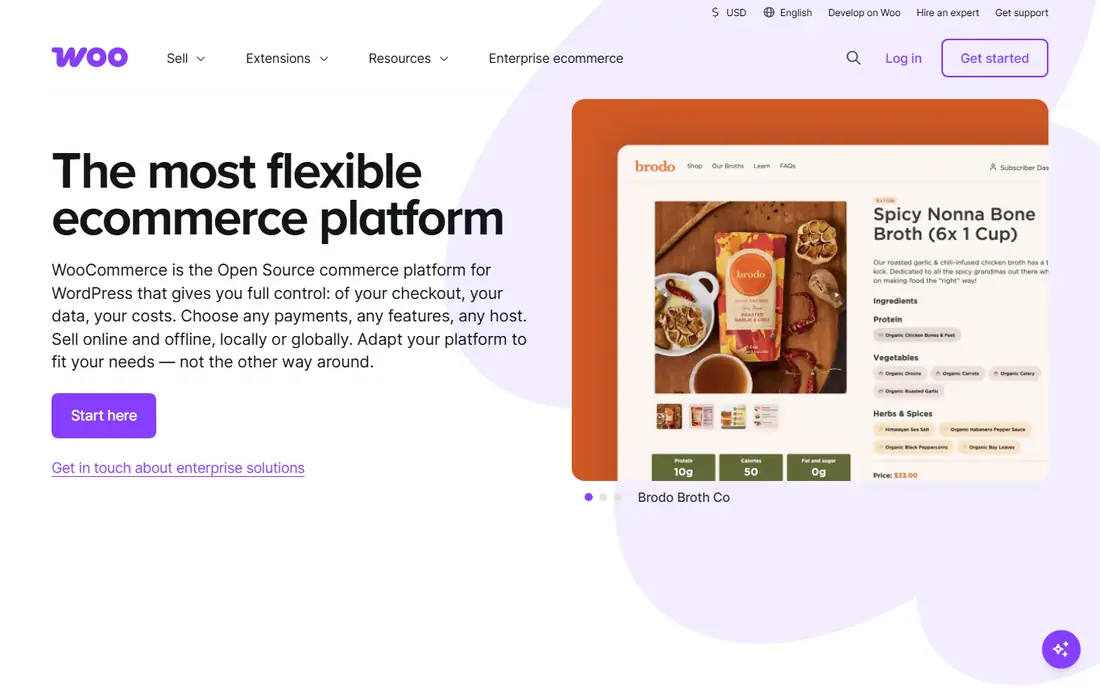
WooCommerce turns a WordPress site into a store, and it is free as a plugin. That makes it ideal for content-driven businesses that already rank on WordPress, run a blog, or need full control over SEO and page design. You own the site, the data, and the checkout flow, without a monthly platform fee.
Ownership brings work. You pay for hosting, you manage WordPress and plugin updates, and you handle security and backups, or you pay a managed host to do it. Premium extensions for subscriptions, bookings, or advanced shipping often cost $49 to $299 per year each, so a store with several extensions can cost as much as a hosted platform. Recent comparisons put typical small store costs at $20 to $150 per month including hosting, depending on traffic and extensions.
Choose WooCommerce when you already use WordPress, have technical help, or need custom features that hosted platforms charge extra for. Avoid it if you want a hands-off store and have no one to maintain the site, because an unmaintained WordPress store is a security risk.
- Free open source plugin
- Full control over design and data
- Large WordPress plugin ecosystem
- You manage hosting, updates, and security
- Costs for hosting and premium extensions add up

BigCommerce suits stores that have outgrown a simple builder but do not want a fully custom build. Many features that need paid apps on Shopify, such as advanced product options, customer groups, and multi-currency tools, are built in here. The Core plan is listed at $29 per month when billed yearly, with Growth and Scale plans higher.
The main catch is sales caps. Plans are tied to yearly online sales thresholds, and passing a cap can force an upgrade to a higher plan. That is fair for a growing store, but it means you should model pricing at your expected sales in year two, not just at launch. BigCommerce also charges an open payment provider fee on some plans when you do not use preferred providers, so check the current fee table.
We recommend BigCommerce for mid-market brands, B2B sellers, and stores with large catalogs that need strong native features. If you need the largest app library or the simplest setup, Shopify still leads, but BigCommerce wins when built-in power matters more than app count.
- More built-in features than many hosted rivals
- No extra transaction fees on most gateways
- Strong B2B and multi-storefront tools
- Plans have yearly sales caps that can force an upgrade
- App ecosystem is smaller than Shopify
Wix is a good pick when the whole website matters as much as the store. A small business can build a site with bookings, a blog, a portfolio, and a shop in one place, using a visual editor that needs no code. The Core ecommerce plan is listed at $29 per month when billed yearly, and a free plan exists for a non-selling site, though selling needs a paid plan.
Scaling is the limit. Large catalogs, complex B2B pricing, and advanced inventory workflows are harder on Wix than on Shopify or BigCommerce, and the app ecosystem is smaller. Card processing fees still apply, even though Wix itself does not add a platform transaction fee on its core plans.
Pick Wix for a small store with under a few hundred products, where design and speed to launch matter most. If you expect rapid growth to thousands of products or complex wholesale rules, start on Shopify or BigCommerce instead, because migrating later is painful.
- Easy drag-and-drop builder
- Good design templates
- No platform transaction fee from Wix itself
- Less scalable for large catalogs
- Advanced ecommerce features lag Shopify and BigCommerce
Squarespace is the design pick on this list. Templates look polished out of the box, which suits photographers, designers, makers, and lifestyle brands that sell a curated catalog. The Basic commerce plan is listed at $19 per month when billed yearly, with Core and higher plans removing the 2 percent transaction fee that applies on Basic.
The catalog and app limits are real. Squarespace works well for a focused product range, but it is not built for a large, complex store with advanced B2B or marketplace needs. The free trial lets you test templates and checkout before you pay, which is worth using, because the design system is the main reason to choose Squarespace over Wix or Shopify.
We recommend Squarespace when brand look matters more than app depth, and when the store is part of a content site with a blog and portfolio. For a pure product store with growth plans, Shopify gives more room to scale.
- Polished, design-led templates
- Good for content plus commerce
- Simple setup for small catalogs
- Transaction fee on the Basic plan
- Fewer ecommerce apps than Shopify
Adobe Commerce, formerly Magento Commerce, is for large enterprises with complex needs, not for a first store. It handles large catalogs, multiple storefronts, complex pricing, and B2B workflows that hosted platforms struggle with, and it integrates with the wider Adobe stack. The open source version is free as software, but Adobe Commerce itself is quote-based, with recent comparisons citing $22,000 to $125,000 per year for the license alone.
Total cost is the real story. Implementation, hosting, security, and ongoing development often cost far more than the license, and you need a dedicated team or agency to run it well. That is why Adobe Commerce suits fewer than a small share of stores considering it, despite its power.
Choose Adobe Commerce only when you have enterprise scale, complex requirements, and a team to maintain it. For almost every small or mid-market store, Shopify, BigCommerce, or WooCommerce will be faster, cheaper, and easier to run.
- Very flexible for large, complex catalogs
- Strong B2B workflows
- Large agency and developer ecosystem
- Needs a dedicated team and large budget
- Implementation costs far exceed the license alone
Ecwid is the practical pick when you already have a website and just need to add selling to it. Instead of rebuilding the site on Shopify or WooCommerce, you embed an Ecwid store into your current pages, and it syncs products, orders, and inventory. The free plan covers a small catalog, and paid plans start at $5 per month for the Starter plan when billed yearly in recent tables.
The trade-off is control. Ecwid is not a full website builder or a full custom platform, so deep design changes and complex workflows are harder than on Shopify. It also depends on Lightspeed for hosting and checkout, so you are adding a vendor rather than owning every part of the stack.
We like Ecwid for creators, bloggers, and small businesses with an existing site and a modest product range. If you plan to build a large store from scratch, start on a full platform instead, because Ecwid is best as an add-on, not as a replacement for one.
- Embeds a store into an existing site
- Free plan for a small catalog
- Works with WordPress, Wix, Squarespace, and more
- Less control than a full platform
- Advanced features need higher plans
Square Online is the natural choice for a shop, cafe, or restaurant that already uses Square for in-person payments. Online orders sync with the same inventory and payment system, so a local seller does not need to run two separate systems. The free plan lets you start selling online without a monthly platform fee, though card rates are higher on that plan in recent tables.
Pure online growth is where Square Online lags Shopify. The design and app options are simpler, and advanced ecommerce features are fewer. That is fine for a local business adding online ordering, but less ideal for a national direct-to-consumer brand with complex marketing needs.
Pick Square Online when in-person and online selling must share one system, and when simplicity matters more than app depth. If online becomes your main channel, you can revisit Shopify later, but for many local sellers Square Online is enough.
- Free plan to start selling
- Tight fit with Square point of sale
- Simple setup for local shops
- Higher card rate on the free plan
- Less flexible than Shopify for pure online growth
Shift4Shop, formerly 3dcart, offers a feature-rich hosted store with a free plan for US sellers who process payments through Shift4. That model can be attractive, because you get many built-in features without a monthly platform fee, as long as you use the linked payment provider. Paid plans exist for sellers who want other gateways or higher limits, so check the current pricing page for your setup.
The catch is the payment tie-in. If you leave Shift4 or need a different gateway, the pricing changes, and the value case weakens. Shift4Shop is also less widely used than Shopify, so the app and theme ecosystem is smaller, and finding help may take longer.
We recommend Shift4Shop for US sellers who are comfortable with Shift4 payments and want a low monthly cost. For sellers outside the US, or those who need a specific gateway, Shopify or BigCommerce will usually be a safer, more flexible choice.
- Free plan when using Shift4 payments
- Feature-rich for US stores
- No platform fee on the free tier in that setup
- Best value tied to Shift4 payments
- Less well known than Shopify outside the US
How we picked these
We compared official pricing pages and recent 2026 platform comparisons, and we favored platforms that are available to US sellers, offer a clear checkout, and cover hosted, self-hosted, and enterprise needs. We did not claim hands-on testing of each store build. Instead, we weighed ease of setup, hosting and security, transaction fees, app depth, sales caps, and total cost including apps and payment processing. That total cost view matters, because the cheapest monthly plan is rarely the cheapest store after apps and fees.
What to check before you choose
List your must-have features before you compare prices. Payment methods, shipping rules, tax handling, subscriptions, wholesale pricing, and marketplace selling can each force a paid app or a higher plan on one platform while being built in on another. Test checkout on mobile, because most shoppers buy on a phone, and a slow or confusing mobile checkout will cost sales no matter how good the desktop design looks.
Also plan for growth. A platform that is perfect for 50 products may struggle at 5,000 products, and migrating a store with orders, customers, and SEO history is costly. Pick for where you expect to be in two years, not just for launch week, and keep a backup of product data and customer lists outside the platform.
Sources
- https://www.shopify.com
- https://woocommerce.com
- https://www.bigcommerce.com
- https://www.wix.com
- https://www.squarespace.com
- https://business.adobe.com/products/commerce.html
- https://www.ecwid.com
- https://squareup.com/online-store
- https://www.shift4shop.com
- https://techilu.com/best-cms-for-ecommerce/
- https://toolsmarketing.net/best-ecommerce-website-builder/
Frequently asked questions
What is the best e-commerce platform?
Shopify is the best all-around pick for most stores, thanks to ease of use and checkout quality. WooCommerce is best for WordPress users who want control, and BigCommerce is best for growing stores that want more built-in features.
What is the best e-commerce platform for beginners?
Shopify and Wix are the easiest for beginners, with hosted setup and visual editors. Squarespace is also easy for design-led small stores, while WooCommerce needs more technical setup.
Is WooCommerce really free?
The WooCommerce plugin is free, but hosting, a domain, security, and premium extensions cost money. Typical small store costs including hosting run $20 to $150 per month in recent comparisons, depending on traffic and extensions.
What is the best platform for selling on social media?
Shopify leads for social selling, with built-in channels for Instagram, TikTok, and marketplaces. Wix, Squarespace, and BigCommerce also support social channels, but Shopify app depth gives it an edge for multichannel brands.
Do e-commerce platforms charge transaction fees?
It depends. Shopify charges an extra fee if you do not use Shopify Payments, Squarespace charges 2 percent on its Basic plan, and BigCommerce and Wix generally do not add a platform fee, though card processing fees still apply. Always check both platform and card fees.
Should I choose a hosted or self-hosted platform?
Choose hosted, such as Shopify or BigCommerce, if you want the vendor to handle hosting, security, and updates. Choose self-hosted, such as WooCommerce, if you want full control and have the technical help to maintain the site.