Best Enterprise AI Agent Platforms in 2026: 9 Platforms Compared
By ToolNimba Editorial Team November 11, 2026 9 min read

- Top pick
 Microsoft Copilot Studio
Microsoft 365 shops
Starting price$200 per monthCheck out Microsoft Copilot StudioRead our review - Runner-up
 Salesforce Agentforce
Salesforce CRM teams
Starting price$2 per conversationCheck out Salesforce AgentforceRead our review - Also great
 ServiceNow AI Agents
IT and service operations
Starting priceSee websiteCheck out ServiceNow AI AgentsRead our review
How we researched this
We compared official pricing and feature pages, app store listings, privacy policies and public user reviews. Prices change, so check the provider's site before you pay.
Key takeaways
- Enterprise agent platforms differ mainly in where your data already lives, so start with the system your team uses every day.
- Usage-based billing can beat seat pricing for customer-facing agents, while seat pricing suits heavy internal use.
- Governance, audit logs, and human handoff matter more than demo speed once an agent touches real customers or money.
- Most of these platforms need a pilot on one workflow before a company-wide rollout makes sense.
Quick comparison
| Name | Best for | Starting price | Free plan | |
|---|---|---|---|---|
| Microsoft Copilot Studio | Microsoft 365 shops | $200 per month | Free trial | Visit |
| Salesforce Agentforce | Salesforce CRM teams | $2 per conversation | Free trial | Visit |
| ServiceNow AI Agents | IT and service operations | See website | No | Visit |
 UiPath | Automation-heavy enterprises | See website | Free trial | Visit |
 Kore.ai | Customer and employee service | See website | Free trial | Visit |
 IBM watsonx Orchestrate | Regulated large enterprises | See website | Free trial | Visit |
 Google Agentspace | Google Cloud workplaces | See website | Free trial | Visit |
 Amazon Bedrock Agents | AWS engineering teams | See website | No | Visit |
 Moveworks | Employee support at scale | See website | No | Visit |
The best enterprise AI agent platforms
We compared nine platforms that large teams actually deploy, from Microsoft and Salesforce to AWS and specialist service vendors. The right choice depends less on which demo looks smart and more on where your data lives, how you will be charged, and who can govern the agent once it is live.
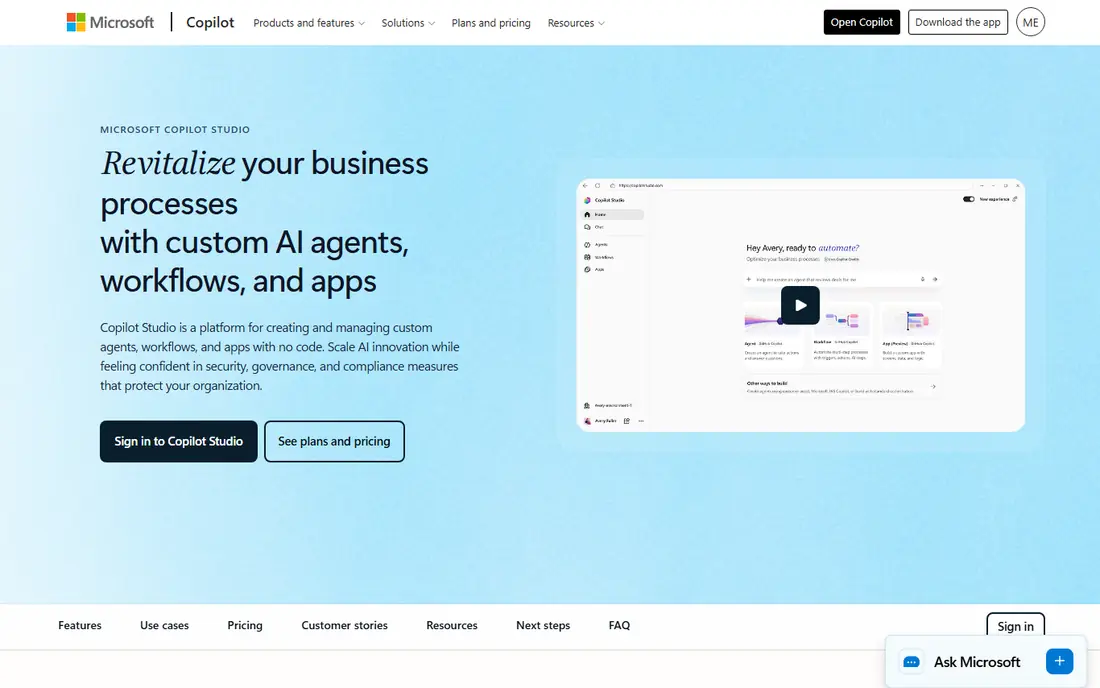
For teams already running on Microsoft 365, Copilot Studio is the natural first place to build agents, because agents can work with Teams, SharePoint, Outlook, and Dynamics data without a separate data move. Its low-code studio, prebuilt connectors, and admin controls suit internal help, HR, and service agents, and credit packs help finance teams budget a known volume each month.
The main catch is worth weighing before you buy. It also helps to trial the tool with real data and real users, since demos rarely show permission, reporting, or support limits. Check the current pricing page before you sign, since enterprise and usage-based prices change often, and confirm that the integrations and data controls your team needs are included in the tier you plan to buy.
- Builds agents inside Microsoft 365 and Teams
- Credit packs give predictable volume
- Broad connector set
- Usage billing can be hard to forecast
- Needs Microsoft licensing to get full value
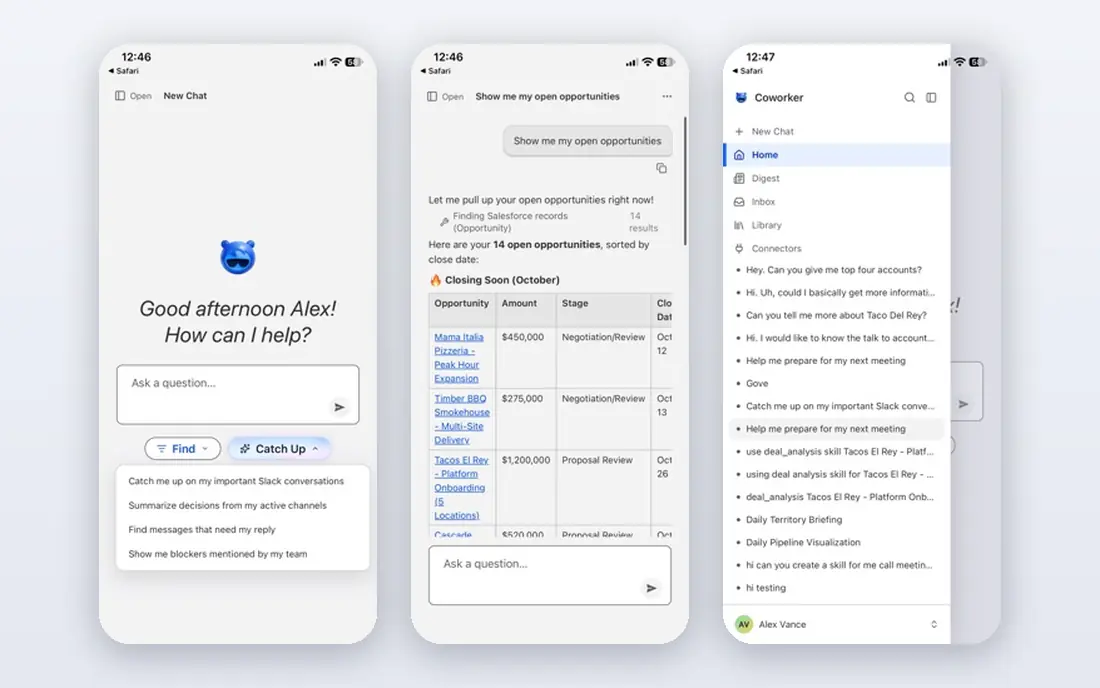
Salesforce customers get the most from Agentforce, since agents can read cases, orders, and customer history directly from the CRM instead of relying on copied data. Its conversation and Flex Credit models give two ways to pay, which helps teams model support volume before they commit, and its service agents handle routine cases with a clear path to a human.
The main catch is worth weighing before you buy. It also helps to trial the tool with real data and real users, since demos rarely show permission, reporting, or support limits. Check the current pricing page before you sign, since enterprise and usage-based prices change often, and confirm that the integrations and data controls your team needs are included in the tier you plan to buy.
- Deep access to Salesforce customer records
- Flex Credits suit varied action volumes
- Strong service use cases
- Costs rise fast with high action counts
- Needs a Salesforce base to shine
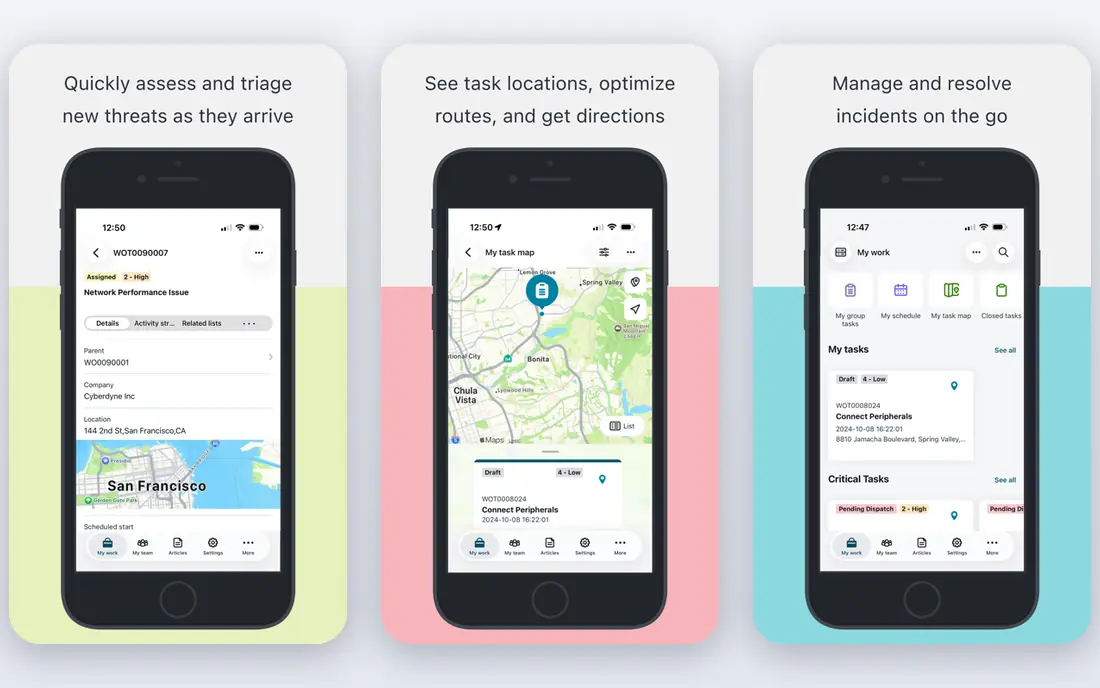
ServiceNow fits large operations teams that already route work through its platform, because agents can follow the same approvals, queues, and records staff already trust. That workflow depth is the main draw, and it helps agents resolve routine requests, update records, and hand off cleanly when a case needs a person.
The main catch is worth weighing before you buy. It also helps to trial the tool with real data and real users, since demos rarely show permission, reporting, or support limits. Check the current pricing page before you sign, since enterprise and usage-based prices change often, and confirm that the integrations and data controls your team needs are included in the tier you plan to buy.
- Ties agents to IT, HR, and customer workflows
- Strong approvals and audit trails
- Broad enterprise reach
- Quote-only pricing hides total cost
- Best value needs existing ServiceNow use
UiPath suits companies that already automate back-office work, because agents can trigger existing automations instead of starting from a blank slate. Its orchestration tools help teams watch, control, and audit agent actions across systems, which matters when an agent updates finance, HR, or order records.
The main catch is worth weighing before you buy. It also helps to trial the tool with real data and real users, since demos rarely show permission, reporting, or support limits. Check the current pricing page before you sign, since enterprise and usage-based prices change often, and confirm that the integrations and data controls your team needs are included in the tier you plan to buy.
- Pairs agents with proven robotic process automation
- Strong orchestration and governance
- Wide integration library
- Enterprise pricing is quote-based
- Setup can be heavy for small teams
Kore.ai is a strong fit for service leaders who want agents on voice and chat, with conversation design tools built for high-volume support. Its focus on service journeys, intent handling, and handoff to live agents helps teams cut wait times without losing the human option for complex cases.
The main catch is worth weighing before you buy. It also helps to trial the tool with real data and real users, since demos rarely show permission, reporting, or support limits. Check the current pricing page before you sign, since enterprise and usage-based prices change often, and confirm that the integrations and data controls your team needs are included in the tier you plan to buy.
- Purpose-built for contact centers and employee help
- Strong voice and chat support
- Detailed analytics
- Pricing is quote-based
- Smaller teams may find the platform broad
IBM watsonx Orchestrate suits regulated firms that need tight control over data, models, and agent actions, and that already use IBM tools. Its skill library and governance features help teams build agents for HR, procurement, and service work while keeping approvals and audit records in one place.
The main catch is worth weighing before you buy. It also helps to trial the tool with real data and real users, since demos rarely show permission, reporting, or support limits. Check the current pricing page before you sign, since enterprise and usage-based prices change often, and confirm that the integrations and data controls your team needs are included in the tier you plan to buy.
- Enterprise governance and IBM ecosystem ties
- Prebuilt skills for common business tasks
- Strong security focus
- Quote-only pricing
- May feel heavy for simple chatbot needs
Google Agentspace fits workplaces that live in Google Workspace, because agents can search documents, mail, and connected apps from one place. Its enterprise search strength helps staff find answers and start tasks without hunting through folders, and Gemini support gives it a modern conversational base.
The main catch is worth weighing before you buy. It also helps to trial the tool with real data and real users, since demos rarely show permission, reporting, or support limits. Check the current pricing page before you sign, since enterprise and usage-based prices change often, and confirm that the integrations and data controls your team needs are included in the tier you plan to buy.
- Searches across Google Workspace and enterprise apps
- Gemini models built in
- Strong enterprise search
- Pricing is quote-based
- Best fit needs Google Cloud or Workspace use
Amazon Bedrock Agents suits engineering teams building custom agents on AWS, where model choice and cloud controls matter more than a drag-and-drop studio. Developers can connect agents to company data and APIs, test different models, and run agents inside existing AWS security and monitoring setups.
The main catch is worth weighing before you buy. It also helps to trial the tool with real data and real users, since demos rarely show permission, reporting, or support limits. Check the current pricing page before you sign, since enterprise and usage-based prices change often, and confirm that the integrations and data controls your team needs are included in the tier you plan to buy.
- Choice of foundation models on AWS
- Strong developer tools
- Pay for what you use
- Needs engineering skill
- No simple business-user builder for every team
Moveworks fits large employers drowning in internal support tickets, because it is built around employee questions, password resets, access requests, and policy answers. Its knowledge and automation focus helps support teams deflect routine work, while staff still reach a person for the cases that need judgment.
The main catch is worth weighing before you buy. It also helps to trial the tool with real data and real users, since demos rarely show permission, reporting, or support limits. Check the current pricing page before you sign, since enterprise and usage-based prices change often, and confirm that the integrations and data controls your team needs are included in the tier you plan to buy.
- Built for employee IT and HR support
- Learns from company knowledge
- Strong automation of routine tickets
- Quote-only pricing
- Less suited to external customer sales use
How we picked these
We compared official feature pages, pricing pages, app store listings, and public documentation for each product, and we kept only products that are available now and truly fit the topic. We did not claim hands-on testing we did not do, and where a vendor does not publish a price we say so rather than guessing. Prices below reflect vendor pages and recent pricing summaries checked in October 2026, so confirm the current figure before you buy.
What to check before you buy
Start with one workflow that has clear inputs, a clear answer, and a safe fallback to a human. Measure resolution rate, action cost, and escalation quality during the pilot, not just conversation counts. Ask vendors to show audit logs, permission controls, and how an agent stops when it lacks data. Finally, get the full cost in writing, including model usage, seats, implementation, and support, before you sign a multi-year deal.
Sources
- https://www.microsoft.com/en-us/microsoft-copilot/microsoft-copilot-studio
- https://www.salesforce.com/agentforce/
- https://www.servicenow.com/products/ai-agents.html
- https://www.uipath.com/
- https://kore.ai/
- https://www.ibm.com/products/watsonx-orchestrate
- https://cloud.google.com/products/agentspace
- https://aws.amazon.com/bedrock/agents/
- https://www.moveworks.com/
Frequently asked questions
Which AI agent platform is best for enterprises?
It depends on your existing stack. Microsoft shops often start with Copilot Studio, Salesforce teams with Agentforce, and AWS teams with Bedrock Agents. Pick the platform that already connects to your core data, then pilot one workflow before a wider rollout.
How much do enterprise AI agent platforms cost?
Pricing varies widely, from usage credits and per-conversation fees to quote-only enterprise contracts. Model your expected actions per task, not just users, because an agent that takes many steps can cost far more than its headline rate.
Do AI agents replace support staff?
No, at least not for complex or sensitive work. The strongest setups use agents for routine questions and record updates, with a clear handoff to people for disputes, exceptions, and high-value cases.
What governance should an enterprise agent have?
Look for role-based access, audit logs, approval steps for sensitive actions, and limits on what data an agent can read or change. Ask how the vendor handles data retention and model training before you connect customer records.
Can small teams use these platforms?
Some can, especially with free trials and credit packs, but most of these tools are priced and built for larger teams. Smaller firms may get better value from a focused support or automation tool rather than a full enterprise platform.