Best Facility Management Software in 2026: 9 Tools Compared
By ToolNimba Editorial Team November 9, 2026 9 min read

- Top pick
 MaintainX
Frontline teams starting free
Starting price$20 per monthCheck out MaintainXRead our review - Runner-up
 Fiix
Manufacturers wanting asset insight
Starting price$45 per monthCheck out FiixRead our review - Also great
 UpKeep
Mobile-first small teams
Starting price$24 per monthCheck out UpKeepRead our review
How we researched this
We compared official pricing and feature pages, app store listings, privacy policies and public user reviews. Prices change, so check the provider's site before you pay.
Key takeaways
- MaintainX and Fiix offer genuinely free tiers, so small teams can move work orders off paper without an upfront bill.
- Per-user pricing is cheap for small crews but costly for large ones, so count every paid seat before comparing headline prices.
- UpKeep and Limble suit mobile-first teams that need fast adoption, while eMaint and Facilio suit multi-site operations with stricter controls.
- The best facility management tool is the one technicians actually use, so test the mobile app with real work orders before buying.
Quick comparison
| Name | Best for | Starting price | Free plan | |
|---|---|---|---|---|
| MaintainX | Frontline teams starting free | $20 per month | Yes | Visit |
| Fiix | Manufacturers wanting asset insight | $45 per month | Yes | Visit |
| UpKeep | Mobile-first small teams | $24 per month | Free trial | Visit |
 Limble | Fast adoption for operations teams | See website | Yes | Visit |
 eMaint | Multi-site standardised maintenance | See website | Free trial | Visit |
 FMX | Schools and multi-facility operations | $35 per month | Free trial | Visit |
 Hippo CMMS | Healthcare, education, and government | See website | Free trial | Visit |
 Facilio | Multi-site enterprise portfolios | See website | No | Visit |
 Fracttal | AI-assisted maintenance planning | See website | Free trial | Visit |
The best facility management software
We compared official feature pages, pricing pages, and public reviews, focusing on work orders, preventive maintenance, asset records, and mobile use. These tools cover commercial facility maintenance as a core job, not as a side feature.
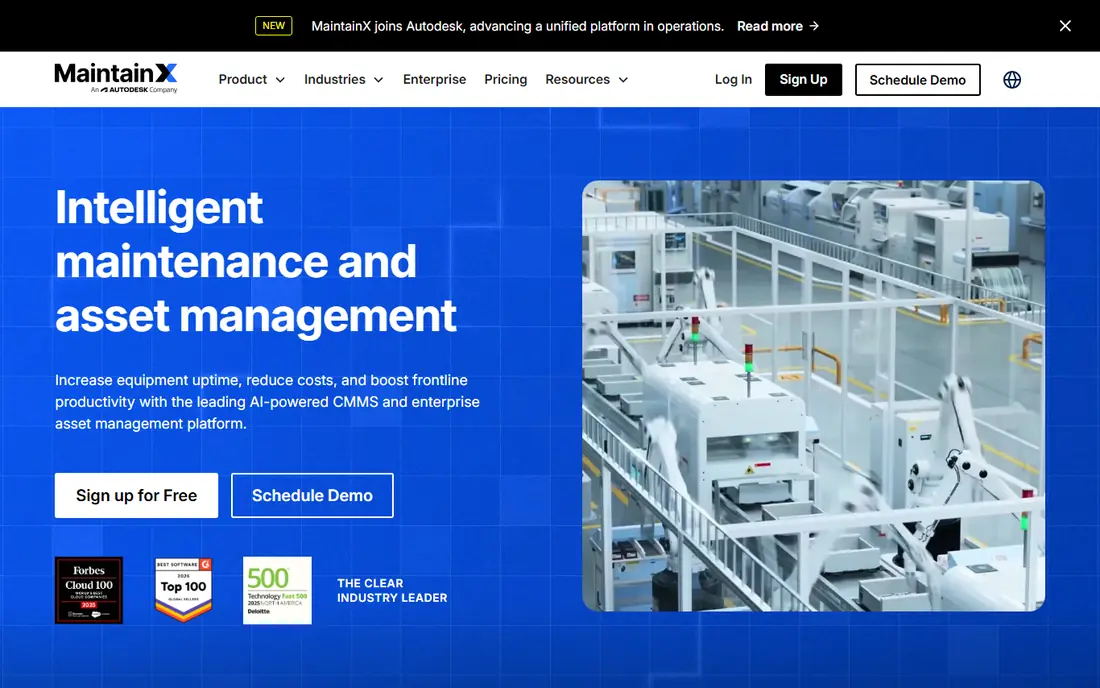
MaintainX has earned its place by making the mobile experience the centre of the product. Technicians can open work orders, follow procedures, and update asset history from a phone on the floor, rather than returning to a desk. That focus helps adoption, which is where many facility tools fail. The free Basic tier is a real starting point for a small operation, and paid pricing is published openly. The honest catch is seat cost: a large crew means many paid seats, so calculate the first-year total for your full team, not just the monthly rate for one user.
- Free Basic tier for small teams
- Mobile app built for technicians
- Clear published pricing
- Per-user pricing adds up for large crews
- Advanced features need higher tiers
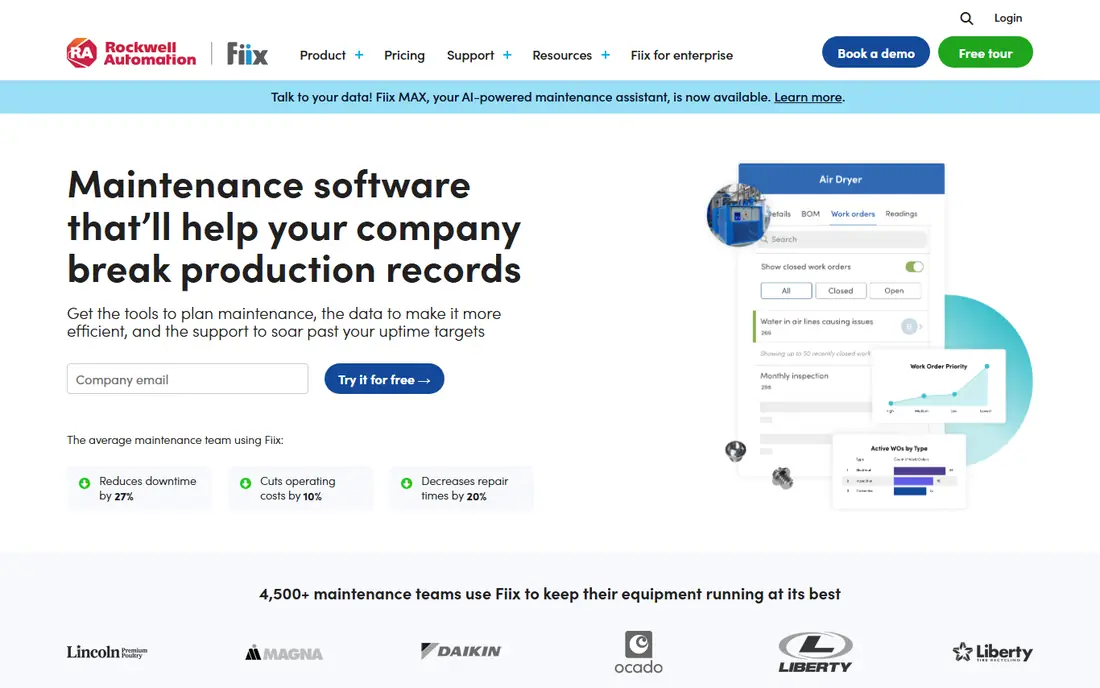
Fiix suits manufacturers and facility teams that want asset history, not just a task list. Work orders link to assets, parts, and maintenance schedules, so managers can see which machines cost the most time and money. A free plan covers core CMMS work, which lowers the risk of trying it. Paid pricing sits above the cheapest rivals, and complex plants should expect setup work to organise assets and schedules. For teams that already track maintenance in spreadsheets, Fiix offers a clear step up in control without an enterprise-only price tag.
- Free CMMS plan for core work
- Asset tracking and preventive scheduling
- Integrations with industrial systems
- Paid plans cost more than some rivals
- Setup can take time for complex asset hierarchies
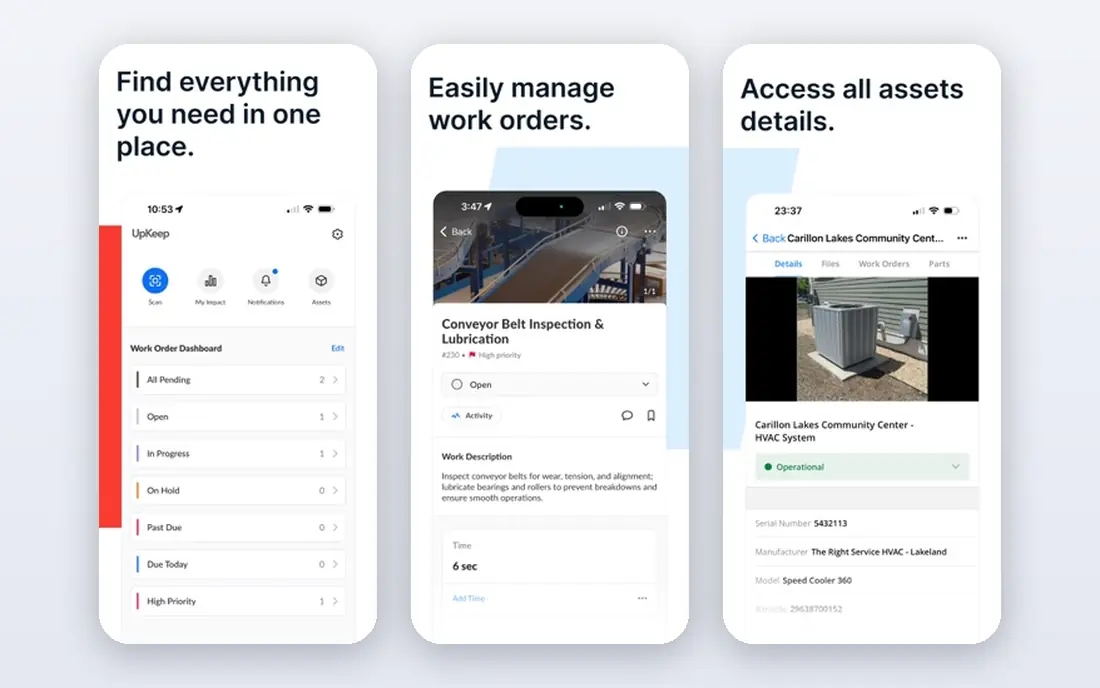
UpKeep is built for teams that live on work orders and phones. Creating, assigning, and closing a job takes few taps, and managers can follow progress without chasing paper forms. That speed makes it a good first system for a team moving off spreadsheets or shared inboxes. There is no permanent free tier, only a trial, so budget from the start. Small teams will find the entry price reasonable, while larger operations should check what higher tiers add for reporting, parts, and integrations before scaling.
- Fast mobile work order workflow
- Asset, inventory, and scheduling tools
- Quick to deploy for small teams
- No permanent free plan
- Higher tiers needed for advanced reporting and integrations
Limble focuses on getting a CMMS running quickly, which matters for teams without a dedicated IT project. Preventive maintenance schedules, work orders, and asset records are straightforward to set up, and technicians can learn the mobile workflow with little training. Public reviews often praise its ease of use. Pricing is less transparent than MaintainX or UpKeep, so request a current quote for your user count. For a team that values fast adoption over deep customisation, Limble is still one of the strongest options on this list.
- Easy setup for non-technical teams
- Strong preventive maintenance scheduling
- Clear work order and asset views
- Published pricing is harder to verify without a quote
- Advanced enterprise controls may need higher tiers
eMaint, part of Fluke Reliability, suits organisations that need the same maintenance process across many sites. Workflows, approvals, and audit trails can be standardised, which helps regulated and industrial operations. Condition monitoring integrations also help teams move from reactive repairs to planned work. That depth comes with a heavier setup and a sales-led price. Small single-site teams will likely find a simpler tool faster and cheaper. Multi-site managers who need governance and consistency will get more value from eMaint than from a basic work order app.
- Configurable workflows for multi-site teams
- Condition monitoring and compliance features
- Fluke Reliability backing for industrial use
- Pricing is quote-based
- Implementation can be heavier than simple CMMS tools
FMX is a strong choice for schools, churches, municipalities, and other multi-facility operators. It handles work orders across buildings, plus scheduling for spaces and equipment, which fits organisations where facilities staff serve many locations. The interface is approachable for non-technical requesters as well as technicians. Manufacturing plants with deep asset hierarchies may prefer Fiix or eMaint. For education and public-sector facilities, FMX balances ease of use, multi-site control, and a published starting price.
- Good fit for education and public facilities
- Scheduling for rooms, vehicles, and equipment
- Multi-site work order management
- Less suited to heavy manufacturing asset hierarchies
- Some advanced features need higher tiers
Hippo CMMS serves facilities teams in healthcare, education, and government, where requesters range from nurses to teachers to office staff. Anyone can submit a request without learning a complex system, while technicians manage the work in a structured queue. Preventive schedules help teams stay ahead of compliance tasks. Pricing requires a quote, so compare the total for your sites and users before deciding. Teams that need a simple, requester-friendly system for regulated buildings often find Hippo a good fit, even without the published pricing of cheaper rivals.
- Work orders and preventive maintenance for regulated settings
- Requester-friendly submission
- Asset and inventory tracking
- Pricing is quote-based
- Mobile and reporting depth vary by plan
Facilio is aimed at enterprises and facility service providers managing many properties. It connects work orders, assets, vendors, and portfolio performance in one view, which helps managers compare sites and spot repeat problems. That portfolio lens is its main advantage over single-site CMMS tools. It is not a small-team tool. Pricing is portfolio-based and quoted, and implementation suits organisations with several sites and a central operations team. Single-building teams should choose a simpler, cheaper option from earlier in this list.
- Connected view across large portfolios
- Strong for facility service providers and enterprises
- Workflow and vendor management features
- Quote-based enterprise pricing
- Too heavy for a single small facility
Fracttal combines core CMMS work with AI-assisted planning features, helping teams prioritise jobs and spot patterns in asset history. It has a strong presence in Latin America and Europe, and it suits companies with international sites or multilingual teams. Mobile work orders keep technicians connected to the plan. US buyers should confirm local support, integrations, and pricing for their sites before committing. For teams open to a newer, planning-focused platform, Fracttal offers a different angle from the established US CMMS names.
- AI-assisted planning and asset insights
- Strong presence outside the US mainstream
- Mobile work orders and asset tracking
- Pricing is quote-based
- US support and integrations should be checked for your region
How we picked these
We compared official feature pages, pricing pages, and public reviews, and we checked whether free plans are ongoing tiers or only trials. We favoured tools with mobile work orders, asset records, and preventive maintenance, since those three functions define facility management software. We did not claim hands-on testing, and we left out tools that only handle room booking or property listings.
How to choose facility management software
Count seats, sites, and requesters
Per-user pricing rewards small teams and punishes large ones. Check whether requesters need paid seats, or whether they can submit requests for free. For large crews, a flat-fee or requester-friendly model can change the total cost sharply.
Test with real technicians
Run a pilot with actual work orders, photos, and parts. If technicians avoid the app, reports will stay incomplete no matter how good the dashboard looks. Choose the tool with the fastest mobile workflow for your most common job type.
Plan preventive maintenance first
A tool that only tracks breakdowns will not cut costs. Set up preventive schedules for your highest-cost assets during the trial, and check how the system handles overdue tasks, parts, and repeat failures. That test reveals more than a feature list.
Sources
Frequently asked questions
What is the best facility management software for small businesses?
MaintainX and UpKeep are strong small-business picks. MaintainX offers a free tier and clear pricing, while UpKeep offers fast mobile deployment for small crews. Both cover work orders, assets, and preventive schedules without enterprise complexity.
What is the best software for commercial facility maintenance?
For commercial portfolios, Facilio, eMaint, and FMX suit different scales. Facilio fits large portfolios, eMaint fits standardised multi-site operations, and FMX fits schools and public facilities. Single-site teams often do better with MaintainX, Fiix, or UpKeep.
Is there free facility management software?
Yes. MaintainX, Fiix, and Limble offer free tiers that cover core work order and asset work, with limits on advanced features and users. Free plans suit small teams digitising maintenance for the first time, while larger teams will need paid tiers for reporting and multi-site control.
What is the difference between a CMMS and facility management software?
The terms overlap heavily. A CMMS focuses on work orders, assets, and preventive maintenance, while facility management software can also cover space, vendors, and portfolio operations. In practice, most tools on this list do both, and vendors use the labels interchangeably.
How much does facility management software cost?
Entry prices verified in recent comparisons include MaintainX at $20 per user per month, UpKeep at $24, FMX at $35, and Fiix at $45, with free tiers at some vendors. Enterprise and multi-site pricing is usually quoted, so request a total for your seats and sites.
How long does it take to implement facility management software?
Simple CMMS tools can run within days for a small team, while multi-site or enterprise systems can take weeks to configure assets, schedules, and integrations. A pilot with real work orders during the trial gives the best sense of your own timeline.