Best Financial Management Software in 2026: 8 Tools Compared
By ToolNimba Editorial Team November 12, 2026 10 min read

- Top pick
 Monarch Money
Complete household dashboard
Starting price$99.99 per yearCheck out Monarch MoneyRead our review - Runner-up
 YNAB
Hands-on zero-based budgeting
Starting price$109 per yearCheck out YNABRead our review - Also great
 Quicken Simplifi
Affordable all-rounder
Starting price$5.99 per monthCheck out Quicken SimplifiRead our review
How we researched this
We compared official pricing and feature pages, app store listings, privacy policies and public user reviews. Prices change, so check the provider's site before you pay.
Key takeaways
- Monarch Money is the strongest all-around dashboard for households that want budgeting, net worth, and investments in one place.
- YNAB suits people who want a strict method and are willing to work in the app regularly, while Quicken Simplifi is the cheaper all-rounder.
- Goodbudget, Rocket Money, and EveryDollar offer free tiers, so you can start without paying and upgrade only if bank sync matters to you.
- No app here gives financial advice, and none can fix spending on its own; the best pick is the one you will actually open each week.
Quick comparison
| Name | Best for | Starting price | Free plan | |
|---|---|---|---|---|
| Monarch Money | Complete household dashboard | $99.99 per year | Free trial | Visit |
| YNAB | Hands-on zero-based budgeting | $109 per year | Free trial | Visit |
| Quicken Simplifi | Affordable all-rounder | $5.99 per month | Free trial | Visit |
 Copilot Money | Apple users who value design | $95 per year | Free trial | Visit |
 Rocket Money | Subscription cleanup | Free | Yes | Visit |
 EveryDollar | Simple zero-based plans | Free | Yes | Visit |
 Goodbudget | Manual envelope budgeting | Free | Yes | Visit |
 Empower | Free net worth tracking | Free | Yes | Visit |
The best financial management software
This is not financial advice. These tools track accounts, sort spending, and show cash flow, but they do not tell you which investments to buy or how to handle debt, tax, or retirement decisions. Talk to a qualified professional for those choices. Prices below are US prices checked from vendor pages and recent roundups in October 2026, and free tiers change, so confirm the current plan before you pay.
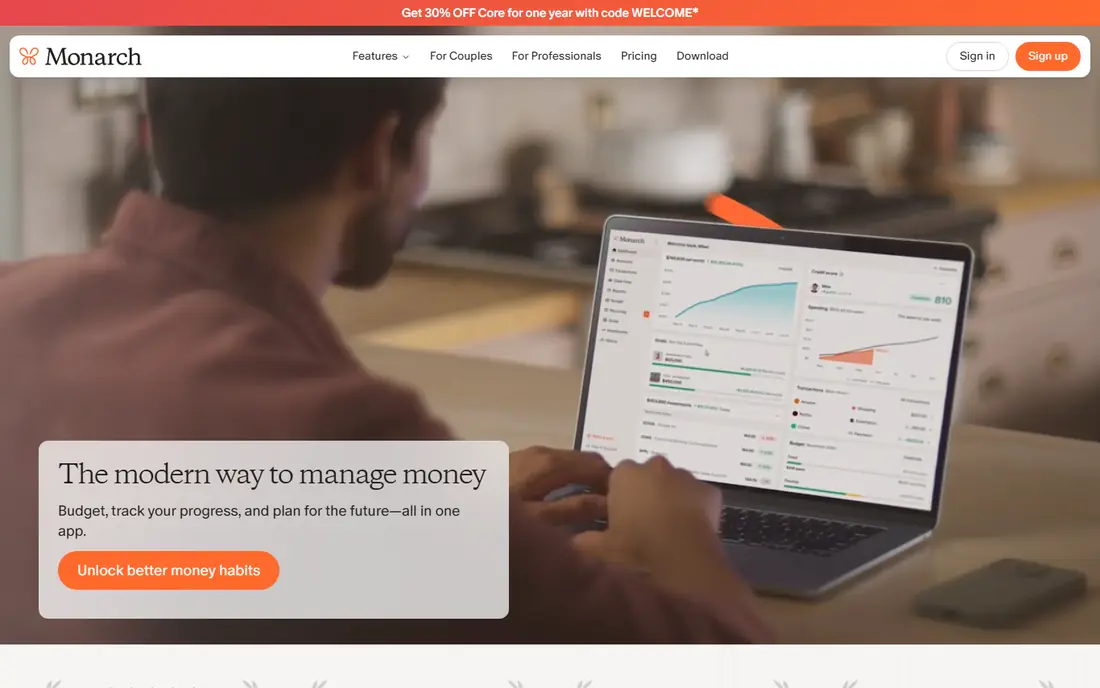
Monarch Money is our pick for most households that want one place for money. It links bank, card, loan, and investment accounts, builds a flexible budget, tracks net worth over time, and lets two adults share the same view with separate logins. Reports are clear enough to answer the usual questions: where did money go, what is left, and how is the overall picture changing.
The catch is price and commitment. There is no free tier, and the 7-day trial is short for a tool you need to live with for a month to judge fairly. At $14.99 per month or $99.99 per year, it is also the most expensive option for someone who only checks balances weekly. If you will use the dashboard daily or weekly as a household, the cost is easy to justify. If not, start free elsewhere.
- Budgeting, net worth, cash flow, and investments in one dashboard
- Good for two-adult households
- Flexible reports
- No free tier, only a 7-day trial
- Premium price for casual users
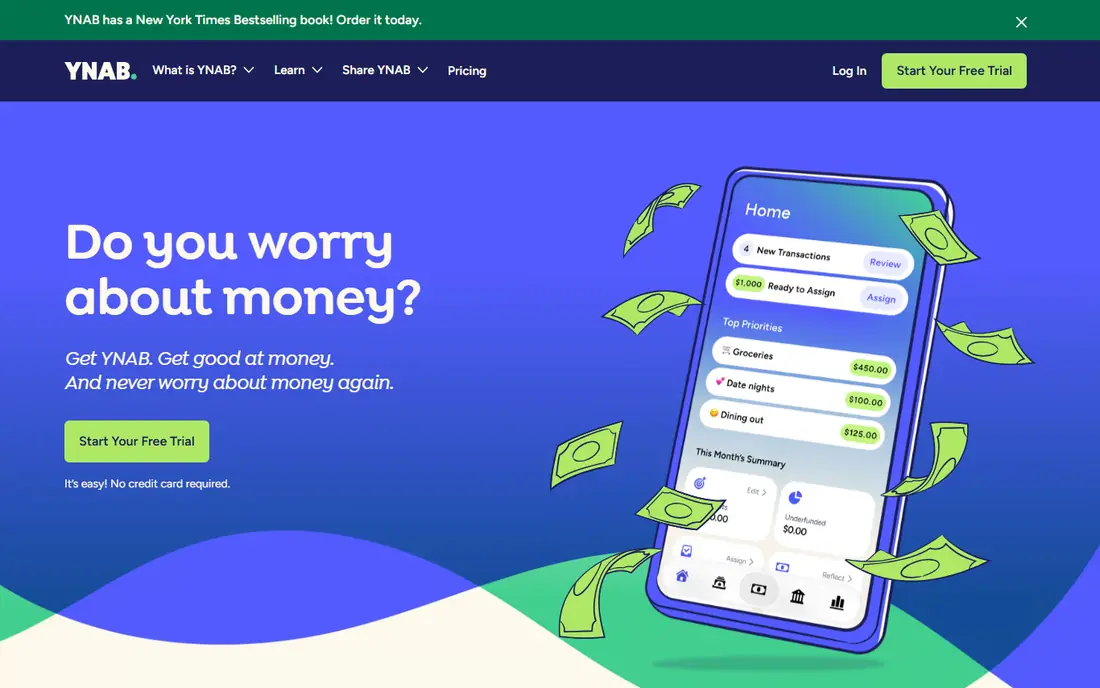
YNAB, short for You Need A Budget, is less an app than a method with an app attached. You give every dollar a job before the month starts, then adjust as plans change, which forces a decision about each purchase rather than a glance at a past total. People who stick with it often say it changes how they think about spending, not just how they record it.
That discipline is also the drawback. YNAB takes a few weeks to click, and it only pays off if you open it regularly and approve transactions. At $14.99 per month or $109 per year, it is a poor buy for someone who wants a passive dashboard. For readers who have tried free trackers and still overspend, though, YNAB is the strongest method-driven choice here.
- Clear method that assigns every dollar a job
- Strong education and support
- 34-day trial
- Steep learning curve
- Requires regular use to pay off
- Higher price
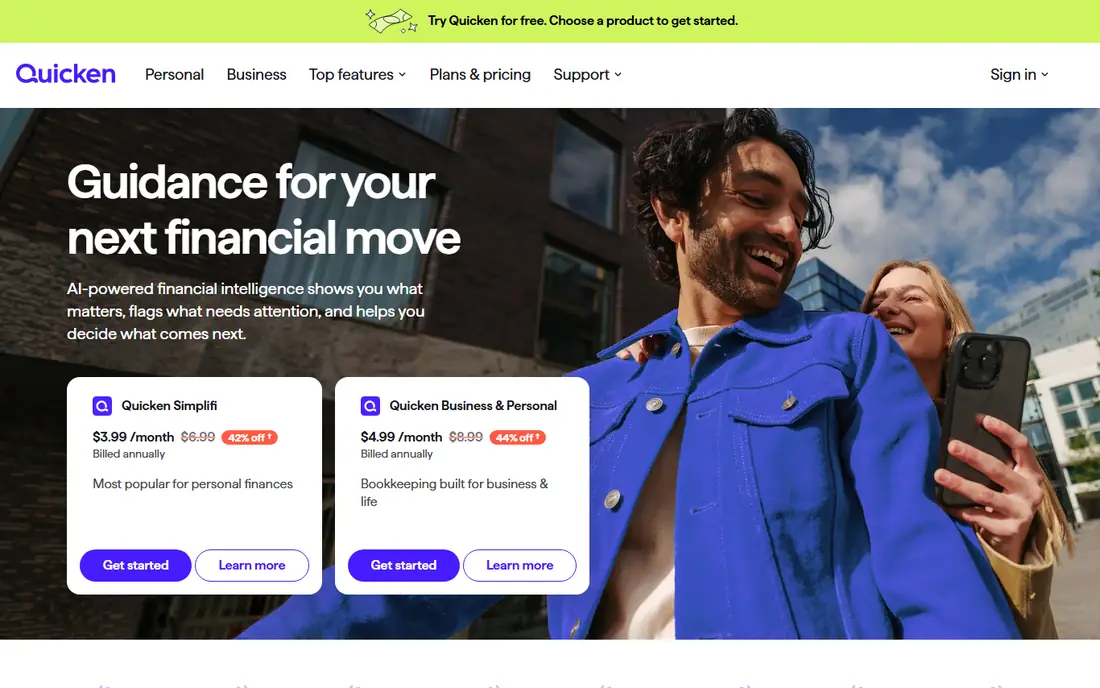
Quicken Simplifi is the value pick among paid all-rounders. It watches your bills and expected income, then shows a safe-to-spend figure for the rest of the month, which is more useful day to day than a long list of past transactions. Cash-flow forecasting, a feature rivals often charge more for, is built in, and bill reminders help you avoid late fees.
Pricing needs a careful look. Simplifi is often sold at a lower first-year price, with renewal at $5.99 per month billed annually, so check what you will pay in year two before you judge the deal. Household features are also less refined than Monarch. For a single user or a couple who want a capable tracker at the lowest regular price, Simplifi is hard to beat.
- Personalized spending plan and cash-flow forecast
- Low price for a full tracker
- Bill reminders
- First-year promo pricing can confuse renewal cost
- Less polished for shared households than Monarch
Copilot Money is the best-looking tracker on this list, and that matters more than it sounds. A clean daily review flow makes it easier to check transactions, fix categories, and spot a charge you do not recognize, which is the habit that keeps any budget honest. It links accounts, tracks investments, and offers a one-month trial, longer than most rivals.
The limit is platform. Copilot works on Apple devices and the web, but there is no Android app, so a mixed-device household cannot use it together. At $13 per month or $95 per year, it is also a premium price. If your household is all Apple and you value design enough to open the app daily, Copilot is a strong pick. Otherwise, Monarch or Simplifi fits better.
- Beautiful, fast interface
- Strong transaction review
- Investment tracking
- One-month trial
- Apple devices only, no Android app
- No free tier
Rocket Money starts from a different problem: money leaking out through subscriptions you forgot. Its free tools link accounts, list recurring charges, and show spending by category, which alone can surface a streaming plan or app subscription you no longer use. Premium adds bill negotiation and more automation, priced on a pay-what-you-want basis.
The free tier is useful, but it is not a full budgeting system in the Monarch or YNAB sense. Premium pricing varies by what you choose, so the monthly cost is less predictable than a fixed plan. Use Rocket Money as a cleanup tool first, cancel what you find, and then decide whether its Premium features are worth paying for on top of a main tracker.
- Free basic tools
- Finds recurring subscriptions
- Bill negotiation help on Premium
- Best features sit behind Premium
- Pay-what-you-want Premium pricing can be unclear
EveryDollar offers the simplest zero-based budget here. The free version gives you a clean monthly plan where you set a target for each category and log spending as you go, with no bank link required. That manual step suits people who want to feel each purchase, and it keeps the app free for basic use.
Bank sync, custom reports, and paycheck planning sit in Premium at $17.99 per month or $79.99 per year, which is a steep jump from free. The method itself is also rigid: variable income and irregular bills need extra planning. If you like a simple envelope plan and do not mind typing in purchases, the free tier is a good start. If you want automatic sync, compare Simplifi first.
- Clean, simple monthly budget
- Free manual version
- Premium adds bank sync and reports
- Free version needs manual entry
- Method is rigid for variable income
Goodbudget turns the old cash envelope system into an app. You fill digital envelopes for groceries, rent, transport, and fun, then spend from each envelope and watch the balance fall. Couples can share envelopes and see the same balances, which makes it a practical tool for households that argue less about totals than about specific categories.
The free tier covers 20 envelopes and one account, which is enough for a simple budget but tight for a detailed one. Bank sync is a paid feature, and Goodbudget does not try to track investments like Monarch or Empower. If you want a hands-on, shared envelope system and are happy to enter purchases yourself, it is the best free option of its kind.
- Digital envelopes that couples can share
- Free for 20 envelopes
- No bank link needed on free tier
- Manual entry on the free tier
- Bank sync only on paid plans in the US
- Fewer investment features
Empower, formerly Personal Capital, is the best free way to see your whole financial picture. Its dashboard links bank, card, loan, and investment accounts, shows net worth over time, and includes retirement planning tools, all without a subscription for tracking. For readers who mainly want to watch investments and net worth, rather than run a strict monthly budget, it is hard to beat at zero cost.
Budgeting is the weak spot. Category budgets and cash-flow planning are simpler than Monarch or YNAB, and Empower will pitch its paid wealth management service to larger accounts. That pitch is easy to ignore, but it is part of the deal for a free product. Use Empower for the big picture, and pair it with a budgeting app if monthly spending control is your main goal.
- Free dashboard for accounts, net worth, and investments
- Retirement planner tools
- No subscription for tracking
- Weaker budgeting than Monarch or YNAB
- Upsells to paid wealth management
- US-focused
How we picked these
We compared vendor pricing pages, product documentation, and recent roundups of personal finance software, and we kept tools that are available in the US in October 2026 and that handle real account linking or budgeting. We favored tools with clear pricing, a free tier or trial, and a distinct job, from strict budgeting to net worth tracking. We left out tools that had closed, tools with no US availability, and tools that only sold investment advice, since this article is about managing money, not picking stocks.
How to choose the right financial management app
Start with the question you actually ask about money. If it is "where did it all go," you need a tracker with good categories and a daily review habit. If it is "why do I overspend," you need a method like YNAB or Goodbudget that forces a decision before spending. If it is "are we on track overall," a dashboard like Monarch or Empower, with net worth and investments, fits better.
Then test for two weeks before you pay for a year. Link your main accounts, fix the categories the app gets wrong, and see whether you open it without being reminded. Check bank sync reliability for your banks, since a broken link kills any tracker, and check whether a partner or family member can share the view. The best financial management platform is the one that survives contact with your real accounts and your real routine.
Sources
- https://rankite.com/blog/best-home-accounting-software
- https://onlinetoolguides.com/best-budgeting-apps/
- https://theplainmanual.com/best-budgeting-app-after-mint/
- https://www.monarchmoney.com
- https://www.ynab.com
- https://www.quicken.com
- https://www.copilot.money
- https://www.rocketmoney.com
- https://www.everydollar.com
- https://www.goodbudget.com
- https://www.empower.com
Frequently asked questions
What is the best personal finance software?
For most households, Monarch Money is the best all-around pick because it combines budgeting, net worth, and investments in one dashboard. YNAB is better if you want a strict method that changes spending habits, and Quicken Simplifi is better if you want a capable tracker at a lower price. Start with the job you need most, not with the longest feature list.
What is the best software for personal finance on a budget?
Goodbudget and Rocket Money both offer genuinely free tiers, and EveryDollar has a free manual version. Goodbudget suits envelope budgeting, Rocket Money suits subscription cleanup, and EveryDollar suits simple zero-based plans. If you want automatic bank sync without paying much, Quicken Simplifi is the cheapest capable paid option among the tools here.
What is the best app for financial management for couples?
Monarch Money is our pick for couples because two adults can share budgets, accounts, and reports in one place. Goodbudget is a good free alternative for couples who prefer shared envelopes and manual entry. Whichever you choose, agree on who reviews transactions and how often, since a shared app only helps if both people actually look at it.
Does financial management software replace a financial adviser?
No. These tools track and organize money, but they do not give personal advice on investments, tax, debt, or retirement. An adviser can help with those decisions, especially for larger sums, complex taxes, or retirement planning. Use the software to arrive at that conversation with clean, up-to-date numbers, which makes the advice better and cheaper to get.
Is it safe to link bank accounts to these apps?
Reputable apps use bank-grade encryption and read-only connections through aggregators, and they do not move money between your accounts. No system is risk-free, so use a strong unique password, turn on two-factor sign-in, and review linked accounts and alerts regularly. If a bank or app reports a problem, unlink the account at once and change your passwords.