Best Fitness Tracker App in 2026: 9 Apps Compared
By ToolNimba Editorial Team November 9, 2026 9 min read

- Top pick
 Garmin Connect
Free training data
Starting priceFreeCheck out Garmin ConnectRead our review - Runner-up
 Strava
Social running and cycling
Starting priceFreeCheck out StravaRead our review - Also great
 Fitbit
Everyday step and sleep tracking
Starting priceFreeCheck out FitbitRead our review
How we researched this
We compared official pricing and feature pages, app store listings, privacy policies and public user reviews. Prices change, so check the provider's site before you pay.
Key takeaways
- Garmin Connect offers the most free training data, with no subscription needed for core features.
- Strava is the best social tracker for runners and cyclists who want community motivation.
- Fitbit suits everyday step, sleep, and heart rate tracking with a simple app.
- Nike Run Club is the best fully free running app, with guided runs and training plans at no cost.
- Whoop suits recovery-focused users, but it requires a membership and a wearable.
Quick comparison
| Name | Best for | Starting price | Free plan | |
|---|---|---|---|---|
| Garmin Connect | Free training data | Free | Yes | Visit |
| Strava | Social running and cycling | Free | Yes | Visit |
| Fitbit | Everyday step and sleep tracking | Free | Yes | Visit |
 Apple Health | iPhone health hub | Free | Yes | Visit |
 Samsung Health | Samsung phone health hub | Free | Yes | Visit |
 Nike Run Club | Free guided running | Free | Yes | Visit |
 MyFitnessPal | Food logging plus activity | Free | Yes | Visit |
 Whoop | Recovery and strain | $199 per year | No | Visit |
 Runkeeper | Simple GPS running | Free | Yes | Visit |
The best fitness tracker app
This article covers general fitness information, not medical advice. If you have a health condition, talk to a clinician before starting a new training plan or relying on a tracker for health decisions. We compared official app listings, free tiers, and premium prices, and we favoured apps that track steps, workouts, sleep, or heart rate clearly without hiding core data behind a paywall.

Garmin Connect turns data from a Garmin watch into a full dashboard for workouts, sleep, heart rate, routes, and training load. It includes training plans, challenges, and detailed activity history at no extra cost, which sets it apart from apps that move core features behind a subscription. Garmin has said existing Connect features and data remain free, with Connect Plus adding AI insights and extra LiveTrack features for $6.99 a month or $69.99 a year.
The obvious limit is hardware. You need a Garmin device to get the full benefit, and the app is less useful as a standalone phone tracker. For runners, cyclists, and triathletes who already own or plan to buy a Garmin watch, however, Connect offers unusually generous free tracking.
- Core tracking stays free with a Garmin device
- Training plans and sleep data included
- No ads in the core app
- Requires a Garmin device
- Optional Connect Plus costs $6.99 per month
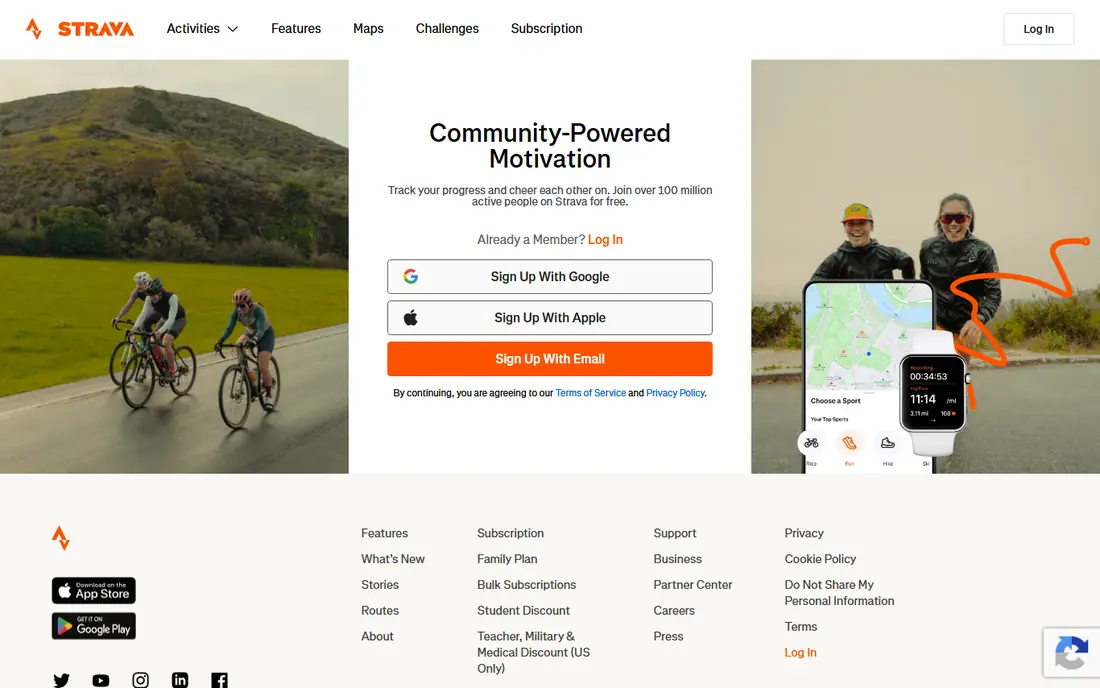
Strava records GPS runs, rides, hikes, and more than 50 other sport types, then turns them into a social feed where friends give kudos and comments. Segments let you compare your time on a road or trail with friends and local athletes, and clubs and challenges add motivation. It syncs with Apple Watch, Garmin, Fitbit, and many other devices, so it works as a hub regardless of hardware.
The free tier covers recording, sharing, clubs, and basic stats, but filtered leaderboards, training analysis, route tools, and Beacon live location sharing sit behind a subscription at $11.99 a month or $79.99 a year. Privacy also needs care, because default settings can reveal where runs start and finish. For outdoor athletes who value community, Strava remains hard to beat.
- Large active community
- Clubs, challenges, and segments
- Works with many devices
- Advanced analysis needs a subscription at $11.99 per month
- Privacy settings need attention
Fitbit is built for everyday tracking: steps, distance, active minutes, sleep stages, and resting heart rate, shown in a clean daily view. It suits people who want a simple picture of movement and sleep without a complex training platform. Devices range from basic bands to smartwatches, and the app syncs easily with phones.
Fitbit Premium, at about $9.99 a month, adds deeper insights, guided programs, and extra health metrics. Core tracking remains free with a device, but users who want the full analysis will feel the paywall. For general wellness tracking, the free tier is usually enough to start.
- Simple daily tracking
- Sleep stages and heart rate
- Wide device range
- Fitbit Premium costs $9.99 per month
- Some insights sit behind Premium
Apple Health acts as a central hub on iPhone, collecting steps, workouts, sleep, heart rate, and other data from the phone, Apple Watch, and third-party apps. It gives a single place to review trends and share data with a clinician if you choose. There is no subscription for core Health data, which makes it a quiet, reliable baseline tracker.
It is iPhone only, and its depth depends on what you connect. Without an Apple Watch or other apps, phone-based step counting is basic. For iPhone users, however, it is the best free starting point, and many other apps in this list can write data into it.
- Free on iPhone
- Central hub for many apps and devices
- No subscription for core data
- IPhone only
- Tracking depth depends on connected apps and devices
Samsung Health offers step counting, workout tracking, sleep recording, and health goals on Samsung phones, with challenges to keep users moving. It works with Samsung watches for heart rate and sleep depth, and it presents daily activity in a simple dashboard. Like Apple Health, it is a free hub rather than a paid training platform.
It works best inside the Samsung ecosystem, and feature availability can vary by device and region. Android users without a Samsung phone can still use parts of it, but the experience is smoother on Samsung hardware. For Samsung owners, it is a solid free tracker that needs no extra subscription.
- Free on Samsung phones
- Steps, sleep, and workouts in one app
- Challenges and goals
- Best on Samsung devices
- Some features vary by phone and region
Nike Run Club is entirely free, with GPS run tracking, guided runs, audio coaching, and training plans for distances from 5K to marathon. That makes it the best free running app for beginners and for experienced runners who want structured plans without paying. The app also tracks milestones, trophies, and run history clearly.
Its focus is running. Strength, cycling, and general fitness tracking are thinner than in Strava or Garmin Connect, so gym users will need another app for those workouts. For runners, however, getting guided coaching and plans for free is a strong deal that few rivals match.
- Fully free
- Guided runs and training plans
- Audio coaching during runs
- Running focused
- Gym and strength tracking is thinner
MyFitnessPal is best known for food logging, with a large database, barcode scanning, and recipe tools, plus activity tracking and step syncing. It suits users whose main goal is weight management, because it links food intake and exercise in one daily view. The free tier covers basic logging and tracking.
Premium, at about $19.99 a month, adds deeper macro goals, meal planning, and ad-free use. Users who only want workout tracking may find it heavier than Strava or Nike Run Club. For people who want food and activity together, however, it remains the most complete free starting point.
- Very large food database
- Barcode scanning
- Activity and calorie tracking together
- Premium costs about $19.99 per month
- Some features sit behind Premium
Whoop takes a different approach. Instead of counting steps on a screen, its band tracks heart rate variability, resting heart rate, sleep, and strain around the clock, then gives a daily recovery score and training guidance. Membership starts at about $199 a year and includes the hardware, so there is no separate device purchase for the basic band.
The membership model is the catch. Without a paid membership, Whoop does not offer a useful free tier, and the band has no screen, so you must check the app for data. It also focuses on recovery rather than casual activity. For serious athletes who train by readiness and sleep, that focus is the point.
- Focus on recovery, strain, and sleep
- Hardware included in membership
- Detailed readiness scores
- Membership required
- No screen on the band
- Less useful for casual step counting
Runkeeper, from ASICS, offers straightforward GPS tracking for runs, walks, and other activities, with pace, distance, and full history in the free tier. It suits beginners who want a simple running app without a busy social feed. Audio cues during runs help with pace and distance goals.
Runkeeper Go, at $9.99 a month or $39.99 a year, adds training plans, live tracking, and deeper insights. Its community is smaller than Strava, so runners who want clubs and segments may prefer Strava. For simple, reliable run tracking, Runkeeper is an easy, low-pressure choice.
- Simple GPS tracking
- Full activity history free
- Training plans on paid tier
- Runkeeper Go costs $9.99 per month
- Community features are thinner than Strava
How we picked these
We compared official app store listings, vendor pricing pages, and free tier descriptions, and we favoured apps that are available in the United States, track activity clearly, and publish their premium prices. We included free hubs, social trackers, food logging, and recovery tools so different goals are covered. We did not claim hands-on testing, and we noted where a device or membership is required.
Choosing a tracker for your goal
Match the app to the habit you want. Runners benefit most from Strava, Nike Run Club, or Garmin Connect. Everyday movers benefit from Fitbit, Apple Health, or Samsung Health. People focused on food benefit from MyFitnessPal, and recovery-focused athletes benefit from Whoop.
Check what stays free
Before you commit, check which features are free and which need Premium. Some apps keep core tracking free, while others move analysis, plans, or sleep depth behind a subscription. A free trial can help, but cancel before it renews if you do not want to pay.
Protect your location privacy
Running apps can reveal home and work locations through route starts and finishes. Use privacy zones, hide start and end points, and review who can see your activities before your first public run. This step matters more than any premium feature.
Sources
Frequently asked questions
What is the best fitness tracker app for most people?
Garmin Connect is best if you own a Garmin device, because core tracking is free. Strava is best for social running and cycling, Fitbit is best for simple daily tracking, and Nike Run Club is best for free guided running. The best choice depends on your device and your main sport.
Is there a completely free fitness tracker app?
Yes. Apple Health and Samsung Health are free hubs on their phones, and Nike Run Club is fully free for running. Strava, Fitbit, and Runkeeper also offer useful free tiers, with paid plans adding analysis and plans.
Do I need a wearable to use a fitness tracker app?
No. Most apps in this list track runs and walks with phone GPS alone. A wearable adds continuous heart rate, sleep, and step data, and Garmin Connect and Whoop work best with their own devices, but phone-only tracking is enough to start.
Is Whoop worth the membership cost?
Whoop suits athletes who train by recovery, sleep, and strain scores and want daily readiness guidance. Casual users who mainly count steps will get less value from a membership, and a free app plus a basic band may be enough.
Can fitness tracker data replace medical advice?
No. Tracker data can show trends in activity, sleep, and heart rate, but it is not a diagnosis. If you notice unusual readings or have a health condition, talk to a clinician rather than relying on an app score alone.