Best Free AI Text to Video Tools in 2026: 9 Tools Compared
By ToolNimba Editorial Team November 11, 2026 9 min read

- Top pick
 Kling AI
Most free footage per month
Starting priceFreeCheck out Kling AIRead our review - Runner-up
 Hailuo AI
Photorealistic short clips
Starting priceFreeCheck out Hailuo AIRead our review - Also great
 Runway
Editing plus generation
Starting priceFreeCheck out RunwayRead our review
How we researched this
We compared official pricing and feature pages, app store listings, privacy policies and public user reviews. Prices change, so check the provider's site before you pay.
Key takeaways
- Kling AI offers the most renewable free video, with daily credits in recent checks, while Runway offers a one-time credit trial with stronger editing tools.
- Google Flow, PixVerse, and Hailuo suit short social clips, with different daily credit rules and watermark terms.
- InVideo AI and CapCut suit longer script-based videos and editing, rather than pure text-to-video generation.
- Wan 2.2 is the only fully free option without credits, but it needs your own GPU and setup time.
- Most free tiers forbid commercial use and add a watermark, so check terms before using a clip for a client or a monetized channel.
Quick comparison
| Name | Best for | Starting price | Free plan | |
|---|---|---|---|---|
| Kling AI | Most free footage per month | Free | Yes | Visit |
| Hailuo AI | Photorealistic short clips | Free | Yes | Visit |
| Runway | Editing plus generation | Free | Yes | Visit |
 Pika | Stylized social clips | Free | Yes | Visit |
 Google Flow | Free Veo clips daily | Free | Yes | Visit |
 PixVerse | Daily social clips | Free | Yes | Visit |
 InVideo AI | Script to longer video | Free | Yes | Visit |
 Wan 2.2 | Free local generation | Free | Yes | Visit |
 CapCut | AI-assisted editing | Free | Yes | Visit |
The best free AI text to video tools
These tools turn a text prompt into a short video clip, but free allowances, watermarks, and commercial terms differ sharply.

Kling AI is the best free habit tool, because its credits refresh daily rather than running out once. Recent checks list about 66 credits a day, enough for roughly five to six short standard clips, though credits expire daily and do not roll over. Motion quality, especially for people and camera moves, is strong for a free tier.
The limits matter for business use. Free clips carry a watermark, commercial use is not allowed on the free plan in recent checks, and higher resolution and faster queues need a paid plan. For daily practice and social drafts, Kling gives you more free video than any other hosted tool here.
- Daily credit refresh
- Strong motion and camera work
- Good for people and scenes
- Free clips are watermarked
- Free use is personal only in recent checks
- Peak queues can be long

Hailuo AI, from MiniMax, is known for photorealistic short clips with strong facial expression and detail. Its free allowance has changed during 2026, with recent checks listing a one-time credit grant that expires in a few days, and other checks listing daily credits for a few clips a day. Either way, the free tier is best for testing, not for a daily workflow.
Check the current credit terms at signup, because they shift often. Hailuo suits creators who want a few high-quality test clips to judge a model, before deciding whether to pay for a larger plan.
- Photorealistic faces and expressions
- Fast generation
- Simple prompt flow
- Free credits are limited and may expire
- Free clips are watermarked in recent checks
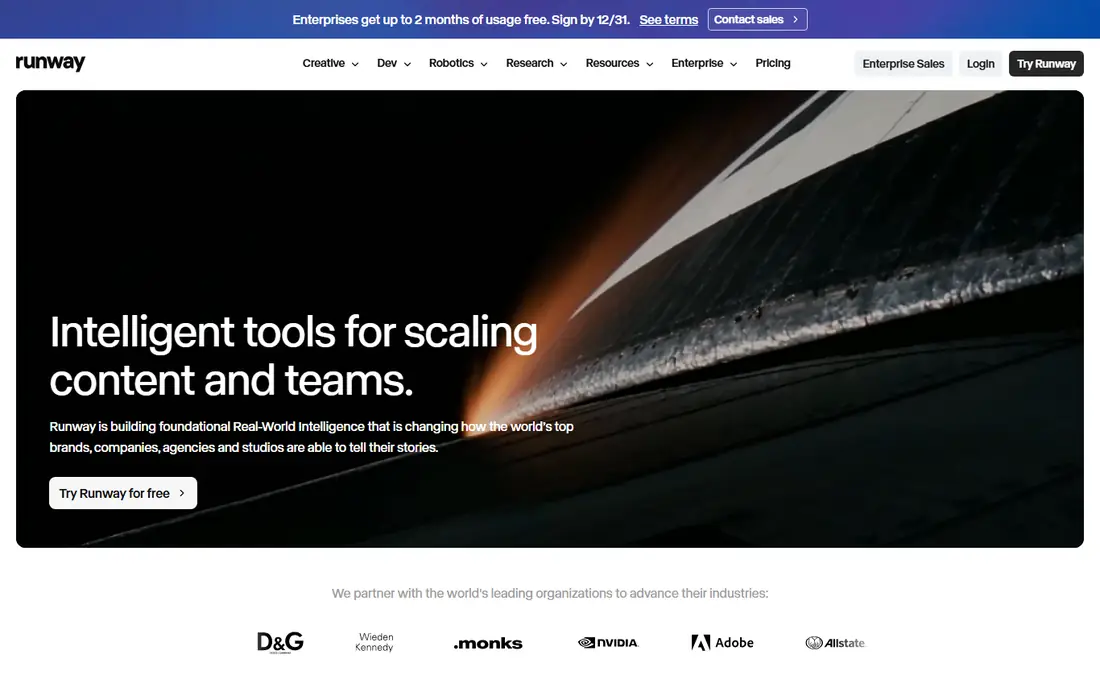
Runway is the best all-round creative tool here, because generation sits beside a real video editor. Its free tier offers 125 one-time credits in recent checks, enough for about 25 short 720p clips, after which you need a paid plan. Image-to-video, camera control, and character consistency tools make it useful for more than a single prompt.
That one-time allowance is the limit. Runway is a trial, not a daily free workflow, so use the credits for your best ideas and test clips you plan to refine. For paid work, its editing tools justify the plan more than generation alone.
- Strong editing suite beside generation
- Image-to-video with reference control
- Gen-4 models
- Free trial is 125 one-time credits only
- Free clips are watermarked in recent checks
Pika suits fun, stylized short clips for social media, with effects and a friendly prompt flow. Recent checks differ on its free allowance, with some listing about 30 generations a month and an October 2026 check listing zero monthly credits on the free plan, with packs available instead. That change shows why you must check the live plan page before you rely on Pika.
If the free tier is limited when you sign up, Pika still works as a low-cost paid option for stylized clips. For a dependable free workflow, Kling or Google Flow are safer starting points.
- Fast stylized clips
- Creative effects
- Simple prompt flow for beginners
- Free monthly credits have fallen to near zero in some October 2026 checks
- Free clips are watermarked
Google Flow gives Google accounts access to Veo video generation with daily credits, listed at about 50 credits a day in recent checks, enough for about five Veo clips. Veo stands out for cinematic quality and native audio, which saves a separate sound step. Outputs carry an invisible SynthID marker rather than a visible watermark in recent checks.
The daily allowance is smaller than Kling for pure volume, so treat Flow as a final-render tool for your best prompts, not a sandbox for dozens of tests. Check the current credit rules, because Google changes Flow access as its AI plans evolve.
- Veo model quality with audio
- Daily credits for Google accounts
- No visible watermark in recent checks
- Daily credits are limited
- Full Veo access sits in paid Google AI plans
PixVerse suits daily social video practice, with a signup credit grant plus daily credits in recent checks, listed at about 60 credits at signup and 30 a day, at up to 540p on free tiers. Its effects and fast generation fit trends and short-form clips, where speed matters more than cinematic polish.
Resolution and watermark limits mean free clips suit drafts and personal posts, not client delivery. PixVerse is a good second tool beside Kling when you want a different style or extra daily credits.
- Daily credit refresh
- Fast social clips
- Effects for trends
- Free clips are watermarked and lower resolution in recent checks
- Commercial use is limited
InVideo AI differs from pure text-to-video generators, because it builds a longer video from your script using stock footage, text, and voiceover, with AI help. Its free plan, listed in recent checks as a few videos a week with a watermark at 720p, suits explainers, promos, and social videos that need structure rather than a single AI clip.
If you want a fully AI-generated scene, Kling, Hailuo, or Runway will fit better. InVideo fits creators who need a finished, longer video quickly and can accept stock footage in the mix.
- Turns a script into a longer video
- Stock clips and voiceover tools
- Templates for explainers
- Free plan limits videos per week and adds a watermark
- Generation is stock-based, not pure AI video
Wan 2.2 is the only tool here with truly free generation and no asterisk, provided you have the hardware. It is open source video generation you run locally, with no credits, no watermark, and no daily caps, and its Apache 2.0 license permits commercial use in recent checks. Privacy is also stronger, because nothing leaves your computer.
The catch is setup. You need a decent GPU, such as an RTX 3060 or better in recent guides, and patience to install and tune the model. For creators with gaming hardware, Wan 2.2 is unbeatable value, and for others it is a goal to try after a hosted free tier.
- Open source
- No credits, watermark, or daily caps
- Commercial use allowed under Apache 2.0 in recent checks
- Needs a capable GPU
- Setup takes technical work
- Generation speed depends on your machine
CapCut is an editor first, with AI-assisted tools for captions, effects, and script help, rather than a pure text-to-video model. Its free tier covers editing and export, with up to 4K export listed in recent checks, which makes it a strong finishing tool for clips made in Kling, Pika, or Wan 2.2. Templates speed up social posts.
Do not judge CapCut as a generator alone. Pair it with a generation tool for the raw clip, then use CapCut to cut, caption, and export. That workflow gives you the best of both free tiers.
- Free editing with AI captions and effects
- Up to 4K export on free in recent checks
- Easy social templates
- Not a pure text-to-video generator
- Some AI features need a paid plan
How we picked these
We compared official pricing and help pages, and recent October 2026 checks of free AI video allowances. We favored tools active in October 2026 that offer a real free tier, and we covered daily-credit tools, one-time trials, script-to-video tools, local open source generation, and editing. We did not claim hands-on testing, and free allowances change often, so check the live plan page before you build a workflow on any tool.
How to get the most from free tiers
Use daily-credit tools for practice and drafts, and save one-time credits for your best ideas. Write prompts with a clear subject, action, camera move, and setting, and keep clips short, because most free tiers cap length at about five seconds. Always check watermark and commercial terms before posting a clip to a monetized channel or sending it to a client.
Free versus paid: when to upgrade
Upgrade when you need watermark-free clips, commercial rights, longer clips, higher resolution, or faster queues. Until then, rotating two daily-credit tools can give you enough free footage for personal projects and learning, without paying for a plan you do not yet need.
Sources
- https://klingai.com
- https://hailuoai.video
- https://runwayml.com
- https://pika.art
- https://labs.google/fx/tools/flow
- https://www.pixverse.ai
- https://invideo.io
- https://www.wan.video
- https://www.capcut.com
- https://www.theaitools.tech/2026/10/best-free-ai-video-generators-2026.html
- https://techpilot.ai/ai-text-to-video-generator-free/
Frequently asked questions
What is the best completely free AI text to video tool?
Wan 2.2, run locally, is the only fully free option without credits or watermarks, but it needs a capable GPU. Among hosted tools, Kling AI offers the most renewable free footage per month.
Can I use free AI video clips commercially?
Usually no on free tiers. Most hosted free plans forbid commercial use and add a watermark, while Wan 2.2 under Apache 2.0 permits commercial use. Check the current terms for each tool before commercial use.
How long are free AI video clips?
Most free clips are about five seconds, with some tools offering up to 10 seconds. Longer videos usually need a paid plan or a script-to-video tool such as InVideo AI.
Why do free tiers change so often?
Providers adjust credits, watermarks, and pricing as model costs and demand change. A tool that offered a generous free tier last month may cut it this month, so verify the live plan page at signup.
Is Luma Dream Machine still free?
Recent October 2026 checks report that Luma has no free plan at all, so we left it out of this free list. If Luma restores a free tier, check its credit and watermark terms before relying on it.