Best Identity and Access Management Tools in 2026: 9 Tools Compared
By ToolNimba Editorial Team November 11, 2026 10 min read

- Top pick
 Okta
Vendor-neutral workforce identity
Starting price$6 per monthCheck out OktaRead our review - Runner-up
 Microsoft Entra ID
Microsoft 365 organizations
Starting price$7 per monthCheck out Microsoft Entra IDRead our review - Also great
 Auth0
Customer login for apps
Starting price$35 per monthCheck out Auth0Read our review
How we researched this
We compared official pricing and feature pages, app store listings, privacy policies and public user reviews. Prices change, so check the provider's site before you pay.
Key takeaways
- Workforce identity and customer identity are different jobs: Okta and Entra ID serve employees, while Auth0 serves users of your own apps.
- Microsoft Entra ID is often the cheapest path for Microsoft 365 shops, while Okta suits teams that want a vendor-neutral platform.
- Duo and JumpCloud offer genuinely useful free tiers for very small teams, while larger tools price per user or per active user.
- Single sign-on alone is not enough: check MFA, lifecycle automation, conditional access and audit logs before buying.
- Open source Keycloak can cut license costs, but hosting, updates and support become your responsibility.
Quick comparison
| Name | Best for | Starting price | Free plan | |
|---|---|---|---|---|
| Okta | Vendor-neutral workforce identity | $6 per month | Free trial | Visit |
| Microsoft Entra ID | Microsoft 365 organizations | $7 per month | Yes | Visit |
| Auth0 | Customer login for apps | $35 per month | Yes | Visit |
 Ping Identity | Large hybrid enterprises | $3 per month | Free trial | Visit |
 OneLogin | Mid-market SSO simplicity | $4 per month | Free trial | Visit |
 JumpCloud | Small teams replacing Active Directory | $9 per month | Yes | Visit |
 Duo Security | Fast MFA rollout | $3 per month | Yes | Visit |
 CyberArk Workforce Identity | Privileged access plus workforce sign-in | See website | Free trial | Visit |
 Keycloak | Open source self-hosted identity | Free | Yes | Visit |
The best identity and access management tools
The best identity and access management tools control who can sign in, what they can reach, and how access changes when people join, move or leave. These nine cover workforce login, customer login, MFA and open source options.
Okta is the best-known independent workforce identity platform, and its strength is breadth. It connects to thousands of apps for single sign-on, adds MFA, and automates joining and leaving processes so access follows HR changes. Because it is not tied to one cloud vendor, it suits companies that use a mix of Google, Microsoft and other tools.
The cost needs care. Entry pricing looks modest per user, but MFA, lifecycle and other features can sit on higher tiers or as add-ons, and entry plans carry an annual minimum. Small teams should map the exact features they need before comparing Okta with a bundled option such as Entra ID.
- Broad app integration catalog
- Strong SSO and lifecycle tools
- Works across cloud vendors
- Costs rise with add-ons
- Minimum annual contract applies on entry plans
Microsoft Entra ID, formerly Azure Active Directory, is the natural pick for organizations already running Microsoft 365. A free tier covers basic single sign-on and MFA, while paid P1 and P2 plans add conditional access, identity protection and governance features. Many Microsoft 365 business and enterprise plans already include part of this licensing.
The weakness is vendor fit. A company that mainly uses Google Workspace or a mix of tools may not get the same value, and some advanced features still need higher Microsoft plans. For a Microsoft shop, though, Entra ID often delivers the needed controls without a separate identity bill.
- Built into Microsoft 365 and Azure
- Conditional access
- Free tier for basic SSO and MFA
- Best value needs Microsoft licensing
- Non-Microsoft shops get less benefit
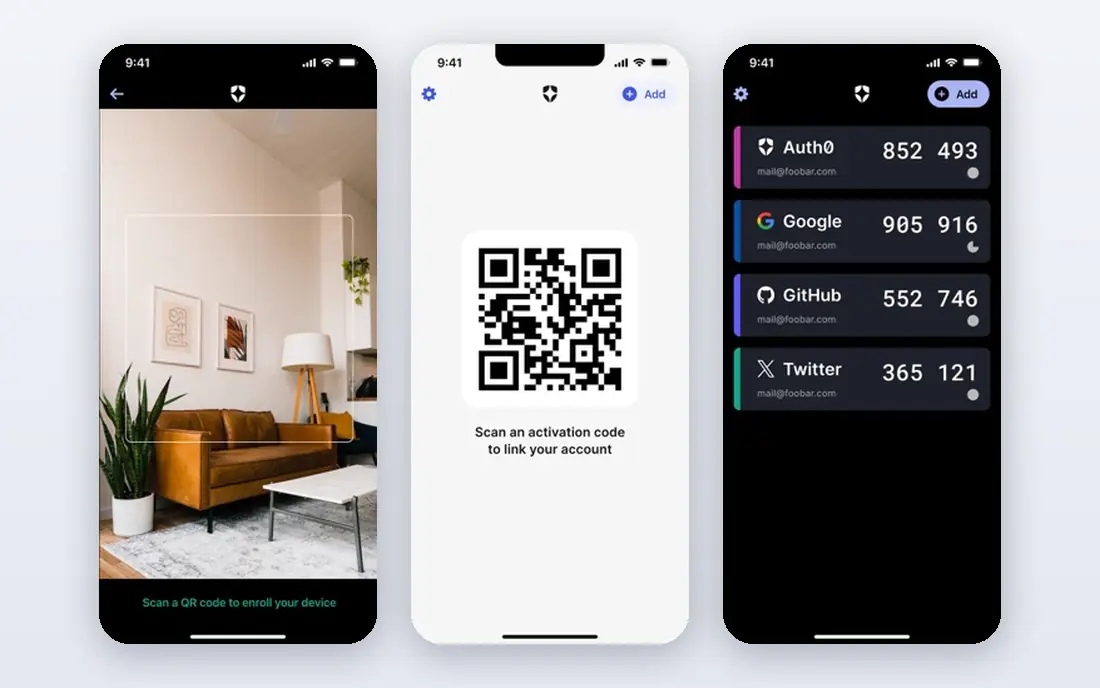
Auth0, owned by Okta, serves a different job from workforce tools: it handles login for your customers in your own apps and websites. Developers can add email, social, passwordless and enterprise login options, plus MFA and user management, without building auth from scratch. Its free tier covers a large number of monthly active users, which helps startups.
Pricing changes at scale and with enterprise connections, so a growing consumer app should model costs by active users, not just by developers. Auth0 is not a replacement for workforce SSO on its own, but for customer-facing apps it remains one of the most practical choices.
- Developer-friendly customer login
- Social and enterprise connections
- Free tier for many users
- Owned by Okta
- Enterprise connections and higher tiers cost more
Ping Identity suits large organizations with complex needs, such as hybrid cloud and on-premises systems, federation across partners, and both workforce and customer identity. Its PingOne platform covers single sign-on, MFA, lifecycle and orchestration, with deployment options that fit regulated or mixed estates.
The entry per-user price looks low, but workforce plans carry a minimum user count that puts them out of reach for small teams. Implementation also needs planning, since federation and legacy integration work takes time. For a large enterprise with complex identity needs, that depth is the point.
- Deep federation and hybrid support
- Workforce and customer options
- Strong enterprise controls
- Workforce entry plans carry a large user minimum
- Sales-led pricing for many buyers
OneLogin appeals to mid-market companies that want single sign-on and MFA without enterprise complexity. It offers a broad app catalog, lifecycle features tied to HR systems, and a straightforward admin experience. Pricing is competitive for teams that need core identity controls and do not want to manage a large platform.
Larger organizations with deep federation, governance or customer identity needs may find OneLogin narrower than Okta or Ping. For a company of a few hundred people that mainly needs reliable SSO, MFA and joiner and leaver automation, OneLogin covers the core job at a fair price.
- Simple SSO and MFA setup
- HR-driven provisioning
- Competitive mid-market pricing
- Smaller ecosystem than Okta or Entra ID
- Advanced features sit on higher bundles
JumpCloud combines identity with device management, which suits small teams that want to replace an on-premises Active Directory server. It handles user accounts, single sign-on, MFA and device policies from one cloud console, across Windows, Mac and Linux. A free tier for up to 10 users and 10 devices lets very small teams start at no cost.
Pricing varies by bundle, so buyers should check whether they need the device management plan or the SSO plan, since list prices differ. Larger companies with strict governance or complex hybrid needs may need a bigger platform. For a modern small team with mixed devices, JumpCloud is a practical all-in-one pick.
- Cloud directory plus device management
- Free tier for tiny teams
- Works across Windows, Mac and Linux
- Device plan pricing differs from SSO pricing
- Larger enterprises may need more governance
Duo Security, from Cisco, is the fastest way for many teams to add MFA across a workforce. Users approve logins with a push notification or passkey, and admins can check device health before granting access. The free tier for up to 10 users makes it easy to test, and entry paid plans remain affordable.
Duo is not a full replacement for an identity provider on its own. Single sign-on and advanced access policies sit on higher plans, and larger teams often pair Duo with Okta, Entra ID or another directory. If your main gap is MFA and device trust, Duo solves it with little friction.
- Easy MFA deployment
- Device trust checks
- Free tier for up to 10 users
- Full SSO and advanced policies need higher plans
- Not a full identity platform alone
CyberArk Workforce Identity
Best for: Privileged access plus workforce sign-in
CyberArk Workforce Identity suits organizations that already care about privileged access and want workforce sign-in from the same vendor family. It offers single sign-on, MFA and lifecycle controls, alongside CyberArk strengths in vaulting and privileged session control. Regulated teams that manage admin accounts closely may value that combination.
Pricing is quote-based, and the full CyberArk platform can be more than a small business needs. Teams that only need basic SSO and MFA should compare simpler, published-price options first. For security-led organizations with privileged access needs, CyberArk is a credible enterprise choice.
- Strong privileged access heritage
- Workforce SSO and MFA
- Useful for regulated teams
- Pricing is quote-based
- May be more than a small team needs
Keycloak is open source identity software you host yourself, covering single sign-on, MFA, social login and federation. It suits technical teams, developers and organizations that want full control over data and no per-user license fee. It also works well as a test or internal identity provider before committing to a paid platform.
The cost shifts, not disappears. Hosting, backups, updates, security patches and support become your job, and setup needs real technical skill. A team without that capacity may spend more in time than it saves in licenses. For capable teams with strict control needs, Keycloak remains a strong free option.
- Free open source software
- SSO, MFA and federation
- No per-user license fee
- You host, update and support it
- Setup needs technical skill
How we picked these
We compared official pricing pages, product documentation and recent identity comparisons in October 2026. We favored tools that cover a clear identity job, publish at least some pricing or a free tier, and remain widely used today. We separated workforce tools from customer tools, since mixing them leads to poor buying decisions, and we used See website where pricing is quote-based rather than inventing a rate.
How to choose an identity tool
Start by naming the users. Employees need workforce identity with joiner, mover and leaver automation, while customers need a developer-friendly login for your apps. A tool that excels at one may be weak at the other, so do not buy a workforce platform for a consumer app, or vice versa.
Next, list your must-have controls. Single sign-on, MFA, conditional access, lifecycle automation and audit logs cover most needs, but regulated teams may also need access reviews and privileged controls. Check which features sit on the plan you will buy, since entry plans often exclude governance and advanced MFA methods.
Finally, test the admin and user experience. Add a test app, enroll MFA, change a role and remove a user, then check how long each step takes and what logs it leaves. Also confirm data residency, support hours and exit options, since identity is hard to replace once it runs every login in the company.
Sources
Frequently asked questions
What is identity and access management?
Identity and access management, often called IAM, is the set of tools that control who can sign in to systems and what they can do after signing in. It covers user accounts, single sign-on, multi-factor authentication, access policies and the process for granting or removing access. Good IAM reduces password sprawl and makes it easier to prove who accessed what.
Should small businesses use Okta or Microsoft Entra ID?
It depends on your existing tools. Microsoft 365 shops often get the best value from Entra ID, since part of the licensing may already be included. Teams that use a mix of vendors or want a neutral platform may prefer Okta, while very small teams can start with JumpCloud or Duo free tiers. Compare total cost for your exact user count and needed features.
What is the difference between SSO and MFA?
Single sign-on lets a user sign in once and reach many apps without re-entering a password for each one. Multi-factor authentication adds a second check, such as a phone approval or security key, to prove identity. SSO improves convenience, while MFA improves security, and most teams need both.
Is Keycloak really free?
Keycloak software itself is free and open source, with no per-user license fee. You still pay for hosting, backups, updates and the staff time to run it securely. For a technical team, that trade can save money. For a team without identity expertise, a managed service may cost less overall once time and risk are counted.
How do I choose between workforce and customer identity tools?
Use workforce tools for employees and contractors, where HR-driven joiner and leaver processes matter. Use customer tools such as Auth0 for people who sign in to your public app or website, where scale is counted by monthly active users. Some vendors cover both, but check that each side meets your needs before buying a combined platform.