Best Insect Identification App in 2026: 8 Apps Compared
By ToolNimba Editorial Team November 19, 2026 10 min read
We did not test these tools hands-on. Picks are based on vendor documentation and public information. Read our editorial policy and disclosure.

- Top pick
 Seek by iNaturalist
Free everyday identification
Starting priceFreeCheck out Seek by iNaturalistRead our review - Runner-up
 iNaturalist
Community-confirmed identification
Starting priceFreeCheck out iNaturalistRead our review - Also great
 Picture Insect
Fast detailed photo identification
Starting price$29.99 per yearCheck out Picture InsectRead our review
How we researched this
We compared official pricing and feature pages, app store listings, privacy policies and public user reviews. Prices change, so check the provider's site before you pay.
Key takeaways
- Seek by iNaturalist is our pick for most people because it is free, works from a live camera view, and does not require an account for basic use.
- Picture Insect is the strongest paid option for fast photo-based identification with detail on behavior and risk.
- iNaturalist itself suits anyone who wants community confirmation, while BugGuide suits people who want expert help with a tricky specimen.
- No app is certain every time, so treat an identification as a starting point, especially before handling an insect or acting on a pest finding.
Quick comparison
| Name | Best for | Starting price | Free plan | |
|---|---|---|---|---|
| Seek by iNaturalist | Free everyday identification | Free | Yes | Visit |
| iNaturalist | Community-confirmed identification | Free | Yes | Visit |
| Picture Insect | Fast detailed photo identification | $29.99 per year | Free trial | Visit |
 Insect Identifier | Quick single-photo checks | See website | Free trial | Visit |
 Bug Identifier | Simple identification on the go | See website | Free trial | Visit |
 Insect ID | Photo identification with a reference library | See website | Free trial | Visit |
 Google Lens | Identification without a new app | Free | Yes | Visit |
 BugGuide | Expert help with hard cases | Free | Yes | Visit |
The best insect identification apps
A good identification app answers two questions fast: what is this insect, and does it matter. The apps below differ in how they answer, how much they cost, and how much they tell you beyond a name.
Seek by iNaturalist is the app we would hand to most people first. Point the camera at an insect and it suggests an identification in real time, drawing on observations submitted to iNaturalist. It also covers plants, birds, fungi, and other wildlife, which makes it useful on a walk even when the insect flies off before you get a perfect shot.
The app adds badges and challenges as you log species, which keeps younger users engaged without turning the experience into a game that distracts from the outdoors. Because it does not require registration for basic use and obscures precise location by default, it is also a sensible choice for families. Its main limit is honesty about uncertainty: it may only narrow an insect to a genus or family, and that is better than a confident wrong answer.
- Free with no subscription
- Live camera identification
- No account needed for basic use
- Identifications can stay at a broad level
- Needs a clear, close photo for best results
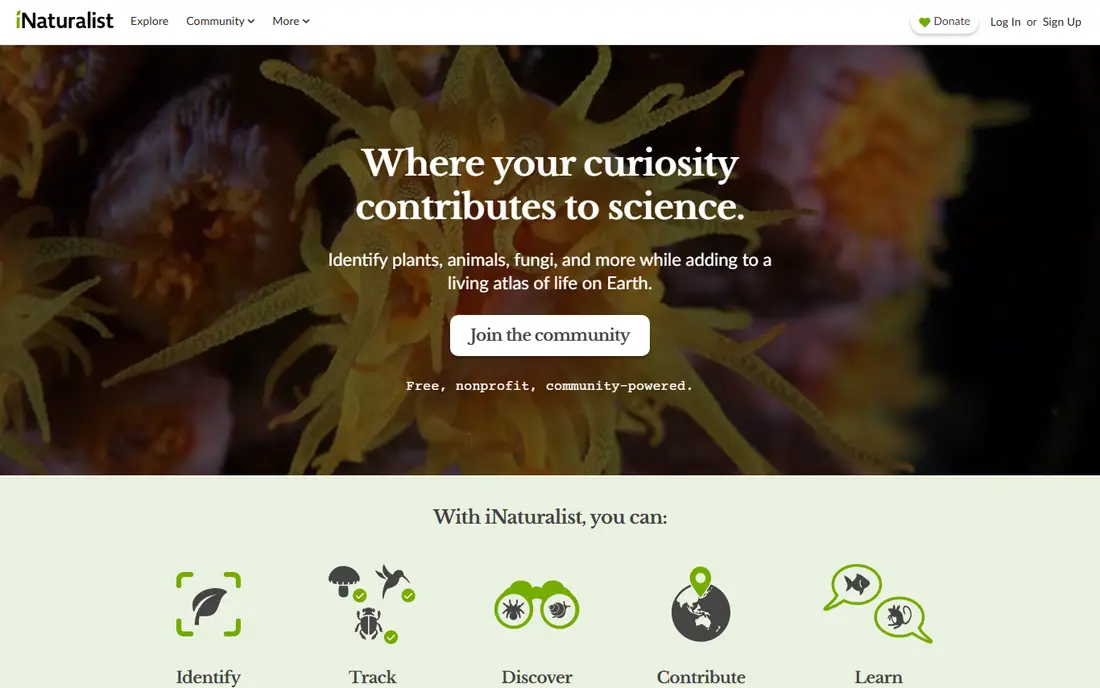
iNaturalist is the fuller platform behind Seek, and it suits anyone who wants a second opinion from real people. You post a photo with a location and date, the system suggests an identification, and other users can agree or suggest something else. Over time, observations can reach research-grade status when the community agrees.
That slower process is the point. If you found an unusual beetle, a possible invasive pest, or a caterpillar you cannot place, community review adds a check that a single automated guess cannot. The trade-off is patience: you may wait hours or days for confirmation, so it works best alongside a faster app rather than as your only tool in the field.
- Community members can confirm or correct identifications
- Large observation database
- Useful for citizen science
- Confirmation can take time
- Interface feels more like a research tool than a quick identifier
Picture Insect is built for one job: take or upload a photo and get an identification with context. It returns a likely species plus information on behavior, habitat, and whether the insect poses a risk to people or pets. That extra context is what sets it apart from apps that stop at a name, and it matters when you are deciding whether a garden visitor is a pest, a pollinator, or harmless.
The app works well from gallery photos, so you can photograph a fast-moving insect first and identify it later in calmer conditions. The subscription is the catch, and casual users may not need it when free options exist. For gardeners and homeowners who identify insects often, the speed and detail can justify the cost.
- Fast results from saved photos
- Detail on behavior, habitat, and risk
- Simple interface
- Paid subscription for full use
- Automated identifications still need a sanity check
Insect Identifier keeps the process short: snap a photo, get a likely match, and read background detail about the insect. That simplicity suits people who do not want challenges, badges, or a community feed. You open it, identify the insect, and move on.
Like every automated identifier, it performs best with large, well-lit subjects such as butterflies, bees, and beetles, and less well with tiny flies or thrips. Check the current trial and subscription terms in the app store before paying, since pricing and trial length can change. For occasional use, the trial may be enough to judge whether it earns a place on your phone.
- Simple photo-first workflow
- Identification plus background detail
- Available on iOS and Android
- Full access requires a subscription
- Small or blurry insects are harder to identify
Bug Identifier follows the same photo-first pattern as its rivals, with a focus on getting a usable answer quickly. It is a reasonable choice if you mainly meet common garden and household insects and want an answer without learning a larger platform. The app also gives background information that helps you decide whether an insect is worth worrying about.
The weakness is shared by the whole category: a blurry photo of a small insect can produce a confident-looking but wrong result. Photograph the insect from more than one angle when you can, and compare the result with a second app before acting on it. Check the in-app pricing before subscribing, since plans vary by store and region.
- Straightforward camera workflow
- Quick results
- Covers many common insects and spiders
- Paid features sit behind a subscription
- Accuracy drops with poor photos
Insect ID pairs identification with a reference library, which helps when you want to learn rather than just name one insect. Keeping a history of past identifications is genuinely useful: you can compare this season's garden visitors with last season's and spot repeat pests early. That record also helps if you later ask a local extension service or a community forum for help.
As with other paid identifiers, the free experience is limited, so try it on a few real photos before committing. It is best for curious naturalists and gardeners who identify insects regularly. If you only need an answer once or twice a year, a free app will serve you just as well.
- Photo identification plus reference material
- History of past identifications
- Easy to revisit old finds
- Subscription needed for full access
- Library depth varies by group
Google Lens is worth including because many people already have it and it costs nothing extra. Point it at an insect, or run it on a saved photo, and it returns visually similar images and web pages. That can be enough to narrow a butterfly or beetle to a likely group, and the linked pages often lead to university or extension sources with solid detail.
The drawback is that Lens is a general visual search tool, not an insect specialist. It may return products, artwork, or unrelated insects that happen to look similar. Use it as a cross-check alongside a dedicated identifier, and be skeptical of any single result. For a free second opinion, though, it is hard to beat.
- Free and already on many phones
- Searches visually similar images across the web
- No subscription
- Not built for insects specifically
- Results can be broad or off-topic
BugGuide is an online community dedicated to insects, spiders, and their relatives in North America, hosted by Iowa State University. You submit a photo, and experienced contributors help identify it, often with notes on distinguishing features. Its species pages are deep, with images showing variation within a species, which automated apps rarely match.
The experience is less slick than an app: you browse a website, post an image, and wait for replies. But for a specimen that every app gets wrong, or for a possible invasive species, that human expertise is the right escalation. Keep BugGuide in mind as your backup, not your first stop on a trail.
- Knowledgeable community focused on North American insects
- Detailed species pages
- Free to browse and post
- Website rather than a polished app
- Identification can take time
How we picked these
We compared official app store listings, product pages, and public guidance from university extension sources on pest identification apps. We favored apps that exist and work now on iOS or Android, give a clear identification workflow, and state their pricing plainly. We excluded apps that only identify plants or that had no working product page, and we treated automated results as estimates rather than certainties throughout.
What to check before you trust an identification
Start with the photo itself, because every app in this list is only as good as the image you give it. Get close, hold the phone steady, and capture the insect from the side or top where its shape and markings show clearly. If the insect is tiny, crop the photo before submitting it so the subject fills the frame.
Next, compare two sources before you act. Run the same photo through a second app, or check the suggested species against a university extension page or BugGuide. Agreement between two independent sources raises confidence a lot, while disagreement is a sign to keep looking. Never handle an insect you cannot identify, and never spray a pesticide based on one automated guess alone.
Finally, think about what you need the answer for. A gardener deciding whether to protect a crop needs more certainty than a walker satisfying curiosity, and a possible invasive pest is worth reporting to a local extension service. Match the effort to the stakes, and keep the app that fits your routine rather than the one with the longest feature list.
Sources
Frequently asked questions
Is there a best free insect identification app?
Yes, Seek by iNaturalist is the strongest free option for most people. It identifies from a live camera view, needs no account for basic use, and covers plants and other wildlife too. iNaturalist and Google Lens are also free and work well as cross-checks.
How accurate are insect identification apps?
Accuracy varies by insect size, photo quality, and species group. Large, distinctive insects such as butterflies and bees are identified more reliably than tiny flies or larvae. Treat any automated result as a likely match, and confirm important identifications with a second app or a community source.
Can an app tell me if an insect is dangerous?
Most paid identifiers include notes on risk to people or pets, and Picture Insect in particular adds behavior and habitat detail. That information is a starting point, not medical or pest-control advice. If someone is stung or bitten and has a serious reaction, seek medical care rather than relying on an app.
Do I need to pay for a good insect identification app?
No, free apps cover everyday identification well. Paid apps are worth considering if you identify insects often, want detail on saved photos, or want a tidier experience. Try the free trial on real photos before subscribing.
What is the best app for identifying insects in the garden?
Seek by iNaturalist is a good garden companion because it is free and fast, while Picture Insect adds pest and risk context that gardeners value. Keeping a history of finds helps you spot repeat pests across a season, so pick an app whose history view you will actually revisit.
Can these apps identify spiders and other bugs too?
Many of them cover spiders and related creatures alongside insects, though their accuracy varies. BugGuide is especially useful here because its community covers spiders and other arthropods in depth. If the creature is not an insect at all, a general identifier or community forum may still help.