Best Lead Management Software in 2026: 9 Tools Compared
By ToolNimba Editorial Team November 12, 2026 9 min read

- Top pick
 HubSpot
free CRM that scales
Starting priceFreeCheck out HubSpotRead our review - Runner-up
 Salesforce
enterprise lead management
Starting price$25 per user per monthCheck out SalesforceRead our review - Also great
 Zoho CRM
maximum CRM depth per dollar
Starting price$14 per user per monthCheck out Zoho CRMRead our review
How we researched this
We compared official pricing and feature pages, app store listings, privacy policies and public user reviews. Prices change, so check the provider's site before you pay.
Key takeaways
- HubSpot is our pick for most teams, because its free CRM covers capture, pipelines and follow-up at no cost.
- Zoho CRM and Freshsales offer the most CRM depth per dollar, with free tiers and paid plans from $9 to $14 per user per month.
- Salesforce suits teams planning to scale past 50 people, but its real costs arrive at higher tiers.
- Lead scoring and routing live on mid-tier plans in most tools, so check the tier before you build processes around them.
Quick comparison
| Name | Best for | Starting price | Free plan | |
|---|---|---|---|---|
| HubSpot | free CRM that scales | Free | Yes | Visit |
| Salesforce | enterprise lead management | $25 per user per month | Free trial | Visit |
| Zoho CRM | maximum CRM depth per dollar | $14 per user per month | Yes | Visit |
 Pipedrive | visual pipeline management | $14 per user per month | Free trial | Visit |
 Freshsales | calling and email built in | $9 per user per month | Yes | Visit |
 Close | outbound teams on the phone | See website | Free trial | Visit |
 Copper | teams that live in Gmail | See website | Free trial | Visit |
 Keap | CRM plus marketing automation | $249 per month | Free trial | Visit |
 monday Sales CRM | flexible boards for sales teams | $12 per user per month | Free trial | Visit |
The best lead management software
Lead management is the path from first contact to closed deal: capture, scoring, routing, follow-up and pipeline tracking. These nine cover that path at every budget.
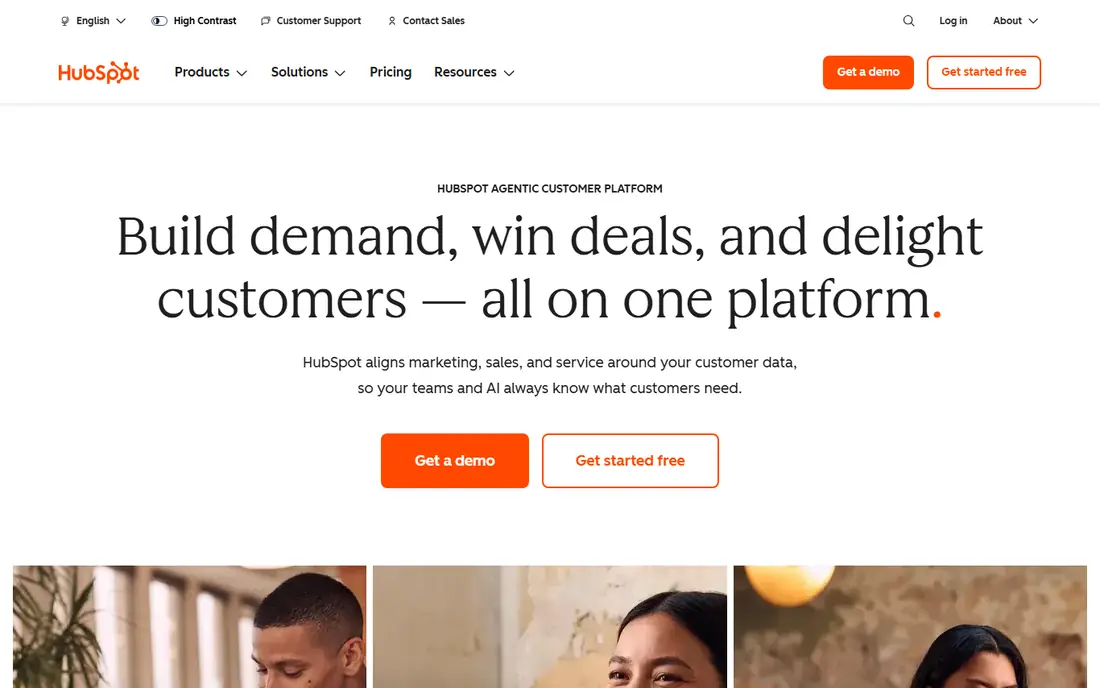
HubSpot is the default recommendation for lead management, because the free tier is genuinely useful. Unlimited users get contact records, deal pipelines, forms, email tracking and basic automation, so a small team can run its whole lead process for months before paying. Leads from the website flow into lifecycle stages that keep marketing and sales looking at the same record.
The catch arrives at Professional, where workflows, lead scoring and custom reporting live at around $90 per seat per month plus onboarding. Plan for that step before building processes around features you cannot yet afford. For most teams starting out, HubSpot is our pick.
- Generous free CRM with contact records, pipelines and forms
- Marketing and sales share one record
- Easy onboarding
- Real automation and lead scoring sit on Professional at around $90 per seat per month
- Professional adds a $1,500 onboarding fee
- Costs climb fast at scale
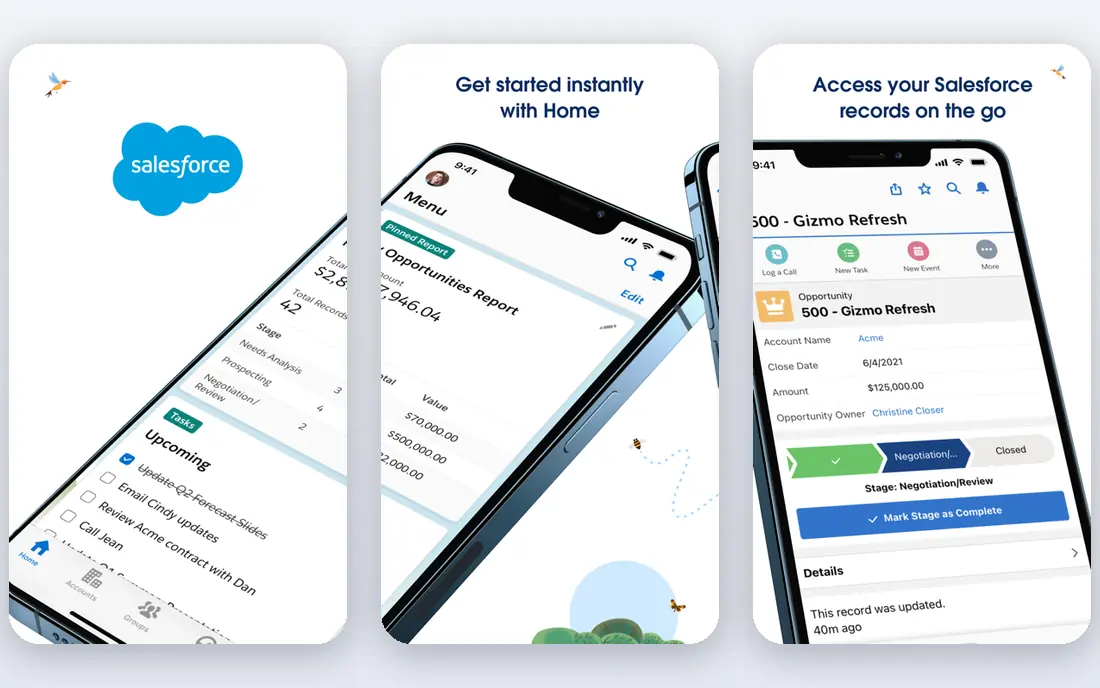
Salesforce is the enterprise answer to lead management. Lead capture, routing rules, scoring, campaigns and pipeline management run at a depth no SMB tool matches, and the AppExchange fills nearly any gap. For a company planning to scale past 50 people, that ceiling matters.
The entry price misleads. Starter Suite at $25 per user per month covers basics, but most growing teams land on Pro Suite around $100 per user per month, with add-ons and implementation on top. Small teams should start elsewhere. For scale and control, Salesforce remains the standard.
- Deepest lead, account and automation controls
- Huge AppExchange marketplace
- Scales to thousands of reps
- Starter at $25 per user per month is basic
- Most growing teams land on Pro Suite around $100
- Implementation and add-ons add cost
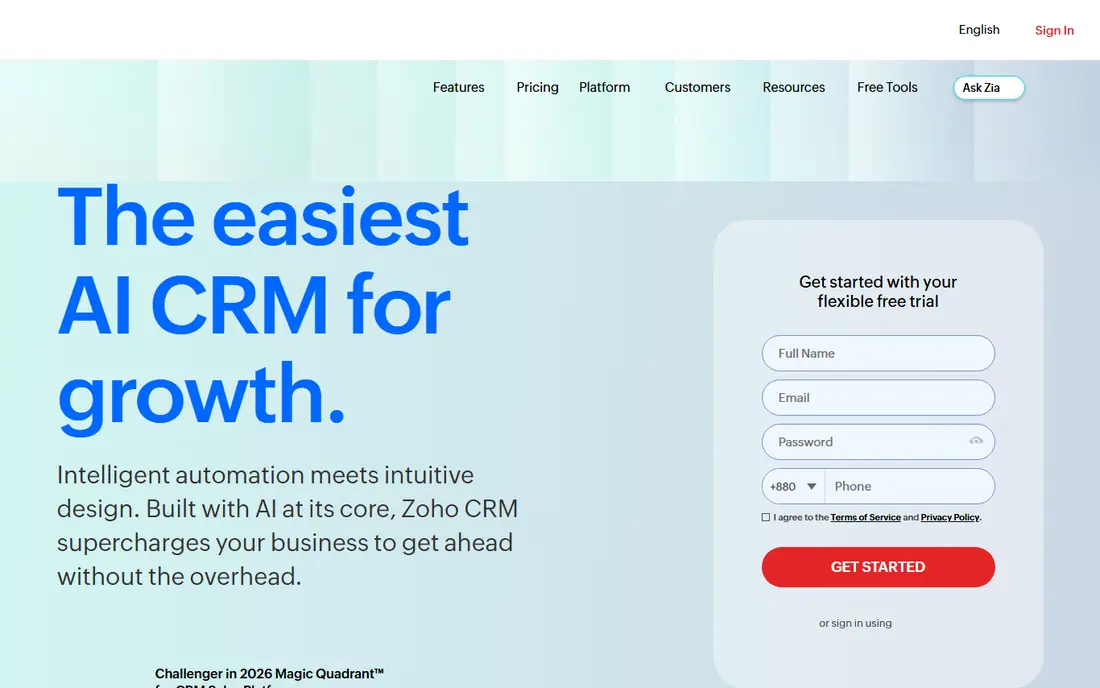
Zoho CRM is the value pick for teams that want real depth without enterprise pricing. The free tier covers up to 3 users, Standard starts at $14 per user per month, and Enterprise at $40 adds Zia AI, territory management and advanced automation. Lead capture, scoring, workflows and pipeline management are all here.
The interface is less polished than HubSpot's, and buying several Zoho apps at once adds up, though Zoho One bundles them from around $37 per user per month. For a budget-conscious team that wants a full CRM, Zoho CRM offers the most per dollar in this list.
- Free tier for up to 3 users
- Paid plans from $14 per user per month
- Zia AI and territory management on Enterprise at $40
- Interface takes learning
- Ecosystem add-ons stack up if you buy many Zoho apps
- Support is better on paid plans
Pipedrive is built around one idea: a pipeline so clear that reps keep it updated. Deals move across stages by drag and drop, activity reminders prompt the next call or email, and managers see where every lead stands at a glance. That simplicity is why small sales teams adopt it fast.
Lead scoring, advanced automation and deeper reporting sit on higher tiers, and marketing tools are lighter than HubSpot's. Pricing starts at $14 per user per month billed annually, with a 14-day trial. For a team that lives in its pipeline, Pipedrive is a focused, effective choice.
- Clear visual pipeline that reps actually update
- Activity reminders keep follow-up on track
- Easy setup
- Lead scoring and advanced automation sit on higher tiers
- Marketing features are lighter than HubSpot
- No free plan, only a trial
Freshsales bundles communication into the CRM: reps call, email and chat from the same record, with Freddy AI scoring leads and surfacing insights. The free tier covers up to 3 users, and Growth starts at $9 per user per month billed annually, which undercuts most rivals.
The catch is tier movement. Mid-tier pricing has changed over time, so confirm the current rate for the features you need before budgeting. For a small team that wants calling, email and scoring in one cheap seat, Freshsales is a strong pick.
- Free tier for up to 3 users
- Paid plans from $9 per user per month
- Built-in phone, email and Freddy AI lead insights
- Higher-tier pricing has moved over time, so confirm current rates
- Smaller marketplace than Salesforce
- Advanced customisation trails Zoho
Close is built for inside sales teams that live on the phone. Reps call, text and email from one inbox, with power dialer workflows and automatic logging, so follow-up never depends on manual data entry. That calling-first design is why outbound teams choose it over general CRMs.
Pricing is plan-based and has varied over time, so confirm the current rate on the Close site before budgeting. Marketing automation is lighter than HubSpot or Keap. For an outbound team whose day is calls, Close fits better than a generic CRM.
- Calling, SMS and email in one inbox built for outbound
- Power dialer workflows
- Fast setup for inside sales teams
- Pricing is plan-based and varies, so check the site
- Less marketing automation than Keap or HubSpot
- Reporting depth trails Salesforce
Copper puts the CRM where Gmail teams already work. Contacts, deals and activities sync from Gmail and Calendar automatically, so reps update the pipeline without leaving the inbox. That automatic capture is the feature: less admin, more selling, for teams that run on Google Workspace.
Pricing has changed over time across tiers, so check the Copper site for the current rate before committing. Large or Outlook-based teams will find better fits elsewhere. For a small Google-first team, Copper is the most natural CRM choice.
- Full CRM inside Google Workspace
- Automatic capture from Gmail and Calendar
- Simple setup for Google-first teams
- Pricing tiers have changed over time, so confirm current rates
- Less depth than Salesforce for large teams
- Google-only, with no Outlook equivalent
Keap suits small businesses that want CRM plus marketing automation in one place. Contacts, pipelines, email campaigns, appointment booking and payments run together, so a service business can capture a lead, follow up automatically and get paid without stitching tools together.
The price is the barrier: plans start at $249 per month, with a 14-day trial. A team that only needs lead tracking should pick HubSpot free or Zoho instead. For a business that lives on automated follow-up, Keap earns its price.
- CRM, email marketing and automation in one system
- Good for small businesses that sell and follow up automatically
- Appointment and payment tools
- $249 per month starting price is steep for tiny teams
- Learning curve for automation builder
- Overkill if you only need lead tracking
monday Sales CRM turns lead management into boards: leads, deals and activities laid out visually, with automations moving items between stages and dashboards summarising pipeline. Teams that think in boards rather than forms find it intuitive, and customisation needs no code.
The limits are scale and depth. Plans start around $12 per seat per month with a 3-seat minimum, and dedicated CRMs offer deeper lead scoring and routing at larger sizes. AI features run on credits beyond the included pool. For a project-minded sales team that wants flexibility, monday is a good fit.
- Visual boards teams can shape to any sales process
- Automations and dashboards built in
- Easy for non-technical teams to customise
- Minimum 3 seats on most plans
- Lead management depth trails dedicated CRMs at scale
- AI features run on credits that cost extra
How we picked these
We compared official pricing pages, lead capture, scoring, routing and automation features for tools that manage leads end to end. We included free, budget and enterprise options, plus calling-first and Gmail-first specialists, so different sales motions can find a fit. Where pricing has changed over time, we flag it rather than quoting a stale figure as certain.
How to choose by sales motion
Inbound and website leads
HubSpot free covers capture and follow-up at no cost, with Zoho CRM as the budget upgrade. Both share records between marketing and sales, which is where inbound leads usually get lost.
Outbound and phone-heavy teams
Close leads for calling workflows, with Freshsales as the cheaper bundled alternative. Both keep reps in one inbox instead of juggling a dialer and a CRM.
Scaling past 50 reps
Salesforce is the long-term answer, with Pipedrive or monday as simpler bridges. Price the tier you will need in a year, not just the starter tier you need today.
Sources
Frequently asked questions
What is lead management software?
It gives sales teams a structured way to capture prospects, decide which ones deserve attention, assign them to the right reps, and track them until they convert. Most lead tools are CRMs with capture, scoring, routing and pipeline features.
What is the best free lead management software?
HubSpot's free CRM is the strongest free option, with unlimited users, contact records, pipelines and forms. Zoho CRM and Freshsales both offer free tiers for up to 3 users as well.
How much does lead management software cost?
Free tiers exist at HubSpot, Zoho and Freshsales. Paid plans start at $9 per user per month for Freshsales, $12 for monday, $14 for Pipedrive and Zoho, and $25 for Salesforce Starter, with mid-tier plans running $40 to $100 per user per month.
Do I need lead scoring?
Lead scoring helps once volume exceeds what reps can judge by hand. It ranks leads by fit and behaviour so reps call the best ones first. Most tools gate scoring behind mid-tier plans, so check the tier before relying on it.
Is HubSpot or Salesforce better for lead management?
HubSpot is better for small teams that want a fast start and a generous free tier. Salesforce is better for large teams that need deep controls, routing rules and marketplace breadth, and can pay for implementation.