Best Learning Management Software in 2026: 9 Platforms Compared
By ToolNimba Editorial Team November 10, 2026 10 min read

- Top pick
 TalentLMS
Small and mid-size employee training
Starting price$119 per monthCheck out TalentLMSRead our review - Runner-up
 Moodle
Open source academic learning
Starting priceFreeCheck out MoodleRead our review - Also great
 Canvas LMS
Higher education
Starting priceSee websiteCheck out Canvas LMSRead our review
How we researched this
We compared official pricing and feature pages, app store listings, privacy policies and public user reviews. Prices change, so check the provider's site before you pay.
Key takeaways
- TalentLMS is the best starting point for small and mid-size teams that want to launch employee training fast.
- Moodle is the best open source choice for institutions that want full control and have IT support.
- Docebo and Absorb LMS lead for large enterprises that need AI, automation, and compliance reporting at scale.
- Canvas LMS remains the academic leader, while Teachable suits independent creators selling courses.
- Many enterprise LMS platforms do not publish prices, so budget a sales conversation and a pilot before you commit.
Quick comparison
| Name | Best for | Starting price | Free plan | |
|---|---|---|---|---|
| TalentLMS | Small and mid-size employee training | $119 per month | Yes | Visit |
| Moodle | Open source academic learning | Free | Yes | Visit |
| Canvas LMS | Higher education | See website | Yes | Visit |
 Docebo | Enterprise AI training | See website | No | Visit |
 Absorb LMS | Compliance training | See website | No | Visit |
 LearnUpon | Multi-audience training | See website | Free trial | Visit |
 360Learning | Collaborative learning | $8 per user per month | Free trial | Visit |
 iSpring Learn | PowerPoint-based training | See website | Free trial | Visit |
 Teachable | Selling courses online | $59 per month | No | Visit |
The best learning management software
Learning management software, often called an LMS, delivers courses, tracks completion, and reports who learned what. Employee training, academic programs, and paid online courses need different tools, so this list covers all three. Start with your audience and your compliance needs, then compare price at your real learner count.
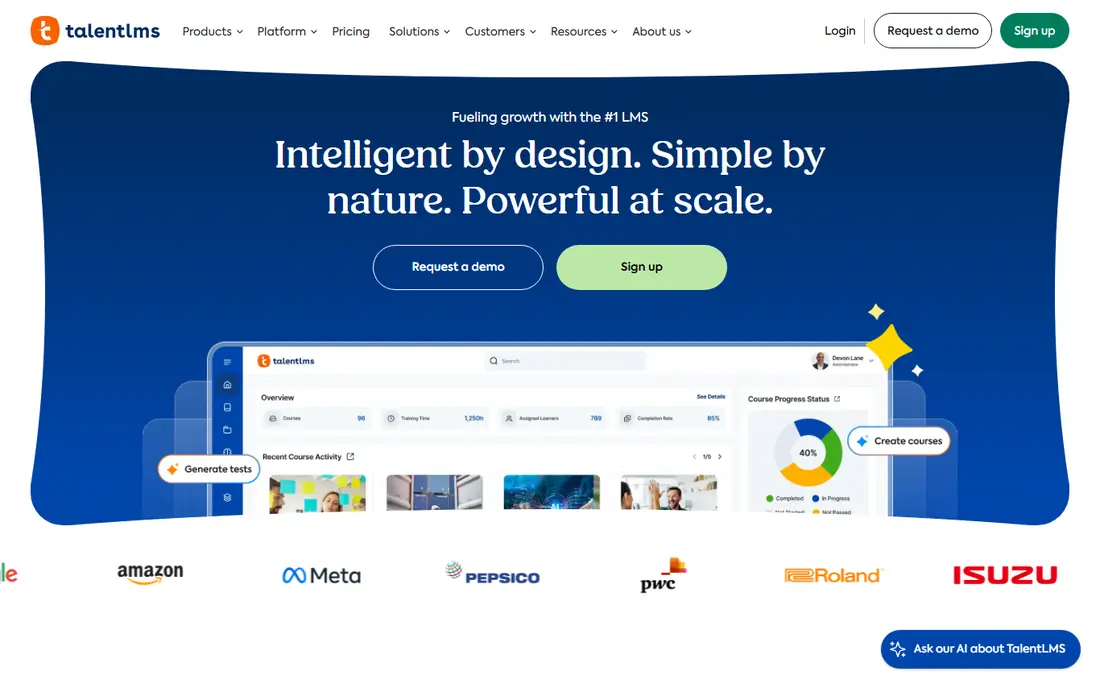
TalentLMS is our pick for small and mid-size teams launching employee training quickly. You can build a course, add quizzes, and invite learners in an afternoon, without an IT project. Gamification, SCORM and xAPI support, and course selling cover most standard training needs. The free plan supports up to 5 users, and paid plans start at $119 per month for up to 40 users.
The trade-off is scale. Once your team passes 40 or 50 learners, per-seat costs climb faster than on platforms built for thousands of learners. Reporting is also lighter than Docebo or Absorb. For a team that needs training live this month, though, TalentLMS is the fastest path to a working system.
- Fast setup without an IT team
- Gamification and quizzes built in
- Free plan for up to 5 users
- Cost climbs as learner count grows
- Reporting is lighter than enterprise platforms
- Course selling tools are basic
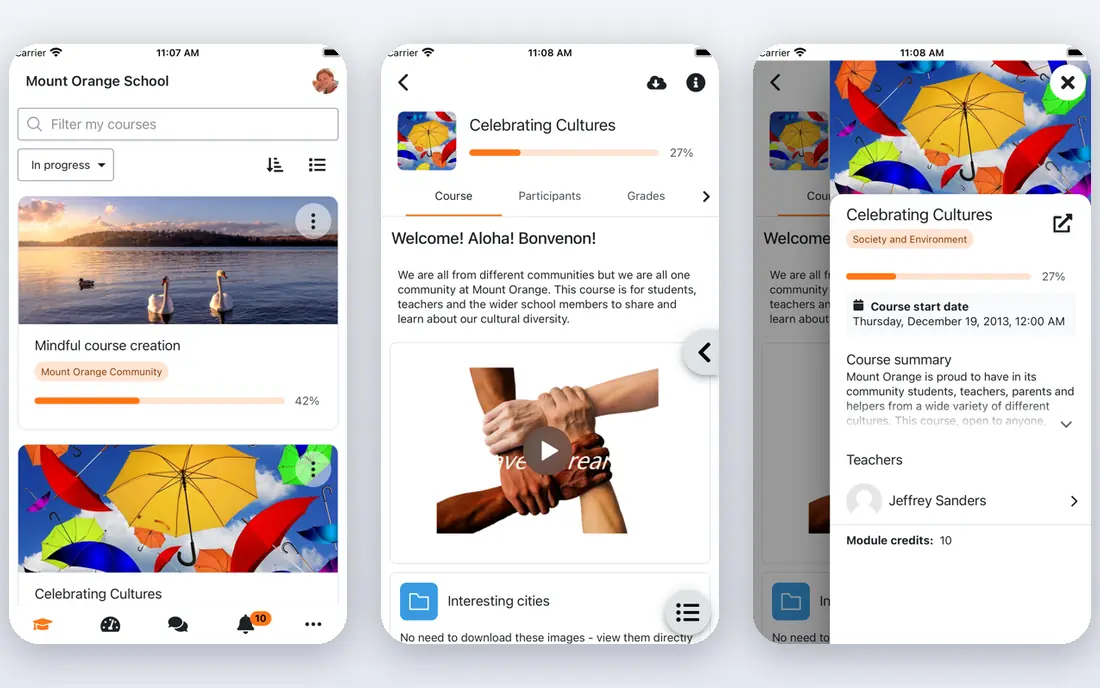
Moodle is the open source standard for schools, universities, and organizations that want full control. The software itself is free to self-host, with a huge plugin library for quizzes, grading, forums, and integrations. You own your data, you control updates, and you can customize almost every part of the learning experience.
That control needs IT time. Hosting, security, updates, and plugin maintenance fall on your team unless you pay for MoodleCloud or a hosting partner, with cloud plans starting around $200 per year for up to 50 users in some listings. For institutions with IT support, Moodle is unmatched on value and flexibility. For small teams without IT help, TalentLMS will be simpler.
- Free open source software
- Huge plugin library
- Full control over data and hosting
- Needs IT support to run well
- Interface feels dated
- Hosted plans add cost
Canvas LMS, from Instructure, is the academic leader for colleges and universities. Assignments, grading, discussion, and course design fit how higher education actually teaches, and its large user base means students and staff often already know it. A free teacher account exists for individual use, while institutional pricing is custom.
Corporate training teams should look elsewhere. Canvas is built for academic terms, cohorts, and grading, not for compliance tracking across a global workforce. Pricing is also enterprise-level for institutions. For schools and universities, though, Canvas remains the safest, most familiar LMS choice.
- Strong academic workflows
- Grading and assignments built in
- Large higher education user base
- Pricing is custom and enterprise-level
- Setup needs institutional support
- Less suited to corporate compliance
Docebo leans into AI and automation for large organizations. It tags content automatically, suggests courses by role, and manages employee, partner, and customer training from a single system. Reporting depth suits compliance-heavy enterprises that must prove who completed what, when, and with what result.
Pricing is not published, with third-party sources often citing annual costs in the tens of thousands of dollars. There is no free plan for a solo trainer or a small team. If you run a complex training operation with multiple audiences, Docebo automation saves real admin hours. If you train 20 people, TalentLMS will do the job for far less.
- AI tagging and course suggestions
- Trains employees, partners, and customers from one system
- Deep reporting
- No published pricing
- Enterprise cost level
- Overkill for small teams
Absorb LMS is the compliance pick for healthcare, finance, manufacturing, and other regulated industries. Certification tracking, automated reminders, and audit trails prove completion for auditors and regulators, which is the core job in those sectors. It also handles employee, partner, and customer training with eCommerce options for paid courses.
Like Docebo, Absorb does not publish pricing, and costs sit at the enterprise level. Small teams will find TalentLMS or 360Learning cheaper and faster to launch. For regulated companies where a missing completion record is a real risk, Absorb reporting and certification tools justify the sales conversation.
- Strong certification tracking
- Automated reminders
- Audit trails for compliance industries
- No published pricing
- Enterprise cost level
- Setup needs planning for large rollouts
LearnUpon is the strongest mid-market option for training several audiences from one system. Separate branded portals let employees, customers, and partners each see their own courses, branding, and reports, without buying three systems. Onboarding workflows and integrations suit companies that train new hires and new customers at the same time.
Pricing is custom, with third-party sources often citing annual costs around $10,000 to $15,000 for mid-size deployments. There is no permanent free plan, only a trial. For companies outgrowing TalentLMS but not ready for Docebo pricing, LearnUpon is a natural next step.
- Separate branded portals for employees, customers, and partners
- Strong onboarding workflows
- Good support reputation
- No published pricing
- No permanent free plan
- Mid-market cost level
360Learning turns course creation into a team activity. Subject experts inside your company create courses with guided authoring tools, peers review them, and learners give feedback that improves content over time. That collaborative model suits companies where knowledge lives with staff, not with an external course vendor. Team pricing is listed around $8 per user per month for up to 100 users.
The model needs internal experts willing to author content, so it fits less well for companies that only buy ready-made courses. There is also no permanent free plan, only a trial. For organizations that want learning to grow from inside the team, 360Learning is the most collaborative LMS here.
- Collaborative course creation
- Peer learning and feedback
- Multilingual scale
- No permanent free plan
- Authoring model needs internal experts
- Pricing is custom at higher tiers
iSpring Learn suits trainers who already build content in PowerPoint. You can convert slides into interactive courses quickly, add quizzes and simulations, and track completion with solid reporting. That rapid authoring path saves weeks compared with rebuilding courses in a new editor. Per-user pricing varies with volume, with sources citing around $3.70 per user per month for 300 users.
It is less suited to academic grading workflows than Canvas or Moodle, and there is no permanent free plan, only a trial. For corporate trainers with a library of PowerPoint decks to turn into trackable training, iSpring Learn is the fastest conversion tool on this list.
- Fast PowerPoint to course conversion
- Strong reporting
- Good for rapid authoring
- No permanent free plan
- Per-user pricing varies with volume
- Less academic depth than Canvas or Moodle
Teachable is the creator pick, not the corporate compliance pick. Independent teachers, coaches, and small training companies can build a course, set a price, and sell it online without IT help. Student management, drip content, and checkout are built in, and paid plans start around $59 per month in recent listings.
Employee compliance teams will miss the certification audit trails and multi-portal controls of Absorb or LearnUpon. Teachable is built to sell courses to the public, not to prove internal training completion to a regulator. For creators selling knowledge, though, its simplicity beats every enterprise LMS here.
- Simple course selling and checkout
- Student management
- No IT setup needed
- Less suited to employee compliance tracking
- Transaction and plan costs add up
- Limited enterprise reporting
How we picked these
We compared official pricing pages, feature pages, and recent LMS roundups, checking which platforms are still actively maintained and truly fit learning management for employees, students, or course buyers. We favored platforms with a free or trial path where claimed, clear audience fit, and documented reporting or compliance strengths. We did not claim hands-on testing we did not do, and we used See website where pricing is custom, rather than inventing a price. Our ranking balances ease of launch, scale, compliance depth, and creator selling tools.
How to choose an LMS
Start with audience and compliance
Employee compliance training needs certification tracking and audit trails, which points to Absorb, Docebo, or LearnUpon. Academic teaching needs grading and cohorts, which points to Canvas or Moodle. Selling courses needs checkout and student management, which points to Teachable or TalentLMS. Picking the wrong audience fit is the most expensive LMS mistake.
Price at your real learner count
LMS pricing changes sharply with learner count. A $119 per month plan for 40 users looks cheap until you have 400 users, and a custom enterprise quote looks expensive until you count admin hours saved. Model costs at your current learner count and at double that count before you sign.
Pilot with a real course
Run a pilot with one real course, real learners, and real reporting needs. Check course creation time, mobile playback, quiz grading, completion reports, and support response times. A pilot reveals authoring friction and reporting gaps that a sales demo hides, and it gives learners a voice before a company-wide rollout.
Sources
Frequently asked questions
What is the best learning management software?
TalentLMS is the best starting point for small and mid-size employee training, while Moodle is best for open source academic use. Docebo and Absorb lead for large enterprises, Canvas leads for higher education, and Teachable leads for creators selling courses. Your audience and compliance needs decide the winner.
What is the top LMS software for employee training?
TalentLMS suits small teams, LearnUpon suits mid-market multi-audience training, and Docebo or Absorb suit large enterprises with compliance needs. 360Learning suits teams that want collaborative, peer-created courses. Price each option at your real learner count before you choose.
Is Moodle free?
Moodle software is free and open source to self-host, though hosting, maintenance, and support cost time or money. MoodleCloud hosted plans start around $200 per year for up to 50 users in some listings. Schools with IT support get the most value from self-hosted Moodle.
What is the best LMS for selling courses online?
Teachable is the simplest choice for independent creators selling courses, with built-in checkout and student management. TalentLMS also supports course selling for teams, and LearnWorlds is another creator-focused option. For compliance tracking rather than selling, choose Absorb or LearnUpon instead.
How much does an LMS cost?
Costs range from free self-hosted Moodle and free TalentLMS plans for up to 5 users, to $119 per month for TalentLMS paid plans, $8 per user per month for 360Learning Team, and custom enterprise quotes for Docebo, Absorb, and Canvas. Always model the total at your learner count, including implementation and support.
What is the difference between an LMS and a course platform?
An LMS tracks learning, completion, and compliance across many learners, often for employees or students. A course platform like Teachable focuses on creating and selling courses to the public. Some tools do both, but compliance reporting and academic grading usually require a true LMS rather than a selling platform alone.