Best Legal Document Automation Software in 2026: 9 Tools Compared
By ToolNimba Editorial Team November 11, 2026 10 min read

- Top pick
 Clio Draft
Clio Manage users
Starting priceSee websiteCheck out Clio DraftRead our review - Runner-up
 HotDocs
Complex enterprise templates
Starting priceSee websiteCheck out HotDocsRead our review - Also great
 Contract Express
Thomson Reuters firms
Starting priceSee websiteCheck out Contract ExpressRead our review
How we researched this
We compared official pricing and feature pages, app store listings, privacy policies and public user reviews. Prices change, so check the provider's site before you pay.
Key takeaways
- Clio Draft is the best pick for small firms already using Clio Manage, with court forms and matter data built in.
- HotDocs and Contract Express remain the enterprise standards for complex, high-volume template work, but both are quote-based.
- Gavel is the most approachable full automation platform for small and mid-size firms, with client intake included.
- PandaDoc is the budget pick for firms that care most about client-facing documents and fast approvals.
- Spellbook fits lawyers who draft and negotiate inside Microsoft Word rather than building templates from scratch.
Quick comparison
| Name | Best for | Starting price | Free plan | |
|---|---|---|---|---|
| Clio Draft | Clio Manage users | See website | No | Visit |
| HotDocs | Complex enterprise templates | See website | No | Visit |
| Contract Express | Thomson Reuters firms | See website | No | Visit |
 Gavel | Small and mid-size firms | See website | Free trial | Visit |
 PandaDoc | Client-facing documents | $19 per month | Yes | Visit |
 Spellbook | Drafting inside Word | See website | Free trial | Visit |
 Docusign CLM | Contract lifecycle management | See website | No | Visit |
 Legito | Multi-office standardization | Free | Yes | Visit |
 Smokeball | Document-heavy small firms | See website | No | Visit |
The best legal document automation software
We compared official pricing pages, product documentation, and public reviews to find tools that genuinely automate legal documents rather than only storing them. The list covers solo firms through enterprise legal departments, and each entry notes where pricing is published and where it is quote-based.

Clio Draft, formerly Lawyaw, is the document automation tool built for firms that already run Clio Manage. It offers thousands of official court forms, including state forms and federal immigration forms, and it auto-populates those forms with client and matter data from Clio, cutting the repetitive typing that eats associate hours. It can also turn existing Word documents into reusable online templates.
The catch is pricing transparency. Clio no longer publishes a standalone price for Draft, so firms need a quote, and the value is highest for existing Clio customers. Solo practitioners and small firms already on Clio will get the most from it. Firms on other practice management systems should weigh Gavel or HotDocs first.
- Court form libraries for all 50 states
- Syncs matter data from Clio Manage
- Converts Word documents into templates
- No published standalone price
- Best value inside the Clio platform
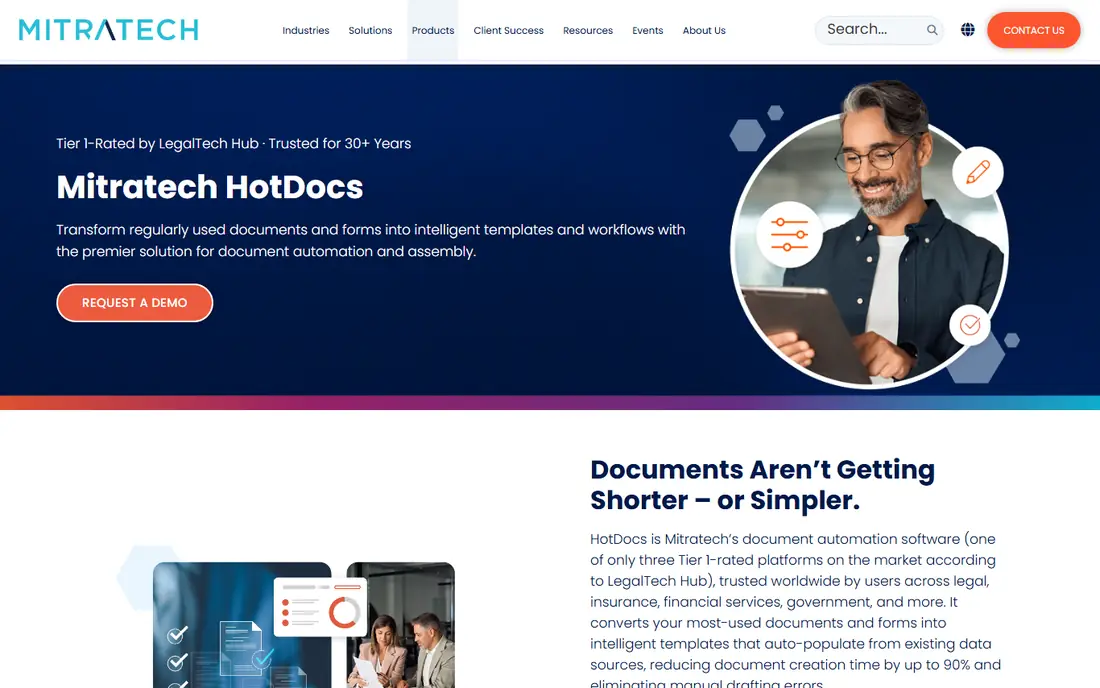
HotDocs is the veteran of legal document automation, and it remains the pick for large or high-volume teams building complex templates. Its template engine handles nested conditional logic, calculations, and data integrations that simpler tools cannot, which matters for firms generating thousands of documents from intricate precedents. Both cloud and on-premises deployments are available.
The trade-off is that HotDocs is a platform to implement, not an app to try in an afternoon. Pricing is quoted by deployment, and building good templates takes skill and time. Firms with dedicated staff and complex document needs will get value that simpler tools cannot match. Small firms will likely find it more than they need.
- Deep conditional logic for complex documents
- Cloud and on-premises options
- Proven at high volume
- Quote-based pricing
- Setup needs skilled template builders

Contract Express, from Thomson Reuters, is built for law firms and corporate legal teams that want to automate contracts without leaving Word. Templates are built and used inside Word, clause libraries keep firm-wide language consistent, and Westlaw integration links drafting to legal research. It is a natural fit for firms already invested in Thomson Reuters products.
The downside is ecosystem lock-in and pricing opacity. Pricing is available only on request, and firms outside the Thomson Reuters world may find more flexible options elsewhere. For firms that already use Westlaw and HighQ, though, the integration advantage is real.
- Works directly inside Microsoft Word
- Clause libraries and precedent management
- Westlaw integration
- Quote-based pricing
- Strongest inside the Thomson Reuters ecosystem
Gavel, formerly Documate, is the most approachable full document automation platform for small and mid-size firms. Its no-code builder lets lawyers turn Word documents into smart templates with questionnaires, and built-in client intake means client answers can flow straight into documents without retyping. A free trial lets firms test it before committing.
The catch is pricing clarity. Published figures for Gavel have varied across sources, so firms should confirm the current rate directly rather than budgeting from older roundups. For firms that want automation plus intake in one friendly tool, Gavel is still the easiest recommendation on this list.
- No-code template building
- Client intake automation built in
- Modern, easy-to-learn interface
- Published pricing has varied, so confirm the current rate
- Less depth than HotDocs for extreme complexity
PandaDoc is the budget pick for firms that prioritize polished, client-facing documents and fast approvals. The free tier covers basic document creation, Starter costs $19 per user per month billed annually, and Business at $49 adds more automation and workflow features. Its drag-and-drop editor, templates, e-signatures, and tracking of when clients open documents make it strong for proposals, engagement letters, and intake packets.
The trade-off is legal depth. PandaDoc is a general document automation tool, not a legal specialist, so it lacks court form libraries and legal-specific template content. Firms that need those should look at Clio Draft or Smokeball. Firms that need professional documents signed quickly will find PandaDoc hard to beat on price.
- Free tier available
- Drag-and-drop document editor
- E-signatures and engagement tracking built in
- Less legal-specific than Clio Draft or HotDocs
- Advanced features need higher plans
Spellbook fits transactional lawyers whose daily work happens inside Microsoft Word. Instead of building questionnaire-driven templates, it drafts clauses, suggests language, and reviews contracts for risk with suggested redlines, all inside Word. Its playbooks let firms save preferred positions so future drafts stay consistent. Pricing is custom per seat by team size, with a free seven-day trial.
The honest limit is scope. Spellbook is a drafting and review assistant, not a full document assembly platform, so firms that need high-volume template generation should pair it with or choose a tool like HotDocs or Gavel. For lawyers who live in Word and negotiate agreements, it is the most direct fit.
- AI drafting and clause suggestions inside Microsoft Word
- Risk review with suggested redlines
- Playbooks for consistent positions
- Custom per-seat pricing
- Focused on drafting and review rather than template automation
Docusign CLM suits firms and legal departments standardized on Docusign that want the whole contract lifecycle in one place. It covers document generation, approval routing, collaborative editing, and e-signature, so contracts move from draft to signed without leaving the platform. That end-to-end coverage is why enterprise legal teams choose it over narrower tools.
The catch is that it is enterprise software with quoted pricing and a broader scope than pure document automation. Small firms that only need templates will find it more expensive and more complex than necessary. Larger teams that already sign through Docusign get the most value from consolidating here.
- Full contract lifecycle from generation to signature
- Approval routing and collaboration
- Deep e-signature integration
- Quote-based enterprise pricing
- Heavier than a pure document automation tool
Legito is the pick for multi-office or multi-jurisdiction teams that need to standardize templates across locations. Its template editor, clause libraries, workflow management, and granular permissions help firms keep language consistent while controlling who can change what. The Lite plan is free for up to 10 users, which makes it easy to test properly.
The trade-off is the jump to paid plans. Team costs $1,400 per month including 10 users, and Enterprise is custom, so growing firms should budget for that step. Legito also has a smaller US footprint than Clio or HotDocs, so firms wanting deep US court form libraries should check coverage first.
- Free Lite plan for up to 10 users
- Template editor with clause libraries
- Granular permissions for multi-office teams
- Paid Team plan is $1,400 per month including 10 users
- Smaller US presence than rivals
Smokeball fits small to mid-size firms with document-heavy practices like family law or real estate that want automation inside a full practice management system. It offers an extensive form and template library, automated document assembly, and court forms, alongside built-in practice management, legal accounting, and email integration. That breadth means one system covers matter, billing, and documents together.
The downside is that pricing is custom per user, and firms that only want document automation may not want the whole platform. For firms already shopping for practice management plus automation, Smokeball is a strong combined option. For firms happy with their current practice system, a standalone tool like Gavel or Clio Draft fits better.
- Extensive form and template library
- Automated document assembly
- Built-in practice management and legal accounting
- Custom per-user pricing
- Document automation is part of a larger platform, not standalone
How we picked these
We compared official pricing pages, product documentation, and public reviews, and we favored tools built for legal work rather than general document tools with a legal label. We checked whether pricing is published or quote-based, since that affects budgeting, and we included tools for solo firms, mid-size firms, and enterprise departments because legal automation needs differ sharply by firm size. Where published prices conflicted across sources, we marked the tool as quote-based rather than repeating a disputed figure.
What to check before you buy
Start with your document types. Court forms point to Clio Draft or Smokeball, complex transactional templates point to HotDocs or Contract Express, and client-facing proposals point to PandaDoc. Next, count how many templates you actually need to automate, since a firm with ten standard documents has a very different project from a firm with five hundred.
Also test template building with a real document before buying. A tool that looks simple on a demo can feel different when your longest, most conditional precedent goes into it. Finally, confirm data handling and security terms, since legal documents are sensitive, and check whether the vendor offers template-building help if your team lacks time to build them alone.
Sources
- https://crmbloomster.com/post/best-document-automation-software-for-law-firms-boost-efficiency-now?k=blmster&mid=IwZXh0bgNhZW0BMABwZG9mAWFkaWQBqzi6ECPjmHNydGMGYXBwX2lkDDM1MDY4NTUzMTcyOAABHuAPBbz3bAlsO630ypTYChkfMGBVuiW1njr36_q1klCNXp2k6LOiitsusdJL_aem_E3grK1QXgISpSre8cUUrIQ
- https://stackrundown.com/best-legal-document-automation-tools/
- https://rankite.com/blog/best-legal-drafting-software
- https://www.pandadoc.com/blog/best-document-automation-software-for-law-firms/
- https://knackly.io/best-legal-document-automation-software/
- https://spellbook.com/learn/law-firm-document-automation-software
Frequently asked questions
What is the best legal document automation software?
Clio Draft is the best pick for firms already using Clio Manage, Gavel is the most approachable option for small and mid-size firms, and HotDocs remains the enterprise standard for complex templates. The right choice depends on firm size, document types, and existing software.
How much does legal document automation software cost?
Prices range from free tiers with PandaDoc and Legito Lite to $19 per user per month for PandaDoc Starter, while Clio Draft, HotDocs, Contract Express, Docusign CLM, and Smokeball are quote-based. Confirm current pricing directly with the vendor, since published figures for some tools have changed over time.
Can document automation replace a lawyer?
No. Document automation handles repetitive drafting, form filling, and assembly, but it does not provide legal judgment. Lawyers still need to review output, confirm that clauses fit the matter, and advise clients. The value is time saved on routine work, not replacement of professional advice.
What is the difference between document automation and e-signature software?
Document automation creates and assembles documents from templates and client data, while e-signature software only collects signatures on finished documents. Tools like PandaDoc and Docusign CLM cover both jobs, while HotDocs and Gavel focus on the creation side and pair with separate signature tools if needed.
Do these tools work with Microsoft Word?
Most do. Contract Express and Spellbook work directly inside Word, Gavel and HotDocs convert Word documents into templates, and Clio Draft builds on Word-based forms. If your firm drafts in Word, confirm the workflow before buying, since the depth of Word integration varies by tool.
Is legal document automation secure?
Reputable vendors use encryption, access controls, and audit trails, and enterprise tools publish compliance details. Still, firms should review each vendor's security terms, data residency, and retention policies before uploading client documents, since legal work carries confidentiality duties that generic software terms may not fully address.