Best Mobile App Analytics in 2026: 9 Tools Compared
By ToolNimba Editorial Team November 5, 2026 11 min read

- Top pick
 Firebase Analytics
Free mobile analytics for Google-stack teams
Starting priceFreeCheck out Firebase AnalyticsRead our review - Runner-up
 Mixpanel
Event funnels and retention
Starting priceFreeCheck out MixpanelRead our review - Also great
 Amplitude
Behavioral analytics at scale
Starting priceSee websiteCheck out AmplitudeRead our review
How we researched this
We compared official pricing and feature pages, app store listings, privacy policies and public user reviews. Prices change, so check the provider's site before you pay.
Key takeaways
- Firebase Analytics is the best free foundation for most mobile teams, especially those already using Google tools.
- Mixpanel and Amplitude lead on event-based product analytics, with generous free tiers that suit small and growing apps.
- PostHog suits teams that want analytics, experiments, and feature flags in one open-source-friendly platform.
- AppsFlyer and Adjust answer a different question, attribution, so many teams use one of them alongside a product analytics tool.
Quick comparison
| Name | Best for | Starting price | Free plan | |
|---|---|---|---|---|
| Firebase Analytics | Free mobile analytics for Google-stack teams | Free | Yes | Visit |
| Mixpanel | Event funnels and retention | Free | Yes | Visit |
| Amplitude | Behavioral analytics at scale | See website | Yes | Visit |
 PostHog | Analytics plus experiments in one tool | Free | Yes | Visit |
 AppsFlyer | Mobile attribution and campaign tracking | See website | Yes | Visit |
 Adjust | Attribution with automation | See website | No | Visit |
 UXCam | Session replay for mobile UX | See website | Yes | Visit |
 CleverTap | Lifecycle messaging driven by behavior | See website | Free trial | Visit |
 AppFollow | App store rankings and reviews | $29 per month | Yes | Visit |
The best mobile app analytics
We compared official pricing pages, product documentation, and recent analytics summaries for tools that measure mobile app usage today. The best mobile app analytics tool for you depends on the question you need to answer: how users move through the app, where installs came from, why users drop off, or how a feature change affects retention. The list below covers product analytics, attribution, replay, and store analytics, because most teams need more than one lens.
Firebase Analytics
Best for: Free mobile analytics for Google-stack teams
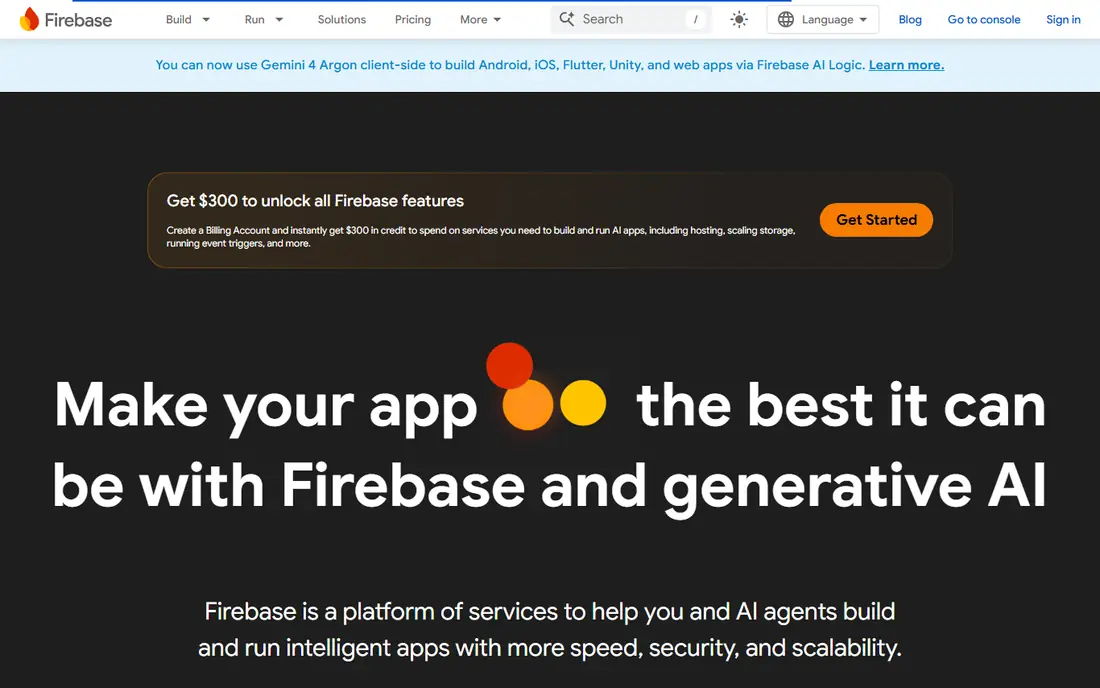
Firebase Analytics, also called Google Analytics for Firebase, is the default free start for many mobile teams. It reports events, audiences, funnels, and retention at no cost for core analytics, and it integrates with Google Ads, Google Play, Crashlytics, and Remote Config. That breadth makes it easy to set up basic measurement, crash tracking, and experiments without paying for a separate tool.
The trade-off is depth. Firebase reports high-level trends well, but product teams often find its funnel and cohort tools less flexible than Mixpanel or Amplitude for detailed user journeys. Privacy setup also needs attention, especially around identifiers and consent. For a first analytics setup, or as a free foundation alongside a deeper tool, Firebase is hard to beat.
- Free with unlimited event reporting
- Deep Google Ads and Play integration
- Crashlytics and remote config in the same platform
- Less product-analytics depth than Mixpanel or Amplitude
- Privacy and consent setup needs care
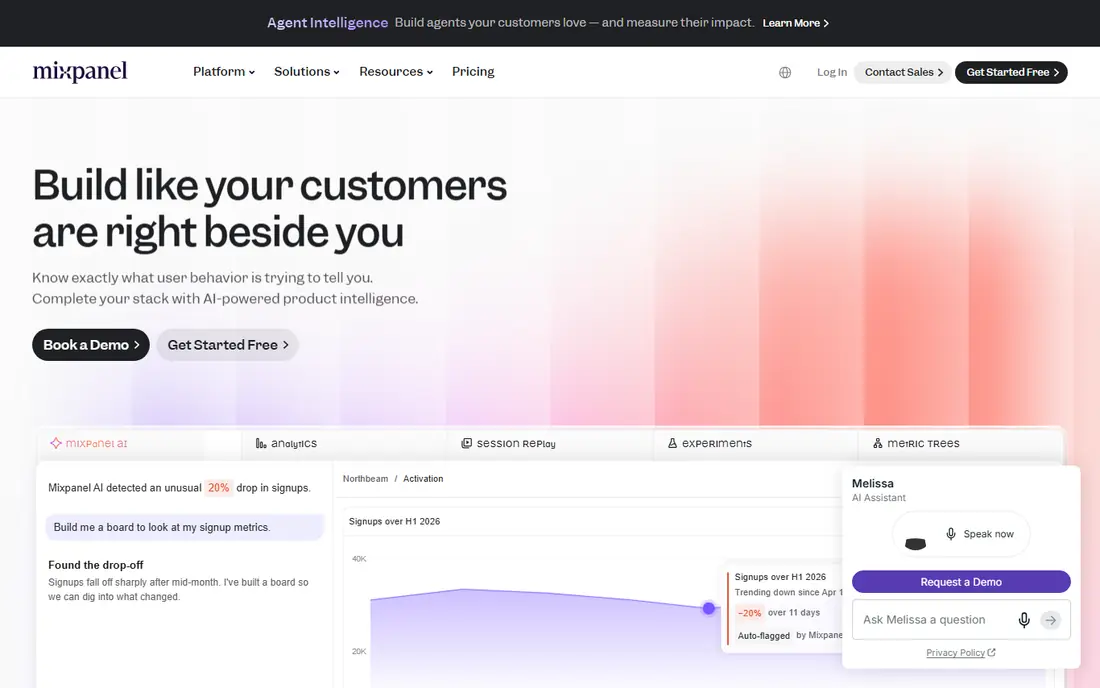
Mixpanel is built around events: what users do in the app, in what order, and how often they return. Its funnel builder, retention reports, and cohorts help product teams find where users drop off and which features keep them coming back. The free tier covers up to 1 million events per month, which suits many small and mid-sized apps, with usage-based pricing after that.
Good Mixpanel results depend on a clean event plan. If events are named inconsistently or tracked without a plan, reports become hard to trust. Teams that invest in that plan get a clear, approachable product analytics tool. For teams that want funnel and retention analysis without a data team, Mixpanel is our pick for most people.
- Strong self-serve funnels and retention reports
- Free tier up to 1 million events per month
- Real-time dashboards and cohorts
- Manual event instrumentation takes planning
- Costs rise with event volume
Amplitude suits larger or more data-driven product teams that need deep behavioral analysis. Its cohort, retention, pathfinding, and forecasting tools help teams understand long user journeys and test which behaviors predict retention or purchase. The free plan covers a large event allowance, which makes it possible to test Amplitude on a real app before paying.
Complexity is the catch. Amplitude offers many report types, and small teams may use only a fraction of them. If your team mainly needs basic funnels and retention, Mixpanel or Firebase may be simpler. If you need deep segmentation and predictive insight at scale, Amplitude is a strong enterprise-grade choice.
- Deep behavioral cohorts and path analysis
- Retention and forecasting tools
- Generous free event allowance on recent plans
- Can feel complex for small teams
- Pricing beyond the free tier is usage-based and needs modeling
PostHog appeals to teams that want one platform for product analytics, session replay, feature flags, and experiments, rather than buying each tool separately. It is open source, offers a self-hosted option for teams that need data control, and its cloud free tier covers a large monthly event allowance, with usage-based pricing after that. That combination suits startups and product-led teams that move fast.
The breadth can also be a drawback. PostHog packs many tools into one interface, and teams that only need simple analytics may find it busier than Firebase or Mixpanel. Self-hosting gives control but adds operations work. For teams that want an all-in-one, developer-friendly platform, PostHog offers strong value.
- Analytics, session replay, feature flags, and experiments in one platform
- Open-source and self-host option
- Generous free event tier
- Broad scope can feel busy
- Self-hosting adds maintenance work
AppsFlyer answers where installs came from, which campaigns drove them, and what those users did afterward in broad terms. It tracks installs, deep links, return on ad spend, and audience segments across ad partners, and it supports Apple SKAdNetwork reporting for privacy-limited attribution. That makes it essential for teams that spend on paid user acquisition.
It is not a replacement for product analytics. AppsFlyer shows campaign performance, not detailed in-app journeys, so most teams pair it with Mixpanel, Amplitude, or Firebase. Pricing after the free allowance is based on conversions, so model costs at your real install volume. For paid growth teams, AppsFlyer is a standard attribution choice.
- Multi-touch attribution and install tracking
- Deep linking and ad partner integrations
- SKAdNetwork support
- Limited product analytics depth
- Pricing after the free conversion allowance is per conversion
Adjust is another leading mobile attribution platform, with tools for install attribution, fraud prevention, audience automation, and campaign reporting. It suits larger marketing teams that need automated rules, such as pausing low-performing campaigns or adjusting budgets based on attribution data. Its reporting is built for marketing decisions rather than product analysis.
The main drawback is access: pricing is quote-based, and there is no general free plan, so small teams may find AppsFlyer or Firebase easier to start with. Adjust earns its place for teams with significant ad spend and a need for automation. For smaller apps, start with Firebase attribution basics and add Adjust only when paid spend justifies it.
- Attribution, fraud prevention, and automation tools
- Strong enterprise reporting
- Deep linking support
- No free plan for most teams
- Pricing is quote-based
UXCam shows why users drop off, not just where. Session replay captures taps, gestures, and screens, and flags frustration signals such as rage taps, so product teams can watch a real user struggle and fix the screen that caused it. That visual insight complements funnel reports from Mixpanel or Amplitude, which show the drop-off point but not the reason.
Replay tools raise privacy questions, so mask sensitive fields, get consent where required, and follow app store privacy rules. The free plan covers a limited number of sessions per month, which is enough to test the tool on key flows. For teams fixing onboarding or checkout, UXCam is a focused, useful addition.
- Mobile session replay with gesture capture
- Rage-tap and frustration signals
- Helps explain why users drop off
- Replay is not a substitute for funnel analytics
- Free session allowance is limited
CleverTap combines analytics with lifecycle messaging, so teams can segment users by behavior and send push notifications, emails, or in-app messages based on what users actually did. That makes it useful for retention, onboarding, and re-engagement campaigns, especially for consumer apps with large user bases. Its reports track campaign impact on retention and revenue, not just opens.
It is closer to a marketing platform than a pure analytics tool, so teams that only need measurement may prefer Mixpanel or Amplitude. Pricing is also quote-based, which makes budgeting harder for small teams. For apps where messaging drives retention, CleverTap is a strong choice that ties analytics directly to action.
- Behavioral segmentation for messaging
- Push, email, and in-app campaigns
- Retention and lifecycle reports
- Pricing is quote-based
- More marketing platform than pure analytics tool
AppFollow covers the store side of mobile analytics: keyword rankings, download estimates, conversion benchmarks, reviews, and competitor updates for Apple App Store and Google Play. That helps app store optimization teams grow organic traffic and respond to reviews quickly, which product analytics tools do not cover. Its free plan offers a starting point, with paid plans from $29 per month for deeper tracking.
AppFollow does not replace in-app analytics, so pair it with Firebase or Mixpanel for a full picture. For teams focused on organic growth, reviews, and store conversion, AppFollow is a practical, focused tool that fills a gap the other platforms leave open.
- App store optimization and keyword tracking
- Review monitoring and replies
- Competitor and ranking benchmarks
- Not a product analytics tool
- Paid plans needed for full keyword and review features
How we picked these
We compared official pricing pages, product documentation, and recent analytics summaries for tools that measure mobile apps today. We favored tools with a clear free tier or trial, a realistic fit for mobile teams, and a distinct job, whether product analytics, attribution, replay, messaging, or store analytics. We did not claim hands-on testing, and where pricing could not be confirmed from a vendor page in our research, we wrote See website. Analytics pricing is often usage-based, so model costs at your real event or install volume.
How to set up mobile analytics without drowning in data
Start with three questions, not thirty reports. What action shows a user got value? Where do new users drop off in onboarding? Which feature keeps users coming back after a week? Define one event for each question, name events consistently, and build one dashboard per question. That discipline prevents the most common analytics failure, which is tracking everything and trusting nothing.
Next, separate first-party product analytics from attribution. Product analytics measures what happens inside your app, using your own events. Attribution measures which campaign drove an install, using platform-reported data that is now more limited and delayed. Both matter, but they need different tools and different privacy handling. Document what each tool collects, why, and how long data is kept, and review that document when you add a new SDK.
Privacy and consent
Mobile analytics touches privacy rules, app store policies, and user trust. Avoid collecting personal data you do not need, mask sensitive fields in replay tools, and handle Apple App Tracking Transparency and consent requirements for any cross-app tracking. Privacy-first tools that collect anonymous signals can reduce consent friction, but they also offer less detail. Choose the privacy level that fits your app, document it in your privacy policy, and do not add a new SDK without reviewing its data practices.
Product analytics versus attribution
Product analytics tools such as Mixpanel, Amplitude, and PostHog explain user behavior inside the app. Attribution tools such as AppsFlyer and Adjust explain which marketing drove installs. A team that only uses attribution will know where users came from but not why they leave. A team that only uses product analytics will know why users leave but not which campaigns bring the best users. Most growing apps need one of each, plus a store tool such as AppFollow if organic growth matters.
Sources
Frequently asked questions
What is the best mobile app analytics tool for a small app?
Firebase Analytics is the best free start for a small app, because it is free, integrates with Google tools, and covers basic funnels and retention. Mixpanel is the best next step if you need deeper event funnels, because its free tier covers up to 1 million events per month. Start with Firebase, add Mixpanel or PostHog when you need clearer funnel and retention reports.
What are the best mobile analytics tools for product teams?
Mixpanel, Amplitude, and PostHog are the strongest product analytics tools in this list. Mixpanel suits approachable funnel and retention work, Amplitude suits deep behavioral analysis at scale, and PostHog suits teams that also want experiments, replay, and feature flags in one place. The best mobile analytics tool for your team is usually the one your team will open weekly and trust.
What is the best mobile app analytics platform for attribution?
AppsFlyer and Adjust are the leading attribution platforms in this list. AppsFlyer offers a free conversion allowance and broad ad partner support, while Adjust offers strong automation for larger marketing teams. Both pair with a product analytics tool, because attribution shows where installs came from, not detailed in-app behavior. Model attribution cost at your real install volume.
Is Firebase Analytics really free?
Yes, core Firebase Analytics reporting is free, with no event-volume cap on analytics itself, though other Firebase services and BigQuery exports beyond free tiers can incur costs. That makes it a strong free foundation, but it does not mean every Firebase service is free. Check pricing for Cloud Functions, databases, and BigQuery if you use those alongside analytics.
Do I need session replay for a mobile app?
Session replay helps when you know where users drop off but not why, such as a confusing onboarding screen or checkout step. UXCam and PostHog both offer replay, and both require privacy care, including masking sensitive fields. If your funnels already show clear drop-off reasons, replay may add little. If users stall on a screen you thought was simple, watching a few sessions can reveal the problem fast.
How do I choose between Mixpanel and Amplitude?
Choose Mixpanel if you want approachable, self-serve funnels and retention reports for a small or mid-sized team. Choose Amplitude if you need deep cohorts, path analysis, and forecasting at larger scale. Both offer free tiers, so test both with your real events for a few weeks. The better fit is usually the tool whose reports your team understands and acts on without help from a data specialist.