Best MSP Software in 2026: 9 Tools Compared
By ToolNimba Editorial Team November 9, 2026 11 min read

- Top pick
 NinjaOne
Polished RMM at scale
Starting priceSee websiteCheck out NinjaOneRead our review - Runner-up
 ConnectWise
Full PSA plus RMM suite
Starting priceSee websiteCheck out ConnectWiseRead our review - Also great
 Datto RMM
Kaseya ecosystem MSPs
Starting priceSee websiteCheck out Datto RMMRead our review
How we researched this
We compared official pricing and feature pages, app store listings, privacy policies and public user reviews. Prices change, so check the provider's site before you pay.
Key takeaways
- NinjaOne is our pick for most MSPs that want a polished remote monitoring and management tool, thanks to fast patching, remote access, and a modern console.
- Atera and Syncro are the best all-in-one options for small to mid-size MSPs, because per-technician pricing covers unlimited endpoints on many plans.
- ConnectWise, Datto, and Kaseya suit larger MSPs that need deep automation and a full platform, but expect quote-based pricing and longer onboarding.
- HaloPSA is the PSA pick for teams that want deep customization without the implementation weight of the largest suites.
- Pricing model matters as much as features: per-device pricing favors dense fleets, while per-technician pricing favors many endpoints per tech.
Quick comparison
| Name | Best for | Starting price | Free plan | |
|---|---|---|---|---|
| NinjaOne | Polished RMM at scale | See website | Free trial | Visit |
| ConnectWise | Full PSA plus RMM suite | See website | Free trial | Visit |
| Datto RMM | Kaseya ecosystem MSPs | See website | No | Visit |
 Kaseya VSA | Large standardized estates | See website | No | Visit |
 Atera | All-in-one per-tech pricing | $129 per technician per month | Free trial | Visit |
 Syncro | Small MSP all-in-one | $129 per technician per month | Free trial | Visit |
 HaloPSA | Deep PSA customization | See website | Free trial | Visit |
 N-able N-central | Large complex estates | See website | Free trial | Visit |
 SuperOps | Modern AI-led all-in-one | See website | Free trial | Visit |
The best MSP software
Managed service provider software covers two main jobs: remote monitoring and management, which watches endpoints, patches them, and gives remote access, and professional services automation, which handles tickets, billing, contracts, and projects. Some tools do one job deeply. Others combine both in one bill. The nine tools below cover that range, from pure RMM leaders to all-in-one platforms and specialist PSA tools.
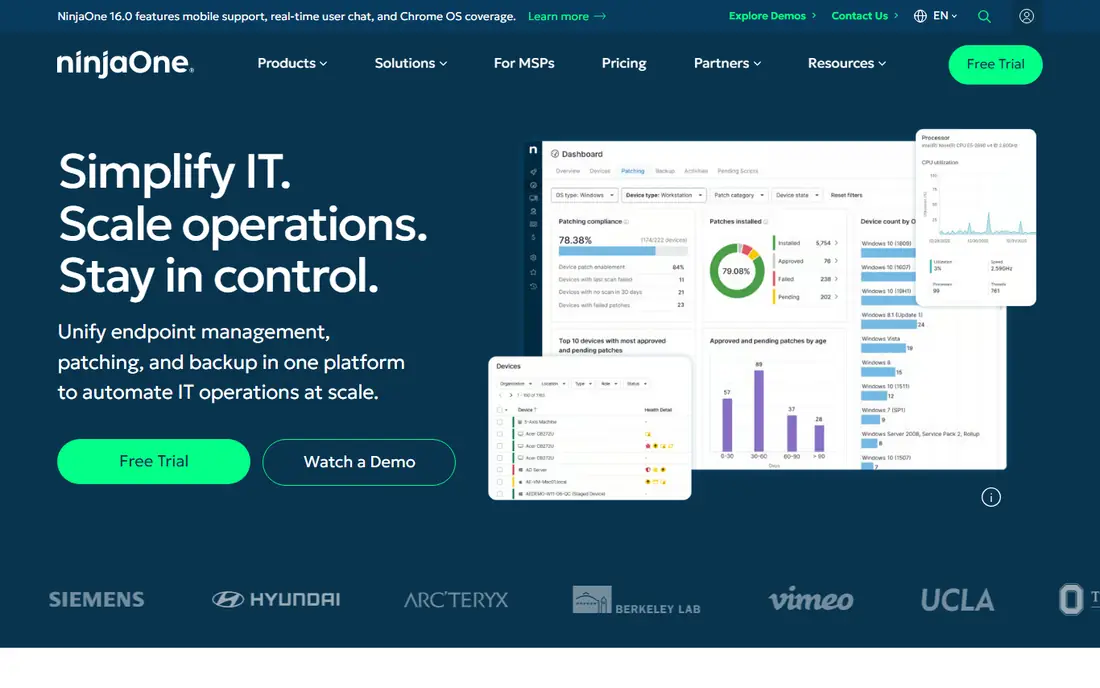
NinjaOne is the RMM to beat for most MSPs. Its console is fast and modern, patching is a strength, and remote access, scripting, backup, and endpoint management sit in one place. That polish shows in onboarding: teams often get endpoints managed quickly, without the long configuration projects that older RMM tools demand. Pricing is per device and quote based, with published estimates around $1.50 to $3.75 per endpoint per month depending on modules and volume.
The main limit is that NinjaOne is primarily an RMM, not a full PSA. Ticketing exists, but MSPs that need deep PSA features such as complex contracts, quoting, and project management usually pair it with a dedicated PSA such as HaloPSA or ConnectWise Manage. For the RMM layer itself, NinjaOne is our pick for most teams.
- Fast, modern console
- Strong patching and automation
- Backup and remote access in one platform
- Quote-based pricing
- PSA features are lighter than dedicated PSA tools
ConnectWise offers one of the fullest MSP stacks available, combining PSA tools such as Manage with RMM, remote access, security, and documentation products under the Asio platform. That depth suits larger MSPs with complex contracts, multiple service lines, and dedicated administrators who can configure and maintain the system. The integration ecosystem is also among the largest in the market.
The cost is complexity and price. Pricing is quote based, implementation can take weeks or months, and smaller teams may find the platform more than they need. ConnectWise fits best for MSPs with 50 or more technicians, or for firms already inside its ecosystem. Smaller MSPs should compare Atera, Syncro, or HaloPSA first.
- Deep PSA and RMM depth in one vendor
- Huge integration ecosystem
- Mature automation
- Quote-based pricing
- Implementation can be long and needs a dedicated admin
Datto RMM, now part of Kaseya, is a cloud-native RMM with a strong security focus and a native Microsoft 365 management module. It pairs naturally with Autotask PSA and Datto backup products, giving Kaseya customers a unified stack for monitoring, ticketing, and backup. That integration is its main selling point, and it is a solid RMM on its own merits.
Pricing is quote based with no public list price, and the value case weakens if you do not use the wider Kaseya stack, since you lose the integration benefit while still paying enterprise pricing. MSPs already running Autotask should shortlist Datto RMM. MSPs starting fresh should compare NinjaOne and Atera on ease and total cost first.
- Strong security posture
- Native Microsoft 365 management
- Pairs well with Autotask PSA and Datto backup
- Quote-based pricing
- Value weakens outside the Kaseya and Datto ecosystem
Kaseya VSA is a veteran RMM built for multi-tenant management of large endpoint estates, with deep automation, scripting, and policy management. It sits inside the wider Kaseya IT Complete stack, alongside BMS for PSA, IT Glue for documentation, and Datto for backup, so firms that standardize on Kaseya get a single vendor for most of their stack.
The interface feels dated next to NinjaOne or SuperOps, and pricing is quote based, so budgeting needs a sales conversation. Vendor lock-in is also a real consideration when so much of the stack comes from one company. For large MSPs that already standardize on Kaseya, VSA is a logical fit. For new MSPs, the modern all-in-one tools offer a faster start.
- Multi-tenant management at scale
- Deep automation
- Broad IT Complete ecosystem
- Quote-based pricing
- Interface feels dated to some users
- Lock-in risk within the ecosystem
Atera combines RMM and PSA in one platform priced per technician, starting at about $129 per technician per month on annual billing, with unlimited endpoints included. That model favors MSPs with many endpoints per technician, since adding devices does not raise the bill. It also bundles AI features such as Copilot assistance, remote access, patching, and reporting in one console.
The trade-off is depth at scale. Larger teams with very complex automation or PSA needs may find Atera's scripting and customization lighter than ConnectWise or HaloPSA, and performance can strain past 20 to 30 technicians in some reports. For small to mid-size MSPs that want one bill and a simple start, Atera is one of the best values here.
- RMM plus PSA on one per-tech bill
- Unlimited endpoints on many plans
- AI features included
- Feature depth can strain past larger team sizes
- Scripting is functional rather than leading
Syncro is another all-in-one MSP platform priced per technician, starting at about $129 per technician per month for its Core plan, with higher tiers adding more features. It combines RMM, PSA ticketing, a client portal, billing, and Microsoft 365 security management, which suits small teams that want one vendor and one bill. Its interface is straightforward, and onboarding is faster than the large suites.
RMM depth is lighter than NinjaOne, especially for complex automation, and Syncro's pricing has risen over time, so compare the current tier details carefully. For teams of roughly 3 to 30 technicians, Syncro remains a strong, practical choice, and it is often the best value pick for new MSPs that need PSA and RMM together from day one.
- RMM plus PSA on a flat per-tech price
- Client portal
- Microsoft 365 security features
- RMM depth is lighter than NinjaOne
- Pricing has risen in recent years
HaloPSA is a PSA platform that has become the go-to alternative for MSPs that want ConnectWise depth without the same implementation burden. It offers deep ticketing, contracts, billing, projects, and reporting, with per-agent pricing reported around $35 to $109 per agent per month depending on tier. That customization suits teams of 10 to 50 technicians that have outgrown a simple ticketing tool.
HaloPSA is a PSA, not an RMM, so you still need a tool such as NinjaOne for endpoint management, patching, and remote access. Setup also takes care, since the flexibility that makes HaloPSA powerful can also make it easy to overcomplicate. For MSPs that need PSA depth first, HaloPSA is our pick.
- Deep PSA customization on a per-agent price
- Strong ticketing, contracts, and reporting
- Popular ConnectWise alternative
- PSA only, so you still need an RMM
- Setup takes care to get right
N-able N-central is an RMM built for large, complex estates, with deep monitoring, automation, and policy controls, plus options for hybrid and on-premises deployment. That flexibility suits MSPs managing varied client environments, including servers and network devices alongside desktops. Its feature set is mature, and it integrates with N-able's wider security and backup products.
Like the other large RMM tools, N-central needs a capable administrator to configure it well, and pricing is quote based. Smaller MSPs will likely find NinjaOne or Atera faster to adopt. For large MSPs with complex estates and a dedicated admin, N-central is a strong, proven choice.
- Deep monitoring and automation for complex estates
- Hybrid and on-premises options
- Mature MSP feature set
- Quote-based pricing
- Needs an admin who can configure it well
SuperOps is a modern all-in-one MSP platform combining RMM and PSA with AI-assisted ticketing and workflows, in an interface that feels closer to a current SaaS product than to a legacy MSP tool. It suits new MSPs with no legacy stack to migrate, since setup is simpler and the dashboard is easy to read. AI features aim to reduce ticket handling time, which is a real cost for small teams.
As a newer platform, SuperOps feature set is still maturing compared with ConnectWise or Datto, and large-scale deployment history is shorter. Pricing is quote based on current pages, so get a written quote before comparing it with Atera or Syncro. For MSPs that value a modern interface and AI-led workflows over maximum depth, SuperOps is worth a trial.
- Modern interface
- RMM plus PSA in one platform
- AI-assisted ticketing and workflows
- Newer platform with a maturing feature set
- Pricing is quote based on current pages
How we picked these
We compared official product pages, pricing pages, documentation, and public reviews, and we kept only tools used by real MSPs for RMM, PSA, or both. We favored a mix of pure RMM leaders, all-in-one platforms, and a specialist PSA, so readers can match the tool to the layer of their stack they are filling. Where pricing is quote based, we wrote See website rather than repeating third-party estimates as fact, except where estimates are clearly labeled as such in the product notes.
How to choose by pricing model
Per-device pricing, used by NinjaOne and the large RMM tools, charges for each endpoint you manage. That model favors MSPs with dense fleets and fewer endpoints per technician, since the cost scales with devices, not staff. Per-technician pricing, used by Atera and Syncro, charges for each tech and often includes unlimited endpoints, which favors MSPs with many endpoints per tech. Model your own numbers: multiply your endpoint count by a per-device estimate, compare it with your tech count times a per-tech price, and include add-ons for backup, security, and remote access.
Trial checklist before you sign
Run a trial on real client endpoints, not just a demo tenant. Test patching across Windows and Mac, remote access speed, script deployment, and ticket creation from an alert. Check how the PSA handles your actual contract types and billing, if you are buying one, and confirm data export options before you commit. A 14 to 30 day trial is standard, and it is worth using fully, since migration costs rise sharply after you onboard clients.
Avoiding lock-in
Ask how you export tickets, client data, device history, and scripts if you leave, and whether contracts auto-renew. Stacks from a single vendor are convenient, but they make switching harder, so keep documentation and credentials in a tool you control, such as a separate documentation platform. That habit protects you whatever vendor you choose.
Sources
Frequently asked questions
What is the best MSP software?
NinjaOne is our pick for RMM, HaloPSA is our pick for PSA depth, and Atera and Syncro are the best all-in-one options for small to mid-size MSPs. The best tool depends on which layer of your stack you are filling and how your team is priced.
What is the best MSP tool for a small MSP?
Atera and Syncro are the best small MSP tools, thanks to per-technician pricing with RMM and PSA in one bill. Syncro suits teams of about 3 to 30 technicians, while Atera suits teams that manage many endpoints per tech.
What is the best MSP platform for large MSPs?
ConnectWise, Kaseya VSA, Datto RMM, and N-able N-central suit larger MSPs, thanks to deep automation, multi-tenancy, and full platform ecosystems. Expect quote-based pricing and a dedicated admin for these tools.
What is the difference between RMM and PSA software?
RMM software monitors endpoints, patches them, and provides remote access, while PSA software handles tickets, contracts, billing, and projects. All-in-one tools combine both, while specialist tools such as NinjaOne for RMM and HaloPSA for PSA do one job more deeply.
How much does MSP software cost?
Costs vary widely by model. Atera and Syncro start at about $129 per technician per month, NinjaOne is quote based per device, and large suites such as ConnectWise and Kaseya are quote based by seats and modules. Model your endpoint and technician counts before comparing headlines.
Can I get a free trial of MSP software?
Yes, most MSP tools offer a free trial, usually 14 to 30 days. NinjaOne, Atera, Syncro, HaloPSA, N-able, and SuperOps all offer trials, while Datto RMM and Kaseya VSA usually require a sales conversation. Use the trial on real endpoints before signing.