Best Note Taking App for Students in 2026: 9 Apps Compared
By ToolNimba Editorial Team November 12, 2026 10 min read

- Top pick
 Notion
All-in-one study workspace
Starting priceFreeCheck out NotionRead our review - Runner-up
 Obsidian
Linked research notes
Starting priceFreeCheck out ObsidianRead our review - Also great
 GoodNotes
Handwritten class notes
Starting price$11.99 per yearCheck out GoodNotesRead our review
How we researched this
We compared official pricing and feature pages, app store listings, privacy policies and public user reviews. Prices change, so check the provider's site before you pay.
Key takeaways
- Handwriting apps suit lectures and PDF markup, while typed apps suit research, revision, and long essays.
- Free tiers from Notion, Obsidian, OneNote, and Apple Notes cover most student needs without paying.
- Pick by device first: GoodNotes and Notability shine on tablets, while Notion and Obsidian work across all platforms.
- Flashcards and spaced revision help more than pretty notebooks, so check for that feature if exams matter most.
Quick comparison
| Name | Best for | Starting price | Free plan | |
|---|---|---|---|---|
| Notion | All-in-one study workspace | Free | Yes | Visit |
| Obsidian | Linked research notes | Free | Yes | Visit |
| GoodNotes | Handwritten class notes | $11.99 per year | Yes | Visit |
 Notability | Lecture notes with audio | $19.99 per year | Yes | Visit |
 Microsoft OneNote | Freeform notebooks across devices | Free | Yes | Visit |
 Evernote | Web clipping and search | $14.99 per month | No | Visit |
 Apple Notes | Quick capture for Apple users | Free | Yes | Visit |
 Google Keep | Fast sticky notes and reminders | Free | Yes | Visit |
 RemNote | Notes that turn into flashcards | Free | Yes | Visit |
The best note taking apps for students
We compared official pricing pages, platform support, and study features for apps that students actually use for lectures, revision, and assignments. The list mixes handwriting, typed, and revision-focused apps, so you can match the tool to how you study.
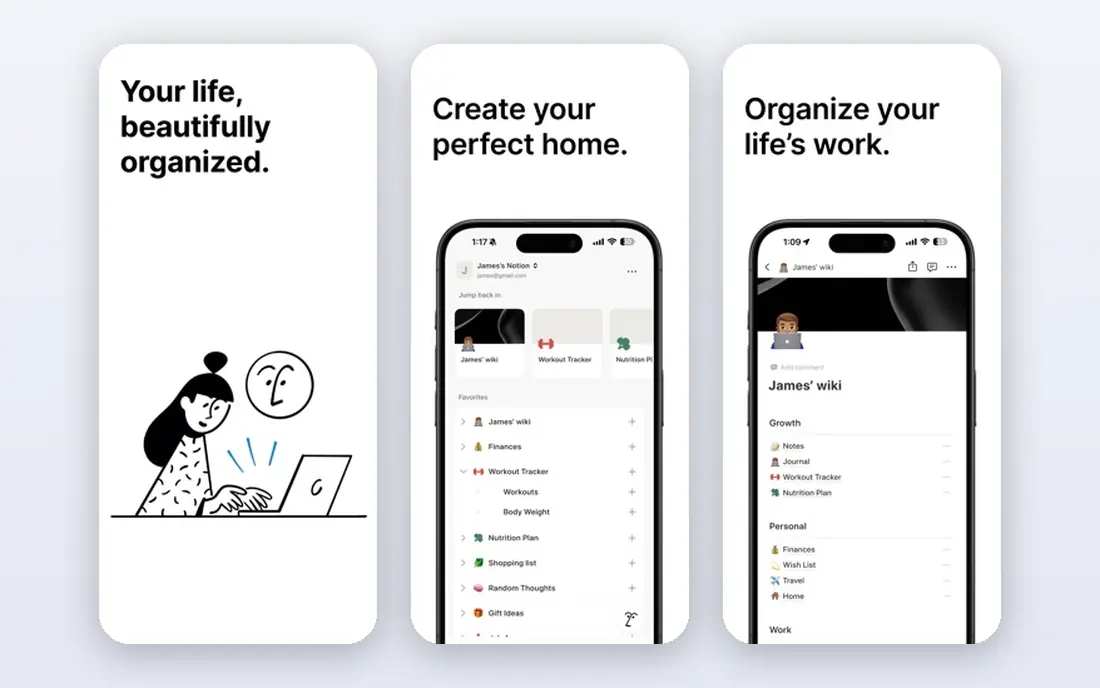
Notion is our pick for most students who type their notes, because it handles class notes, assignment trackers, reading lists, and revision schedules in one workspace. You can build a page per subject, link related notes, and share a group project page without switching apps. The free plan is generous for personal use, and students can often get extra benefits through education offers.
The downside is setup time. Notion is flexible, which means a blank page can feel overwhelming until you pick a simple template and stick with it. Handwriting is not its strength, so tablet note-takers should pair it with a handwriting app or choose a different main tool. For typed organisation, though, few apps match it.
- Pages, databases, and calendars in one place
- Strong free student plan
- Good collaboration
- Can feel complex at first
- Handwriting support is limited
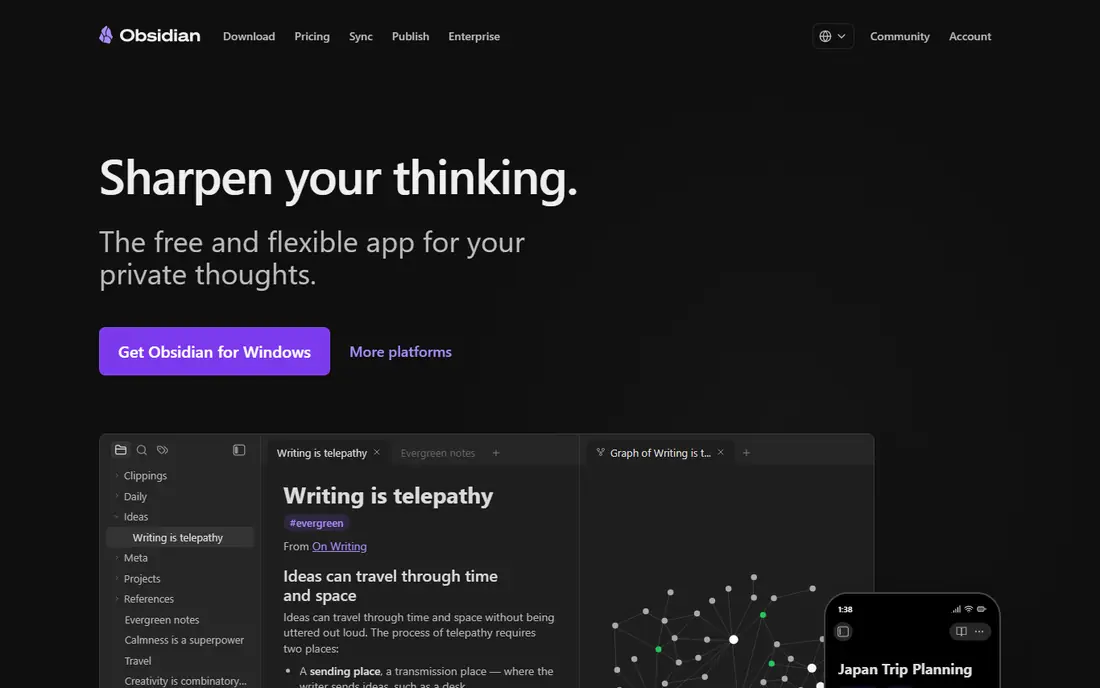
Obsidian stores notes as plain-text files on your device and links them together, which suits research-heavy students who want to connect ideas across subjects. You can build a web of notes for a thesis, link lecture notes to readings, and search everything fast. The core app is free for personal use, and your notes stay readable even if you stop using the app.
Cloud sync is a paid extra, so you need another sync method if you work across devices, and the plugin system can tempt you into endless tweaking. Keep the setup simple: a few folders, daily notes, and links between key ideas. For students who value ownership and long-term access, Obsidian is hard to beat.
- Local plain-text notes you own
- Backlinks connect ideas
- Large plugin library
- No built-in cloud sync on free plan
- Setup takes effort

GoodNotes is the classic digital notebook for tablet students. You write by hand, organise notes into notebooks and folders, annotate PDFs, and search your handwriting later. The Essential plan at $11.99 per year covers unlimited notebooks and core tools, while a Pro tier adds collaboration and AI features, and an optional AI Pass adds more AI use.
The free tier limits you to a few notebooks, so test it with one subject first. GoodNotes works best with a stylus, and its strength is the feeling of paper with the benefit of search and backup. If your lectures involve diagrams, equations, or annotated slides, this is our top handwriting pick.
- Natural handwriting feel
- Strong PDF markup
- Folders and search for ink
- Best on Apple devices, though Android and Windows versions exist
- AI features cost extra
Notability stands out for live lectures because it records audio and links it to what you wrote at that moment. Tap a diagram later and you hear the explanation from that point in the lecture, which is invaluable for revision. It also handles PDF markup well and keeps the interface light, so you can focus on listening rather than formatting.
The free Starter plan is limited, and the Plus plan at $19.99 per year is the sweet spot for most students, while Pro adds wider AI transcription and study tools at a much higher price. If audio replay matters to you, Notability wins over GoodNotes. If you mainly need organised notebooks, GoodNotes may suit you better.
- Audio recording synced to your ink
- Strong PDF annotation
- Simple interface
- Higher tiers needed for full AI features
- Free starter plan is limited
OneNote gives you notebooks, sections, and pages on a freeform canvas, so you can type, draw, paste images, and clip web pages in one place. It works on Windows, Mac, mobile, and web, and it integrates with Microsoft 365 if your school uses it. For students who want a free app that handles both ink and text, OneNote is the most complete free option.
The canvas freedom can become messy without a clear folder habit, and sync runs through OneDrive, so you need a Microsoft account and storage space. Still, the price is right, and the feature set covers lectures, assignments, and group notes. Start here if you want a free, cross-platform notebook.
- Free standalone app
- Infinite canvas
- Handwriting and typing in one place
- Organisation can get messy
- Sync depends on OneDrive
Evernote built its name on capturing anything: web pages, PDFs, photos, and typed notes, all searchable in one place. For research students who clip many sources, that search is still a strength, and notebooks, tags, and tasks help keep a large archive organised. It works across desktop and mobile, so your clips follow you.
The drawback for students is price. At $14.99 per month, Evernote costs far more than the free rivals here, and the free options have narrowed over time. It makes sense only if web clipping and search are your main workflow and you will use it daily. Most students will get more value from Notion or OneNote for free.
- Strong web clipper
- Powerful search including text in images
- Good organisation
- Paid plans are pricey for students
- Offline access needs a paid plan
Apple Notes is easy to overlook because it comes free with every iPhone, iPad, and Mac, but for Apple-only students it covers a lot. You can type, sketch with Apple Pencil, scan documents, lock sensitive notes, and sync through iCloud. Shared notes work well for group work within the Apple ecosystem.
It is not the best tool for a large linked research project, and it has no Android or Windows app, so mixed-device students will hit limits. If you live in the Apple world and want zero setup, Apple Notes plus a dedicated revision app can carry you through a semester without paying anything.
- Free and built in
- Handwriting and scanning
- ICloud sync across Apple devices
- Apple-only
- Weaker for large research projects
Google Keep is a capture inbox, not a full notebook. You jot a quick note, set a reminder, pin an idea, and move on, which suits to-do lists, short revision prompts, and ideas you will expand elsewhere. It syncs through your Google account and works on web and mobile, so it is always close at hand.
Do not try to run a semester in Keep alone. Long notes, PDFs, and structured revision need a fuller app from this list. Use Keep as the front door for quick thoughts, then move the important ones into Notion, OneNote, or Obsidian at the end of the day.
- Very fast capture
- Labels and reminders
- Google integration
- Not suited to long lecture notes
- Limited formatting
RemNote is built for exam revision. You write notes in outline form, mark key facts as flashcards, and the app schedules them for spaced repetition. That loop from note to test to review is exactly what many students need, and it beats re-reading notes passively. The free plan covers the core workflow, with a Pro tier adding more features.
The outline style takes getting used to, and handwriting is not its strength, so it suits typed revision more than lecture sketching. If exams are your main pressure, RemNote is our pick for the study phase, even if you take lecture notes elsewhere and import the key points here.
- Notes become flashcards automatically
- Spaced repetition built in
- PDF and image support
- Interface takes learning
- Handwriting is not the focus
How we picked these
We compared official pricing pages, platform support, and study features, and we kept only apps that are available now and that fit student budgets and devices. We favoured free or low-cost tiers, since students should not need an expensive subscription to take good notes, and we weighted handwriting, search, sync, and revision features. We left out general writing apps with no note organisation, and apps that had no usable student path.
How to choose a note app that fits how you study
Start with how you take notes in lectures. If you write by hand and draw diagrams, a tablet app like GoodNotes or Notability will feel natural. If you type fast and organise digitally, Notion or Obsidian will serve you better. Matching the input method matters more than any feature list.
Keep one main notebook
Students often split notes across three apps and then cannot find anything at revision time. Pick one main app for lecture and reading notes, and use a second app only for a clear job, such as flashcards in RemNote or quick capture in Keep. A simple folder per subject beats a complex system you abandon in week three.
Test search and export before exams
Search your notes for a topic from week one and see how fast you find it. Check that you can export or print notes if an app changes its pricing or if you switch devices. Plain-text export in Obsidian is a plus here, while closed systems need a regular export habit.
Use revision, not just storage
Notes you never revisit do not help in exams. Turn key facts into flashcards, quiz yourself weekly, and link related topics together. An app that helps you test yourself, like RemNote, can be worth more than a prettier notebook that only stores pages.
Sources
Frequently asked questions
What is the best note taking app for students overall?
Notion is our pick for typed organisation, GoodNotes is our pick for handwriting, and RemNote is our pick for exam revision. The best choice depends on whether you type, write by hand, or revise with flashcards most often.
Is there a good free note taking app for students?
Yes. Notion, Obsidian, OneNote, Apple Notes, and Google Keep all offer free plans that cover most student needs. GoodNotes and Notability also offer free tiers, though both limit notebooks or notes on the free plan.
What is the best note taking app for iPad students?
GoodNotes and Notability lead for iPad handwriting, with Notability winning on audio-synced lectures and GoodNotes winning on notebook organisation and PDF handling. Apple Notes is a strong free option if you do not need advanced features.
Can I use one app for notes and flashcards?
RemNote does this best, since notes can become flashcards for spaced repetition. Notion and Obsidian can also support flashcards through templates or plugins, but RemNote builds the loop in from the start.
How do I organise notes for many subjects?
Use one folder or notebook per subject, one page per lecture or chapter, and consistent titles with dates. Link related pages together, tag key topics, and review weekly so notes stay findable when exams arrive.