Best Personal Branding Tools for Executives in 2026: 9 Tools Compared
By ToolNimba Editorial Team November 9, 2026 10 min read

- Top pick
 Taplio
LinkedIn growth
Starting price$39 per monthCheck out TaplioRead our review - Runner-up
 Canva
Branded visuals
Starting priceFreeCheck out CanvaRead our review - Also great
 Buffer
Simple social scheduling
Starting priceSee websiteCheck out BufferRead our review
How we researched this
We compared official pricing and feature pages, app store listings, privacy policies and public user reviews. Prices change, so check the provider's site before you pay.
Key takeaways
- Taplio is our pick for executives building a LinkedIn presence, with scheduling, analytics, and AI-assisted drafting in one place.
- Canva covers the visual side of an executive brand, from profile banners to carousels, without needing a designer.
- Beehiiv gives executives an owned newsletter audience, which matters more than follower counts on any single platform.
- A simple personal website on Carrd or About.me anchors your brand, so search results point somewhere you control.
- Executives should keep the tool stack small: one scheduler, one design tool, one newsletter, and one home page.
Quick comparison
| Name | Best for | Starting price | Free plan | |
|---|---|---|---|---|
| Taplio | LinkedIn growth | $39 per month | Free trial | Visit |
| Canva | Branded visuals | Free | Yes | Visit |
| Buffer | Simple social scheduling | See website | Yes | Visit |
 Hootsuite | Multi-account management | See website | Free trial | Visit |
 beehiiv | Executive newsletters | Free | Yes | Visit |
 Linktree | Link-in-bio hub | Free | Yes | Visit |
 About.me | Digital business card | Free | Yes | Visit |
 Carrd | Simple personal website | See website | Yes | Visit |
 AuthoredUp | LinkedIn post formatting | See website | Free trial | Visit |
The best personal branding tools for executives
Executive branding is not about posting constantly. It is about a consistent point of view, a professional look, and an audience you can reach without depending on one algorithm. The tools below cover each part of that job, from LinkedIn writing to newsletters and personal websites.
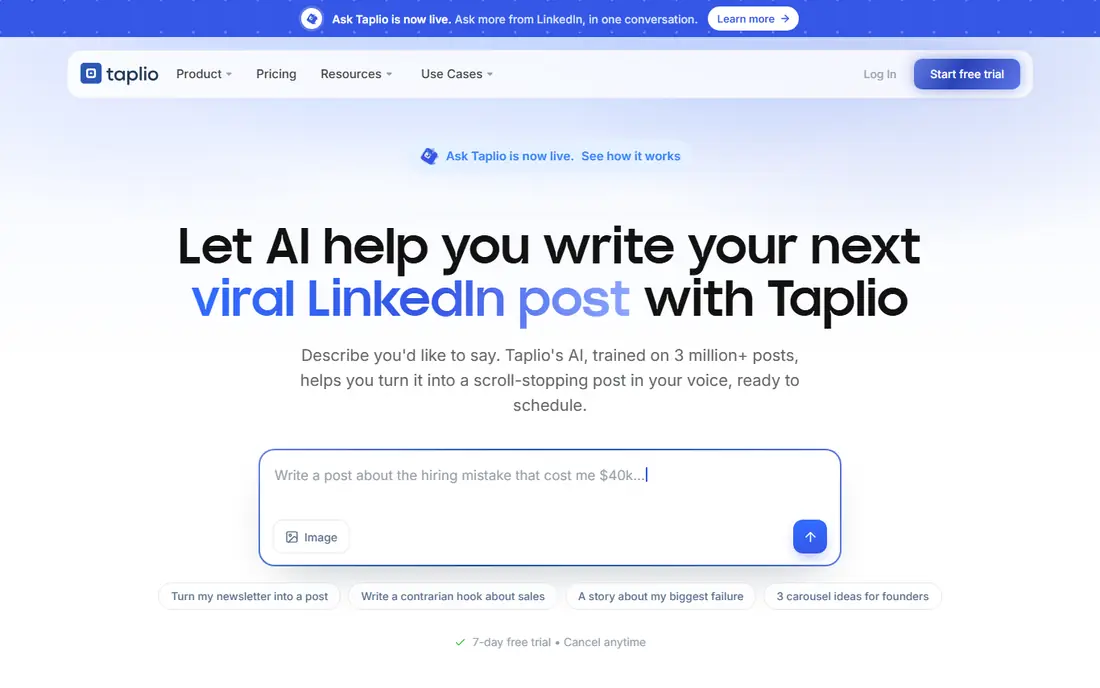
Taplio is the most focused tool in this list for executives who want LinkedIn to do real work. It schedules posts, tracks core metrics, and helps draft posts with AI assistance, so a busy executive can keep a steady cadence without writing from scratch every time. The Starter plan is reported at $39 per month billed monthly, with a 7-day free trial, while Growth and Pro tiers add AI posts, collaboration, and lead features at higher prices.
The limit is scope. Taplio does not manage Instagram, X, or other networks the way a general scheduler does, so it fits executives who have chosen LinkedIn as their main platform. If your audience lives elsewhere, pair it with a general tool or pick a different scheduler. For LinkedIn-first executives, Taplio is our pick.
- Built for LinkedIn
- Scheduling, analytics, and AI drafting together
- 7-day free trial
- LinkedIn only, not a general social tool
- Higher tiers get expensive fast
Canva is the visual backbone of most executive brands, and for good reason. Profile banners, LinkedIn carousels, presentation covers, and event graphics all start from templates that a non-designer can finish in minutes. The free plan covers a lot, while Pro, around $12 to $15 per month depending on billing, adds brand kits, background removal, and premium assets.
The risk is sameness. A template used unchanged looks like every other executive post, so change colors, fonts, and layouts to match your own style. Canva also cannot replace a photographer or a real brand strategy, but it turns a good idea into a polished graphic fast. For executives without design support, it is close to essential.
- Huge template library
- Brand kits on paid plans
- Easy carousels and banners
- Free plan limits brand kit features
- Designs can look generic without customization
Buffer suits executives who want scheduling without a steep learning curve or a large bill. You connect your channels, queue posts, and check basic performance, all from a clean interface. Per-channel pricing keeps costs low for a single executive with two or three active accounts, and the free plan is enough to test the workflow.
The trade is depth. Buffer's analytics and listening tools are lighter than enterprise rivals, and its LinkedIn drafting help is thinner than Taplio's. Executives who need deep reporting or team approvals will outgrow it. For a simple, reliable posting habit, Buffer is the low-friction choice.
- Clean and simple scheduling
- Per-channel pricing
- Easy for small teams
- Analytics are shallower than Hootsuite or Sprout Social
- LinkedIn features are less specialized than Taplio
Hootsuite fits executives with a team behind them, or leaders who manage a company page alongside a personal profile. It schedules across platforms, monitors mentions, and benchmarks against competitors, which helps a communications team keep personal and corporate messaging aligned. That breadth is why larger organizations still choose it despite the price.
The cost is the catch. Hootsuite has no ongoing free plan, and professional pricing starts around $99 per month for one user, rising with seats and features. Solo executives will usually get better value from Buffer or Taplio. Choose Hootsuite when a team, not just one person, runs the brand.
- Manages many accounts in one place
- Social listening
- Competitor benchmarking
- No free plan for ongoing use
- Per-user pricing gets expensive for larger teams
Beehiiv is the tool we would pick for an executive newsletter, because it gives you an audience you own. Social followers can vanish with an algorithm change, but an email list stays reachable. The free plan covers up to 2,500 subscribers, and paid plans add paid subscriptions, automations, and an ad network. Note that beehiiv renamed its paid tiers to Lite and Pro in October 2026 and raised prices, so check the current subscriber-tier price before committing.
The pricing model needs care. Costs rise as your list grows, which is fair but can surprise a fast-growing newsletter. Beehiiv also focuses on newsletters, not social scheduling or design, so it complements the other tools here rather than replacing them. For thought leadership that lasts beyond a feed, a newsletter is the strongest single move.
- Free up to 2,500 subscribers
- Clean newsletter design
- Growth and monetization tools
- Paid prices rise with subscriber count
- Recent price rises annoyed some creators
Linktree solves a small but real executive problem: social bios allow only one link, while an executive has a newsletter, a company page, talks, articles, and contact details. A Linktree page gathers those links in one place, updates in minutes, and works from any bio. The free plan covers the basics, with paid plans adding analytics and deeper customization.
The limit is that a link page is not a personal website. It points people elsewhere, but it does not tell your story or rank well in search on its own. Use Linktree as a bridge from social profiles, and pair it with a personal site for anyone who wants the full picture.
- Fast to set up
- One link for every profile
- Analytics on paid plans
- Limited design control on free plan
- A link page is not a real website
About.me is the digital business card for executives who want a polished home base without building a website. You add a headshot, a short bio, and links to your work, and you get a clean page to share after meetings, talks, and introductions. The free plan covers the core page, while Pro, around $9 per month billed annually, adds a custom domain and advanced features.
The trade is depth. About.me is not the place for a long portfolio, a blog, or detailed case studies. It works best as a credible first impression that points visitors to your newsletter, LinkedIn, and company page. For executives starting from scratch, it is the fastest credible page you can publish.
- Simple one-page profile
- Fast to build
- Email signature generator
- Not suited to a portfolio or blog
- Pro features need a paid plan
Carrd is our pick for executives who want a real personal website without the cost or upkeep of a full site builder. Its one-page templates look clean on phones and computers, and Pro plans start at a low yearly price, with reports putting multi-site Pro access around $19 per year. You can publish a bio, speaking topics, press links, and a contact form on one page.
The limit is structure. Carrd builds single-page sites, not multi-page blogs or large portfolios, so executives with extensive writing need a different platform. For a focused executive site that you control, Carrd gives you more credibility per dollar than almost any tool here.
- Very affordable Pro plans
- Clean responsive templates
- Custom domains on paid plans
- Single-page sites only
- Not a full content management system
AuthoredUp is a writing tool for executives who already know what they want to say on LinkedIn but want it to read well. It formats posts, previews how they will appear in the feed, and stores drafts and reusable snippets, which helps maintain a consistent voice. The interface is calmer than a general scheduler, since it focuses on writing rather than analytics.
The catch is that AuthoredUp is not a full scheduler or analytics platform. Pair it with Taplio or Buffer if you also need posting and reporting, or use it alone if you post by hand and only need better formatting. For executives who draft carefully and publish less often, that focus is a strength.
- LinkedIn-focused formatting and previews
- Drafts and snippet library
- Clean writing workspace
- No scheduling depth of Taplio
- LinkedIn only
How we picked these
We compared official feature pages, pricing pages, and public reviews for tools executives actually use for LinkedIn, design, newsletters, and personal websites. We favored tools with a clear free or low-cost starting point, a focused job, and a track record with professional users. We did not claim hands-on testing; our findings rest on published features, pricing, and plan limits. We left out general agencies and consultants, since this article covers tools an executive can use directly.
Building an executive brand without burning out
Start with a single clear position. Write one sentence about what you are known for, who you help, and what you believe about your field, then check every post against it. Executives who try to cover every topic end up sounding generic, while a narrow, consistent position builds recognition faster. Revisit that sentence twice a year, not every week.
Choose a sustainable cadence
Two thoughtful LinkedIn posts a week beat ten rushed ones. Use a scheduler to queue posts in one sitting, and reserve live time for replies and comments, where relationships actually form. A monthly newsletter can carry longer ideas that do not fit a post, and a personal website holds the evergreen version of your story.
Keep visuals and voice consistent
Use the same colors, fonts, and photo style across LinkedIn, your newsletter, and your website, so people recognize you before they read your name. Canva brand kits help, but consistency also means tone: write in your own voice, avoid jargon you would not use in a meeting, and check claims before publishing. One careless post can undo months of careful work.
Measure what matters, not vanity metrics
Track profile visits, newsletter subscribers, speaking invitations, and inbound opportunities, not just likes. A post with modest reach that brings a real conversation is worth more than a viral post that brings none. Review your numbers monthly, drop formats that never lead anywhere, and keep the ones that start useful discussions.
Sources
Frequently asked questions
What is the best personal branding tool for executives?
Taplio is the best LinkedIn-focused tool for most executives, while Canva covers visuals and beehiiv covers newsletters. No single tool does everything well, so the best stack is usually small: Taplio or Buffer for scheduling, Canva for design, beehiiv for email, and Carrd or About.me for a home page.
How much should an executive spend on personal branding tools?
A starter stack can cost nothing, using Canva Free, Linktree Free, and beehiiv Free. Adding Taplio at around $39 per month and a Carrd Pro site brings a solid stack to roughly $40 to $50 per month. Larger teams using Hootsuite or paid newsletter tiers will pay more, so start free and add paid tools only when a free limit blocks real work.
Do executives need a personal website?
Yes, in most cases. Social profiles change their rules and reach, but a personal website is a home base you control. It gives search results a credible destination, hosts your bio and speaking topics, and links to your newsletter and profiles. A single page on Carrd or About.me is enough to start.
Is LinkedIn the most important platform for executive branding?
For most executives, yes. LinkedIn is where peers, recruiters, partners, and journalists look first, and its format suits professional ideas better than short-video platforms. That does not mean ignoring everything else, but an executive with limited time should build LinkedIn and a newsletter before spreading across many networks.
How often should an executive post?
Two to three thoughtful posts per week is a sustainable pace for most executives, plus replies to comments on those posts. Consistency matters more than volume, and a monthly newsletter can carry deeper ideas. If posting feels like a chore, cut the frequency rather than the quality, since rushed posts hurt credibility.
Can personal branding tools replace a communications team?
No. Tools handle scheduling, design, and distribution, but strategy, judgment, and relationships still need people. A communications team or coach helps with messaging, media, and crisis handling, while tools make execution faster. Executives should use tools to amplify a clear position, not to invent one.