Best Photo Storage App in 2026: 9 Apps Compared
By ToolNimba Editorial Team November 9, 2026 10 min read

- Top pick
 Google Photos
Search and cross-platform backup
Starting price$1.99 per monthCheck out Google PhotosRead our review - Runner-up
 iCloud Photos
iPhone and Apple devices
Starting price$0.99 per monthCheck out iCloud PhotosRead our review - Also great
 Amazon Photos
Prime members
Starting priceFreeCheck out Amazon PhotosRead our review
How we researched this
We compared official pricing and feature pages, app store listings, privacy policies and public user reviews. Prices change, so check the provider's site before you pay.
Key takeaways
- The best app usually matches your phone: iCloud for iPhone, Google Photos for Android and mixed devices.
- Amazon Photos is the best value for Prime members, with unlimited full-resolution photo storage included.
- Free plans are small, from 2 GB to 15 GB, so most large libraries need a paid plan of 1 to 3 dollars a month.
- Check whether a plan stores original quality or compressed copies, because that affects prints and editing later.
- Keep a second backup, such as an external drive, because a cloud account alone is not a complete backup plan.
Quick comparison
| Name | Best for | Starting price | Free plan | |
|---|---|---|---|---|
| Google Photos | Search and cross-platform backup | $1.99 per month | Yes | Visit |
| iCloud Photos | iPhone and Apple devices | $0.99 per month | Yes | Visit |
| Amazon Photos | Prime members | Free | Yes | Visit |
 OneDrive | Microsoft 365 users | $1.99 per month | Yes | Visit |
 Dropbox | Sharing and file sync | $11.99 per month | Yes | Visit |
 Flickr | Photographers and community | See website | Yes | Visit |
 pCloud | One-time lifetime storage | See website | Yes | Visit |
 Proton Drive | Private, encrypted backup | See website | Yes | Visit |
 Internxt | Encrypted, budget storage | See website | Yes | Visit |
The best photo storage app
We compared photo apps on free storage, paid pricing, original versus compressed quality, search, sharing, and device support. Prices are for US plans as listed by the vendors and in recent comparisons, and storage is often shared with other services from the same company.
Google Photos is our pick for most people because it works well on almost any device and its search is hard to beat. You can type a place, a person, or an object and find photos without tagging them by hand, and automatic backup over Wi-Fi keeps new photos safe without thinking about it. Shared albums make it easy to collect photos from a trip or event in one place.
The limit is the shared 15 GB free allowance, which covers Gmail and Drive as well as photos. Once it fills, Google One plans start at 100 GB for 1.99 dollars a month, which is reasonable for most phone libraries. If you want original quality for every photo, check your storage saver setting, because compressed copies use less space but lose some detail.
- Excellent search by person, place, and object
- Works on Android, iPhone, and web
- Shared albums
- Free storage is 15 GB shared with Gmail and Drive
- Original quality fills space fast

iCloud Photos is the natural choice for an Apple household, because it is built into the Photos app on iPhone, iPad, and Mac. Photos sync automatically, edits sync across devices, and the Shared Library lets up to six family members contribute to one library. Live Photos, Portrait mode, and ProRAW files are preserved in the Apple system.
Free storage is only 5 GB, which fills quickly, and paid plans start at 50 GB for 0.99 dollars a month, with 200 GB at 2.99 dollars. Android users can view shared album links but cannot join the library in the same way, so mixed-device families may prefer Google Photos or Amazon Photos.
- Deep integration with iPhone, iPad, and Mac
- Shared Library for families
- Live Photos preserved
- Only 5 GB free
- No native Android app
- Full value needs Apple devices
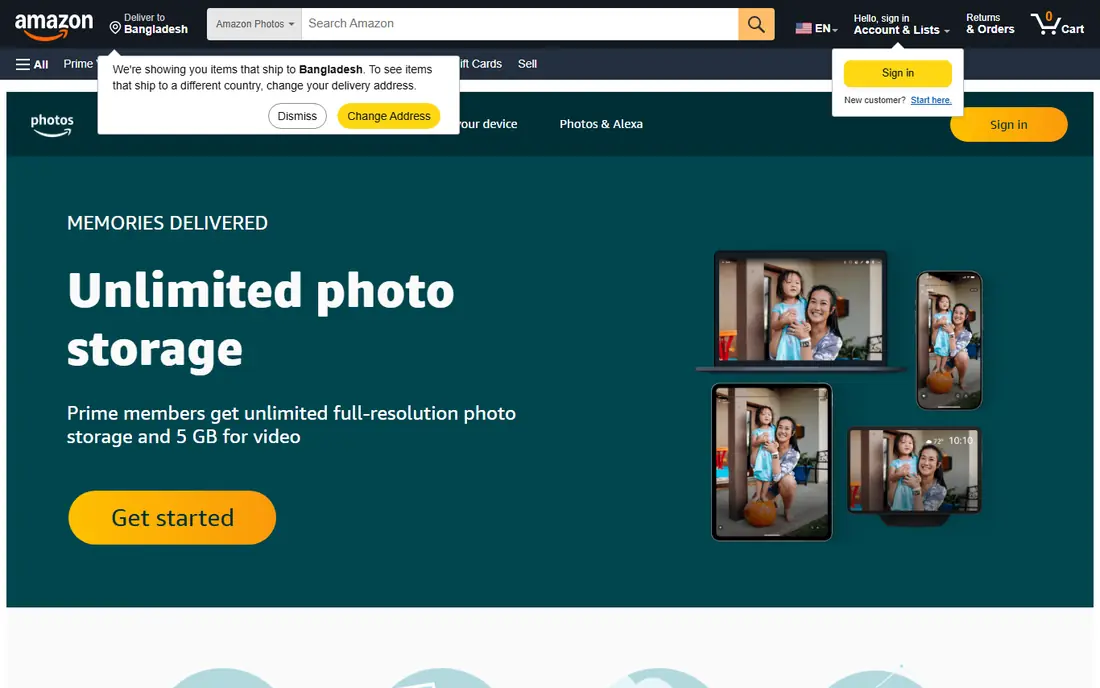
Amazon Photos is easy to overlook, but for Prime members it is one of the best deals in photo storage. Prime includes unlimited full-resolution photo storage, plus 5 GB for videos, with apps for iPhone and Android and a web gallery. You can invite family members to share storage and view albums, which suits households that already pay for Prime delivery and video.
Without Prime, Amazon Photos gives 5 GB free, and paid storage plans start at low monthly rates, but the unlimited photo benefit is the reason to pick it. Video-heavy users should note the 5 GB video cap, because videos fill that space far faster than photos do.
- Unlimited full-resolution photos with Prime
- Works on iPhone and Android
- Family sharing
- Video storage is limited to 5 GB with Prime
- Best value requires a Prime membership
OneDrive makes sense if you already pay for Microsoft 365, because Personal plans include 1 TB of storage plus Word, Excel, and PowerPoint. Photos back up from your phone, sync to Windows, and can be shared by link, and Personal Vault adds an extra layer of protection for sensitive files. For a Windows household, that bundle is strong value.
As a photo app alone, OneDrive is less polished than Google Photos, with weaker search and fewer photo-specific editing tools. If you mainly want a photo gallery and search, pick Google Photos, but if you want storage plus Office apps, OneDrive is the better bundle.
- 1 TB included with Microsoft 365 Personal
- Good Windows and Office integration
- Personal Vault
- Photo features are weaker than Google Photos
- Free plan is only 5 GB
Dropbox is a file sync service first and a photo app second, and that distinction matters. It syncs reliably across phones, computers, and the web, shares files by link with clear permissions, and keeps version history for files you change. Photographers who need to send large files to clients often use Dropbox for that reason.
The downside is price and focus. The free plan is only 2 GB, and paid Plus plans start at 2 TB for 11.99 dollars a month, which is more than most people need for phone photos alone. Choose Dropbox if you need general file storage and sharing, not if you only want a photo gallery.
- Reliable sync across devices
- Easy link sharing
- Strong file version history
- Paid plans start at 2 TB and cost more
- Photo gallery features are basic
Flickr is different from the backup apps above, because it is also a community for photographers. You can share work, join groups, get feedback, and display photos at full resolution, which suits hobbyists and professionals who want an audience as well as storage. Flickr Pro offers unlimited storage, which is useful for large portfolios.
For private family backup, Flickr is less convenient than Google Photos or iCloud, because its free plan caps at 1,000 photos and its tools are built around public sharing. Pick Flickr if you want to show your photography, and pair it with a backup app for private photos.
- Photographer community and feedback
- Unlimited storage on Pro
- Full-resolution display
- Free plan is limited to 1,000 photos
- Less suited to private family backup
pCloud stands out for lifetime plans, where you pay once for a set amount of storage instead of a monthly fee. That model appeals to people who dislike subscriptions and who want a long-term archive for a large photo library. Apps cover iPhone, Android, Windows, and Mac, and the service includes file versioning and sharing.
The upfront cost is high, especially for multi-terabyte plans, and you should be sure about the amount you need before you buy. Photo search and editing are simpler than in Google Photos, so pCloud fits best as an archive and backup, with a gallery app for day-to-day browsing if needed.
- Lifetime plans avoid monthly fees
- Good cross-platform apps
- File versioning
- Lifetime pricing is a large upfront cost
- Photo features are simpler than Google Photos
Proton Drive is built around privacy, with end-to-end encryption that means Proton cannot read your photos. That is a meaningful difference from mainstream services, where the provider holds the keys and may scan content for product improvement. Proton Drive backs up phone photos at original quality and works on iPhone, Android, and the web.
You pay more per gigabyte than with Google or Apple, and its photo search and sharing tools are less mature. For users who prioritize privacy over the smartest search, Proton Drive is a strong choice, and its free plan lets you test backup before you pay.
- End-to-end encryption for photos and files
- Swiss privacy focus
- Cross-platform apps
- Paid plans cost more per GB than Google or Apple
- Photo features are still growing
Internxt offers encrypted cloud storage with a free plan and low-priced paid plans, billed in euros, which can make it cheaper than larger rivals for a given amount of space. Photos and files are encrypted before upload, and apps cover major phones and computers. For a budget-conscious user who wants encryption without Proton pricing, Internxt is worth a look.
The trade-off is scale and polish. Internxt is a smaller company, and its photo gallery, search, and sharing are simpler than Google Photos. Use it as a secure backup and archive, and keep a mainstream gallery app if you need advanced search and shared albums every day.
- End-to-end encryption
- Low monthly pricing in euros
- Cross-platform support
- Smaller company than Google or Apple
- Photo gallery is simpler
How we picked these
We compared official pricing pages, free plan limits, and recent photo storage comparisons, focusing on the same questions: how much free space do you get, what does the first paid plan cost, does it store originals, and how well does it work on your devices. We favored apps that are active in 2026, that state storage limits clearly, and that cover different needs, from family sharing to privacy to lifetime storage. We did not claim hands-on testing, and we list See website where pricing varies by billing period or region.
How to choose and back up safely
Pick the app that matches your phone first, then check storage size. Look at how many photos and videos you have now, add a year of shooting, and pick a plan with headroom, because running out of space mid-trip is a common frustration. Turn on backup over Wi-Fi only if you have a limited mobile plan, and check that backup is actually running after a phone change.
Originals, sharing, and a second copy
Decide whether you need original quality or whether compressed copies are enough for social sharing and small prints. Originals matter for large prints and future editing, while compressed copies save space. Share albums by link only with people you trust, and keep a second copy on an external drive or a second cloud service, because losing access to one account should never mean losing your photos.
Sources
Frequently asked questions
What is the best photo storage app for iPhone users?
iCloud Photos is best for iPhone users, because it is built into the Photos app and syncs across iPhone, iPad, and Mac. Google Photos is a strong second choice if you also use Android or Windows, because it works well across all platforms.
What is the best free photo storage app?
Google Photos offers the largest free plan among major apps, at 15 GB shared with Gmail and Drive. Amazon Photos offers unlimited photos for Prime members, which is free if you already pay for Prime. No major free plan offers unlimited storage for everyone.
Does Google Photos store photos at full quality?
Google Photos can store original quality if you choose that setting, but originals use your Google One storage quota faster. The storage saver setting compresses photos to use less space, which is fine for sharing but less ideal for large prints.
Is Amazon Photos really unlimited for Prime members?
Yes, for photos: Prime members get unlimited full-resolution photo storage, with 5 GB for videos. Non-Prime accounts get 5 GB total. Check Amazon's current terms, because video limits and family sharing rules can change.
How much storage do I need for photos?
A typical phone library of a few thousand photos needs 20 to 50 GB, while a library with many videos can need 200 GB or more. Check your current library size in your phone settings, then pick a plan with room to grow, rather than the smallest plan that just fits today.
Should I keep photos only in the cloud?
No. Keep at least one other copy, such as an external drive or a second cloud service, in case you lose account access or a service changes its terms. The cloud is convenient for access and sharing, but a local backup gives you control if something goes wrong.