Best Project Portfolio Management Software in 2026: 9 Tools Compared
By ToolNimba Editorial Team November 9, 2026 10 min read

- Top pick
 Microsoft Project
Complex portfolios in Microsoft 365
Starting price$10 per user per monthCheck out Microsoft ProjectRead our review - Runner-up
 Smartsheet
Spreadsheet-style portfolio control
Starting price$9 per user per monthCheck out SmartsheetRead our review - Also great
 Asana
Cross-team portfolios and goals
Starting price$10.99 per user per monthCheck out AsanaRead our review
How we researched this
We compared official pricing and feature pages, app store listings, privacy policies and public user reviews. Prices change, so check the provider's site before you pay.
Key takeaways
- Portfolio tools differ from task tools because they roll many projects into one view of budget, capacity and risk.
- Microsoft Project and Planview suit large, complex portfolios, while Asana, Smartsheet and ClickUp suit teams that want portfolio views without a long setup.
- Check who counts as a paid user before you sign, since viewers, collaborators and guests are priced very differently across vendors.
- A short pilot with real projects tells you more than a demo, especially for reporting, permissions and resource planning.
Quick comparison
| Name | Best for | Starting price | Free plan | |
|---|---|---|---|---|
| Microsoft Project | Complex portfolios in Microsoft 365 | $10 per user per month | Free trial | Visit |
| Smartsheet | Spreadsheet-style portfolio control | $9 per user per month | Free trial | Visit |
| Asana | Cross-team portfolios and goals | $10.99 per user per month | Yes | Visit |
 Wrike | Configurable workflows and reporting | $10 per user per month | Yes | Visit |
 monday Work Management | Fast setup for non-technical teams | $12 per seat per month | Yes | Visit |
 Planview AdaptiveWork | Enterprise portfolio and capacity planning | See website | No | Visit |
 Adobe Workfront | Large marketing and creative operations | See website | No | Visit |
 ClickUp | Low-cost portfolio views for small teams | $7 per user per month | Yes | Visit |
 Oracle Primavera Cloud | Construction and capital project portfolios | See website | No | Visit |
The best project portfolio management software
Portfolio management is about choices across projects, not just finishing one task list. The tools below help leaders see which projects are on track, where staff are overbooked, and what happens when priorities change. We compared official feature pages, pricing pages and public documentation, and we focused on portfolio views, resource planning and reporting rather than simple to-do lists.
Microsoft Project remains the default choice for organisations that already live in Microsoft 365 and need strict scheduling. It handles dependencies, baselines, critical paths and resource capacity in a way that lighter tools do not try to match. For a programme manager with dozens of linked projects, that control is the main reason to accept the complexity.
The trade-off is usability. Casual contributors may find the desktop and web experiences heavy, and you will need time to set up templates, fields and reports. If your team mainly needs shared lists and timelines, a simpler tool below will be faster to adopt. If you need defensible schedules and portfolio-level reporting, Project earns its place at the top of this list.
- Deep scheduling and dependencies
- Strong portfolio and resource views
- Works well with Teams, Power BI and Microsoft 365
- Learning curve is steep for casual users
- Pricing varies by plan and add-ons
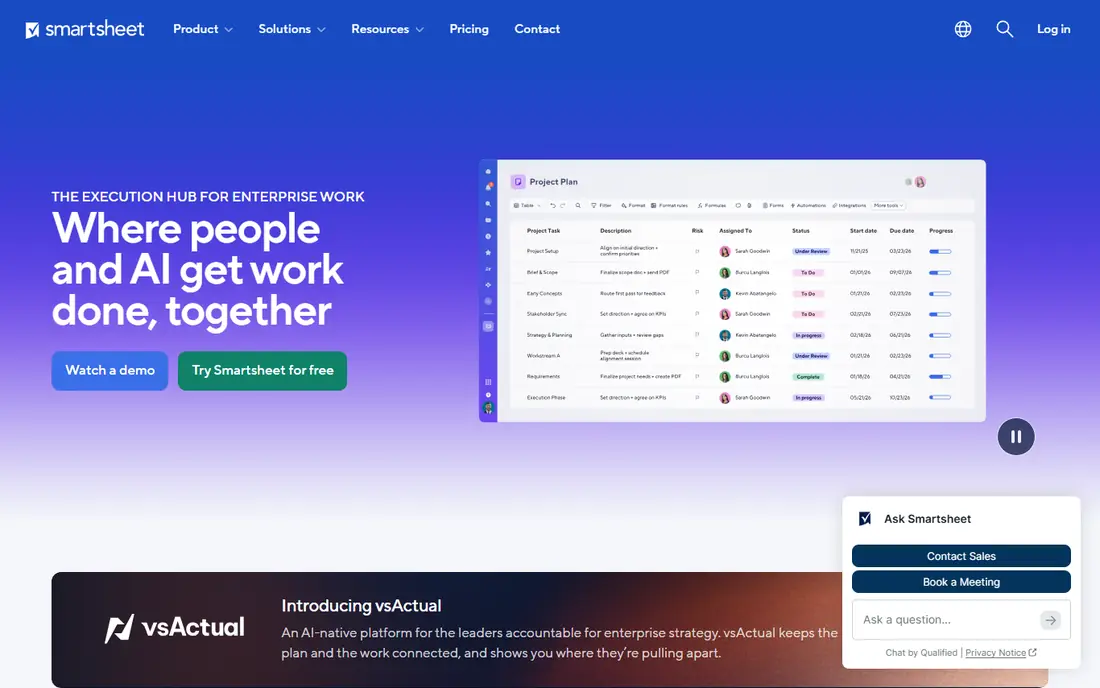
Smartsheet suits teams that think in rows and columns but need more control than a spreadsheet can give. You can build intake forms, project sheets, dashboards and rollup reports from the same data, which makes it a practical portfolio tool for operations teams. Managers get a single view of status, budget and risk without asking each project lead for a separate update.
The catch is plan discipline. Some of the portfolio, resource and reporting features sit on higher tiers, so check the plan before you assume a feature is included. Used well, Smartsheet bridges the gap between a spreadsheet habit and a formal portfolio system, and most teams can start without a long implementation project.
- Familiar grid view for non-technical users
- Dashboards and portfolio rollups
- Automation and approvals built in
- Costs rise with add-ons and higher tiers
- Gantt and resource features need the right plan
Asana works best when the problem is coordination rather than detailed scheduling. Portfolios group related projects, goals link work to outcomes, and workload views show who is overloaded across teams. That combination suits product, marketing and operations groups that run many parallel projects and need one honest status view.
Asana is less convincing for heavy critical-path scheduling or capital project control. If your portfolio needs strict baselines and complex dependencies, pair it with a specialist tool or pick a heavier option here. For most small and mid-sized teams, though, Asana gives enough portfolio structure without slowing everyday work to a crawl.
- Clear portfolios, goals and workload views
- Easy adoption for mixed teams
- Wide range of integrations
- Advanced portfolio reporting needs higher plans
- Resource planning is lighter than enterprise PPM tools
Wrike appeals to teams that want to shape the tool around their process instead of changing the process to fit the tool. Custom workflows, request forms, dashboards and cross-project reporting make it a strong fit for agencies, marketing teams and professional services. Portfolio views help managers compare progress, spend and workload in one place.
That flexibility has a cost in setup time. A team that turns on every feature at once may find Wrike busy and hard to learn. Start with one portfolio, a small set of statuses and a single dashboard, then add complexity only where reporting shows a real gap. Done that way, Wrike scales well as the portfolio grows.
- Flexible project and portfolio views
- Proofing and approvals for creative work
- Detailed reporting and dashboards
- Setup can take time to get right
- Interface feels busy for very small teams
monday Work Management
Best for: Fast setup for non-technical teams
monday Work Management is the easiest tool on this list for a team that needs something running this week. Boards, timelines, dashboards and automations are visual and direct, and templates cover common project types. Portfolio dashboards pull status from many boards, so a manager can spot stalled work without chasing updates in chat.
It is not the deepest scheduling tool here, and larger portfolios may need careful board design to keep reporting clean. Pricing also needs care, since paid plans start with a seat minimum. For teams that value speed and adoption over strict programme controls, monday is a sensible first pick, and our pick for most people who want portfolio views without a formal PPM rollout.
- Visual boards that are quick to learn
- Portfolios and dashboards for managers
- Many templates and automations
- Minimum seat rules apply on paid plans
- Advanced portfolio features need higher tiers
Planview AdaptiveWork
Best for: Enterprise portfolio and capacity planning
Planview AdaptiveWork is built for organisations that manage a large, changing portfolio and need to answer hard questions about capacity, cost and priority. It connects project work to business outcomes, models what-if scenarios, and gives executives a consistent view across departments. That breadth is why large enterprises choose it despite the higher effort involved.
Smaller teams should look elsewhere. Pricing is by quote, setup needs governance decisions, and the value only appears when leaders actually use the portfolio data to stop, delay or fund projects. If your organisation is ready for that discipline, AdaptiveWork is one of the strongest enterprise options in this guide.
- Strong portfolio, capacity and financial views
- Built for large, multi-team programmes
- Configurable reporting for executives
- Quote-based pricing
- Implementation and training take time
Adobe Workfront suits marketing, creative and brand teams that run campaigns as portfolios rather than single projects. Intake forms, approvals, proofing and resource views keep creative work visible from request to delivery. Managers can compare campaigns, spot bottlenecks and balance creative capacity across brands and regions.
The platform is priced for larger teams, and a small team will find simpler tools cheaper and faster. Workfront makes most sense when creative volume, compliance checks and cross-team handoffs are already painful. In that setting, its structure pays for itself by cutting rework and lost requests.
- Strong intake, proofing and campaign planning
- Portfolio views for marketing work
- Deep Adobe ecosystem links
- Quote-based pricing
- Best value only at larger scale
ClickUp gives small teams portfolio features at a price that larger PPM tools cannot match. Goals, dashboards, workload views and Gantt charts sit in one workspace, so a growing team can track several projects without buying an enterprise suite. The free plan is generous enough to test real work before paying.
The risk is sprawl. ClickUp offers so many views, fields and automations that a team can build a messy workspace quickly. Keep the structure simple, name statuses clearly, and review dashboards each month. With that discipline, ClickUp is a strong budget pick for teams that want portfolio visibility without enterprise cost.
- Low entry price with a free plan
- Goals, dashboards and portfolio views
- Many views including Gantt and timeline
- Feature breadth can feel overwhelming
- Performance and setup need care on large portfolios
Oracle Primavera Cloud
Best for: Construction and capital project portfolios
Oracle Primavera Cloud is the specialist pick for construction, engineering and capital projects where schedule, cost and risk must be managed together. It handles large, complex schedules and programme rollups that general project tools cannot credibly support. For owners and contractors managing a portfolio of capital work, that focus matters more than a friendly task view.
It is not a general-purpose team tool. Pricing is by quote, implementation needs experienced staff, and casual users will find it heavy. Choose Primavera Cloud when the portfolio is capital work with strict controls, and choose a lighter tool above when the portfolio is mainly knowledge work and campaigns.
- Built for large capital and construction programmes
- Strong scheduling, cost and risk tools
- Portfolio and programme-level reporting
- Quote-based pricing
- Needs specialist skills to run well
How we picked these
We compared official feature pages, pricing pages, app listings and public documentation for tools that offer true portfolio views, not just single-project task lists. We looked for rollup reporting, resource or workload views, status dashboards and some form of prioritisation or scenario planning. We also weighed ease of adoption, because a portfolio tool only works when project leads keep it updated. We did not claim hands-on testing, and prices shown are starting prices from vendor pages at the time of writing, so confirm the plan that includes the features you need.
What to check before you buy
Start with the portfolio question you need answered every week. If it is simply which projects are red, amber or green, a lighter tool will do. If it is whether you have enough staff and budget to start three new projects next quarter, you need capacity and financial views, and the enterprise tools become worth their cost.
Next, map your users. Count full editors, occasional contributors and people who only need to view dashboards, then price each vendor on that mix rather than on a single headline rate. Check import options for your current spreadsheets and tools, and run a pilot with two or three real projects, real owners and a real status meeting. Pay attention to permissions, because portfolio data often includes budgets and staffing details that should not be visible to everyone. Finally, agree who owns the portfolio data, how often status is updated, and what happens when a project goes red, or the tool will become another dashboard nobody trusts.
Sources
Frequently asked questions
What is project portfolio management software?
It is software that groups many projects into one view so leaders can compare progress, cost, capacity and risk, and decide which projects to fund, pause or stop. Task tools track single projects, while portfolio tools answer questions across the whole set.
Is Microsoft Project still a good portfolio tool?
Yes, for organisations that need strict scheduling and already use Microsoft 365. It is powerful but complex, so smaller teams that mainly need status rollups may prefer Asana, Smartsheet or monday Work Management.
How much does portfolio management software cost?
Prices range from free plans and low-cost tools such as ClickUp to quote-based enterprise platforms such as Planview and Primavera Cloud. Always price your real mix of editors and viewers, and check which tier includes portfolio reporting and resource planning.
Do I need a PPM tool or just project management software?
If you run a handful of unrelated projects, project software is enough. If leaders must compare projects, balance staff across teams and make funding choices, a portfolio view becomes necessary, even if it is a simple dashboard at first.
Can a small team use enterprise PPM tools?
Technically yes, but the setup, training and cost rarely pay off at small scale. Start with a lighter tool, prove the portfolio habit with regular status reviews, and move up only when capacity or financial planning becomes a real bottleneck.