Best Recruiting Tools in 2026: 9 Tools Compared
By ToolNimba Editorial Team November 1, 2026 10 min read

- Top pick
 Workable
In-house teams hiring regularly
Starting priceSee websiteCheck out WorkableRead our review - Runner-up
 Zoho Recruit
Small teams on a tight budget
Starting priceSee websiteCheck out Zoho RecruitRead our review - Also great
 Breezy HR
Simple hiring with flat pricing
Starting priceSee websiteCheck out Breezy HRRead our review
How we researched this
We compared official pricing and feature pages, app store listings, privacy policies and public user reviews. Prices change, so check the provider's site before you pay.
Key takeaways
- Workable is our pick for most in-house teams, because it combines job posting, tracking, and scheduling in one system with published pricing by headcount.
- Zoho Recruit, Breezy HR, and Manatal are the strongest low-cost starting points, with free tiers or low per-user prices for small teams.
- Recruit CRM, Bullhorn, and Loxo suit recruitment agencies, because they add client records, placements, and sourcing in one workflow.
- Sourcing tools like LinkedIn Recruiter and SeekOut help when applications alone do not fill a role, but they add a second subscription to budget for.
Quick comparison
| Name | Best for | Starting price | Free plan | |
|---|---|---|---|---|
| Workable | In-house teams hiring regularly | See website | Free trial | Visit |
| Zoho Recruit | Small teams on a tight budget | See website | Yes | Visit |
| Breezy HR | Simple hiring with flat pricing | See website | Yes | Visit |
 Manatal | Low-cost tracking and sourcing | $15 per user per month | Free trial | Visit |
 JazzHR | Small businesses hiring steadily | See website | Free trial | Visit |
 Recruit CRM | Agencies needing ATS plus CRM | $95 per user per month | Free trial | Visit |
 Bullhorn | Staffing firms at scale | $99 per user per month | No | Visit |
 LinkedIn Recruiter | Sourcing passive candidates | See website | No | Visit |
 SeekOut | Sourcing for technical and diverse talent | $149 per seat per month | Free trial | Visit |
The best recruiting tools
We compared official feature pages, pricing pages, and public reviews, and we favored tools that still sell a clear product today, publish at least some pricing, and fit either in-house hiring or agency recruiting without forcing a second system.

Workable is the safest default for a company hiring its own staff. You can post a job once, collect applications in one pipeline, move candidates through custom stages, and schedule interviews without juggling email threads. Its careers page builder and offer tools also cover the steps after selection, which keeps hiring in one place.
The cost question needs a demo or quote for larger teams, since Workable prices by company size on some plans. Smaller teams should compare the published starter pricing with Breezy HR and Manatal before committing. If you hire every month and need hiring managers to collaborate, Workable earns its place at the top of this list.
- Posts to many job boards at once
- Strong interview scheduling and scorecards
- Large integration list
- Pricing varies by headcount and plan, so quotes differ
- Advanced AI features sit on higher tiers
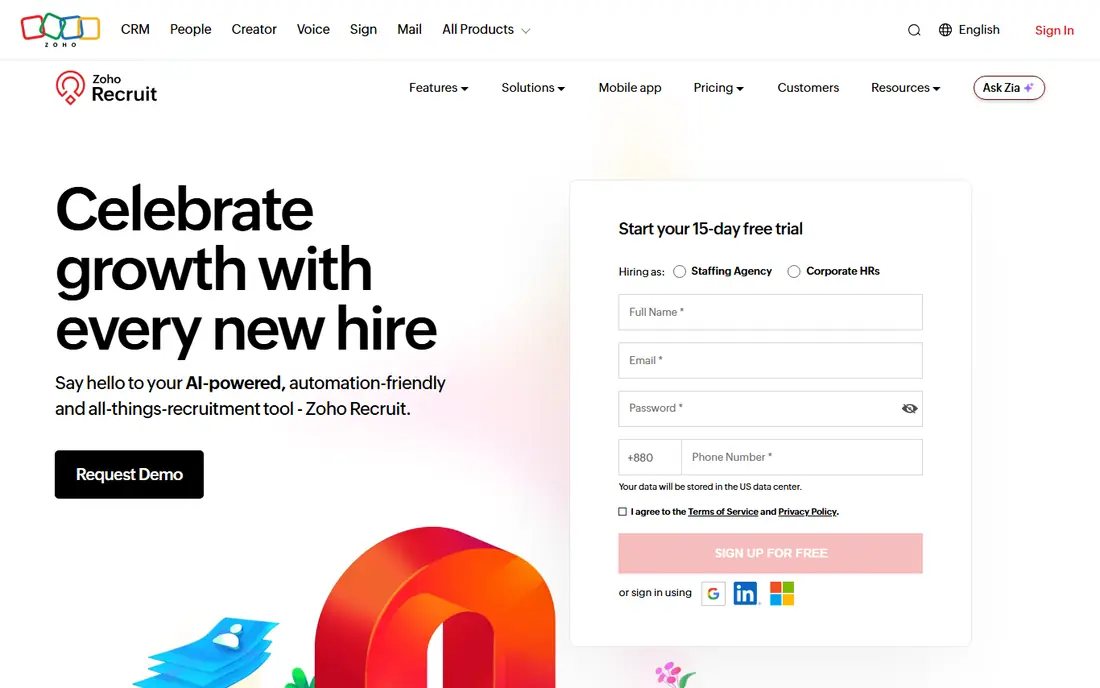
Zoho Recruit is a practical pick for a small business that wants real tracking without a large monthly bill. The free plan covers one recruiter, and paid plans add automation, custom workflows, and deeper reporting as hiring grows. Resume parsing and job board posting save time on the repetitive parts of screening.
The trade is polish. Zoho Recruit packs a lot into each screen, so new users should expect a short learning period. Teams already using Zoho for email, CRM, or HR will get more value, since candidate and client data can flow between Zoho apps. For a first applicant tracking system, it is hard to beat on price.
- Free plan for one recruiter
- Strong fit inside the Zoho suite
- Job posting and resume parsing included
- Interface feels dense for first-time users
- Some advanced automation needs higher tiers
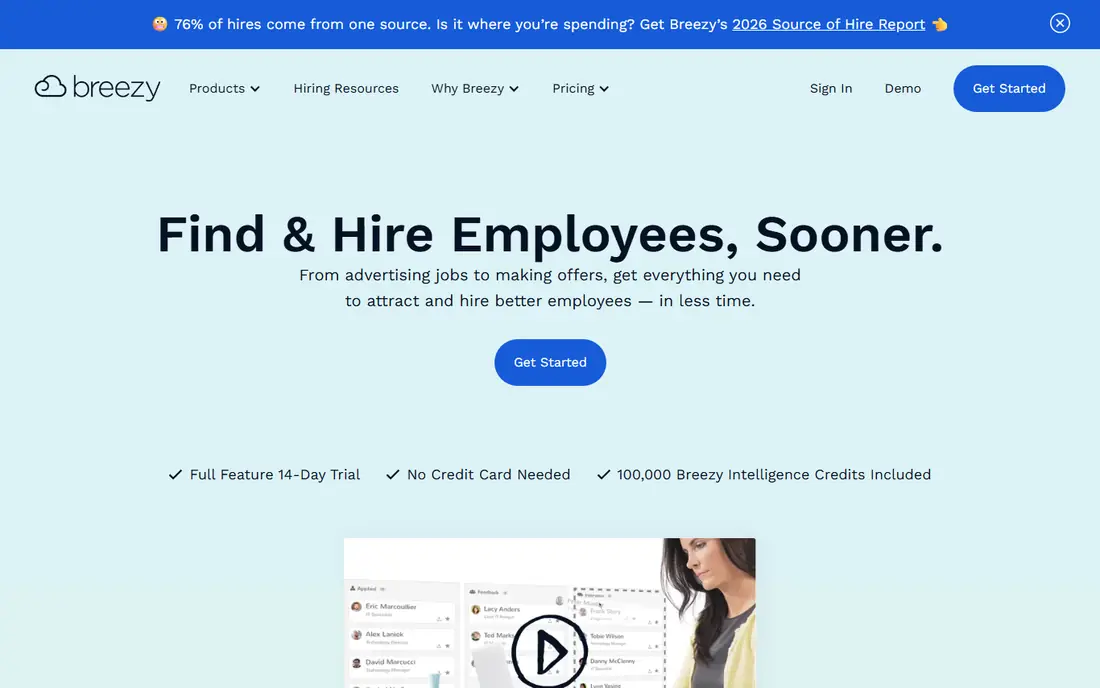
Breezy HR suits teams where every hiring manager needs access. Paid plans charge a flat monthly rate rather than per user, which keeps costs predictable when ten people touch hiring. The visual pipeline makes it easy to see where each candidate stands, and templates speed up job posts and messages.
That simplicity has limits. Breezy HR will not match SeekOut for finding passive candidates, and its analytics suit small teams rather than large talent departments. If your main pain is messy email hiring and slow feedback, Breezy HR fixes that without a complex rollout.
- Flat pricing with unlimited users on paid plans
- Visual drag-and-drop pipelines
- Free plan for basic hiring
- Sourcing depth is lighter than dedicated sourcing tools
- Reporting is simpler than enterprise systems
Manatal is one of the best recruiting software options for small teams that want modern features at a low per-user price. Its pipeline view is clear, its AI tools suggest candidates from your database, and its sourcing tools help you enrich profiles from public sources. At $15 per user per month on annual billing, a three-person team pays far less than with many enterprise tools.
The catch is scale and depth. Larger agencies may want stronger client billing and placement tracking, which dedicated agency systems handle better. For in-house teams and small agencies that mainly need tracking plus light sourcing, Manatal offers strong value for the price.
- Low per-user price
- AI candidate recommendations
- Social media sourcing and enrichment tools
- Agency CRM features are lighter than Recruit CRM
- Support hours vary by region
JazzHR has long served small and mid-size businesses that hire a steady stream of roles. Its workflows guide a job from posting to offer, with interview scheduling, e-signatures, and reporting built in. That structure helps teams that hire without a dedicated recruiter, since the system prompts the next step.
JazzHR is less exciting for sourcing-led hiring, since it focuses on managing applicants rather than finding passive candidates. Teams that already get good application volume will benefit most. Compare its plan pricing with Breezy HR if your hiring volume changes across the year.
- Clear hiring workflows for small teams
- Job posting and candidate messaging included
- Useful compliance and reporting tools
- Pricing is plan-based and varies by hiring volume
- Sourcing tools are basic
Recruit CRM is built for recruitment agencies, and that focus shows. You can track candidates, clients, jobs, and placements in one record, share client portals, and follow fees through the hiring process. That single view saves agencies from stitching an ATS to a separate CRM with spreadsheets.
In-house hiring teams should skip it, since client and placement features add cost without benefit. Agencies should weigh the $95 per user per month Pro tier against Loxo and Bullhorn, and test the workflow with a real client and job before rolling it out to every recruiter.
- Combines ATS and CRM in one system
- Client portals and placement tracking
- Clear per-user pricing tiers
- Price rises fast for larger agency teams
- In-house teams do not need the client billing features
Bullhorn is the enterprise pick for staffing and recruitment firms that place at volume. Its core system covers sourcing, tracking, client management, and placements, and its add-ons cover onboarding, time, and back-office work. For a firm running many recruiters and clients, that breadth matters more than a low starter price.
Smaller agencies should think twice. Bullhorn needs setup time, training, and a budget that fits a $99 per user per month starting tier. If you run a solo desk or a small team, Recruit CRM or Loxo will likely move faster and cost less.
- Deep staffing workflows
- ATS, CRM, and back-office tools in one vendor system
- Strong automation and AI add-ons
- High starting price and implementation effort
- Smaller firms may find it heavy
LinkedIn Recruiter is less a hiring system and more a sourcing engine. When applications do not fill a technical or senior role, its filters and InMail tools let recruiters reach people who are not actively applying. That reach is why many teams keep it even after buying an ATS.
The cost is the honest catch. LinkedIn Recruiter seats are priced by quote in many cases, and estimates place them well above a basic ATS seat. Use it when sourcing is your bottleneck, track response rates by role, and keep your ATS as the system of record for pipelines and compliance.
- Largest professional network for sourcing
- Strong filters for skills, titles, and companies
- InMail outreach built in
- Seat pricing is high and often quoted
- Works best as an add-on to an ATS, not a replacement
SeekOut suits teams that source hard-to-fill roles. Its database spans many public profiles, and its filters help recruiters narrow by skills, experience, and background without relying only on job board applications. Diversity filters also help teams build broader shortlists when used with care and lawful hiring practices.
SeekOut is not a full ATS, so budget for both tools if you adopt it. At $149 per seat per month on annual billing for its sourcing tier, it fits teams with regular sourcing needs better than occasional hiring. Try the trial on a live role and judge it by qualified replies, not by profile counts alone.
- Very large profile database
- Deep filters for skills and background
- Diversity sourcing tools for inclusive hiring
- High seat price for small teams
- Needs an ATS alongside it for full hiring workflow
How we picked these
We compared official feature pages, pricing pages, and public reviews, and we favored tools that cover a real hiring job: tracking applicants, sourcing candidates, managing clients, or both. We included in-house ATS tools, agency ATS and CRM tools, and sourcing tools, because the best recruiting platforms for one team may be the wrong fit for another. We left out tools that have been folded into larger suites and no longer sell as a standalone product.
We did not claim hands-on lab testing. Our judgments rest on documented features, published pricing where available, and public reviews, which is enough to shortlist tools and to flag where a quote is needed.
How to choose the right recruiting tool
Start by naming your hiring type. In-house teams need an ATS first, agencies need an ATS plus CRM, and sourcing-led teams need a sourcing tool on top of an ATS. Buying an agency CRM for in-house hiring, or an ATS with no sourcing for a hard technical role, wastes money in different ways.
Next, model the real cost. Per-user pricing wins for small teams, while flat pricing wins when many hiring managers need logins. Add sourcing seats, job board costs, and background checks to the total before you compare headline prices. Finally, run a live role through the trial: post the job, move candidates, schedule interviews, and send an offer. A tool that feels fast on a demo but slow on a real pipeline will cost you candidates.
Sources
- https://www.workable.com
- https://www.zoho.com/recruit/
- https://breezy.hr
- https://www.manatal.com
- https://www.jazzhr.com
- https://recruitcrm.io
- https://www.bullhorn.com
- https://www.linkedin.com/talent
- https://www.seekout.com
- https://jugglehire.com/blog/recruitment-software/top-recruiting-software
- https://www.sitepoint.com/ai-recruiting-tools-for-agencies/