Best Resume Builder App in 2026: 9 Options Compared
By ToolNimba Editorial Team November 9, 2026 12 min read

- Top pick
 FlowCV
Truly free PDF resumes with clean templates
Starting price$5 per monthCheck out FlowCVRead our review - Runner-up
 Kickresume
Free templates with AI help and cover letters
Starting price$19 per monthCheck out KickresumeRead our review - Also great
 Zety
Guided writing with professional templates
Starting price$23.70 per monthCheck out ZetyRead our review
How we researched this
We compared official pricing and feature pages, app store listings, privacy policies and public user reviews. Prices change, so check the provider's site before you pay.
Key takeaways
- FlowCV and Kickresume are the strongest truly free options, with free PDF downloads.
- Zety, Resume.io, ResumeGenius, and MyPerfectResume charge at export, often through trials that renew automatically.
- Canva suits creative resumes, but not every template is friendly to applicant tracking systems.
- For most corporate roles, a clean, simple template beats a highly designed one.
Quick comparison
| Name | Best for | Starting price | Free plan | |
|---|---|---|---|---|
| FlowCV | Truly free PDF resumes with clean templates | $5 per month | Yes | Visit |
| Kickresume | Free templates with AI help and cover letters | $19 per month | Yes | Visit |
| Zety | Guided writing with professional templates | $23.70 per month | Yes | Visit |
 Resume.io | Fast, simple resumes with LinkedIn import | $29.95 per 4 weeks | Yes | Visit |
 Novoresume | One-page resumes with real-time feedback | $23.99 per month | Yes | Visit |
 Canva | Creative design control for visual resumes | $12.99 per month | Yes | Visit |
 ResumeGenius | Beginner-friendly builder with sample phrases | $23.95 per 4 weeks | Yes | Visit |
 Enhancv | Modern, story-led resumes with branding sections | $24.99 per month | Yes | Visit |
 Indeed | Free resumes tied to job applications | Free | Yes | Visit |
The best resume builder apps
Resume builders differ most at the export step. Some let you download a clean PDF for free, while others let you build for free and charge to download anything beyond plain text. Check that detail before you spend an hour on a resume you cannot use.
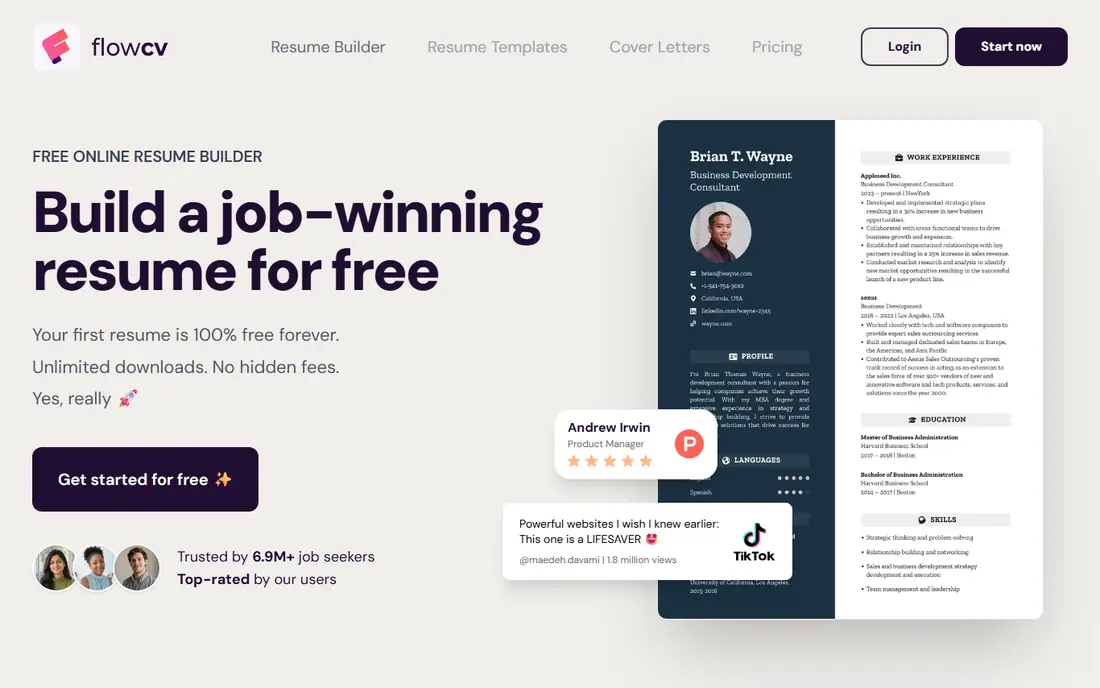
For readers who want truly free pdf resumes with clean templates, FlowCV is a natural place to start. FlowCV stands out because its free plan lets you download a PDF without a watermark, which is the test most free builders fail. Templates are clean and employer-friendly. That focus matters because it shapes what you see each day, what you pay for, and what you can skip. We compared its official feature and pricing pages with what other users report, and the picture is consistent: the core tools work as described, while the extras vary in value.
The free plan covers one resume in some listings, so readers with several versions may need Pro. Even so, Pro at $5 a month billed yearly is cheaper than most rivals. Before you commit, check the current price at checkout, read the cancellation terms, and try the free tier or trial if one is offered. If the fit feels right, it is a sensible pick. If it feels forced, move on rather than paying for features you will not use.
- Free plan with PDF export and no watermark
- Clean templates
- Cover letter support
- Pro features are limited on free
- Template range is smaller than Canva
- No AI writing depth
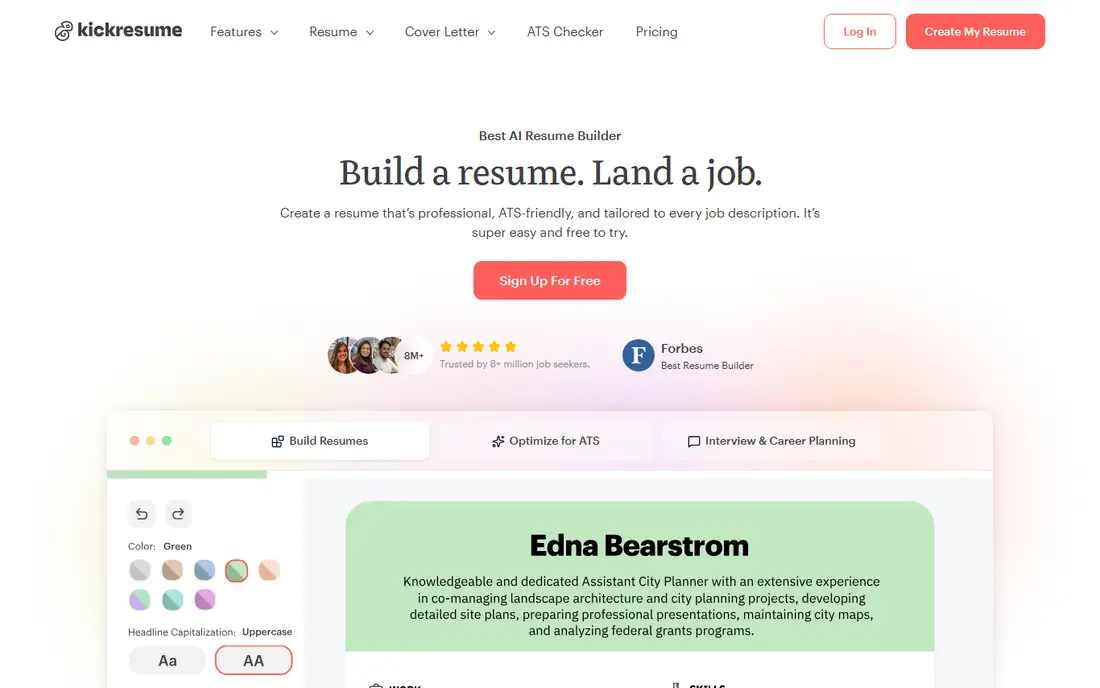
Kickresume suits readers who put free templates with ai help and cover letters first, and it shows in how the service is set up. Kickresume pairs a usable free plan with AI writing help and cover letters, which suits first-time builders who need wording ideas. That focus matters because it shapes what you see each day, what you pay for, and what you can skip. We compared its official feature and pricing pages with what other users report, and the picture is consistent: the core tools work as described, while the extras vary in value.
The monthly price looks steep next to FlowCV. Use the free plan first, and only pay if you need the full template range or AI features often. Before you commit, check the current price at checkout, read the cancellation terms, and try the free tier or trial if one is offered. If the fit feels right, it is a sensible pick. If it feels forced, move on rather than paying for features you will not use.
- Free plan with templates and unlimited downloads in some listings
- AI writing
- Cover letters
- Monthly price is high
- Free templates are basic
- Premium needed for full range
If guided writing with professional templates is your main goal, Zety deserves a close look before you pay anywhere else. Zety guides you step by step with suggested phrases and a clean layout, which helps readers who struggle to start a resume from a blank page. That focus matters because it shapes what you see each day, what you pay for, and what you can skip. We compared its official feature and pricing pages with what other users report, and the picture is consistent: the core tools work as described, while the extras vary in value.
The catch is export. PDF and Word downloads need a paid plan that often starts as a trial and renews automatically, so read the renewal terms before you enter payment details. Before you commit, check the current price at checkout, read the cancellation terms, and try the free tier or trial if one is offered. If the fit feels right, it is a sensible pick. If it feels forced, move on rather than paying for features you will not use.
- Guided builder
- Professional templates
- Cover letter builder
- Resume tips
- Free download is plain text only
- Trial renews at a high rate
- Monthly price is high
Resume.io takes a different route to fast, simple resumes with linkedin import, which is part of its appeal. Resume.io is fast. Import from LinkedIn, pick a template, and edit in minutes, which suits readers applying to many roles quickly. That focus matters because it shapes what you see each day, what you pay for, and what you can skip. We compared its official feature and pricing pages with what other users report, and the picture is consistent: the core tools work as described, while the extras vary in value.
The pricing model is the warning. A low trial price that renews every four weeks can cost far more than expected, so set a calendar reminder if you trial it. Before you commit, check the current price at checkout, read the cancellation terms, and try the free tier or trial if one is offered. If the fit feels right, it is a sensible pick. If it feels forced, move on rather than paying for features you will not use.
- Fast builder
- LinkedIn import
- Many templates
- Cover letters
- Free download is plain text only
- Trial renews at $29.95 every 4 weeks
- Price varies by country
Readers focused on one-page resumes with real-time feedback will find Novoresume easy to understand from the first visit. Novoresume gives live feedback on content and layout, which helps you tighten a one-page resume. Its templates are clean and easy for recruiters to scan. That focus matters because it shapes what you see each day, what you pay for, and what you can skip. We compared its official feature and pricing pages with what other users report, and the picture is consistent: the core tools work as described, while the extras vary in value.
The free plan is narrow, and Premium is pricey. It suits readers who want feedback on a single strong resume, not many versions at once. Before you commit, check the current price at checkout, read the cancellation terms, and try the free tier or trial if one is offered. If the fit feels right, it is a sensible pick. If it feels forced, move on rather than paying for features you will not use.
- Real-time content feedback
- Clean one-page templates
- Multiple export formats
- Premium price is high
- Free plan caps at one one-page version
- No auto-renewal is a plus
Canva is best judged on one question: does it deliver creative design control for visual resumes without extra fuss. Canva gives you full design control, with hundreds of templates and easy PDF export on the free plan. That suits creative roles where visual presentation matters. That focus matters because it shapes what you see each day, what you pay for, and what you can skip. We compared its official feature and pricing pages with what other users report, and the picture is consistent: the core tools work as described, while the extras vary in value.
For corporate roles, a highly designed template can hurt applicant tracking scans. Pick a simple, single-column template and keep headings standard if you use Canva for those roles. Before you commit, check the current price at checkout, read the cancellation terms, and try the free tier or trial if one is offered. If the fit feels right, it is a sensible pick. If it feels forced, move on rather than paying for features you will not use.
- Huge template library
- Drag-and-drop design
- Free PDF export
- Not all templates are ATS-friendly
- Pro price varies
- Design can distract from content
For beginner-friendly builder with sample phrases, ResumeGenius is one of the more dependable names on this list. Its wizard and sample phrases help beginners who do not know how to phrase experience. That guidance is the main reason to consider it over a blank template. That focus matters because it shapes what you see each day, what you pay for, and what you can skip. We compared its official feature and pricing pages with what other users report, and the picture is consistent: the core tools work as described, while the extras vary in value.
Like Zety and Resume.io, the free tier only gives plain text. PDF downloads need a paid plan, so check the trial and renewal terms before you pay. Before you commit, check the current price at checkout, read the cancellation terms, and try the free tier or trial if one is offered. If the fit feels right, it is a sensible pick. If it feels forced, move on rather than paying for features you will not use.
- Step-by-step wizard
- Sample bullet points by role
- Cover letter tools
- Free download is plain text only
- Trial renews automatically
- Monthly cost is high
Enhancv earns its place here through its approach to modern, story-led resumes with branding sections, not through hype. Enhancv suits readers who want a modern resume with sections for strengths, culture fit, and achievements, not just job history. That focus matters because it shapes what you see each day, what you pay for, and what you can skip. We compared its official feature and pricing pages with what other users report, and the picture is consistent: the core tools work as described, while the extras vary in value.
The free plan is limited and adds branding to the PDF, so it is best as a trial. For standard corporate applications, a simpler template may scan better. Before you commit, check the current price at checkout, read the cancellation terms, and try the free tier or trial if one is offered. If the fit feels right, it is a sensible pick. If it feels forced, move on rather than paying for features you will not use.
- Modern templates
- Branding and story sections
- Resume checker
- Free plan adds branding and caps sections
- Premium price is high
- Design-heavy for some roles
When free resumes tied to job applications matters most, Indeed gives you a clear, practical way to get started. Indeed lets you build and use a resume for free, then apply directly to jobs on the platform. That direct path is useful when you are actively applying. That focus matters because it shapes what you see each day, what you pay for, and what you can skip. We compared its official feature and pricing pages with what other users report, and the picture is consistent: the core tools work as described, while the extras vary in value.
Design options are basic, and the resume works best inside Indeed. For applications outside Indeed, export a PDF and check the layout before you send it. Before you commit, check the current price at checkout, read the cancellation terms, and try the free tier or trial if one is offered. If the fit feels right, it is a sensible pick. If it feels forced, move on rather than paying for features you will not use.
- Free resume builder
- Direct job applications
- Simple templates
- Customisation is basic
- Designs are plain
- Best used inside Indeed
How we picked these
We compared official feature pages, pricing pages, app store listings, privacy information, and public user feedback for each option, and we kept only products that exist now and truly fit the topic. We checked starting prices and free tiers where the vendor publishes them, and we wrote See website where a price could not be verified from the vendor. We did not claim hands-on testing, and we favoured options with clear terms and a usable free tier or trial where one exists.
How to choose a resume builder without getting trapped by a trial
First, test the export. Build a short sample resume, then try to download a PDF. If only plain text is free, decide whether the paid price is worth it before you invest more time. Second, pick a template for the role. Corporate and government roles favour simple, single-column layouts with standard headings. Creative roles allow more design, but keep contact details and job titles easy to scan. Third, read trial terms. Many builders charge a small trial fee, then renew every four weeks at a much higher rate, so set a reminder and cancel promptly if you only needed one resume. Finally, tailor each resume to the job. Use words from the job posting naturally, quantify results where you can, and proofread the exported PDF, since formatting can shift between the editor and the final file.
Sources
Frequently asked questions
What is the best free resume builder app?
FlowCV is the strongest truly free option, with free PDF export and no watermark. Kickresume and Indeed also offer usable free plans, while Canva offers free PDF export with design control.
What is the best resume builder tool for ATS?
Simple, single-column templates from FlowCV, Novoresume, or Zety tend to scan best. Avoid heavy graphics, tables, and unusual headings, and keep job titles and dates clear.
Is Zety free?
You can build a resume for free, but PDF and Word downloads need a paid plan. The free download is plain text only, and trials renew automatically, so check terms first.
What is the best resume builder software for beginners?
ResumeGenius and Zety guide beginners step by step with sample phrases. FlowCV is simpler and cheaper if you already know what to write.
Can I build a resume on my phone?
Yes, most builders work in a mobile browser, and Canva and others have apps. A desktop is still easier for careful formatting and proofreading before you export.