Best RPA Software in 2026: 8 Tools Compared
By ToolNimba Editorial Team November 12, 2026 9 min read

- Top pick
 UiPath
Enterprise RPA standard
Starting price$25 per monthCheck out UiPathRead our review - Runner-up
 Automation Anywhere
Cloud-first automation
Starting priceSee websiteCheck out Automation AnywhereRead our review - Also great
 Microsoft Power Automate
Microsoft 365 organizations
Starting price$15 per user per monthCheck out Microsoft Power AutomateRead our review
How we researched this
We compared official pricing and feature pages, app store listings, privacy policies and public user reviews. Prices change, so check the provider's site before you pay.
Key takeaways
- UiPath leads for enterprises standardizing on RPA, with the largest ecosystem and training resources.
- Microsoft Power Automate is the best value inside Microsoft 365, with desktop and cloud automation in one platform.
- Automation Anywhere suits cloud-first enterprises that want managed automation without running infrastructure.
- Blue Prism suits regulated enterprises that need strict governance and audit control over bots.
Quick comparison
| Name | Best for | Starting price | Free plan | |
|---|---|---|---|---|
| UiPath | Enterprise RPA standard | $25 per month | Yes | Visit |
| Automation Anywhere | Cloud-first automation | See website | No | Visit |
| Microsoft Power Automate | Microsoft 365 organizations | $15 per user per month | Free trial | Visit |
 Blue Prism | Regulated enterprises | See website | No | Visit |
 WorkFusion | Intelligent document automation | See website | No | Visit |
 Nintex | Workflow plus RPA | See website | No | Visit |
 Pega | Process design plus automation | See website | No | Visit |
 Sema4.ai | Python-native automation | See website | Yes | Visit |
The best RPA software
Robotic process automation, or RPA, uses software bots to perform repetitive, rule-based tasks in existing applications: copying data between systems, processing invoices, and updating records. Modern platforms now add AI agents that handle less structured work, but the core RPA job remains the same. We compared official pricing pages and feature pages to find platforms for different team sizes and governance needs.
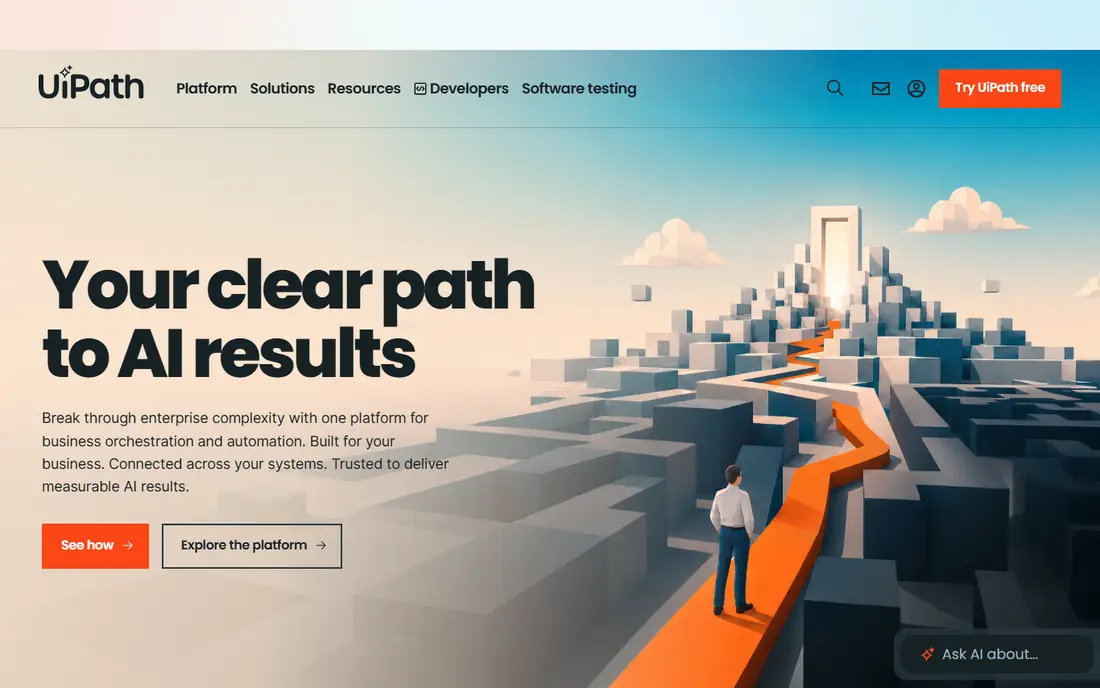
UiPath is the most widely adopted enterprise RPA platform, and its ecosystem is a major reason. Studio for building bots, Orchestrator for running and monitoring them, and a large marketplace of activities cover most automation needs, while UiPath Academy offers free training for developers. Entry pricing starts around $25 per month for a basic plan, with standard and enterprise plans quoted.
That scale comes with complexity. A serious UiPath program needs developers, an orchestrator setup, and governance for bot credentials and change control, which is more than a small team may want. For an enterprise standardizing on RPA and adding AI agents to handle reasoning alongside rule-based bots, UiPath is the safest and most supported choice.
- Largest RPA ecosystem and community
- Free Academy training
- Strong orchestrator and AI agent features
- Enterprise plans are quoted
- Full deployments need dedicated automation staff
Automation Anywhere offers a cloud-first automation platform that combines RPA bots with AI agents and document processing, without requiring customers to run their own bot infrastructure. That managed approach appeals to enterprises that want automation as a service, with security, scaling, and updates handled by the vendor. Free training through its university helps teams build skills.
Pricing is quoted rather than published as a simple rate, and the platform is aimed at enterprise buyers rather than individuals. Teams that only need to automate a few desktop tasks will find Power Automate simpler and cheaper. For a cloud-first enterprise that wants agentic automation at scale, Automation Anywhere is a leading option.
- Cloud-native platform with managed infrastructure
- AI agents plus bots
- Strong document automation
- Pricing is quoted
- Less suited to teams that want a simple desktop tool
Power Automate covers both cloud flows, which connect apps through APIs, and desktop flows, which automate tasks in desktop applications by mimicking user actions. Premium plans run around $15 per user per month, with unattended RPA bots priced per bot per month at a higher rate. For a company already on Microsoft 365, that makes it the cheapest credible RPA entry point.
The pricing layers need care. Premium connectors, AI Builder, and unattended bots sit behind paid plans, so a flow that works in testing may need a license upgrade in production. At very large bot scale, pure RPA platforms offer deeper orchestration. For most organizations, though, Power Automate automates the majority of real tasks inside tools staff already use.
- Included in many Microsoft 365 plans at basic level
- Desktop flows for UI automation
- Huge connector library
- Premium connectors and unattended bots cost extra
- Per-bot pricing adds up at scale
Blue Prism, now part of SS&C, is built for governed enterprise automation. Its control room, audit trails, and credential management suit banks, insurers, and other regulated organizations where every bot action must be traceable. The platform has added AI agents alongside classic RPA, so agents can reason about a task while bots carry out the system steps.
Pricing is quoted, with no public price list, and deployment is heavier than a cloud-native platform. Smaller teams will find it slow and costly to adopt. For a regulated enterprise that needs to prove control over automation to auditors and regulators, Blue Prism remains one of the most trusted names in RPA.
- Strong governance, audit, and security controls
- Proven in banks and regulated industries
- AI agents at scale
- Pricing is quoted with no public rates
- Heavier to deploy than cloud-native rivals
WorkFusion focuses on intelligent automation for operations-heavy work, especially document processing in banking, insurance, and healthcare. Its AI agents read, classify, and extract data from documents, then bots complete the system steps, which suits processes like claims, onboarding, and invoice handling. That document strength sets it apart from general RPA tools.
Pricing is quoted, and its ecosystem is smaller than UiPath's, so teams with very broad automation needs may need additional tools. For an operations team whose bottleneck is documents rather than screen automation, WorkFusion is a focused and proven choice.
- Strong document and data automation
- AI agents for operations work
- Proven in banking and insurance
- Quote-based pricing
- Narrower general RPA ecosystem than UiPath
Nintex combines workflow automation, forms, document generation, and RPA in one platform, which suits mid-market to enterprise teams that need more than bots alone. A process that starts with a form, routes through approvals, and ends with a bot updating a system fits naturally here, without stitching three tools together.
Pure RPA depth is lighter than UiPath or Automation Anywhere, so very large bot fleets may outgrow it. Pricing is quoted. For a team that wants to improve whole processes, not just automate single tasks, Nintex offers a broader toolkit than a bot-only platform.
- Workflow, forms, and RPA in one platform
- Good for mid-market teams
- Process mapping tools
- Pricing is quoted
- RPA depth is lighter than pure-play platforms
Pega is a process platform first and an RPA tool second. It models end-to-end processes and case work, applies AI decisioning, and uses bots where system automation fits. That combination suits large enterprises with complex workflows, such as claims or customer onboarding, where the process design matters as much as the automation itself.
It is an enterprise purchase with quoted pricing and partner-led implementation, not a quick bot tool. Teams that only need to automate a handful of repetitive tasks should start with Power Automate. If the real problem is a broken process rather than a repetitive task, Pega addresses the process itself.
- Process modeling and case management plus automation
- Strong for complex enterprise workflows
- AI decisioning
- Enterprise pricing and implementation
- More than a simple RPA purchase
Sema4.ai, formerly Robocorp, offers a Python-native automation platform rooted in open source tools. Developers build bots and agents in Python, which suits engineering teams that want code control, version control, and standard developer workflows rather than a purely visual builder. A free tier supports learning and small projects.
The ecosystem is smaller than UiPath's, and enterprise governance features sit on commercial plans. Teams without Python skills will find visual platforms easier. For a developer-led team that wants automation as code, with agents deciding and bots executing, Sema4.ai is the most code-friendly option on this list.
- Python-native, open-source-rooted approach
- Good for developer-led teams
- Agent plus bot model
- Smaller ecosystem than UiPath
- Enterprise features need a commercial plan
How we picked these
We compared official pricing pages, feature pages, and documentation for RPA platforms, and we kept tools that automate tasks in existing applications with bots, not just connect apps through APIs. We included enterprise leaders, a Microsoft option, and a developer-friendly platform so different buyers are covered. We left out simple workflow connectors that offer no desktop or UI automation, since this list is about RPA.
How to choose an RPA platform
Start with the process, not the platform. RPA pays back fastest on high-volume, rule-based, stable processes, and it struggles on processes that change weekly or need human judgment at every step.
Pick processes that suit bots
Good RPA candidates are repetitive, rule-based, and high-volume, with stable screens and clear inputs, such as invoice entry or data migration. Processes with frequent exceptions or changing interfaces need AI agents or process redesign first. A short pilot on one process reveals more than a vendor demo.
Budget beyond licenses
Licenses are only part of the cost. Budget for developers or partners, bot infrastructure, credentials and security reviews, and ongoing maintenance when applications change. Enterprise RPA programs often need a small center of excellence to stay healthy, even if the first bot is built quickly.
Plan governance from the start
Bots use system credentials and touch real data, so access control, audit logs, and change management matter from day one. Regulated teams should favor platforms like Blue Prism or UiPath with strong control rooms, while smaller teams should still document who owns each bot and what it can access.
Sources
Frequently asked questions
What is the best RPA software?
UiPath leads enterprise RPA with the largest ecosystem, while Microsoft Power Automate is the best value inside Microsoft 365. Automation Anywhere leads cloud-native automation, and Blue Prism suits regulated deployments. The best pick depends on scale, cloud stance, and existing software.
How much does RPA software cost?
Enterprise RPA is usually priced by quote, often tens of thousands per year for meaningful deployments. Power Automate offers the cheapest entry inside Microsoft 365, starting around $15 per user per month, with unattended bots priced higher per bot.
Is Microsoft Power Automate real RPA?
Yes, with qualifications. Desktop flows provide UI automation, and cloud flows cover API-based automation. At massive bot scale with complex orchestration, pure RPA platforms offer more depth, but for most organizations Power Automate is genuinely capable.
What is the difference between RPA and AI agents?
RPA automates deterministic, rule-based tasks by mimicking human actions in applications. AI agents handle reasoning, unstructured data, and changing conditions. Modern platforms combine both: agents decide, and robots execute the system steps.
Do I need developers to use RPA software?
For serious programs, yes, or at least trained citizen developers with IT support. Simple desktop flows in Power Automate can be built by business users, but enterprise bot fleets need developers, governance, and maintenance to stay reliable.