Best Shopping Cart Software in 2026: 8 Tools Compared
By ToolNimba Editorial Team November 12, 2026 10 min read

- Top pick
 Shopify
Growing online stores
Starting price$29 per monthCheck out ShopifyRead our review - Runner-up
 WooCommerce
WordPress store owners
Starting priceFreeCheck out WooCommerceRead our review - Also great
 BigCommerce
Larger catalogs and B2B selling
Starting price$29 per monthCheck out BigCommerceRead our review
How we researched this
We compared official pricing and feature pages, app store listings, privacy policies and public user reviews. Prices change, so check the provider's site before you pay.
Key takeaways
- Shopify is our pick for most growing stores because it pairs a polished checkout with a large app library.
- WooCommerce suits WordPress owners who want full control and no monthly platform fee, once hosting is counted.
- BigCommerce is a strong choice when you want many built-in selling features and no extra platform transaction fees.
- A free or low-cost start is real with WooCommerce, Ecwid, Square Online, and some hosted plans, but payment processing still applies.
Quick comparison
| Name | Best for | Starting price | Free plan | |
|---|---|---|---|---|
| Shopify | Growing online stores | $29 per month | Free trial | Visit |
| WooCommerce | WordPress store owners | Free | Yes | Visit |
| BigCommerce | Larger catalogs and B2B selling | $29 per month | Free trial | Visit |
 Wix | Small stores that need a simple builder | See website | Yes | Visit |
 Squarespace | Design-led stores | See website | Free trial | Visit |
 Ecwid | Adding a cart to an existing site | See website | Yes | Visit |
 Shift4Shop | US merchants using Shift4 payments | See website | Free trial | Visit |
 Volusion | Small stores that want built-in tools | See website | Free trial | Visit |
The best shopping cart software
Shopping cart software is the part of a store that turns browsing into payment, so checkout speed, fees, and room to grow matter more than a long feature list. We compared official feature pages, pricing pages, and app store listings, and we kept only tools that are still sold and supported in 2026.

Shopify is the easiest recommendation for a store that expects to grow. The dashboard covers products, orders, discounts, and payments in one place, and the checkout is built to work well on phones. Selling on social channels and marketplaces is also part of the core setup, which saves time for a small team.
The app library is the main reason many stores stay. You can add subscriptions, bundles, loyalty programs, and reviews without rebuilding the store. That flexibility is useful, but it also means the monthly bill can rise past the headline plan price. Check the apps you truly need before you commit.
The catch is the fee structure. If you use Shopify Payments, you avoid an extra platform transaction fee. If you use another payment provider, an added fee applies on top of normal card processing. For most new stores, the Basic plan is a sensible start, and the higher plans make sense when staff accounts, reports, or shipping discounts matter more.
- Polished checkout
- Large app library
- Strong multichannel selling
- Extra costs can build up through apps
- Transaction fees apply without Shopify Payments
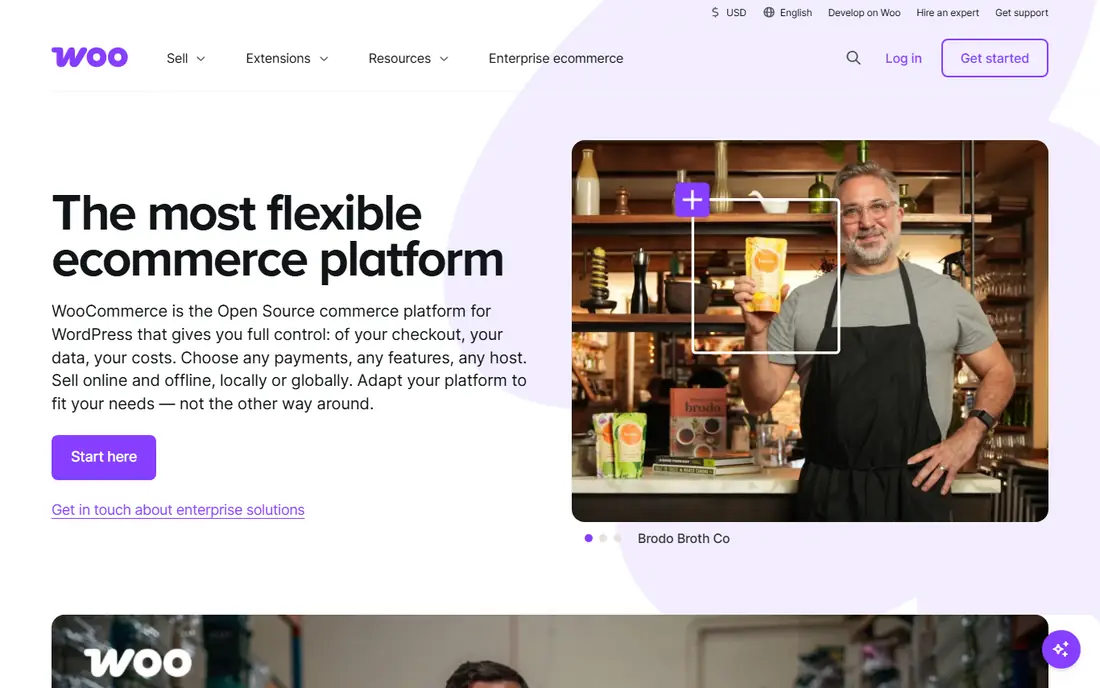
WooCommerce turns a WordPress site into a store, and that matters if content already drives your traffic. Blog posts, landing pages, and product pages can live in the same system, and you keep a high level of control over design and data. The core plugin is free, which keeps the entry cost low.
That freedom comes with work. You pay for hosting, and you choose the theme, payment gateway, and extensions. A simple store can stay cheap, while a store with bookings, memberships, or complex shipping can need several paid extensions. The total cost is therefore less predictable than a hosted plan.
WooCommerce fits owners who are comfortable with WordPress or who have help for updates and backups. If you want a vendor to handle hosting, security patches, and uptime, a hosted platform will feel easier. If ownership and flexibility matter most, this is hard to beat.
- Free core plugin
- Full control over data and design
- Large extension library
- Hosting, security, and updates are your job
- Costs vary by extension

BigCommerce appeals to stores that want fewer add-ons. Product options, discounts, customer groups, and multi-channel selling are built in at a deeper level than on many hosted rivals. That can keep the app bill lower, even if the headline plan looks similar.
The absence of extra platform transaction fees is a clear benefit for higher-volume stores. You still pay your payment provider, but BigCommerce does not add its own cut on top. For a store with steady sales, that difference adds up across a year.
The trade-off is ecosystem size. The app marketplace is smaller than Shopify, and some themes and custom builds need more developer time. BigCommerce is still a strong pick for catalogs with many variants, wholesale buyers, or sales across several channels.
- Many built-in features
- No platform transaction fees
- Strong multi-channel tools
- Fewer apps than Shopify
- Design changes can need more care
Wix is a good fit when you want a store and a website from the same builder. The editor is visual, templates are plentiful, and basic commerce tools such as products, discounts, and payments are close at hand. A solo owner can launch without hiring a developer.
For a small catalog, that simplicity is a real strength. You can update a product, post a page, and send a basic promotion without learning a separate system. The limits show up at scale, where inventory rules, wholesale pricing, or complex fulfillment may need workarounds.
Check the current commerce plan before you buy, because Wix separates website plans from commerce plans. If your catalog is small and design matters, Wix is a friendly start. If you plan rapid growth, compare its commerce limits with Shopify or BigCommerce first.
- Easy drag-and-drop builder
- Many templates
- Built-in marketing tools
- Less suited to very large catalogs
- Switching platforms later takes work
Squarespace suits sellers who care about how the store looks. Templates are clean and consistent, and the editor keeps pages, products, and checkout in one calm workspace. For makers, photographers, and small brands, that polish can matter as much as any single selling feature.
Commerce tools cover the basics well, including products, variants, discounts, and digital goods. The platform is less strong when you need deep inventory control, wholesale rules, or a wide range of third-party commerce apps. A small catalog will rarely hit those limits.
Choose Squarespace when your store is part of a brand site and you want low upkeep. Choose a commerce-first platform when selling rules, fulfillment, or app depth will drive the decision. The free trial is worth using to test checkout on a phone before you pay.
- Clean templates
- Simple setup
- Good for small catalogs and services
- Fewer commerce extensions
- Limited options for complex selling
Ecwid is different from the other tools here because it does not ask you to rebuild your site. You add a store to a website, blog, or social page, and customers can buy without leaving that familiar place. That makes it useful for a side project, a small brand, or a business that already gets traffic elsewhere.
The free plan is a genuine way to test selling, although it limits how many products you can list. Paid plans add more products, discounts, and selling channels. The setup stays simpler than a full platform move, which is the point.
The catch is depth. Ecwid will not match Shopify or BigCommerce for large catalogs, complex promotions, or detailed reporting. If you already have a site you like and you want to add selling with little disruption, it is a practical choice.
- Free starter plan
- Works on an existing site or social page
- Simple setup
- Free plan limits products
- Advanced features need a paid plan
Shift4Shop offers a full online store with product management, marketing tools, and payment processing in one system. For a US merchant who is happy to use Shift4, the pricing structure can be simple, because the plan is built around that payment relationship.
The store tools cover the daily work well, from discounts to search tools and basic customer management. It is less visible in app marketplaces than Shopify, so some niche integrations may need more checking before you switch.
Read the processing terms closely. If you want to keep a different payment provider, the total cost and feature access may change. If Shift4 fits your business, Shift4Shop is a capable option that does not push you toward many add-ons.
- Full feature set on one plan structure
- Built-in marketing tools
- US support focus
- Best value is tied to Shift4 processing
- Less well known outside the US
Volusion has been selling online store software for many years, and its strength is a contained set of built-in tools. You get store management, reporting, and marketing features without hunting through a large app store for every basic job. That can suit an owner who wants a clear, stable setup.
The design side is less striking than Squarespace or Wix, and the ecosystem is smaller than Shopify. That matters if you need a specific integration or a highly custom storefront. For a standard small store, the built-in tools cover most needs.
Use the trial to test product setup, checkout, and reports with your own catalog. If those steps feel smooth and the price fits, Volusion can be a steady choice. If you need many third-party tools, a larger platform is safer.
- Built-in analytics and marketing tools
- Straightforward store setup
- No app overload
- Smaller app ecosystem
- Templates feel less modern than newer rivals
How we picked these
We compared official pricing pages, feature pages, and app store listings for tools that are still sold in 2026. We favored tools with a working checkout, clear pricing or a clear way to get a quote, and a real fit for small to midsize stores. We did not claim hands-on testing, and we left out tools that are only a payment button, only a marketplace, or no longer maintained.
We also weighed total cost, not just the headline plan. Payment processing, apps, themes, and hosting can change the real monthly spend, so we note where those extras are likely. A tool that looks cheap at first can cost more once the features you need are added.
What to check before you choose
Start with your catalog and your channels. A store with ten products and sales from Instagram has different needs from a store with two thousand variants and wholesale buyers. List the features you need on day one, then list the features you may need in a year, and check both lists against each plan.
Next, work out the full cost. Add the plan, expected payment processing, any apps or themes, and hosting if the tool is self-hosted. A free plugin is not free if hosting and extensions cost more than a hosted plan. A hosted plan is not cheap if transaction fees eat the margin on small orders.
Finally, test checkout on a phone. Most shoppers buy on mobile, so a slow or confusing mobile checkout will cost sales no matter how good the dashboard looks. Use a trial, add a real product, apply a discount, and walk through payment, confirmation, and email receipt before you move your catalog.
Sources
Frequently asked questions
What is the cheapest way to start selling online?
WooCommerce and Ecwid both offer a free starting point, although hosting for WooCommerce and product limits for Ecwid still apply. Hosted platforms usually charge a monthly plan plus payment processing, so compare the full cost for your expected sales volume.
Do I need a separate payment provider?
Most tools let you connect a payment provider such as Stripe or PayPal, and some offer their own payments service. Using the platform payment service can remove an extra transaction fee, while using another provider may add one, so read the pricing page for the plan you choose.
Is Shopify better than WooCommerce?
Shopify is easier to run because hosting, security, and updates are handled for you, while WooCommerce gives you more control and no monthly platform fee. Choose Shopify for speed and low upkeep, and WooCommerce if you already use WordPress and want full ownership.
Can I sell on social media with these tools?
Yes, most tools on this list support selling through social channels, marketplaces, or an embed on an existing site. Ecwid is built for adding a store to an existing page, while Shopify and BigCommerce offer wider multi-channel tools for growing brands.
What fees should I watch besides the monthly plan?
Watch payment processing fees, platform transaction fees, app subscriptions, theme costs, and hosting for self-hosted tools. Small percentage fees matter at scale, so model them on your average order value before you choose a plan.