Best Speech to Text Software in 2026: 8 Tools Compared
By ToolNimba Editorial Team November 9, 2026 9 min read

- Top pick
 Otter.ai
Live meeting transcription
Starting price$8.33 per user per monthCheck out Otter.aiRead our review - Runner-up
 Rev
Human-level accuracy
Starting price$14.99 per monthCheck out RevRead our review - Also great
 Descript
Editing audio and video by text
Starting price$16 per monthCheck out DescriptRead our review
How we researched this
We compared official pricing and feature pages, app store listings, privacy policies and public user reviews. Prices change, so check the provider's site before you pay.
Key takeaways
- Otter.ai is our pick for most people who transcribe meetings, with a free plan that covers 300 minutes a month.
- Notta gives the most generous free allowance for file transcription, at 120 minutes a month, and supports many languages.
- Descript is the best choice when you also want to edit audio or video by editing the transcript text.
- Rev is the pick when accuracy matters most, because it offers human transcription alongside its AI option.
- Pay-as-you-go tools such as Temi and Sonix suit occasional users better than a monthly subscription.
Quick comparison
| Name | Best for | Starting price | Free plan | |
|---|---|---|---|---|
| Otter.ai | Live meeting transcription | $8.33 per user per month | Yes | Visit |
| Rev | Human-level accuracy | $14.99 per month | Free trial | Visit |
| Descript | Editing audio and video by text | $16 per month | Yes | Visit |
 Notta | Multilingual file transcription | $8.17 per month | Yes | Visit |
 Trint | Newsrooms and media teams | $52 per seat per month | Free trial | Visit |
 Sonix | Pay-as-you-go transcription | $10 per audio hour | Free trial | Visit |
 Fireflies.ai | Meeting notes with CRM links | $10 per seat per month | Yes | Visit |
 Temi | Cheap occasional transcription | $0.25 per minute | No | Visit |
The best speech to text software
We compared official pricing pages, feature pages, app store listings and public reviews for eight transcription tools. The right pick depends on how you work, how much audio you have, and how clean the transcript needs to be.
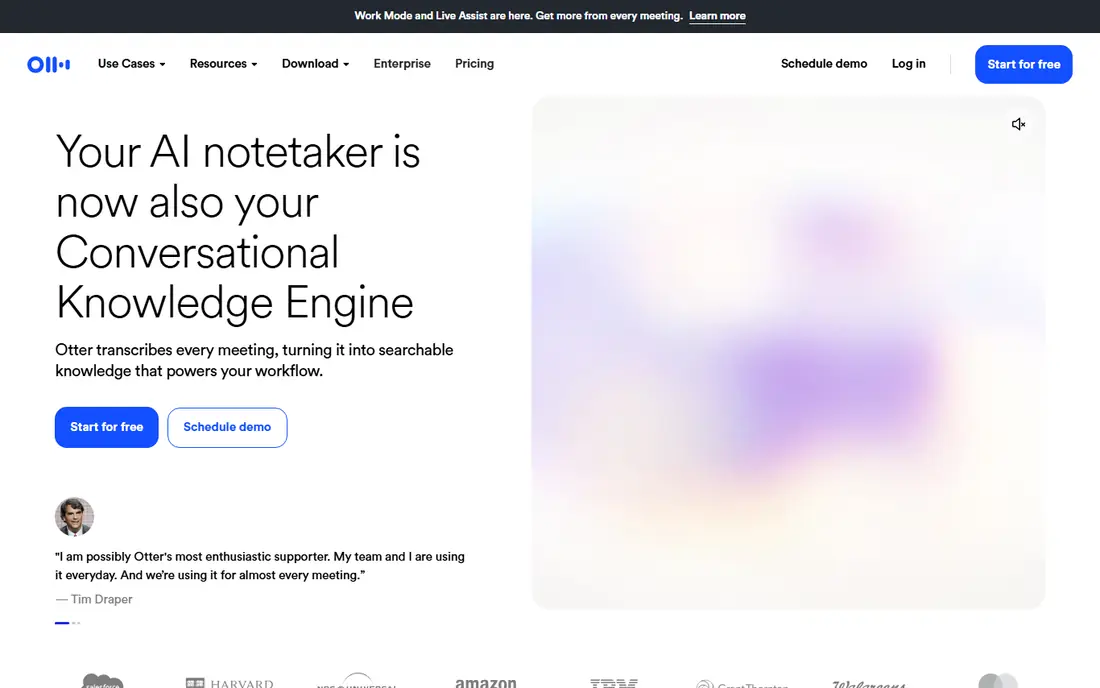
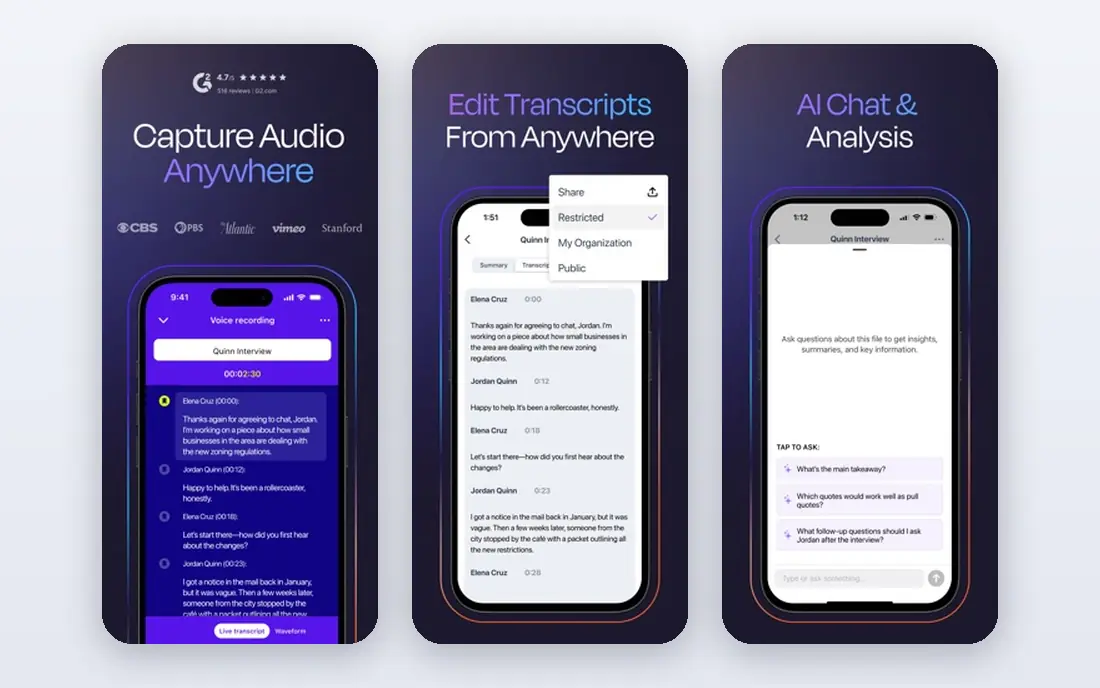
Otter.ai is our pick for most people, and the reason is simple. It joins your meetings, transcribes as people speak, and turns the result into a searchable record with a summary and action items. The free Basic plan covers 300 minutes a month, which is enough for a handful of short calls each week, and the Pro plan raises that to 1,200 minutes a month.
The catch is the set of limits around the free plan. Meetings are capped at 30 minutes, file imports are limited, and only your most recent conversations stay in full history. If your calls run long or you transcribe files often, you will hit those limits fast. Still, for everyday meeting notes, Otter.ai is the easiest place to start.
- Live transcription for Zoom, Google Meet and Teams
- Searchable transcripts with summaries
- Generous free allowance
- Free plan caps meetings at 30 minutes
- Accuracy drops with heavy accents or background noise
Rev stands apart because it does not ask you to choose between speed and accuracy. Its AI service handles routine audio quickly, and its human service handles audio where every word matters, such as interviews, legal recordings and research material. That two-track approach is rare, and it is why professionals keep coming back to Rev.
The trade-off is price. Human transcription is charged per minute, so a long recording can get expensive, and the AI subscription is a separate cost to weigh. If you only need rough notes from a team call, a cheaper tool will do. If the transcript will be quoted, published or filed, Rev is worth the extra spend.
- AI transcription plus human transcription
- Captions and subtitles
- Good for legal and research work
- Human transcription costs far more per minute
- AI plan limits need checking before you commit
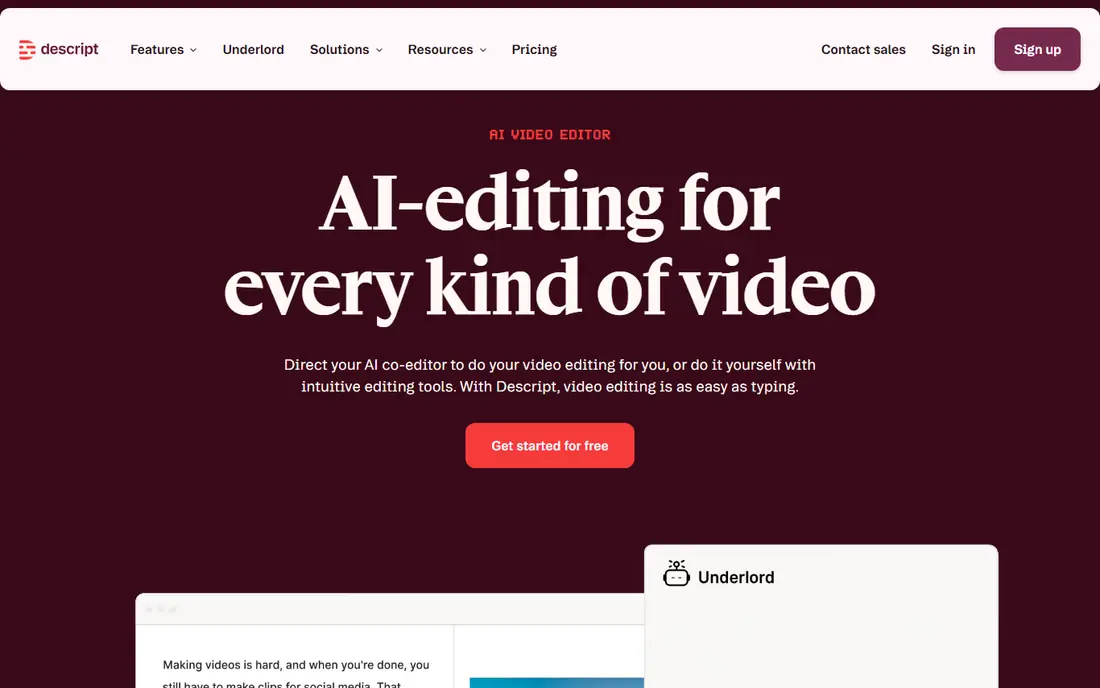
Descript is not just a transcription tool. It turns your recording into an editable document, so deleting a sentence in the text removes that part of the audio or video. That single idea saves podcasters and video creators a large amount of editing time, and it is the reason Descript has a loyal following among creators.
The free plan gives you one hour of media a month with watermarked video exports, which is enough to test the workflow. The Hobbyist plan starts at 16 dollars a month with annual billing and raises the allowance to about 10 hours. The honest catch is metering. AI tools such as Studio Sound draw on credits, so heavy users should read the plan limits before they sign up.
- Edit media by editing words
- Studio Sound cleanup
- Screen recording built in
- Transcription is metered by media hours
- AI features use credits on paid plans
Notta is the best value for people who transcribe files rather than live meetings. Its free plan gives 120 minutes a month, which beats most rivals, and its Pro plan covers 1,800 minutes a month for about 8.17 dollars a month with annual billing. Support for many languages makes it a strong pick for teams that work across borders.
The limits are real but clear. Free conversations are capped at 3 minutes each, so the free plan suits short clips and testing rather than long lectures. Business users get more minutes and team features at a higher price. If your audio is mostly short files in more than one language, Notta is hard to beat on price.
- 120 free minutes a month
- Supports many languages
- Transcript translation and summaries
- Free conversations are capped at 3 minutes
- Higher plans are needed for long recordings
Trint is built for teams that live inside transcripts. Journalists, researchers and media producers can search across hours of material, edit collaboratively, and pull quotes fast. The editor is designed for that workflow, with speaker labels and tools that suit long interviews and press material.
The price puts it out of reach for casual users. The Starter plan starts at 52 dollars per seat per month with annual billing, and there is no ongoing free plan, only a 7-day trial. If you transcribe a few calls a month, look elsewhere. If transcripts are your raw material, the time saved can justify the cost.
- Collaborative transcript editing
- Speaker identification
- Good search across large archives
- No free plan, only a trial
- Entry price is high for individuals
Sonix suits people whose transcription needs come in bursts. The Standard plan charges 10 dollars per audio hour with no monthly subscription, so a quiet month costs nothing. The Premium plan adds a monthly fee plus a lower per-hour rate, which suits steadier users who still want flexibility.
That flexibility has a ceiling. At 10 hours a month, pay-as-you-go costs far more than a Notta or Otter subscription, so regular users should compare the maths before committing. Sonix also offers a short trial rather than a free plan, so test it with a real file before you pay. For occasional, multilingual work, it remains a clean and honest option.
- Pay only for what you transcribe
- Many languages
- In-browser editor with timestamps
- Costs add up fast at high volume
- Subscription plus per-hour fees on Premium
Fireflies.ai is the pick for sales and customer teams that want meeting notes to land in their CRM without extra work. Its bot joins Zoom, Google Meet and Teams calls, transcribes them, and pushes summaries and action items into tools such as Salesforce and HubSpot. The free tier offers transcription with storage limits, which is generous for a first look.
The detail to watch is the credit system. AI features draw on credits each month, and heavy users may need extra packs. That makes the headline price only part of the story. Even so, teams that already live in a CRM will find Fireflies.ai fits their workflow better than a standalone transcriber.
- Bot joins meetings automatically
- Unlimited transcription on free tier within storage limits
- Many CRM integrations
- AI credits are metered on paid plans
- Storage limits apply on the free tier
Temi is the simplest tool on this list, and that is its strength. You upload a file, pay 25 cents per minute, and get a machine transcript back, with no subscription to manage. For someone who transcribes a handful of short recordings each year, that is cheaper and less hassle than any monthly plan.
The trade-off is depth. Temi does not offer the meeting bots, summaries, CRM links or team workspaces that the bigger tools provide, and there is no free plan for testing beyond a short sample. Treat it as a transcription utility rather than a meeting platform. Used that way, it is excellent value.
- Very low per-minute price
- No subscription
- Fast turnaround for short files
- No free plan
- Fewer editing and collaboration features than rivals
How we picked these
We compared official feature pages, pricing pages, app store listings and public reviews for each tool, and we kept only tools that are live and widely available in the US. We looked at free allowances, paid entry prices, language support, editing tools and the honest limits of each plan. We did not claim hands-on testing that did not happen, and prices here reflect the vendor pages and pricing roundups we checked in October 2026, so confirm the current price before you buy.
What to check before you pay
Start with your volume. If you transcribe under five hours a month, a free plan or a pay-as-you-go tool will usually cover you, and a subscription would waste money. If you pass ten hours a month, compare the monthly minute or hour allowance, not just the headline price, because overage charges change the real cost fast.
Accuracy and audio quality
No AI transcriber is perfect on noisy audio, overlapping speakers or strong accents. Test each shortlisted tool with the same difficult clip before you commit, and check how easy it is to correct errors in the editor. If the transcript will be published or used as evidence, budget for human transcription or a careful proofread.
Privacy and consent
Meeting transcription records other people, so check the privacy policy and your local recording consent rules before you use a bot on a call. Tell participants that the call is being transcribed, and choose a tool that lets you control retention and sharing. Teams handling sensitive material should favour plans with admin controls and clear data policies.
Sources
Frequently asked questions
What is the best speech to text software for meetings?
Otter.ai is our pick for most meeting users, because its bot joins common video platforms, its free plan covers 300 minutes a month, and its summaries make past meetings searchable. Fireflies.ai is a strong alternative for teams that want notes pushed into a CRM.
What is the best free speech to text software?
Notta and Otter.ai offer the most useful free plans, with 120 and 300 minutes a month respectively. Notta suits file transcription, while Otter.ai suits live meetings, so pick based on whether your audio is live or recorded.
What is the best voice to text software for dictation?
For dictation, look for a tool with a mobile app and fast editing, such as Otter.ai or Notta, and test it with your own voice and accent. Built-in dictation on your phone or computer can also work well for short notes, and it costs nothing extra.
Is human transcription worth the extra cost?
Human transcription is worth it when the transcript will be quoted, published, filed or used in research, because AI still makes errors on names, numbers and overlapping speech. For internal notes, AI transcription plus a quick proofread is usually enough.
How accurate is AI speech to text software?
Accuracy varies with audio quality, accents and background noise, and vendor claims usually describe clean audio. Expect good results on clear, single-speaker recordings, and plan to edit transcripts from noisy calls or group discussions.