Best Study Apps for Students in 2026: 9 Options Compared
By ToolNimba Editorial Team November 9, 2026 12 min read

- Top pick
 Quizlet
Easy flashcards and study modes
Starting price$7.99 per monthCheck out QuizletRead our review - Runner-up
 Anki
Spaced repetition for long-term memory
Starting priceFreeCheck out AnkiRead our review - Also great
 Notion
Notes, planning, and semester dashboards
Starting price$10 per monthCheck out NotionRead our review
How we researched this
We compared official pricing and feature pages, app store listings, privacy policies and public user reviews. Prices change, so check the provider's site before you pay.
Key takeaways
- Anki is the strongest free tool for long-term memory, thanks to spaced repetition.
- Quizlet is easier to start with, but its free Learn mode is capped and Plus costs $35.99 a year in some listings.
- Notion is free for students with a school email on Plus, and it suits planning and notes in one place.
- Forest helps focus by turning phone-free time into a small game, which suits students who get distracted easily.
Quick comparison
| Name | Best for | Starting price | Free plan | |
|---|---|---|---|---|
| Quizlet | Easy flashcards and study modes | $7.99 per month | Yes | Visit |
| Anki | Spaced repetition for long-term memory | Free | Yes | Visit |
| Notion | Notes, planning, and semester dashboards | $10 per month | Yes | Visit |
 Forest | Focus timer that discourages phone use | See website | Yes | Visit |
 Khan Academy | Free lessons and practice for many subjects | Free | Yes | Visit |
 Goodnotes | Handwritten notes and PDF annotation on tablets | $11.99 per year | Yes | Visit |
 Microsoft OneNote | Free notes across every device | Free | Yes | Visit |
 Brainscape | Flashcards with confidence-based repetition | $7.99 per month | Yes | Visit |
 Knowt | Free Learn mode with Quizlet imports | $24.99 per month | Yes | Visit |
The best study apps for students
Study apps work best as a small set, not a large collection. Most students need one tool for memory, one for notes, one for focus, and one for deadlines. The apps below cover those jobs, and mixing more than one per job usually hurts more than it helps.
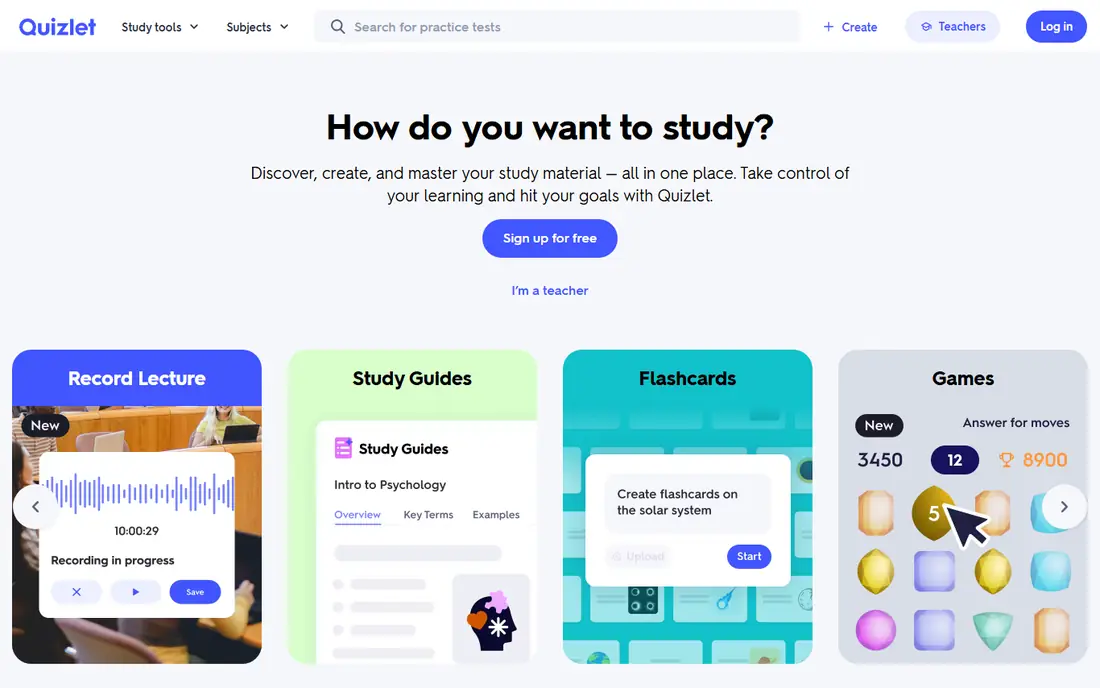
For readers who want easy flashcards and study modes, Quizlet is a natural place to start. Quizlet is the easiest flashcard app to start with, because you can find shared sets for many courses and start studying in minutes. That focus matters because it shapes what you see each day, what you pay for, and what you can skip. We compared its official feature and pricing pages with what other users report, and the picture is consistent: the core tools work as described, while the extras vary in value.
The free tier limits Learn rounds, so heavy users will hit the paywall. Plus is listed near $35.99 a year on the web in some checks, so compare that with free Anki first. Before you commit, check the current price at checkout, read the cancellation terms, and try the free tier or trial if one is offered. If the fit feels right, it is a sensible pick. If it feels forced, move on rather than paying for features you will not use.
- Large shared flashcard library
- Learn, Match, and Test modes
- Easy set creation
- Free Learn mode is capped
- Ads on free tier
- Plus needed for full features

Anki suits readers who put spaced repetition for long-term memory first, and it shows in how the service is set up. Anki uses spaced repetition to show cards just before you forget them, which helps long-term retention for exams and languages. Desktop and Android versions are free. That focus matters because it shapes what you see each day, what you pay for, and what you can skip. We compared its official feature and pricing pages with what other users report, and the picture is consistent: the core tools work as described, while the extras vary in value.
The iPhone app is a one-time $24.99 purchase, and setup takes effort. It rewards students who build their own decks and study daily, not casual crammers. Before you commit, check the current price at checkout, read the cancellation terms, and try the free tier or trial if one is offered. If the fit feels right, it is a sensible pick. If it feels forced, move on rather than paying for features you will not use.
- Spaced repetition algorithm
- Custom decks
- Desktop and Android free
- IPhone app costs $24.99 once
- Setup takes time
- Design is plain
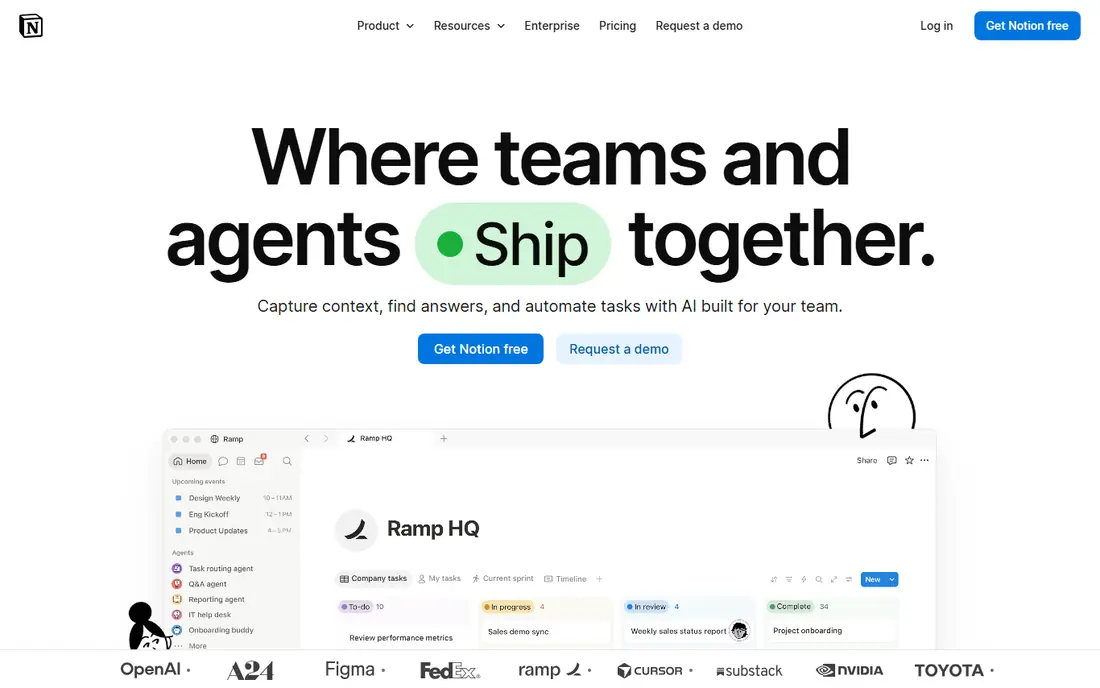
If notes, planning, and semester dashboards is your main goal, Notion deserves a close look before you pay anywhere else. Notion lets you keep syllabi, notes, deadlines, and reading lists in one searchable workspace, with templates for semester planning. That focus matters because it shapes what you see each day, what you pay for, and what you can skip. We compared its official feature and pricing pages with what other users report, and the picture is consistent: the core tools work as described, while the extras vary in value.
The free plan caps file sizes and history, and full AI features need a higher plan. It is best as an organiser, not as a flashcard replacement. Before you commit, check the current price at checkout, read the cancellation terms, and try the free tier or trial if one is offered. If the fit feels right, it is a sensible pick. If it feels forced, move on rather than paying for features you will not use.
- Flexible notes and databases
- Templates
- Plus free for students with a school email
- File limit on free plan
- Full AI needs Business plan
- Offline use is limited on web
Forest takes a different route to focus timer that discourages phone use, which is part of its appeal. Forest turns focus into a simple game: plant a tree, stay off your phone, and watch it grow. That gentle pressure helps students who check their phone every few minutes. That focus matters because it shapes what you see each day, what you pay for, and what you can skip. We compared its official feature and pricing pages with what other users report, and the picture is consistent: the core tools work as described, while the extras vary in value.
It does not teach content. Pair it with Anki or Quizlet for memory, and use Forest only for the focus part of a study session. Before you commit, check the current price at checkout, read the cancellation terms, and try the free tier or trial if one is offered. If the fit feels right, it is a sensible pick. If it feels forced, move on rather than paying for features you will not use.
- Focus timer with a growing tree
- App blocking
- Friends and challenges
- Paid Plus adds features
- Focus only helps if you respect the timer
- Limited study content
Readers focused on free lessons and practice for many subjects will find Khan Academy easy to understand from the first visit. Khan Academy offers free lessons and practice across maths, science, computing, and test prep, with progress tracking that shows weak areas. That focus matters because it shapes what you see each day, what you pay for, and what you can skip. We compared its official feature and pricing pages with what other users report, and the picture is consistent: the core tools work as described, while the extras vary in value.
It teaches, but it does not organise your semester or test memory with spaced repetition. Use it for learning, and pair it with Anki for recall. Before you commit, check the current price at checkout, read the cancellation terms, and try the free tier or trial if one is offered. If the fit feels right, it is a sensible pick. If it feels forced, move on rather than paying for features you will not use.
- Free video lessons and practice
- Maths, science, and test prep
- Progress tracking
- Not a note or flashcard app
- Depth varies by subject
- No offline app for all content
Goodnotes is best judged on one question: does it deliver handwritten notes and pdf annotation on tablets without extra fuss. Goodnotes suits tablet users who handwrite notes and annotate PDFs, with search across handwriting and typed text. That focus matters because it shapes what you see each day, what you pay for, and what you can skip. We compared its official feature and pricing pages with what other users report, and the picture is consistent: the core tools work as described, while the extras vary in value.
The free plan is narrow, and the best experience is on iPad. If you type notes on a laptop, Notion or OneNote may be a better fit. Before you commit, check the current price at checkout, read the cancellation terms, and try the free tier or trial if one is offered. If the fit feels right, it is a sensible pick. If it feels forced, move on rather than paying for features you will not use.
- Handwriting and PDF annotation
- Searchable notes
- Templates
- Free plan caps at 3 notebooks
- Full features need paid plan
- Best on iPad
For free notes across every device, Microsoft OneNote is one of the more dependable names on this list. OneNote is free on phones, tablets, and computers, with notebooks that suit class-by-class organisation. It is a strong default if your school uses Microsoft tools. That focus matters because it shapes what you see each day, what you pay for, and what you can skip. We compared its official feature and pricing pages with what other users report, and the picture is consistent: the core tools work as described, while the extras vary in value.
Its free-form pages can become messy without a system. Set up one notebook per course and use sections consistently, or notes will be hard to find later. Before you commit, check the current price at checkout, read the cancellation terms, and try the free tier or trial if one is offered. If the fit feels right, it is a sensible pick. If it feels forced, move on rather than paying for features you will not use.
- Free on all platforms
- Notebooks and sections
- Handwriting and audio notes
- Organisation can feel loose
- Sync needs a Microsoft account
- AI features need paid plans
Brainscape earns its place here through its approach to flashcards with confidence-based repetition, not through hype. Brainscape asks you to rate your confidence on each card, then repeats weak cards more often. That self-rating helps students focus on gaps rather than easy cards. That focus matters because it shapes what you see each day, what you pay for, and what you can skip. We compared its official feature and pricing pages with what other users report, and the picture is consistent: the core tools work as described, while the extras vary in value.
The free tier is limited, and Pro is billed monthly in some listings. Try the free decks first, and compare with Anki before paying. Before you commit, check the current price at checkout, read the cancellation terms, and try the free tier or trial if one is offered. If the fit feels right, it is a sensible pick. If it feels forced, move on rather than paying for features you will not use.
- Confidence-based flashcard repetition
- Shared decks
- Study tracking
- Free tier is limited for full decks
- Monthly price adds up
- Smaller library than Quizlet
When free learn mode with quizlet imports matters most, Knowt gives you a clear, practical way to get started. Knowt imports Quizlet sets and keeps Learn mode free, which makes it a strong free swap for students frustrated by Quizlet caps. That focus matters because it shapes what you see each day, what you pay for, and what you can skip. We compared its official feature and pricing pages with what other users report, and the picture is consistent: the core tools work as described, while the extras vary in value.
The paid Ultra tier is pricey, so most students should stay on the free tier. Use it for Learn-style practice, and keep Anki for long-term spaced repetition. Before you commit, check the current price at checkout, read the cancellation terms, and try the free tier or trial if one is offered. If the fit feels right, it is a sensible pick. If it feels forced, move on rather than paying for features you will not use.
- Free Learn mode and spaced repetition
- Quizlet set import
- AI summaries on paid tier
- Paid Ultra price is high
- AI features need payment
- Smaller community than Quizlet
How we picked these
We compared official feature pages, pricing pages, app store listings, privacy information, and public user feedback for each option, and we kept only products that exist now and truly fit the topic. We checked starting prices and free tiers where the vendor publishes them, and we wrote See website where a price could not be verified from the vendor. We did not claim hands-on testing, and we favoured options with clear terms and a usable free tier or trial where one exists.
How to build a study app set that actually helps
Pick one app per job and stick with it for a full term. Use Anki or Quizlet for memory, Notion or OneNote for notes, Forest for focus, and a calendar for deadlines. Avoid collecting five flashcard apps, since split decks weaken spaced repetition. Build your own cards where possible, because writing a card forces you to understand the material, while copying a shared set can hide gaps. Study in short, regular sessions rather than one long cram, and use Forest or a simple timer to protect those sessions from phone distractions. Check free tiers first, especially student offers. Notion Plus is free with a school email in some listings, and Khan Academy is free, so you can build a strong set without paying for every tool. Finally, be careful with AI summaries. They can help you review, but they should not replace reading, problem practice, and writing in your own words, since exams test understanding, not summary recall.
Sources
Frequently asked questions
What are the best study apps for students?
Anki for memory, Notion or OneNote for notes, Forest for focus, and Khan Academy for free lessons form a strong set. Quizlet is easier to start with, but its free Learn mode is capped.
What is the best app for studying?
It depends on the job. Anki wins for long-term memory, Notion wins for planning, and Khan Academy wins for free teaching. No single app does all three jobs well.
Are study apps free?
Many are. Anki is free on desktop and Android, Khan Academy is free, OneNote is free, and Notion offers a free plan plus a student Plus offer. Paid tiers add features, not basic studying.
Is Quizlet or Anki better?
Quizlet is easier and has more shared sets, while Anki is stronger for long-term memory through spaced repetition. Many students use Quizlet to start and Anki to retain.
What is the best app for university students?
Notion for semester planning, Anki for exam memory, and Goodnotes or OneNote for lecture notes cover most university needs. Add Forest if phone distraction is your main problem.