Best Sudoku App in 2026: 9 Apps Compared
By ToolNimba Editorial Team November 9, 2026 11 min read

- Top pick
 Sudoku.com
Everyday players on any phone
Starting priceFreeCheck out Sudoku.comRead our review - Runner-up
 Good Sudoku
Players who want to improve
Starting priceFreeCheck out Good SudokuRead our review - Also great
 Brainium Sudoku
Relaxed daily solving
Starting priceFreeCheck out Brainium SudokuRead our review
How we researched this
We compared official pricing and feature pages, app store listings, privacy policies and public user reviews. Prices change, so check the provider's site before you pay.
Key takeaways
- Sudoku.com is our pick for most players because it is free to start, works on iPhone and Android, and offers daily challenges across difficulty levels.
- Good Sudoku is the best choice for players who want to learn techniques, thanks to a hint system that explains the next logical move.
- Free apps vary a lot on ads. If ads bother you, check the ad-free upgrade price before you build a daily habit in an app.
- Offline play matters more than most players expect. The best apps let you solve without a connection and save progress automatically.
- Variant puzzles, such as Killer Sudoku and irregular grids, are a separate feature. Only pick a variant-heavy app if you actually want those modes.
Quick comparison
| Name | Best for | Starting price | Free plan | |
|---|---|---|---|---|
| Sudoku.com | Everyday players on any phone | Free | Yes | Visit |
| Good Sudoku | Players who want to improve | Free | Yes | Visit |
| Brainium Sudoku | Relaxed daily solving | Free | Yes | Visit |
 Sudoku Quest | Players who like progression | Free | Yes | Visit |
 Andoku Sudoku 3 | Variant fans on Android | Free | Yes | Visit |
 Microsoft Sudoku | Windows and Xbox players | Free | Yes | Visit |
 Conceptis Sudoku | Puzzle collectors | Free | Yes | Visit |
 Sudoku Coach | Learning on the web | Free | Yes | Visit |
 Web Sudoku | Quick play without an app | Free | Yes | Visit |
The best sudoku apps
We compared official app store listings, developer sites, and public reviews for the apps below, focusing on puzzle quality, hint systems, difficulty range, ads, and offline support.
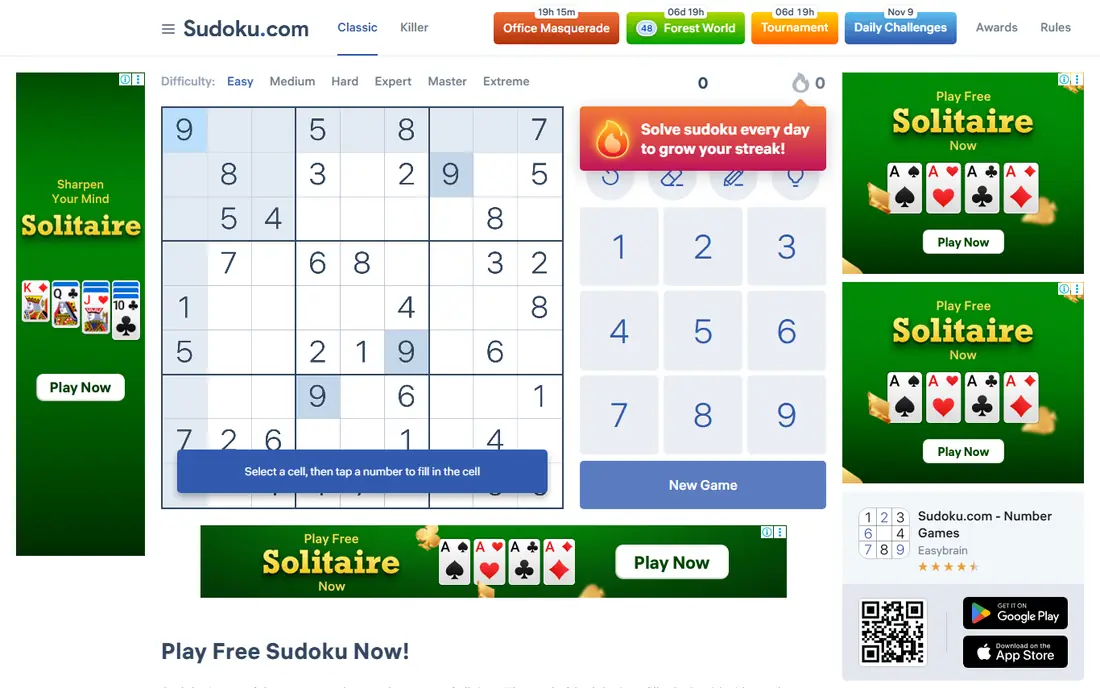
Sudoku.com, made by Easybrain, is the easiest recommendation for most people. It is free to download on iPhone and Android, it covers the standard difficulty levels, and it adds daily challenges that give casual players a reason to return. The interface is clean, error tracking is straightforward, and progress saves as you play. If you just want a solid sudoku app without thinking hard about it, this is where to start.
The main drawback is ads in the free version. They appear between puzzles rather than during solving, which is less disruptive than some rivals, but they still break the flow. A paid upgrade removes ads, and app store listings have listed it around $4.99 per month or a one-time option, though prices vary by store and region. Check the listing on your device before paying, and try the free version for a week first.
- Large puzzle catalog
- Daily challenges and events
- Clear difficulty curve from easy to expert
- Free version shows ads between puzzles
- Full ad-free access requires a paid upgrade
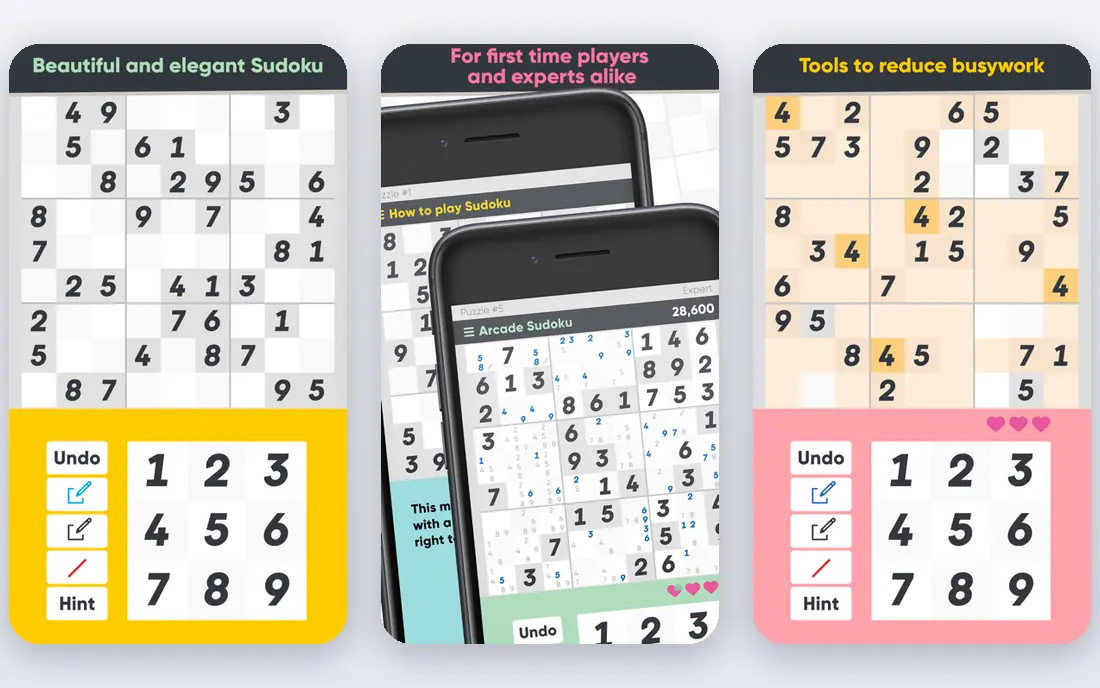
Good Sudoku, by Zach Gage and Jack Schlesinger, treats solving as a skill to build, not just a grid to fill. Its hint system looks at your entries and notes, then points to the next logical technique instead of simply giving you an answer. Daily modes get harder through the week, and a custom mode lets you enter a puzzle from paper and work through it in the app. For a player stuck at medium difficulty, this teaching approach is genuinely useful.
The catch is platform and price. Good Sudoku is best known on iOS, so Android players will need a different pick from this list. It is free to download, with a one-time in-app purchase for the full version, historically listed around $4. Check the current App Store listing, since in-app prices change. If you play on iPhone and want to get better, the upgrade is easy to justify.
- Hint system that teaches techniques
- Custom puzzle import
- Daily modes with leaderboards
- IPhone and iPad only in its fullest form
- Full version requires a one-time in-app purchase

Brainium Sudoku suits players who want a calm, uncluttered grid and nothing else competing for attention. It offers endless puzzles, daily challenges, and a straightforward difficulty range, with a design that stays out of the way. That simplicity is a strength for a morning puzzle habit or a wind-down game before bed. It works on both iPhone and Android, so it also suits households with mixed devices.
Ads are the trade-off in the free version, and an upgrade removes them. Variant lovers may also find it thin, since Brainium focuses on classic sudoku rather than a large library of alternative grids. If classic puzzles and a quiet interface are what you want, Brainium is a strong, low-friction choice.
- Clean, calm interface
- Endless puzzles
- Daily puzzles and progress tracking
- Free version includes ads
- Variant options are limited compared with specialist apps
Sudoku Quest takes a different path from the calm, minimal apps on this list. It wraps puzzles in a light story and a level system, with thousands of levels and variations to work through. That structure suits players who like goals, rewards, and a sense of forward motion, rather than an endless stream of identical grids. It is available on iOS, Android, and Kindle, which covers most devices.
The game-like layer is also its weakness. Ads appear in the free version, and some harder levels add time pressure that does not suit every solver. If you solve for relaxation, a quieter app like Brainium may fit better. If you solve for fun and progression, Sudoku Quest gives you more to chase.
- Story-linked levels and progression
- Many puzzle variations
- Large number of free puzzles
- Ads can distract
- Time limits on some harder levels frustrate slower solvers
Andoku Sudoku 3 is the pick for Android players who have outgrown classic grids. It offers many variants, from irregular shapes to extra constraints, plus detailed statistics that track your solving over time. That depth makes it a favorite among serious hobbyists who want to measure improvement and try new puzzle types without switching apps. Offline play works well, which matters for commutes and travel.
The interface is denser than the cleanest apps here, and the app is strongest on Android. New players may also find the variant list overwhelming at first. Start with classic puzzles, then add one variant at a time. If you already know you like variants, Andoku gives you more of them in one place than most rivals.
- Wide range of sudoku variants
- Detailed statistics
- Strong offline support
- Android-focused
- Interface feels denser than minimalist rivals
Microsoft Sudoku is the natural choice if you mainly solve on a Windows PC or Xbox rather than a phone. It offers classic puzzles plus extra modes, daily challenges, and a polished presentation that fits a larger screen. Progress and achievements tie into the Microsoft ecosystem, which suits players who already use it for other games. It is free to start, with in-app options depending on platform.
Phone-first players may find it less handy than Sudoku.com or Brainium, since its strength is the desktop and console experience. Touch controls and portability matter more on a phone, and that is where the mobile specialists win. For a desk or living room solver, though, Microsoft Sudoku is a solid, free starting point.
- Multiple game modes
- Works across Windows devices
- Familiar Microsoft account and progression features
- Less focused than phone-first apps
- Some modes and features require a Microsoft account setup
Conceptis Sudoku comes from a puzzle publisher with a long catalog, and that shows in the variety. Alongside classic sudoku, Conceptis offers irregular grids and other logic puzzles, which suits players who like to rotate between puzzle types. The puzzles feel carefully made rather than randomly generated, and the site and apps let you play on the web as well as on a phone. If you enjoy logic puzzles in general, not just sudoku, Conceptis gives you more to explore.
Free play is limited compared with the fully free apps here, and some content sits behind payment. Check what is included free before you settle in, and compare it with a free-first app if budget matters. For variety and puzzle craft, Conceptis still earns its place.
- Large range of puzzle types beyond classic sudoku
- Hand-crafted feel
- Web and mobile play
- Free access is limited in places
- Premium content requires payment
Sudoku Coach, at sudoku.coach, is built for players who want to understand techniques rather than just finish grids. It explains solving methods, shows how a technique applies to a live puzzle, and helps you practice the step you are missing. That makes it a good companion to a phone app: solve daily puzzles in your main app, then use Sudoku Coach when you get stuck on a harder technique. It runs in a browser, so there is nothing to install.
It is less suited as your only sudoku app if you want daily challenges, streaks, and offline phone play. Premium features also require payment, so check the current plan details on the site. As a learning tool, though, it fills a gap that most game-style apps leave open.
- Technique lessons and guided solving on the web
- Useful for players moving past beginner level
- No download needed
- Web-first experience
- Premium features require payment
- Less of a daily game habit than phone apps
Web Sudoku is the simplest option on this list, and sometimes simple wins. Open the site, pick a difficulty, and solve. There is no app to install, no account to create, and no store purchase to consider. That makes it ideal for a work computer, a shared device, or a player who only solves occasionally and does not want another app on their phone.
The trade-off is depth. Web Sudoku does not offer the stats, variants, teaching tools, or daily systems of the apps above. It also looks plain next to modern phone apps. If you solve every day and want progress tracking, pick one of the apps above. If you want a puzzle right now, with no friction, Web Sudoku does the job.
- No download or account needed
- Simple, fast classic puzzles
- Easy to share a puzzle link
- Basic design and features
- No rich stats, variants, or daily game systems
How we picked these
We compared official app store listings, developer sites, and public reviews for each app. We kept only apps that are live in October 2026, offer classic sudoku puzzles, and work on at least one major platform without a broken or abandoned listing. We did not claim hands-on testing we did not do. Instead, we weighed puzzle range, hint quality, difficulty levels, ads, offline support, and price, and we noted where a listing price may vary by store or region.
How to choose the right sudoku app
Start with your device and your goal. iPhone players who want to learn should try Good Sudoku first. Android players who want variants should try Andoku Sudoku 3. Everyone else can start with Sudoku.com or Brainium and switch only if ads or missing features bother them after a week of play.
Check ads, offline play, and hints before you commit
Play three puzzles in a new app before you judge it. Note whether ads interrupt solving or only appear between puzzles, whether your progress saves when you close the app, and whether hints explain a move or just fill in a number. A hint that teaches is worth more than a hint that solves, especially if you want to move from medium to hard puzzles. Also check difficulty labels, since one app's hard can feel like another app's medium.
Sources
- https://sudoku.com
- https://www.zachgage.com
- https://www.brainium.com
- https://sudokuquest.com
- https://www.andoku.com
- https://www.microsoft.com/en-us/p/microsoft-sudoku
- https://www.conceptispuzzles.com
- https://sudoku.coach
- https://www.websudoku.com
- https://sudokuaday.com/best-sudoku-app-comparison
- https://sudokutimes.com/best-sudoku-apps/
Frequently asked questions
What is the best sudoku app?
For most players, Sudoku.com is the best starting point because it is free, works on iPhone and Android, and covers daily challenges and standard difficulties. Players who want to learn techniques should try Good Sudoku on iPhone or iPad. The best app for you depends on your device, your tolerance for ads, and whether you want variants or teaching tools.
Are there good free sudoku apps?
Yes. Sudoku.com, Brainium Sudoku, Web Sudoku, and Microsoft Sudoku are all free to start, and most offer endless classic puzzles without paying. Free versions often include ads or limit premium features, so check the ad-free upgrade price in the app store listing if ads bother you. A one-time purchase is usually better value than a monthly plan for a casual puzzle habit.
What is the best sudoku app for Android?
Sudoku.com and Brainium Sudoku are both strong on Android, with offline play and daily puzzles. Andoku Sudoku 3 is the best Android choice for variant puzzles and detailed statistics. If you want a quiet, classic experience, Brainium is the calmer pick. If you want the largest mainstream catalog, Sudoku.com is the safer default.
What is the best sudoku app for iPhone?
Good Sudoku is the standout iPhone choice for learning, thanks to its technique-aware hints and custom puzzle import. Sudoku.com and Brainium Sudoku are also excellent on iPhone and suit players who want daily puzzles without a learning focus. Try the free versions first, since interface taste matters a lot in a puzzle app you open every day.
Do sudoku apps work offline?
Most of the apps on this list support offline solving for standard puzzles, and progress usually saves on the device. Daily challenges, leaderboards, and cloud sync may need a connection, so download or open puzzles before a flight if you rely on those features. Web Sudoku needs a browser connection, while phone apps are the better choice for offline commutes.
Can a sudoku app help me get better?
Yes, if it explains moves rather than just filling in answers. Good Sudoku and Sudoku Coach both focus on techniques, showing which pattern solves the next step and why. Pair a teaching app with daily practice in a main app, and move up one difficulty level at a time. Avoid relying on hints that simply reveal numbers, since they do not teach the pattern.