Best Time and Attendance Software in 2026: 9 Tools Compared
By ToolNimba Editorial Team November 11, 2026 9 min read

- Top pick
 Homebase
Small teams needing scheduling and time tracking
Starting price$24 per location per monthCheck out HomebaseRead our review - Runner-up
 Deputy
Compliance-heavy shift work
Starting price$5 per user per monthCheck out DeputyRead our review - Also great
 When I Work
Shift scheduling on a budget
Starting price$2.50 per user per monthCheck out When I WorkRead our review
How we researched this
We compared official pricing and feature pages, app store listings, privacy policies and public user reviews. Prices change, so check the provider's site before you pay.
Key takeaways
- Homebase is our pick for most small teams, with a free plan for one location and paid plans from $24 per location per month.
- Deputy is the strongest choice for compliance-heavy shift work, starting at $5 per user per month.
- Jibble offers a genuinely free time clock for unlimited users, which suits teams that only need hours recorded.
- QuickBooks Time is the natural fit for businesses already running QuickBooks payroll.
- Per-location pricing beats per-user pricing for large teams at a single site, so compare both models before you buy.
Quick comparison
| Name | Best for | Starting price | Free plan | |
|---|---|---|---|---|
| Homebase | Small teams needing scheduling and time tracking | $24 per location per month | Yes | Visit |
| Deputy | Compliance-heavy shift work | $5 per user per month | Free trial (31 days) | Visit |
| When I Work | Shift scheduling on a budget | $2.50 per user per month | Free trial (14 days) | Visit |
 Connecteam | Mobile-first frontline teams | $29 per month | Yes | Visit |
 Jibble | Free verified clock-ins | Free | Yes | Visit |
 Buddy Punch | Stopping buddy punching | $19 plus $4.99 per user per month | Free trial (14 days) | Visit |
 QuickBooks Time | QuickBooks payroll users | $20 plus $10 per user per month | Free trial (30 days) | Visit |
 ClockShark | Construction and field crews | $42 plus $9.50 per user per month | Free trial (14 days) | Visit |
 Rippling | HR, time and payroll in one system | See website | No | Visit |
The best time and attendance software
Time and attendance software should do two jobs: record hours honestly and turn those hours into payroll without manual retyping. The tools below differ mainly in whether scheduling, GPS checks or payroll is the main strength.
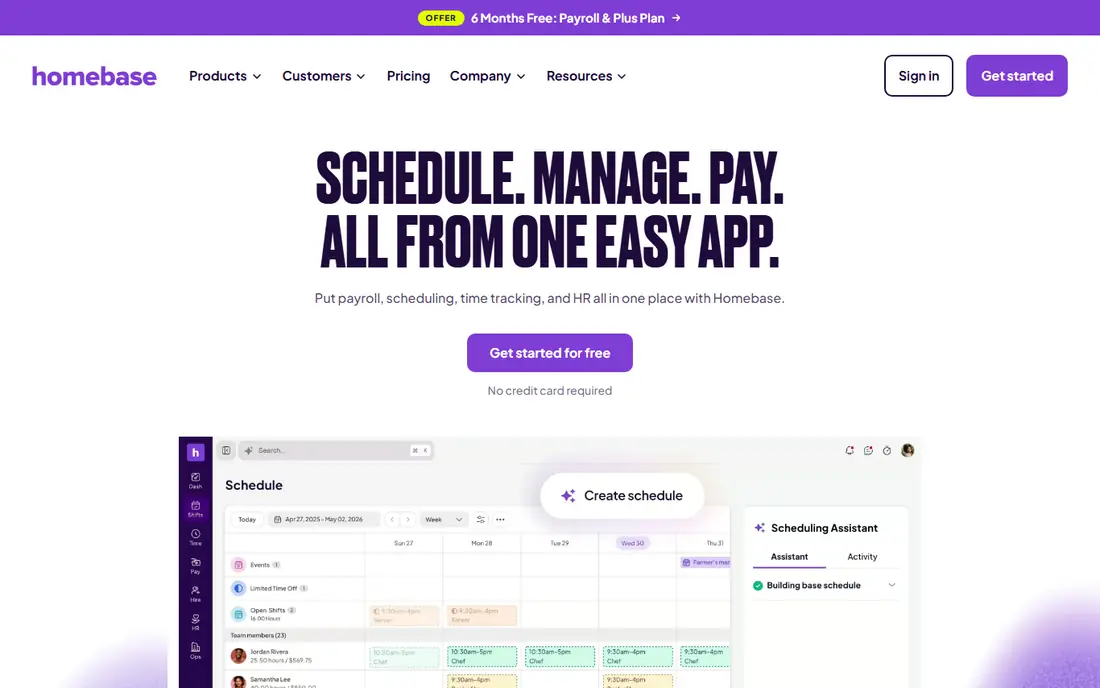
Homebase is built for restaurants, cafes and retail shops, and it shows in the design. Scheduling, time clock, team messaging and hiring sit in one app, so a manager can build the rota, see who clocked in late and message a replacement without switching tools. The free plan covers one location with up to 10 employees, which is enough for many small shops to start.
Paid plans start at $24 per location per month on annual billing, and payroll is an add-on. The catch is multi-site cost, since each location adds a fee. For a single shop or restaurant, though, Homebase is the easiest starting point in this list.
- Free plan for one location
- Scheduling and time clock together
- Payroll add-on available
- Per-location pricing adds up for many sites
- Advanced features sit on higher plans
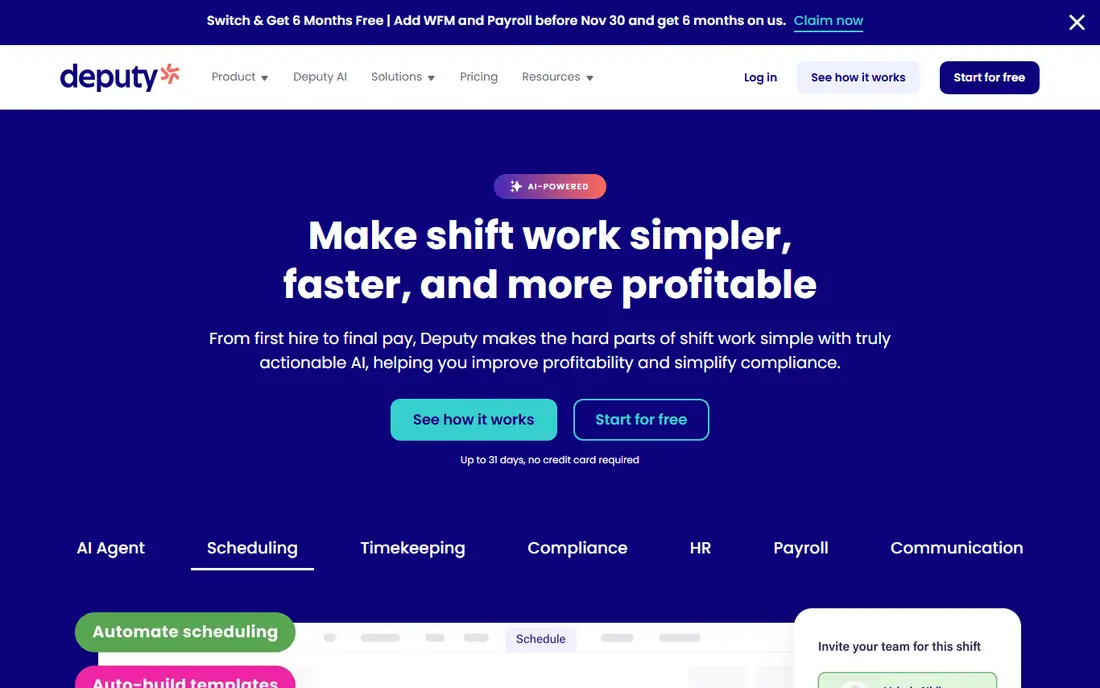
Deputy suits hospitality, retail and healthcare teams that must follow strict shift rules. It handles scheduling, time clock, leave and compliance requirements such as break rules and overtime in one system. Managers can build schedules around availability, skills and labor cost targets, then publish them to the team app.
Pricing starts at $5 per user per month, with higher tiers for advanced scheduling and compliance features. The 31-day trial is generous and worth using to test your actual rota. Small teams with simple schedules may find Deputy more than they need, but regulated shift work is where it earns its price.
- Strong compliance and award rules
- Good scheduling
- Long free trial
- Costs rise with headcount
- Setup takes time for complex rules
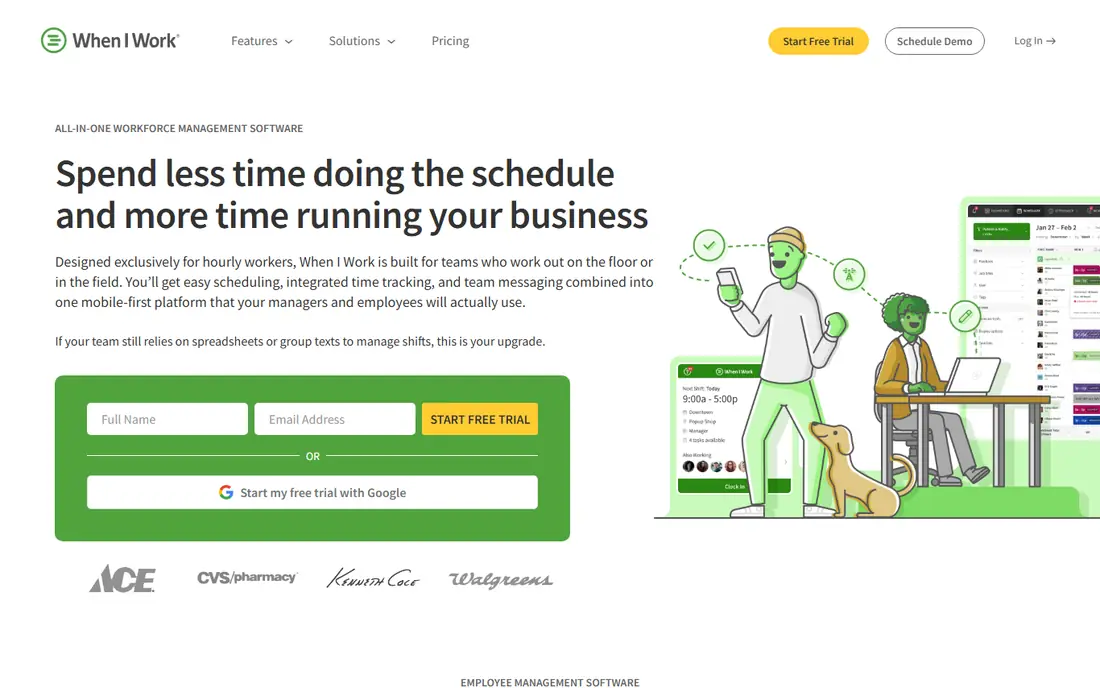
When I Work puts scheduling first. Managers drag shifts onto a calendar, staff swap shifts in the app, and everyone gets notified of changes. That simplicity is the point: teams that struggle most with the rota rather than with clock-ins will feel the benefit quickly.
The entry price of $2.50 per user per month is among the lowest here, but note that time tracking is an add-on rather than included at that level. Check the total price for scheduling plus time tracking before comparing it with Homebase or Deputy.
- Very low entry price
- Scheduling is the focus
- Easy team app
- Time tracking is an add-on
- Lighter on compliance than Deputy
Connecteam is an all-in-one app for deskless teams, covering time clock, scheduling, forms, tasks and internal communication. Field, cleaning, security and delivery teams often like having one app for the whole workday instead of three separate tools. The free plan covers up to 10 users, which suits small crews.
Paid plans start at $29 per month for the first 30 users on annual billing. The tradeoff is depth: Connecteam does many jobs well but few as deeply as a specialist. If your main problem is hours alone, a simpler clock may fit better.
- Free plan for up to 10 users
- Forms and tasks included
- Good mobile app
- Less depth in each area than specialists
- Per-user costs rise past 30 users
Jibble stands out because its free plan covers unlimited users with facial recognition and GPS verification. For teams whose core need is trustworthy hours, that is hard to beat. Staff clock in from a phone or shared kiosk, and managers get timesheets ready for payroll export.
Paid plans start at $4.99 per user per month for advanced features such as detailed reporting and integrations. Scheduling exists but is lighter than Homebase or Deputy. Pick Jibble when accurate clock-ins matter more than rota building.
- Free for unlimited users
- Facial recognition and GPS checks
- Payroll exports
- Scheduling is lighter than rivals
- Advanced reports need paid plans
Buddy Punch focuses on making sure the person clocking in is really there. Facial recognition, photo capture, geofencing and IP restrictions make it hard for one employee to clock in for another. That matters in workplaces where buddy punching has been a real cost.
Pricing is $19 per month plus $4.99 per user per month on annual billing. Employers using biometric clock-ins should check their state rules first, since some states require written employee consent and a retention policy. For most small teams, PIN or photo clock-in avoids that question entirely.
- Facial recognition clock-ins
- Geofencing
- Simple timesheets
- Base fee plus per-user fee
- Biometric rules vary by state
QuickBooks Time, formerly TSheets, is the obvious choice for businesses already running QuickBooks. Hours flow into payroll and invoicing without exports, and GPS tracking shows where mobile staff clocked in. Job costing helps construction and field service teams bill clients accurately.
Pricing starts at $20 per month plus $10 per user per month. That is not cheap, and teams outside QuickBooks get less value from it. But if payroll already runs on QuickBooks, the time saved on exports and corrections usually justifies the price.
- Feeds directly into QuickBooks Payroll
- GPS tracking
- Good mobile app
- Base fee plus per-user fee
- Best value only inside QuickBooks
ClockShark is built for construction, landscaping and field service crews. Staff clock in against specific jobs, managers see who is on which site, and job costs feed into payroll and invoicing. GPS tracking and geofencing verify that clock-ins happen at the right location.
Pricing starts at $42 per month plus $9.50 per user per month. That is steep for a small office team, but field businesses often recover it through accurate job costing. Office-based teams should look at Homebase or Jibble instead.
- Strong job costing
- GPS and geofencing
- Built for field crews
- Higher entry price
- Overkill for office teams
Rippling combines HR, payroll, benefits and time tracking in a single platform. Hours feed into payroll automatically, new hires get accounts and devices provisioned together, and managers approve time off in the same system they use for everything else. That consolidation appeals to fast-growing companies tired of stitching tools together.
Pricing is quote-based, so the site does not publish a starting price. That also signals the audience: Rippling is a bigger commitment than a standalone clock. Small teams with one location will usually do better with Homebase or Jibble, while growing companies that want one system should request a quote.
- HR, payroll and time tracking in one place
- Strong automation
- Scales well
- Quote-based pricing
- More system than small teams need
How we picked these
We compared official pricing pages, feature pages and public reviews for each tool, and we checked that each homepage belongs to the product named. We favored tools with a free plan or trial, GPS or photo verification options, and payroll exports or integrations, since those are the features that decide whether hours become pay without manual work. Prices are entry plans and often assume annual billing, so confirm the current price before signing up.
What to check before you buy
Start with the way your team actually works. Office teams need simple timesheets, shift teams need scheduling, and field teams need GPS and job costing. Buying a field tool for an office team wastes money, and buying an office tool for a field crew leaves hours unverified.
Compare the pricing model, not just the number
Per-user pricing grows with headcount, per-location pricing grows with sites, and base-plus-per-user pricing does both. Model your real team size and site count across two or three tools before you decide. A tool that looks cheap at five staff can be the priciest at fifty.
Test clock-ins in the real workplace
Run a trial with the actual phones, kiosks and locations your staff use. Check GPS accuracy indoors, facial recognition in low light, and how the app behaves with poor signal. These details decide whether staff adopt the tool or work around it.
Confirm the payroll path
Ask how approved hours reach payroll, whether overtime rules match your state, and what happens when someone forgets to clock out. A clean export or direct integration saves more time than any other feature in this category.
Sources
Frequently asked questions
What is the best free time and attendance software?
Jibble is the strongest free option, with unlimited users and verified clock-ins on its free plan. Homebase also offers a free plan for one location with up to 10 employees, which suits small shops that need scheduling too.
How much does time and attendance software cost?
Entry prices range from free to about $42 per month plus per-user fees. When I Work starts at $2.50 per user per month, Deputy at $5, and QuickBooks Time at $20 plus $10 per user per month. Per-location plans such as Homebase start at $24 per location per month.
Do I need GPS tracking for my team?
Only for field and mobile teams. GPS clock-ins and geofencing verify that staff are at the right site, which matters for construction and delivery crews. Office and shop teams gain little from GPS and may prefer PIN or photo clock-ins.
Can time tracking software handle payroll?
Some can. Homebase and Rippling offer payroll in the same system, while QuickBooks Time feeds directly into QuickBooks Payroll. Other tools export timesheets to your existing payroll provider, which works fine if the export is clean.
What is buddy punching, and how do I stop it?
Buddy punching is when one employee clocks in for another. Photo capture, facial recognition and geofencing make it much harder, and Buddy Punch and Jibble both offer those checks. Clear policies and manager review of exceptions matter just as much as the technology.