Best Tool Management Software in 2026: 9 Tools Compared
By ToolNimba Editorial Team November 9, 2026 10 min read

- Top pick
 ShareMyToolbox
Construction crew checkout
Starting price$80 per monthCheck out ShareMyToolboxRead our review - Runner-up
 Milwaukee ONE-KEY
Milwaukee tool inventories
Starting priceFreeCheck out Milwaukee ONE-KEYRead our review - Also great
 EZO
Broad asset and tool tracking
Starting price$40 per monthCheck out EZORead our review
How we researched this
We compared official pricing and feature pages, app store listings, privacy policies and public user reviews. Prices change, so check the provider's site before you pay.
Key takeaways
- The best tool management software for most crews is the one field staff will actually scan at checkout, not the one with the longest feature list.
- ShareMyToolbox suits construction crews that need simple checkout and audits, while EZO suits larger teams with many users and varied assets.
- Milwaukee ONE-KEY is the clear free choice for crews whose inventory is mostly Milwaukee tools, but it is less useful for mixed brands.
- Barcode and QR checkout covers most hand tools well, while GPS and telematics make more sense for high-value machines that move between sites.
- Check offline mobile use, maintenance reminders and reporting before you buy, since those features decide daily value on a job site.
Quick comparison
| Name | Best for | Starting price | Free plan | |
|---|---|---|---|---|
| ShareMyToolbox | Construction crew checkout | $80 per month | Free trial | Visit |
| Milwaukee ONE-KEY | Milwaukee tool inventories | Free | Yes | Visit |
| EZO | Broad asset and tool tracking | $40 per month | Free trial | Visit |
 Sortly | Simple visual inventory | $49 per month | Yes | Visit |
 Cheqroom | Equipment reservations | See website | Free trial | Visit |
 Hilti ONTrack | Tool custody and compliance | See website | Free trial | Visit |
 ToolWatch | Large specialty contractors | See website | No | Visit |
 ToolSense | Connected asset tracking | See website | Free trial | Visit |
 Asset Panda | Flexible asset tracking | See website | Free trial | Visit |
The best tool management software
This article covers software for managing physical tools and equipment inventory, for workshops, construction teams and rental operations. It does not cover review management software, even though some search terms for this topic point elsewhere. The tools below help teams track who has a tool, where it is, and when it needs service.
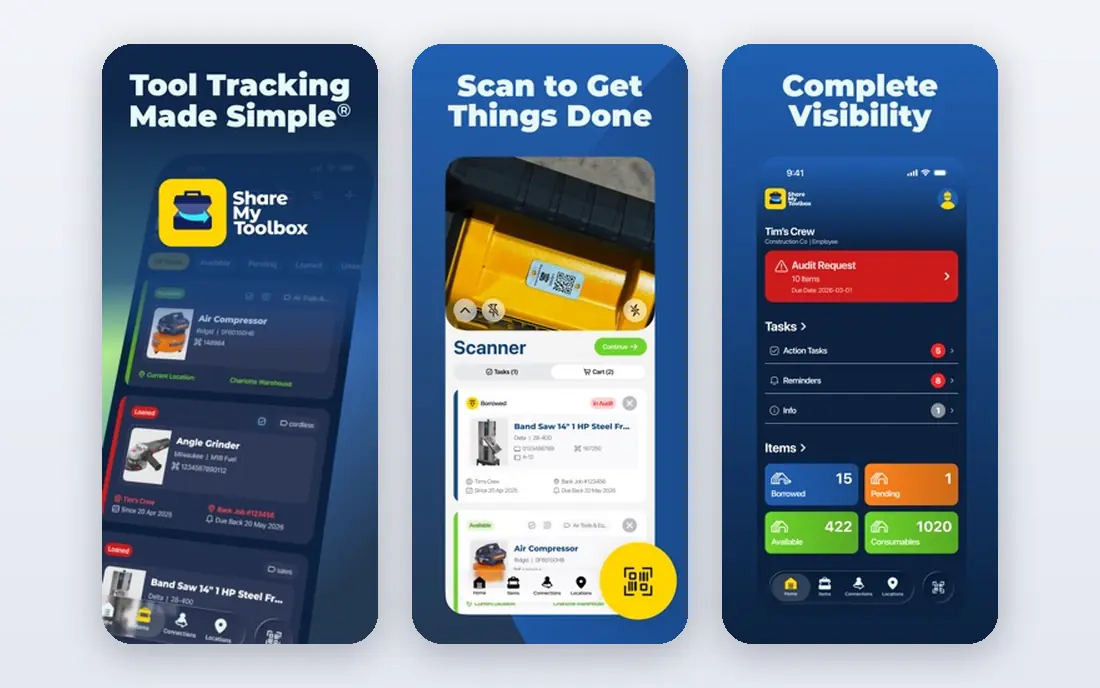
ShareMyToolbox is our pick for construction crews that lose time hunting for small tools. Field staff can scan, search, loan and return tools from a phone app, while managers see who has each item and where it was last scanned. Audits let supervisors ask crews to confirm what they hold, which builds accountability without extra paperwork.
The pricing model needs care. The base plan starts at $80 per month plus a per-user fee, so a large crew should price its real headcount before committing. Still, for teams that track drills, saws, consumables and shared equipment across sites, the simple checkout flow is the main reason it works in practice.
- Simple barcode and QR checkout for field teams
- Audits and full item history
- GPS tagging when an asset tag is scanned
- Starting price plus per-user fees can rise for larger teams
- Built for construction workflows, so office-only teams may not need all features
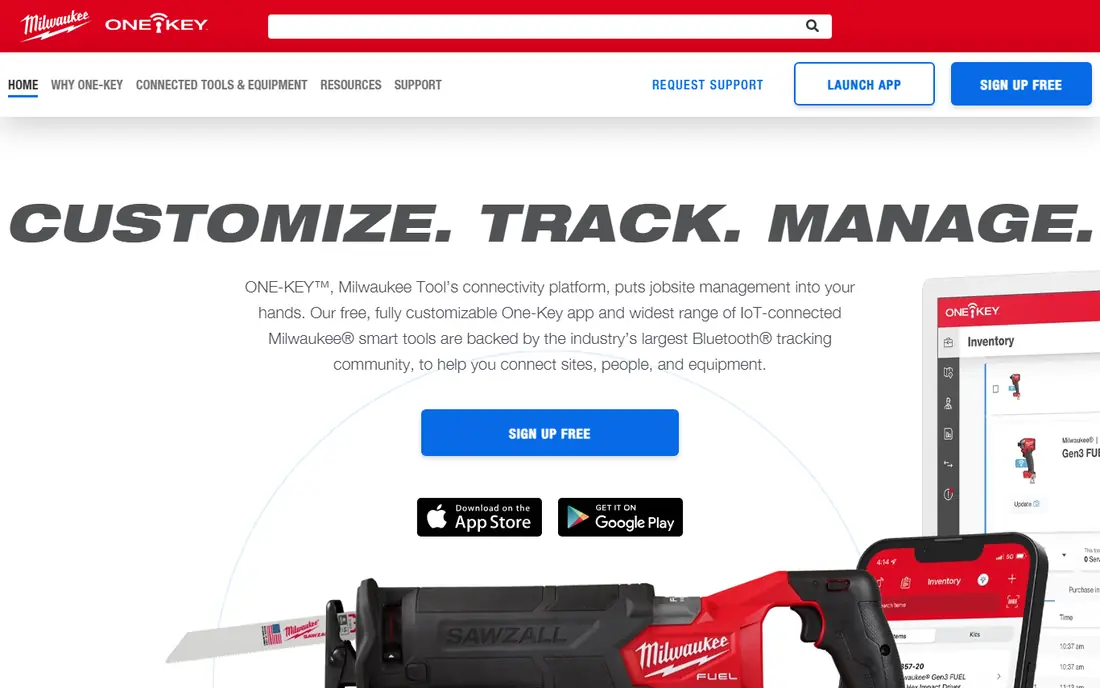
Milwaukee ONE-KEY is the obvious free start for crews that already run Milwaukee tools. It lets teams build an inventory, assign tools, track locations and use connected features on supported tools. For a crew that is mostly Milwaukee, it can replace spreadsheets at no software cost.
The limit is brand scope. It is not a general tool manager for every brand in a mixed workshop, and some connected features only work with compatible tools. Use it as the main tracker if Milwaukee dominates your inventory, and pair it with a broader tool when other brands make up a large share.
- Free inventory and tracking for Milwaukee tools
- Tool lock and location features for supported tools
- Easy start for Milwaukee-heavy crews
- Less useful for mixed-brand inventories
- Advanced tracking depends on tool compatibility
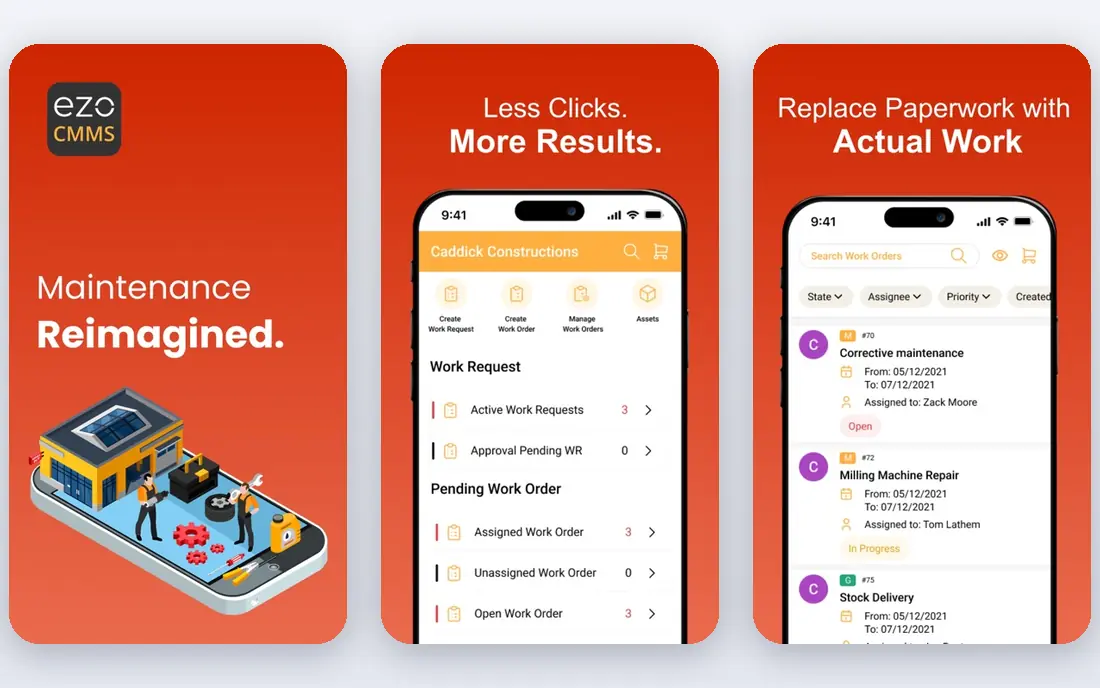
EZO, formerly known as EZOfficeInventory, suits organizations where many people check tools in and out. Its item-based pricing means adding users does not raise the bill in the same way as per-user pricing, which helps schools, workshops and large crews. Tools, equipment and other assets can share one inventory with maintenance schedules and reports.
The trade-off is setup effort. A large, messy inventory needs cleaning and tagging before the system pays off, and some features require higher plans. Teams that invest a day in setup, though, get a flexible tracker that grows beyond tools alone.
- Item-based pricing with unlimited users
- Barcode and QR tracking for tools and assets
- Maintenance and reporting tools
- Setup takes care for large inventories
- Some advanced features sit on higher tiers
Sortly is a good fit for workshops and small teams that want a visual inventory without a steep learning curve. Items sit in folders with photos, quantities and locations, and staff can scan barcodes or QR codes to update stock. That visual approach helps new staff find and log tools quickly.
The limit appears in maintenance-heavy work. Sortly handles inventory well, but teams that need detailed service histories, compliance records and complex checkout rules may need a more specialized tool. For simple tracking and stock control, though, it is one of the easiest options to adopt.
- Visual, folder-based inventory that is easy to learn
- Barcode and QR scanning
- Free plan for small inventories
- Less deep for maintenance-heavy operations
- Higher plans are needed for larger teams and advanced features
Cheqroom suits teams that share equipment from a central store or lab. Users can reserve items, check them out and return them, while managers see availability and booking conflicts. Its pricing model, which charges per admin rather than per item, helps growing inventories avoid a rising bill as stock expands.
The main drawback is that pricing requires a quote or plan check, so budgeting takes an extra step. It also fits shared-room workflows better than rough field checkout, so construction crews should test its mobile flow on a real site before switching.
- Clear reservation and checkout workflow
- Unlimited items and users on its pricing model
- Useful for shared equipment rooms
- Pricing is not published as a simple flat rate
- Less focused on heavy construction field checkout
Hilti ONTrack is built for larger contractors and fleets that need clear custody and compliance records. It tracks tool assignments, maintenance, inspections and transfers, which helps managers prove that equipment is serviced and accounted for. For firms with many sites and strict safety rules, that record-keeping matters.
The catch is scale and cost. Pricing is quote-based, and setup suits teams with dedicated admin time. Small workshops may find a simpler tracker faster and cheaper, but larger Hilti-heavy fleets will get more value from its compliance depth.
- Strong custody, maintenance and compliance tracking
- Useful for large fleets and regulated sites
- Integrates with Hilti services
- Enterprise pricing and setup
- Less suited to very small workshops that need a quick free start
ToolWatch serves large specialty contractors that need more than basic checkout. It supports tool rooms, job costing, maintenance and transfers across sites, which helps firms track high volumes of tools and equipment. Its long use in construction means many workflows are built around real contractor needs.
The limits are cost and complexity. There is no free plan, and pricing is quote-based, so small teams should compare simpler options first. For a large contractor with multiple tool rooms, though, its depth can justify the investment.
- Deep tool and equipment management for large contractors
- Job costing and maintenance features
- Long history in construction
- No free plan
- Pricing and setup suit larger firms rather than small crews
ToolSense suits teams that want more than a checkout log, including utilization and maintenance insight. It tracks tools and assets, supports connected data where available, and helps managers spot underused equipment or overdue service. That mix helps operations teams plan purchases and maintenance with better evidence.
The drawback is that pricing and connected setup vary by deployment, so teams should run a trial with their real asset types. For simple hand-tool checkout, a lighter tool may be enough, but for mixed fleets with service needs, ToolSense is worth a closer look.
- Combines barcode tracking with connected asset data
- Useful for maintenance and utilization reporting
- Modern interface
- Pricing is quote-based
- Connected features depend on asset types and setup
Asset Panda is a flexible asset tracker that can cover tools alongside IT, facilities and other equipment. Teams can customize fields, build workflows and scan barcodes from a phone, which makes it useful for organizations that do not want separate systems for each asset type. Maintenance tracking and reports help managers stay on top of service.
The trade-off is setup. Flexibility helps once the system is configured, but a team that wants a ready-made tool checkout flow may need time to build it. It suits organizations with varied assets and an admin who can shape the system to their workflow.
- Flexible fields and workflows for varied assets
- Mobile barcode scanning
- Reporting and maintenance tracking
- Pricing is quote-based
- Flexibility means setup takes time to get right
How we picked these
We compared official feature pages, pricing pages and product documentation for tools that track physical tools and equipment. We favored tools with mobile checkout, barcode or QR support, maintenance tracking and reporting, and we excluded review management products because the main keyword is tool management. Where pricing was quote-based or unclear, we wrote See website rather than guessing.
How to choose tool management software
Start with how tools move in your work. If tools leave a central store each morning, checkout speed and audits matter most. If tools stay on machines or in labs, reservations and maintenance records matter more. Match the workflow first, then compare price.
Test the field workflow, not just the dashboard
Give the app to the people who will scan tools on site, and watch them check out, transfer and return an item. If scanning is slow, if offline use fails, or if the app needs too many taps, staff will skip it. A tool that works in the office but fails on site will not reduce losses.
Plan tagging and maintenance from day one
Decide on barcode or QR tags, naming rules and who owns each item before you import a large list. Add maintenance intervals and inspection dates for safety-critical tools at the same time. A clean start saves weeks of cleanup later, and it makes reports useful from the first month.
Price for your real team and inventory size
Per-user, per-item and per-admin pricing behave very differently as you grow. Price the team and inventory you expect in a year, not just today, and include tag printing, hardware and admin time. A slightly higher plan that staff actually use is cheaper than a low plan that sits unused.
Sources
Frequently asked questions
What is the best tool management software for construction?
ShareMyToolbox is a strong construction pick for field checkout and audits, while ToolWatch and Hilti ONTrack suit larger contractors with compliance needs. Small crews should test ShareMyToolbox and Milwaukee ONE-KEY first if their brands fit.
What is the best tool management software for small workshops?
Sortly and EZO are good small-workshop options, with Sortly offering a simple visual start and EZO offering flexible tracking for varied assets. Milwaukee ONE-KEY is worth checking first if most tools are Milwaukee.
What is the best management tool for equipment rentals?
Cheqroom suits shared equipment with reservations, while EZO and Asset Panda suit rental inventories that need varied asset fields and reporting. Check reservation, deposit and maintenance workflows against your rental process before choosing.
Do I need GPS tracking for every tool?
No. Barcode or QR checkout is usually enough for hand tools, since GPS on every small tool is costly and often unreliable indoors. Reserve GPS or telematics for high-value machines that move between sites and justify the extra cost.
Can tool management software work offline on job sites?
Some mobile apps cache data and sync later, but offline support varies, so test checkout and inspection logging without signal before you buy. Ask specifically about offline check-out, since that is the feature crews need most in dead zones.
Is tool management software different from review management software?
Yes. Tool management software tracks physical tools and equipment, while review management software tracks customer reviews. This article covers equipment and tool inventory only, as the main keyword requires.