Best Virtual Staging Software in 2026: 8 Tools Compared
By ToolNimba Editorial Team November 9, 2026 9 min read

- Top pick
 BoxBrownie
Human-edited staging quality
Starting price$30 per imageCheck out BoxBrownieRead our review - Runner-up
 Virtual Staging AI
Fast budget AI staging
Starting price$16 per monthCheck out Virtual Staging AIRead our review - Also great
 REimagineHome
Staging plus redesign previews
Starting price$14 per monthCheck out REimagineHomeRead our review
How we researched this
We compared official pricing and feature pages, app store listings, privacy policies and public user reviews. Prices change, so check the provider's site before you pay.
Key takeaways
- AI subscriptions are cheapest at volume, while designer-led staging per image suits high-value listings that need a human eye.
- Count images per listing, not just the monthly price: a vacant home often needs five to eight staged photos, plus retries.
- Disclosure matters in most listings, so choose a tool that makes it easy to label staged photos clearly.
- Free trials and free credits are useful for testing style, but free output is often watermarked or limited.
Quick comparison
| Name | Best for | Starting price | Free plan | |
|---|---|---|---|---|
| BoxBrownie | Human-edited staging quality | $30 per image | No | Visit |
| Virtual Staging AI | Fast budget AI staging | $16 per month | Free trial | Visit |
| REimagineHome | Staging plus redesign previews | $14 per month | Free trial | Visit |
 Collov AI | Low cost per image at volume | $19 per month | Free trial | Visit |
 Styldod | Designer staging with 3D options | $16 per image | No | Visit |
 Stuccco | Designer staging in 24 hours | $35 per image | No | Visit |
 PadStyler | AI plans plus bespoke staging | $16 per month | Free trial | Visit |
 roOomy | Photo and tour staging | See website | No | Visit |
The best virtual staging software
Virtual staging adds furniture and decor to photos of empty rooms, helping buyers picture living in the home. AI tools do this in minutes for a subscription, while designer services use real people to place furniture and refine details over one or two days. The right pick depends on volume, budget, and how much control you want.

BoxBrownie remains the benchmark for human-edited staging, at $30 per image in recent comparisons. A real designer places furniture, adjusts light and scale, and refines details that AI tools sometimes miss, such as rug size and shadow direction. Turnaround is typically 24 to 48 hours, which fits most listing schedules if you plan ahead.
The cost is the catch. Staging eight photos costs far more than a monthly AI subscription, so BoxBrownie suits high-value listings where photo quality can affect sale price, or single hero images that carry the listing. For volume work across many vacant homes, use AI for most rooms and BoxBrownie for the main living spaces.
- Human designers refine each image
- 24 to 48 hour turnaround in listings
- Unlimited revisions for a period in some plans
- Per-image cost adds up fast
- No free plan for ongoing use
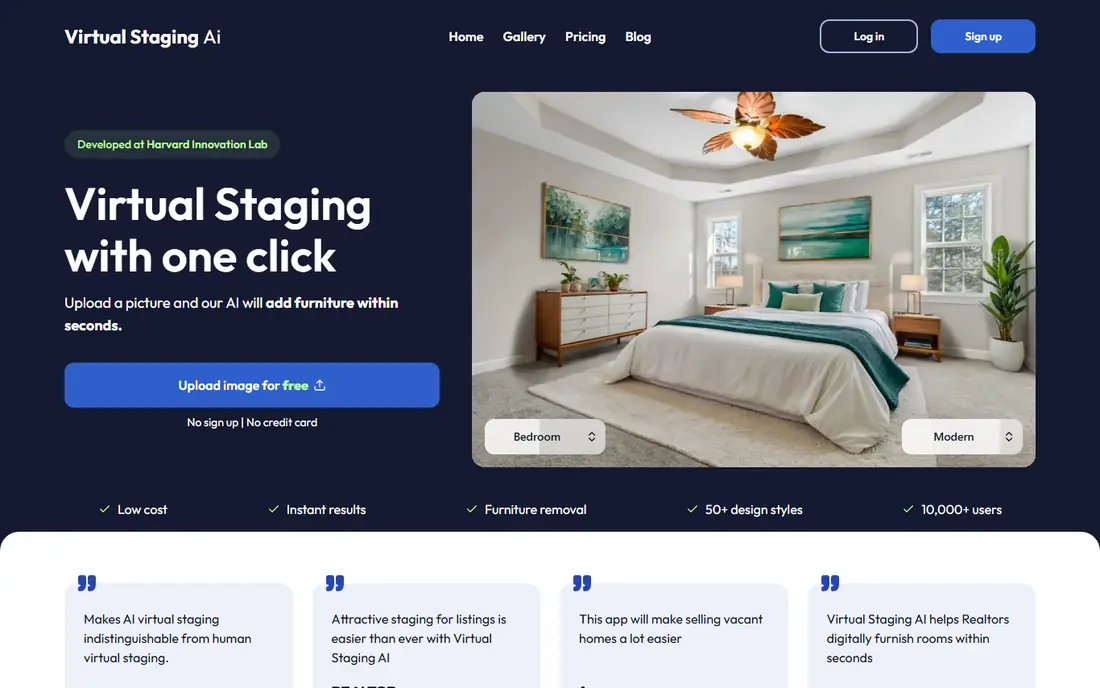
Virtual Staging AI is a budget AI option, with plans starting at $16 per month on annual billing in recent comparisons. You upload an empty room photo, pick a style, and receive a staged version in minutes. That speed suits agents who need listing photos the same day and do not want to wait for a designer.
AI staging still needs good source photos. Dark, angled, or cluttered shots produce weaker results, and you may need several tries to get a keeper. Credit limits also matter: a low plan may cover only a few images, so check how many renders your plan includes before you promise a full listing on one subscription.
- Low monthly entry price
- Fast AI renders
- Simple upload and style choice
- AI quality varies by room photo
- Free output limits apply
- Subscription credits cap volume
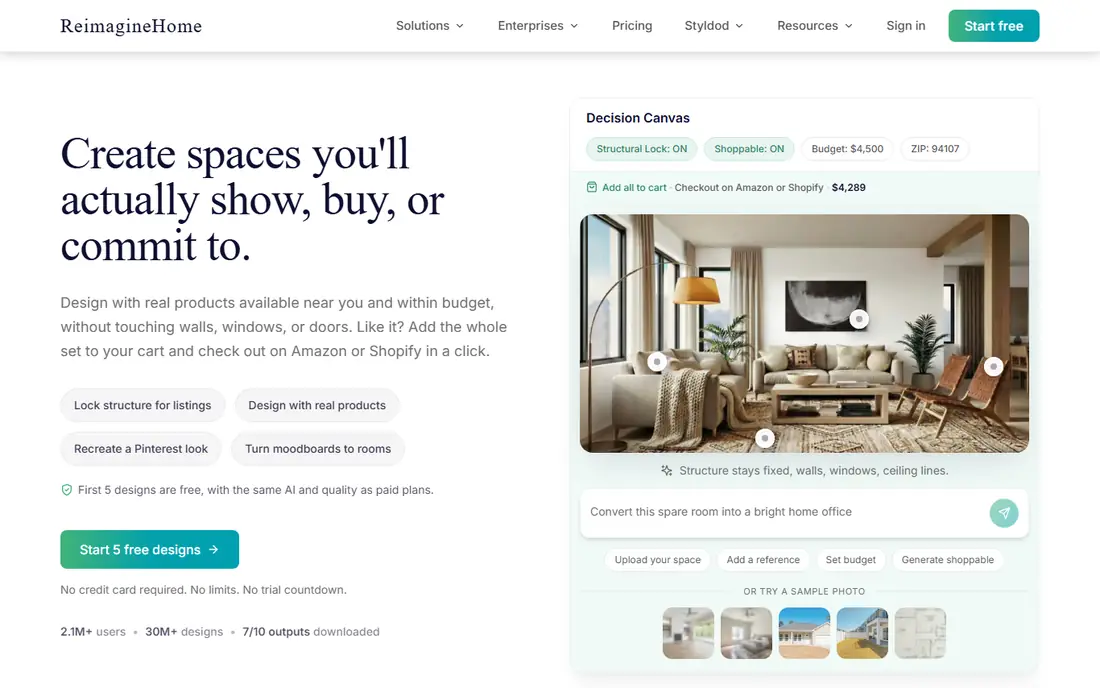
REimagineHome goes beyond basic staging, adding room redesign, furniture removal, exterior visualization, and renovation previews. Plans start at $14 per month in recent comparisons, with a small number of free designs for new users. That range suits agents who also want to show buyers what a dated kitchen or empty patio could become.
The trade is control. AI styles are broad, and fine details such as exact furniture placement are harder to direct than with a designer service. For standard staging, that is rarely a problem. For a luxury listing where every detail will be judged, pair REimagineHome volume work with a human-edited hero image.
- Staging plus renovation and exterior previews
- Many design styles
- Batch processing
- Less control than a human designer
- Free designs are limited
Collov AI is priced for volume, with plans starting at $19 per month and a cost per image that falls as plan size grows. Unlimited regenerations on some plans let you try several styles for one room without paying per try, which is useful when a first render looks off. Links to real furniture also help buyers who ask where a piece came from.
Collov is weaker for exterior and landscaping staging in some versions, so check that feature if you stage patios and gardens often. Support and refund terms have drawn complaints in public reviews, so test with a trial before committing to a large plan. For indoor volume staging, the price per image is hard to beat.
- Low cost per credit at higher tiers
- Unlimited regenerations on some plans
- Furniture shopping links
- Cannot stage exteriors in some versions
- Quality varies on luxury rooms
Styldod sits between pure AI and premium designer services, with per-image pricing around $16 for orders of eight or more in recent comparisons. Designers handle staging, and the service also supports 3D tours and related marketing assets, which suits agents selling higher-end homes. Revisions help fix scale or style issues that AI tools leave behind.
Turnaround is slower than AI, typically a day or more, so Styldod suits planned listings rather than same-day rush jobs. If you stage only a few listings a month and want human quality without the highest per-image price, Styldod is a balanced middle option.
- Human-edited quality at a lower per-image price for bulk orders
- 3D and tour options
- Revisions included in some orders
- Per-image pricing still costly at volume
- Turnaround takes a day or more
Stuccco offers designer-led staging with a 24-hour delivery claim in several comparisons, at $35 per image. That speed plus human review suits agents who need quality quickly for a new listing. The service also emphasizes revisions, so you can correct furniture choices before the photos go live.
Cost is the limit. At $35 per image, a full listing costs several hundred dollars, which only makes sense for homes where staging can move the sale price or speed. For routine vacant listings, AI tools will be far cheaper, even if you use Stuccco for the living room and entry photos only.
- Designer staging with fast 24-hour delivery in listings
- Free revisions in some plans
- Clear per-image pricing
- High per-image cost
- No free tier for testing at scale
PadStyler blends AI speed with human bespoke staging, starting at $16 per month on annual billing in recent comparisons. Agents can stage most rooms with AI and order bespoke work for key spaces, which is a practical mix for teams with mixed listing values. Style options help tailor a home to first-time buyers, families, or downsizers.
As with other subscriptions, check what the base plan includes and what counts as a credit. Bespoke staging is priced separately from AI renders, so a listing that mixes both will cost more than the monthly figure alone. For teams that want one vendor for both speeds, PadStyler is a useful option.
- AI subscription plus human bespoke options
- Fast renders
- Style choices for different buyers
- Bespoke work costs more than AI renders
- Plan limits need checking
roOomy is known for virtual staging and for staging inside 3D tours, which matters when buyers explore a home online rather than only viewing still photos. Its design-led output suits premium listings where stills and tours must match. Agents with Matterport tours will value a vendor that can stage both formats consistently.
Pricing is less transparent than a simple monthly AI plan, so request a quote for your listing volume before comparing. roOomy is not the cheapest path for routine staging, but for a high-value home with a full tour, consistent staging across photos and 3D can justify the premium.
- Photo staging plus Matterport tour staging
- Design-led output
- Suits premium listings
- Pricing is less transparent than AI subscriptions
- Per-image cost is higher
How we picked these
We compared official pricing pages, product documentation, and recent staging comparisons, focusing on price per image, turnaround, disclosure support, and whether output comes from AI, designers, or both. We included budget AI tools, mid-range designer services, and a tour-staging option, and we kept prices as listed in recent comparisons, with See website where pricing was not clearly published.
How to choose virtual staging software
Count your real volume first. A vacant listing often needs five to eight staged photos, and retries can push that to ten or twelve renders before you settle on keepers. A monthly AI plan wins once you stage about one full listing a month. A per-image designer service wins for one-off or luxury listings where quality matters more than volume.
Disclosure and honesty in listings
Virtually staged photos must be labeled in most markets, often with a caption or watermark, and you must not digitally remove damage or structural problems. That rule protects buyers and protects you. Choose a tool that makes disclosure easy, keep the original unstaged photo on file, and check your local MLS rules before publishing.
Photo quality in, quality out
AI tools work best with bright, straight, high-resolution photos of empty rooms. Shoot from a corner, keep vertical lines straight, and avoid wide-angle distortion that makes furniture scale look wrong. If a room has odd angles or poor light, a human designer will usually produce a more believable result than AI alone.
Test style before you commit
Run the same living room photo through two tools on a trial and show the results to a colleague or buyer. Look at rug scale, shadow direction, window light, and whether furniture blocks doors or walkways. A tool that looks good on a demo room may struggle with your typical listings, so test with your own photos, not marketing samples.
Sources
- https://www.boxbrownie.com
- https://www.virtualstagingai.app
- https://www.reimaginehome.ai
- https://www.collov.ai
- https://www.styldod.com
- https://www.stuccco.com
- https://www.padstyler.com
- https://www.rooomy.com
- https://rankite.com/blog/best-virtual-staging-software
- https://www.palazzo.ai/blog/virtual-staging-faq
Frequently asked questions
What is the best virtual staging software?
The best virtual staging software depends on volume and budget. AI tools like Virtual Staging AI and REimagineHome suit agents staging often, while BoxBrownie and Stuccco suit high-value listings that need human-edited quality.
Is there a free virtual staging app?
There is free output, but no unlimited free tier in this list. REimagineHome offers a small number of free designs for new users, and several AI tools offer free trials, but free output is often watermarked or limited, so budget for a paid plan for client listings.
How much does virtual staging cost per photo?
AI subscriptions can cost well under a dollar per image at full use on larger plans, while designer services cost about $16 to $35 per image in recent comparisons. Per-image pricing suits one-off listings, while subscriptions suit agents staging every month.
Do I need to disclose virtually staged photos?
Yes, in most markets. Label staged photos clearly, usually with a caption or watermark, and follow your MLS rules. Do not use staging to hide damage, cracks, or structural problems, since that can count as misrepresentation.
Is virtual staging better than physical staging?
Virtual staging is far cheaper and faster than physical staging, and it works well for online listings. Physical staging still helps for in-person showings of high-value homes, so many agents use virtual staging for photos and physical staging only for key rooms.