Best Vulnerability Management Tools in 2026: 9 Tools Compared
By ToolNimba Editorial Team November 9, 2026 9 min read

- Top pick
 Tenable Vulnerability Management
Broad infrastructure scanning
Starting price$3,500 per yearCheck out Tenable Vulnerability ManagementRead our review - Runner-up
 Qualys VMDR
Hybrid scanning and patching
Starting priceSee websiteCheck out Qualys VMDRRead our review - Also great
 Rapid7 InsightVM
Transparent per-asset pricing
Starting price$1.62 per asset per monthCheck out Rapid7 InsightVMRead our review
How we researched this
We compared official pricing and feature pages, app store listings, privacy policies and public user reviews. Prices change, so check the provider's site before you pay.
Key takeaways
- Tenable is our pick for broad infrastructure scanning, with Vulnerability Management listed from $3,500 per year for 100 assets.
- Rapid7 InsightVM is the most transparent on price among the enterprise leaders, from $1.62 per asset per month at 500 assets.
- Snyk is the best developer-led option, with a free plan and Team plans from $25 per developer per month.
- Greenbone OpenVAS gives small teams a free, self-hosted scanner, though it needs technical skill to run well.
- Most enterprise tools are quote-based, so compare asset counts, modules and support, not just headline prices.
Quick comparison
| Name | Best for | Starting price | Free plan | |
|---|---|---|---|---|
| Tenable Vulnerability Management | Broad infrastructure scanning | $3,500 per year | Free trial | Visit |
| Qualys VMDR | Hybrid scanning and patching | See website | Free trial | Visit |
| Rapid7 InsightVM | Transparent per-asset pricing | $1.62 per asset per month | Free trial | Visit |
 Wiz | Cloud exposure prioritisation | $24,000 per year | Free trial | Visit |
 Snyk | Developer-led code fixes | Free | Yes | Visit |
 Microsoft Defender Vulnerability Management | Microsoft endpoint teams | $3 per user per month | No | Visit |
 Greenbone OpenVAS | Free self-hosted scanning | Free | Yes | Visit |
 Orca Security | Agentless cloud assessment | See website | Free trial | Visit |
 CrowdStrike Falcon Exposure Management | Threat-led exposure management | See website | No | Visit |
The best vulnerability management tools
Vulnerability management tools find weaknesses in systems, software and cloud workloads, rank them by risk, and track fixes until they are closed. The best vulnerability management software ranges from single scanners to full exposure platforms. We compared official feature pages, pricing pages and public reviews for the tools below.
Tenable Vulnerability Management
Best for: Broad infrastructure scanning
Tenable is the default choice for many infrastructure teams, because its scanning heritage through Nessus gives it broad coverage of hosts, networks and devices. Vulnerability Management adds cloud-based reporting, risk prioritisation and remediation tracking, so teams can see which weaknesses matter most across a large estate.
The listed entry point of $3,500 per year for 100 assets helps small teams budget, but larger deployments move to quote-based pricing for Tenable One and related modules. If you need a proven, broad scanner with a clear entry tier, Tenable is our pick for the best vulnerability management tool.
- Wide scanning coverage
- Risk-based prioritisation
- Long track record with Nessus
- Full platform pricing is quote-based
- Enterprise costs rise with assets and modules
Qualys VMDR combines vulnerability detection, prioritisation and patching, which shortens the gap between finding a weakness and fixing it. It supports agent-based, agentless and scanner-based collection, so hybrid estates with cloud, on-premise and remote devices can be covered from one platform.
The main drawback is pricing transparency. Qualys does not publish a simple list price for VMDR, and third-party estimates vary widely, so you need a quote based on assets and modules. Teams that want detection-to-patch in one workflow, and can handle an enterprise sales process, will find VMDR strong.
- Vulnerability detection plus patching in one workflow
- Agent and agentless scanning
- Broad platform modules
- No simple published list price
- Platform breadth can be complex to configure
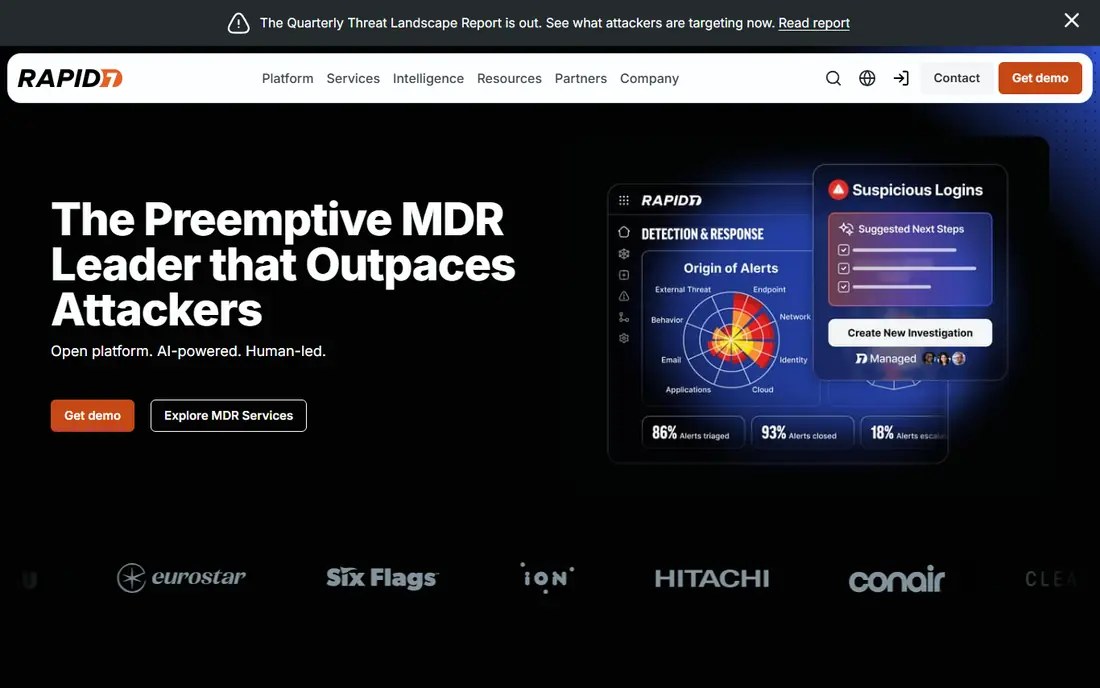
Rapid7 InsightVM stands out among enterprise leaders because it publishes a starting price: from $1.62 per asset per month at 500 assets. That makes budgeting easier than with quote-only rivals, and its remediation tracking helps teams follow fixes from discovery to closure.
InsightVM also offers live dashboards, risk scoring and integrations with ticketing tools, which help security and IT teams work from the same list. Larger or bundled deployments through Exposure Command move to quote-based pricing, so confirm the tier that matches your asset count and cloud needs.
- Published per-asset pricing
- Remediation tracking
- Agent and agentless scanning
- Pricing rises with asset count
- Full Exposure Command bundles are quote-based
Wiz is built for cloud-first teams that need to see how vulnerabilities, misconfigurations and exposed resources connect into real attack paths. Its security graph links cloud workloads, identities and data, so teams can fix the exposures that actually lead somewhere, rather than chasing every finding in order.
Entry pricing is listed around $24,000 per year for 100 workloads on its Essential tier, which puts Wiz out of reach for small teams. For cloud-heavy organisations, that prioritisation can save far more time than a cheaper scanner that lists findings without context.
- Cloud security graph and attack paths
- Agentless cloud scanning
- Strong prioritisation
- High entry price
- Focused on cloud, not traditional on-premise estates
Snyk fits a different part of vulnerability management: it finds weaknesses in code, open-source dependencies, containers and infrastructure as code, and suggests fixes where developers already work. That developer focus means fixes happen earlier, before vulnerable code reaches production.
Team plans start from $25 per developer per month, with a free plan for individuals and small projects. Snyk does not replace an infrastructure scanner such as Tenable or Qualys, so many teams run it alongside one. If your main risk is in software supply chains, start with Snyk.
- Scans code, dependencies and containers
- Fix suggestions in developer tools
- Free plan for individuals
- Not a full infrastructure scanner
- Paid plans needed for team features
Microsoft Defender Vulnerability Management
Best for: Microsoft endpoint teams
Microsoft Defender Vulnerability Management suits teams already running Defender for Endpoint, since it adds vulnerability assessment and remediation into the same console. Core features sit inside Endpoint Plan 2, while a standalone add-on is listed around $3 per user per month, with a premium tier at a higher price.
The weakness is scope: it shines for Windows endpoints and Microsoft-managed devices, but teams with large Linux, cloud or network estates may still need a broader scanner. If your estate is mainly Microsoft, this is the simplest path to vulnerability management.
- Built into Defender for Endpoint workflows
- Remediation through Intune
- Familiar Microsoft tooling
- Best value inside Microsoft environments
- Standalone price adds to existing licensing
Greenbone OpenVAS, also known as Greenbone Community Edition, is the best free vulnerability scanner for teams that can run their own infrastructure. It offers network scanning, scheduling, result storage, user management and daily community feed updates, all self-hosted and open source.
The cost is time and skill. You need to install, update and tune it, and commercial Greenbone offerings add enterprise feeds and support for a fee. For small teams, labs and security learners, OpenVAS gives real scanning without a licence bill. For large estates, a managed platform will save more time than it costs.
- Free community edition
- Full scanning, scheduling and reporting
- Self-hosted control
- Needs Linux and security skill to run
- Commercial support and feeds cost extra
Orca Security scans cloud workloads without installing agents, using side-scanning to inspect virtual machines, containers and storage from outside. That agentless approach reduces deployment friction in cloud estates, and its risk scoring puts findings in context, such as whether a vulnerable workload is internet-facing.
Pricing is quote-based, with third-party listings citing packs starting around $7,000 per month, so Orca suits mid-size and large cloud teams rather than small budgets. If agent deployment is a barrier in your cloud estate, Orca is worth a shortlist spot alongside Wiz.
- Agentless cloud scanning
- Contextual risk scoring
- Broad cloud coverage
- Quote-based pricing
- Cloud focus means limited traditional infrastructure scanning
CrowdStrike Falcon Exposure Management
Best for: Threat-led exposure management
CrowdStrike Falcon Exposure Management adds vulnerability and exposure insight to the Falcon endpoint platform, using threat intelligence to prioritise weaknesses that attackers are actually exploiting. That threat-led view helps teams focus on a smaller, more urgent fix list.
Pricing is quote-based and tied to the Falcon platform, so it makes most sense for teams already using CrowdStrike for endpoint protection. Teams without Falcon should compare Tenable, Qualys or Rapid7 first, since those tools work well without an existing endpoint commitment.
- Adversary intelligence and asset context
- Integrates with Falcon endpoint platform
- Exposure prioritisation
- Quote-based pricing
- Best value for existing Falcon customers
How we picked these
We compared official feature pages, pricing pages and public reviews, and we favoured tools that are still available, clearly support vulnerability scanning or exposure management, and cover different estates, from infrastructure to cloud to code. We included free, developer and enterprise options, since no single tool fits every team. We did not claim hands-on testing, and several enterprise vendors do not publish prices, so we list those as See website rather than guessing a figure.
How to choose the right tool
Start with your estate, not the feature list. List what you actually run: servers, endpoints, cloud workloads, containers and code repositories, then shortlist tools that scan all of it. A cloud-only tool will miss on-premise servers, and an infrastructure scanner will miss code dependencies, so many teams end up with two tools that cover different layers.
Prioritisation, remediation and cost
Ask how each tool ranks findings, since a list of thousands of critical issues helps no one. Look for exploitability, asset importance and exposure context in the scoring, and check how fixes flow into ticketing and patching tools. Then compare total cost on your asset or workload count, including modules and support, and run a trial scan on a representative slice of your estate before committing.
Sources
Frequently asked questions
What is the best vulnerability management tool?
Tenable is our pick for broad infrastructure scanning, while Rapid7 InsightVM is best for transparent per-asset pricing. Wiz leads for cloud exposure, and Snyk leads for developer-led code and dependency fixes. The best tool depends on what you run.
What is the best vulnerability management software for small businesses?
Greenbone OpenVAS is the best free option for skilled small teams, while Tenable Vulnerability Management offers a clear entry tier at $3,500 per year for 100 assets. Snyk's free plan also suits small development teams that mainly need code and dependency scanning.
What is the best vulnerability assessment tool for cloud?
Wiz and Orca Security are the strongest cloud-focused options, thanks to agentless scanning and attack-path prioritisation. Tenable and Qualys also cover cloud workloads, but Wiz and Orca are built around cloud context from the start.
How much does vulnerability management software cost?
Prices range from free for OpenVAS and Snyk's basic plan to $3,500 per year for Tenable's entry tier, $1.62 per asset per month for Rapid7 at 500 assets, and around $24,000 per year for Wiz Essential. Most enterprise platforms are quote-based beyond those entry points.
Do I need a vulnerability management platform or just a scanner?
A scanner finds weaknesses, while a management platform also ranks them, tracks fixes and reports on risk over time. Small teams can start with a scanner, but teams with hundreds of assets usually need the prioritisation and remediation tracking that a full platform provides.