Best Website Build Apps in 2026: 9 Apps Compared
By ToolNimba Editorial Team November 1, 2026 10 min read

- Top pick
 Wix
All-round small business sites
Starting price$17 per monthCheck out WixRead our review - Runner-up
 Squarespace
Design-led service businesses
Starting price$19 per monthCheck out SquarespaceRead our review - Also great
 Shopify
Product stores at scale
Starting price$39 per monthCheck out ShopifyRead our review
How we researched this
We compared official pricing and feature pages, app store listings, privacy policies and public user reviews. Prices change, so check the provider's site before you pay.
Key takeaways
- Wix is our pick for most small businesses, because it pairs a free plan with bookings, payments, and a large template library in one platform.
- Squarespace suits design-led service businesses that want polished templates, while Framer suits marketing sites that need finer design control.
- Hostinger is the cheapest starting point, but check renewal pricing, since intro rates rise after the first term.
- Shopify is the right pick only when selling products is the core job; service businesses usually get more value from Wix, Squarespace, or Durable.
Quick comparison
| Name | Best for | Starting price | Free plan | |
|---|---|---|---|---|
| Wix | All-round small business sites | $17 per month | Yes | Visit |
| Squarespace | Design-led service businesses | $19 per month | Free trial | Visit |
| Shopify | Product stores at scale | $39 per month | Free trial | Visit |
 Webflow | Design control for professionals | $15 per month | Yes | Visit |
 Framer | Design-forward marketing sites | $10 per month | Yes | Visit |
 Hostinger | Lowest-cost first site | $2.99 per month | No | Visit |
 WordPress.com | Blogging and flexible content sites | See website | Yes | Visit |
 GoDaddy | Fast setup for local businesses | See website | Free trial | Visit |
 Durable | Fastest launch for service businesses | See website | Yes | Visit |
The best website build apps
We compared official feature pages, pricing pages, and public reviews, and we favored platforms that still sell a clear builder today, include hosting and templates, and cover service business needs such as bookings, contact forms, and local search basics.
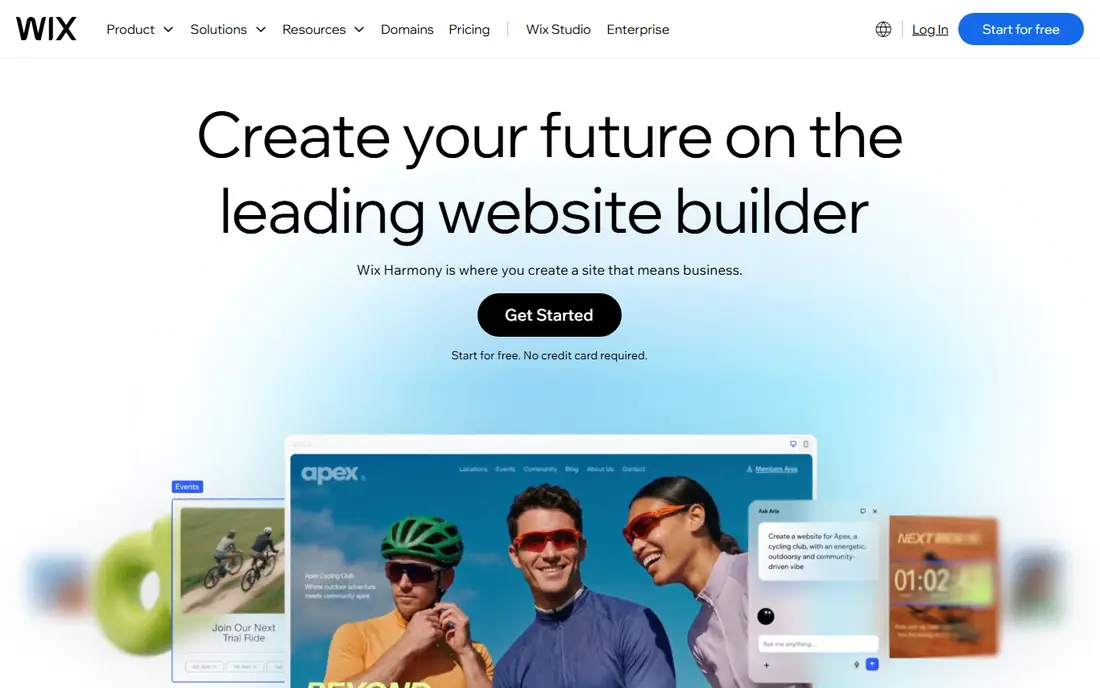
Wix is the best platform to build a website for most small businesses, because it covers the whole job in one place. You can start from a template or an AI prompt, edit by drag and drop, add bookings or a store, and connect payments without installing separate tools. That breadth matters for a service business that needs leads, bookings, and a professional site, not just a brochure page.
The free plan runs on a Wix subdomain with ads, so most businesses will move to a paid plan for a custom domain. Paid plans start around $17 per month on annual billing for the Light tier, with higher tiers adding payments and commerce features. Check the current regional pricing before you buy, since Wix prices vary by location.
- Free plan to start
- Bookings, payments, and marketing tools built in
- Very large template library
- Paid plans needed for a custom domain and payments
- Prices vary by region and billing term
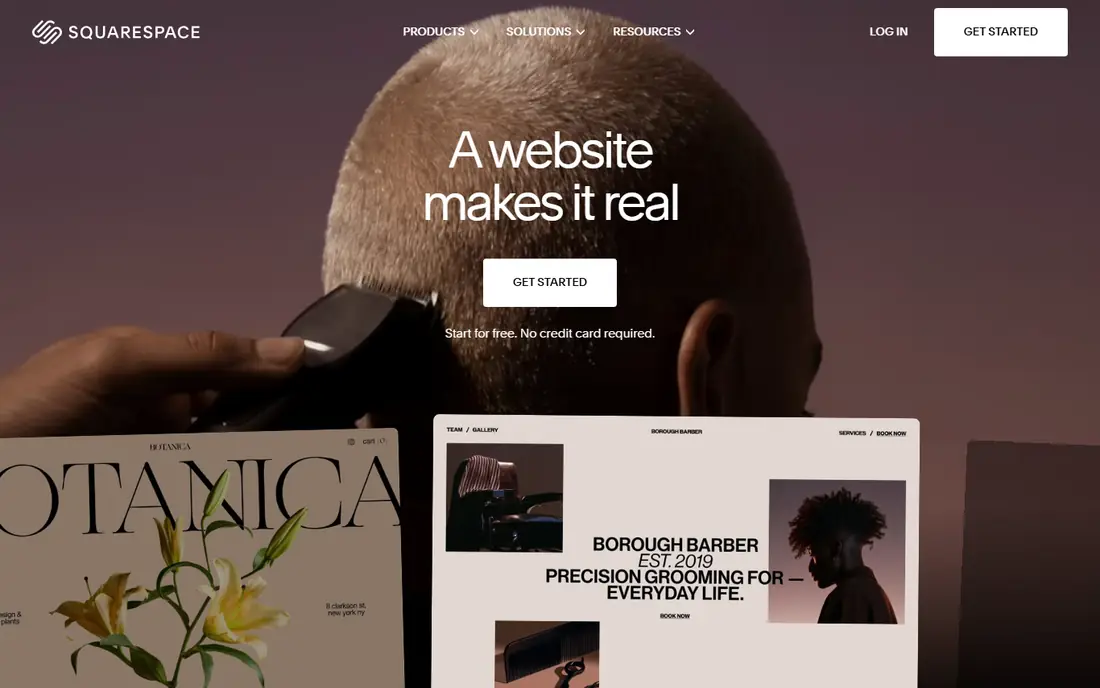
Squarespace is the best website platform for service businesses that care deeply about how the site looks. Its templates use strong type, spacing, and imagery, so a photographer, designer, salon, or consultant can launch a site that looks designed rather than assembled. Booking, scheduling, and commerce tools cover the practical side for many service firms.
The trade is cost and flexibility. There is no free plan, only a 14-day trial, and paid plans start around $19 per month on annual billing. Template structure also limits freeform layout more than Wix or Webflow. If design polish is your main selling point, Squarespace is worth that trade.
- Polished templates with strong typography
- Built-in booking, commerce, and email tools
- Clean mobile layouts
- No free plan, only a trial
- Store transaction fees apply on lower tiers

Shopify is the best tool to build a website when selling products is the main job. Its checkout, inventory, discount, and app ecosystem handle product businesses far better than general builders, and it scales from a small shop to a large store without a platform change. For a business that lives on product sales, that depth justifies the price.
Service businesses should pause before choosing Shopify. At around $39 per month for Basic on annual billing, it costs more than Wix or Squarespace, and its service features feel secondary. If you sell a few services alongside products, a general builder may serve you better.
- Strongest commerce checkout and app ecosystem
- Reliable scaling for product sales
- Many payment and shipping tools
- Overkill and costly for a simple service site
- Design and content tools are commerce-first
Webflow suits designers, agencies, and founders who want control over every part of a page. You can build custom layouts, animations, and CMS collections without writing code by hand, and the result often looks more refined than a template site. That control makes Webflow popular for marketing sites and portfolios.
Beginners should expect a learning period. Webflow assumes some design knowledge, and its pricing includes site plans plus workspace seats, so the total can rise for teams. If you want a site up today with little design skill, Wix or Durable will move faster.
- Precise layout and animation control
- CMS for blogs and portfolios
- Clean code output for developers
- Steeper learning curve than Wix or Squarespace
- Commerce needs a separate plan or integration
Framer is a strong pick for startups and creators who want a modern marketing site. Its design tools, animations, and AI generation help you build a polished landing page quickly, and its free plan lets you test the editor before paying. Paid plans start around $10 per month on annual billing for a basic site.
The limit is commerce. Framer does not offer a native full store, so product sellers need a Shopify connection or another tool. Service businesses that mainly need leads, bookings links, and a strong first impression will find Framer a good fit, especially if design matters more than a large app library.
- Free plan to start
- Strong design and animation tools
- AI site generation for fast first drafts
- No native full online store
- Smaller app ecosystem than Wix or Shopify
Hostinger is the best app to build a website on a tight budget, at least for year one. Its builder includes hosting, AI generation, and drag-and-drop editing, with intro pricing around $2.99 per month on a long term. For a first site, a side project, or a simple business page, that low entry cost is hard to beat.
Read the renewal terms before you commit. Long-term intro rates can renew at a much higher monthly price, so model year two, not just year one. Hostinger also offers fewer built-in business tools than Wix, so growing service businesses may outgrow it sooner.
- Very low intro price
- AI builder and hosting in one plan
- Free domain on some plans
- Best prices need long terms and renew higher
- Builder depth is lighter than Wix or Webflow
WordPress.com suits businesses and creators who plan to publish a lot of content. Its blogging tools, categories, and SEO basics are mature, and higher plans open themes and plugins that extend the site far beyond a simple builder. A free plan lets you test the editor on a subdomain before paying.
The catch is plan complexity. Free and low tiers limit plugins and custom themes, so the flexible WordPress many people imagine needs a higher plan. Beginners who want a simple drag-and-drop site may prefer Wix, while content-led sites will value WordPress.com depth.
- Strong blogging and content tools
- Large theme and plugin ecosystem on higher plans
- Free plan to start
- Plugin and theme access depends on plan
- Setup is more complex than Wix for beginners
GoDaddy website builder is built for speed. Answer a few questions about your business, and it generates a site with relevant sections, images, and contact details that you can adjust. For a local plumber, salon, or repair shop that needs a credible site this week, that fast path matters.
Design control is the trade. GoDaddy templates and layouts offer less freedom than Wix or Webflow, so design-led brands may feel boxed in. Check the current plan pricing on the vendor site, since GoDaddy plans and intro offers change often. For a simple local site with a domain and email in one place, it remains a practical choice.
- Quick AI-guided setup
- Domain, email, and marketing tools in one account
- Helpful for local service firms
- Design flexibility is limited next to Wix or Webflow
- Pricing and plan names change often
Durable is the fastest route from idea to live site on this list. You describe your service business, and Durable generates a site, copy, and images in about a minute, then lets you edit the result. Built-in CRM, invoicing, and review tools suit service firms that need bookings and client follow-up more than pixel-perfect design.
That speed comes with limits. Durable offers less layout freedom than Wix, Squarespace, or Framer, and it is not built for large product stores. If you need a professional service site today and you value bookings and client tools over deep design control, Durable is a strong pick. Check current pricing on the vendor site, since plans have changed across listings.
- Builds a site in under a minute from a few answers
- CRM, invoicing, and booking tools for service firms
- Free plan to start
- Less design flexibility than canvas builders
- Best for simple service sites, not complex stores
How we picked these
We compared official feature pages, pricing pages, and public reviews, and we favored builders that include hosting, templates, and a clear path to a custom domain. We covered general builders, design-led builders, commerce builders, and fast service-business builders, because the best software to build a website depends on what the site must do after launch.
We did not claim hands-on lab testing. Our judgments rest on documented features, published pricing where available, and public reviews, which is enough to shortlist builders and to flag renewal and transaction costs.
How to choose the right website builder
Start with the job of the site. If you sell products, start with Shopify. If you sell services, compare Wix, Squarespace, and Durable on bookings, forms, and local search tools. If design is the product, compare Squarespace, Framer, and Webflow. If budget rules, compare Hostinger year-two pricing with Wix and WordPress.com free plans.
Next, test the editor with your real content. Build one page with your services, prices, and contact details, and check it on a phone, since most visitors will arrive there. Finally, check total cost: monthly plan, domain renewal, transaction fees, and any app or seat costs. A cheap intro plan that renews high can cost more than a steady mid-priced plan over two years.
Sources
- https://www.wix.com
- https://www.squarespace.com
- https://www.shopify.com
- https://webflow.com
- https://www.framer.com
- https://www.hostinger.com
- https://wordpress.com
- https://www.godaddy.com/websites/website-builder
- https://durable.co
- https://vendbuddy.io/blog/best-ai-website-builder-for-small-business
- https://news.ssbcrack.com/best-ai-website-builders/