Best White Noise App in 2026: 10 Apps Compared
By ToolNimba Editorial Team November 10, 2026 10 min read

- Top pick
 White Noise Lite
Simple sleep sounds
Starting priceFreeCheck out White Noise LiteRead our review - Runner-up
 myNoise
Precise sound control
Starting priceFreeCheck out myNoiseRead our review - Also great
 Dark Noise
iPhone one-time purchase
Starting priceSee websiteCheck out Dark NoiseRead our review
How we researched this
We compared official pricing and feature pages, app store listings, privacy policies and public user reviews. Prices change, so check the provider's site before you pay.
Key takeaways
- White Noise Lite and myNoise are the best free starting points for simple, steady sleep sounds.
- BetterSleep suits people who want to mix rain, wind and other sounds into a personal blend.
- Dark Noise is a strong one-time purchase choice for iPhone users who dislike subscriptions.
- A white noise app is a comfort tool, not a medical treatment, so persistent sleep problems deserve a clinician visit.
Quick comparison
| Name | Best for | Starting price | Free plan | |
|---|---|---|---|---|
| White Noise Lite | Simple sleep sounds | Free | Yes | Visit |
| myNoise | Precise sound control | Free | Yes | Visit |
| Dark Noise | iPhone one-time purchase | See website | Free trial | Visit |
 BetterSleep | Custom sound mixes | $59.99 per year | Yes | Visit |
 Atmosphere | Scene-based mixes | Free | Yes | Visit |
 Rain Rain | Rain sounds | Free | Yes | Visit |
 SimplyNoise | Color noise | Free | Yes | Visit |
 Calm | Sleep stories and sounds | See website | Free trial | Visit |
 Insight Timer | Free sleep library | Free | Yes | Visit |
 Tide | Focus and sleep timers | Free | Yes | Visit |
The best white noise apps
We compared official app listings, free tiers and sound libraries for apps that play steady background sound for sleep, focus or masking noise. The list favors apps that start quickly, play without constant attention, and offer a timer or fade-out for overnight use.
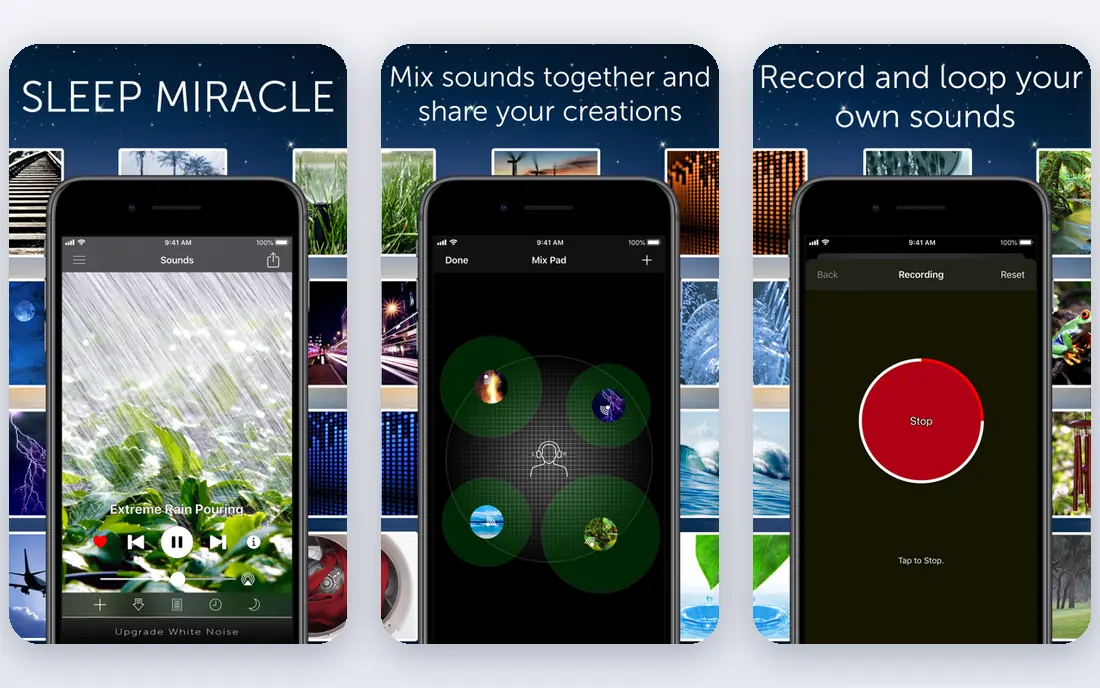
White Noise Lite is our pick for most people who just want sound and sleep. Open the app, pick a sound such as rain, fan or ocean, and let it play. There is no course, no onboarding and no wellness program in the way. That simplicity is why many users return to it after trying fancier apps.
The free version includes ads, and mixing is basic compared with dedicated mixers. If you only need one steady sound, that is not a problem. If you want layered blends, start here to learn which sound helps you, then move to a mixer.
- Very easy to use
- Large set of classic sounds
- Works as a basic digital sound machine
- Ads on the free version
- Fewer mixing tools than BetterSleep or myNoise
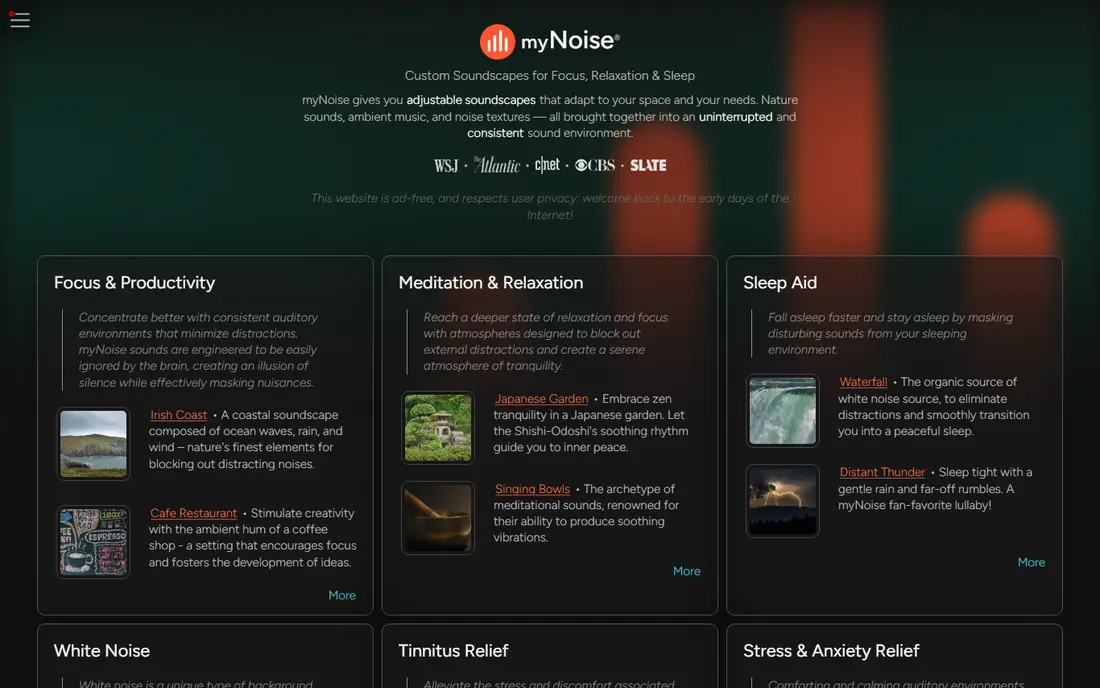
myNoise is for listeners who know that plain white noise feels too harsh or too thin. Sliders let you shape the sound by frequency, so you can soften high hiss or add low rumble. Generators cover rain, wind, fans, chanting crowds and many other textures. The web version works in a browser, which helps on a computer.
The control panel can feel busy at first. Start with a preset, then adjust one slider at a time. Donations open extra generators, but the free set is already wide enough for most sleep and focus needs.
- Frequency-level sliders for fine control
- Many noise generators and nature sounds
- Donation-supported model
- Interface takes time to learn
- Some generators require a donation or purchase
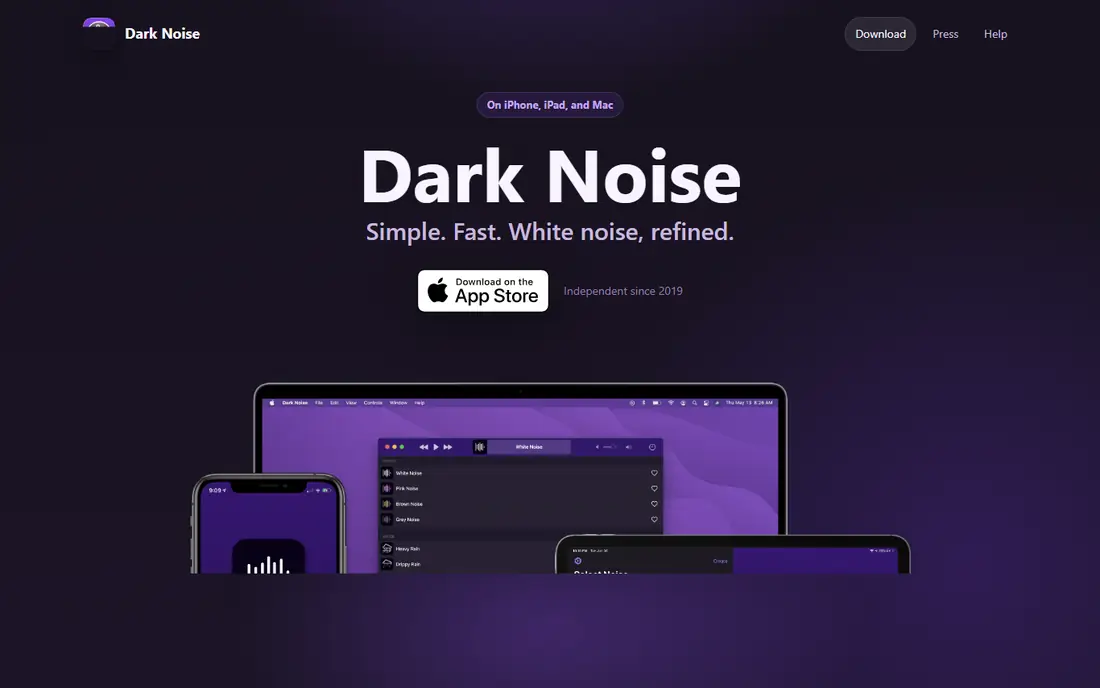
Dark Noise is a polished sound player for Apple users. Sounds are well recorded, the interface stays out of the way, and Shortcuts let you start a favorite sound from a widget or automation. A one-time purchase option is a welcome change from yearly subscriptions, and it suits people who want to pay once and keep using the app.
Android users will need another pick, since Dark Noise focuses on Apple platforms. The library is also more curated than sprawling, so listeners who want hundreds of mixes may prefer BetterSleep or Atmosphere.
- Clean iPhone design
- Shortcuts and widget support
- One-time purchase option avoids a subscription
- IPhone and Apple platforms only
- Sound library is smaller than BetterSleep
BetterSleep, formerly Relax Melodies, is the mixer pick in this list. You can layer rain over a low fan, add soft music, and save the blend as a nightly mix. Sleep stories, breathing tools and a bedtime routine section turn it into a fuller sleep app rather than a simple sound machine. That breadth helps people whose sleep trouble is winding down, not just blocking noise.
The free tier covers basic sounds, but the full library and many extras need the yearly plan. If you only need a fan sound, a free app will do. If you enjoy building a personal soundscape, BetterSleep justifies its price for many users.
- Powerful mixer for layered sounds
- Sleep stories and bedtime tools
- Saved mixes for nightly routines
- Best features require a yearly subscription
- App can feel busy if you only want one sound
Atmosphere builds places rather than single sounds. A forest scene might combine birds, wind and leaves, while a cafe scene adds chatter and cups. That sense of place helps people who do not relax to plain static. Mixing is simple, and you can save favorites for sleep or work.
The free version includes ads and locks some sounds behind a purchase. Even so, the free scenes cover common needs well. Try a few scenes before paying, and note which mix actually helps you fall asleep rather than just sounding pleasant for a minute.
- Scene mixes such as forest, cafe and storm
- Easy mix building
- Free tier is usable
- Ads on the free version
- Some sounds require a purchase to open
Rain Rain does one thing well. It offers many kinds of rain, from light drizzle to heavy storms, with a simple player and timer. If rain is the sound that helps you sleep, you do not need a large library of unrelated sounds. The app starts quickly, which matters at bedtime when you do not want to browse menus.
People who want ocean, fan or city sounds will need a second app. Rain Rain is a specialist pick, and it works best as part of a small set of sleep tools rather than as your only sound app.
- Many rain variations
- Fast start with little setup
- Good for sleep and focus
- Narrower scope than full mixers
- Some features require an upgrade
SimplyNoise is useful for people who want color noise rather than nature recordings. White noise covers all frequencies evenly, pink noise softens the high end, and brown noise adds a deeper rumble. Many listeners find brown or pink noise easier to sleep to than plain white noise. The site and app keep controls to volume, tone and timer.
There are no stories, scenes or sleep programs here. That is the point. If you want a steady masking sound for an office or a nursery, SimplyNoise does it with no distraction.
- White, pink and brown noise in one place
- Simple controls
- Web version works without an install
- No nature scenes or stories
- Limited mixing compared with BetterSleep
Calm is not a pure white noise app, but many people use it for sleep sounds and stories. Sleep Stories read by calm voices help listeners who wake when a sound loop ends or who need a voice to focus on. Soundscapes cover rain, ocean and other backgrounds, and meditation sessions support winding down before bed.
The price is the main drawback for sound-only users. Most content sits behind a subscription, and free sound apps cover the same basic noises at no cost. Calm fits people who already want stories and meditation in one app, not people who only need a fan sound.
- Large sleep story library
- Guided meditations alongside sounds
- Polished design
- Subscription needed for most content
- More expensive than sound-only apps
Insight Timer stands out for a genuinely generous free tier. Thousands of guided meditations, sleep tracks and music pieces are available without a subscription. That makes it a good free companion to a sound app: use White Noise Lite for masking sound, and Insight Timer when you want a guided wind-down.
The size of the library can make choice hard at bedtime. Save favorites during the day so you are not browsing at night. Paid plans add courses and offline features, but the free library already covers most sleep needs.
- Very large free library of meditations and sleep tracks
- Many teachers and styles
- Timer for silent or sound sessions
- Library size can feel overwhelming
- Best organization features sit on paid plans
Tide pairs sounds with timers, which helps people who use noise for work as well as sleep. A focus session can run a nature soundscape for a set period, then end with a gentle signal. Sleep tools track rest and encourage a regular routine. That dual use makes Tide a good pick for students and office workers.
The free tier covers core sounds and timers, while Tide Plus opens more. If you only need overnight sound, a simpler app may be enough. If you want one app for both work sessions and bedtime, Tide is a practical choice.
- Combines nature sounds with focus timers
- Sleep tracking tools
- Clean daily routine design
- Premium features require a subscription
- Sound library is smaller than BetterSleep
How we picked these
We compared official app listings, free tiers and sound libraries, favoring apps that play steady sound without requiring a subscription for basic use. We looked for timers, background playback and a sound set that covers white, pink or brown noise plus nature sounds. Prices and free tiers change, so check the app store listing before you pay. These apps are comfort tools, not treatments for sleep disorders.
How to choose a sleep sound
Start with the sound that masks your actual noise problem. A fan or brown noise often masks low traffic hum, while rain or pink noise can cover voices and household sounds. Keep volume low enough that you can still hear an alarm or a child, and use a timer or fade-out if you prefer silence later in the night.
Test one app for a week before switching. Sleep habits need repetition, and a new sound each night makes it hard to tell what helps. Keep the phone charging away from the bed if screen light bothers you, and use background playback so the sound continues with the screen off. If you snore loudly, wake unrefreshed, or struggle to stay asleep for weeks, talk with a clinician rather than relying on an app alone.
Sources
- https://www.tmsoft.com
- https://www.mynoise.net
- https://www.darknoise.app
- https://www.bettersleep.com
- https://www.atmosphereapp.com
- https://www.rainrainapp.com
- https://www.simplynoise.com
- https://www.calm.com
- https://www.insighttimer.com
- https://www.tideapp.com
- https://calmingmusicrelaxation.com/guides/best-sleep-sound-apps.html
Frequently asked questions
What is the best white noise app for sleep?
White Noise Lite is the best simple free choice, while BetterSleep is better if you want to mix sounds. myNoise suits listeners who want fine control over tone, and Dark Noise suits iPhone users who prefer a one-time purchase.
What is the best free white noise app?
White Noise Lite and myNoise both offer usable free tiers without a subscription for basic sounds. SimplyNoise is another strong free option for plain white, pink and brown noise on the web and mobile.
What is the best free app for sleep sounds?
Insight Timer offers the largest free library of sleep tracks and meditations, while White Noise Lite covers steady masking sounds. Use Insight Timer for guided wind-downs and a sound app for overnight masking.
Is white noise or brown noise better for sleep?
It depends on your ears and your noise problem. White noise is brighter and more even, while brown noise is deeper and softer in the high frequencies. Many sleepers prefer brown or pink noise, so try each for a few nights at low volume.
Can a white noise app help a baby sleep?
Many parents use steady sounds to mask household noise in a nursery. Keep volume low, place the device away from the crib, and use a timer. If sleep problems persist, ask a pediatric clinician for guidance.
Do I need to pay for a white noise app?
No, free apps cover basic sleep sounds well. Pay only if you want layered mixing, sleep stories, offline downloads or a larger library, and try the free tier first to learn which sound helps you.