Best Workflow Management Software in 2026: 8 Tools Compared
By ToolNimba Editorial Team November 5, 2026 9 min read

- Top pick
 monday.com
Visual boards for non-technical teams
Starting price$9 per user per monthCheck out monday.comRead our review - Runner-up
 Asana
Structured timelines and cross-team work
Starting price$10.99 per user per monthCheck out AsanaRead our review - Also great
 ClickUp
Most features per dollar
Starting price$7 per user per monthCheck out ClickUpRead our review
How we researched this
We compared official pricing and feature pages, app store listings, privacy policies and public user reviews. Prices change, so check the provider's site before you pay.
Key takeaways
- monday.com is the easiest for non-technical teams to adopt, thanks to visual boards and templates.
- Asana suits structured, cross-team work with timelines, portfolios, and goals in one place.
- ClickUp offers the most features per dollar, but its breadth takes longer to learn.
- Trello and Notion suit smaller teams that want simplicity or docs plus tasks in one tool.
- Check seat minimums and automation limits, since the headline price rarely tells the full cost.
Quick comparison
| Name | Best for | Starting price | Free plan | |
|---|---|---|---|---|
| monday.com | Visual boards for non-technical teams | $9 per user per month | Yes | Visit |
| Asana | Structured timelines and cross-team work | $10.99 per user per month | Yes | Visit |
| ClickUp | Most features per dollar | $7 per user per month | Yes | Visit |
 Trello | Simple kanban for small groups | $5 per user per month | Yes | Visit |
 Notion | Tasks plus docs and wikis | $10 per user per month | Yes | Visit |
 Smartsheet | Spreadsheet-style planning | $9 per user per month | Free trial | Visit |
 Wrike | Approvals and marketing workflows | $10 per user per month | Yes | Visit |
 Airtable | Database-driven custom workflows | $20 per user per month | Yes | Visit |
The best workflow management software
Workflow management software exists to cut the work about work: status meetings, lost files, and unclear ownership. The eight tools below span simple kanban boards to database-driven platforms, and the right one depends on how your team already thinks about work.
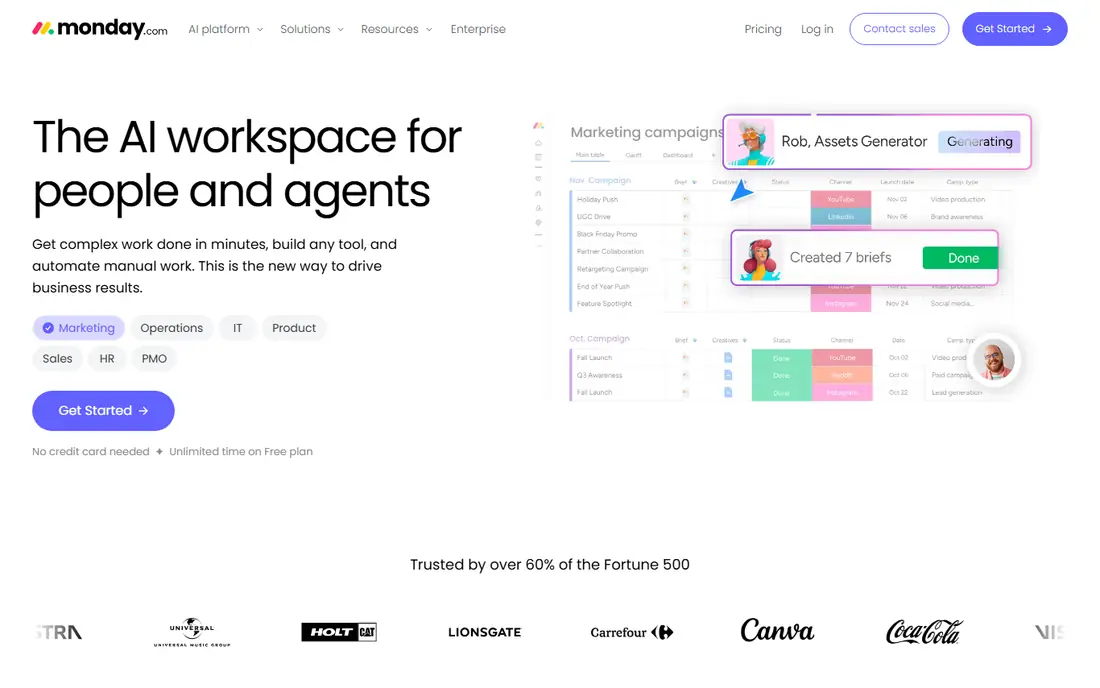
monday.com wins on approachability. Boards are visual, color-coded, and readable by people who have never used project software, which is why marketing, HR, and operations teams adopt it faster than more technical tools. Templates for campaign tracking, hiring, and content calendars mean most teams start from something close to what they need rather than a blank board.
The catch is seat math. Basic starts at $9 per user per month billed annually, but seats are sold in blocks on some plans, so a six-person team may pay for more seats than it uses. Automations and integrations also scale with higher tiers. For a growing team that values adoption over depth, monday.com is still the easiest recommendation here.
- Color-coded boards anyone can read
- Strong template library
- Automations without code
- Seats sold in minimum blocks on some plans
- Costs rise quickly at scale

Asana suits teams that need structure without a steep learning curve. Tasks, timelines, portfolios, and goals live in one system, so a manager can see how a single task connects to a team goal without opening a separate reporting tool. Cross-team work, with dependencies and shared timelines, is where Asana feels most at home.
Starter costs $10.99 per user per month billed annually, and the free plan covers small teams well. Automation rules and advanced reporting sit on higher tiers, which frustrates teams that expect them at entry level. If your work is deadline-driven and cross-functional, Asana's clarity is worth the tier jump when you need it.
- Timelines, portfolios, and goals in one system
- Mature integrations
- Clear task ownership
- Automations are limited on lower tiers
- Reporting depth needs higher plans
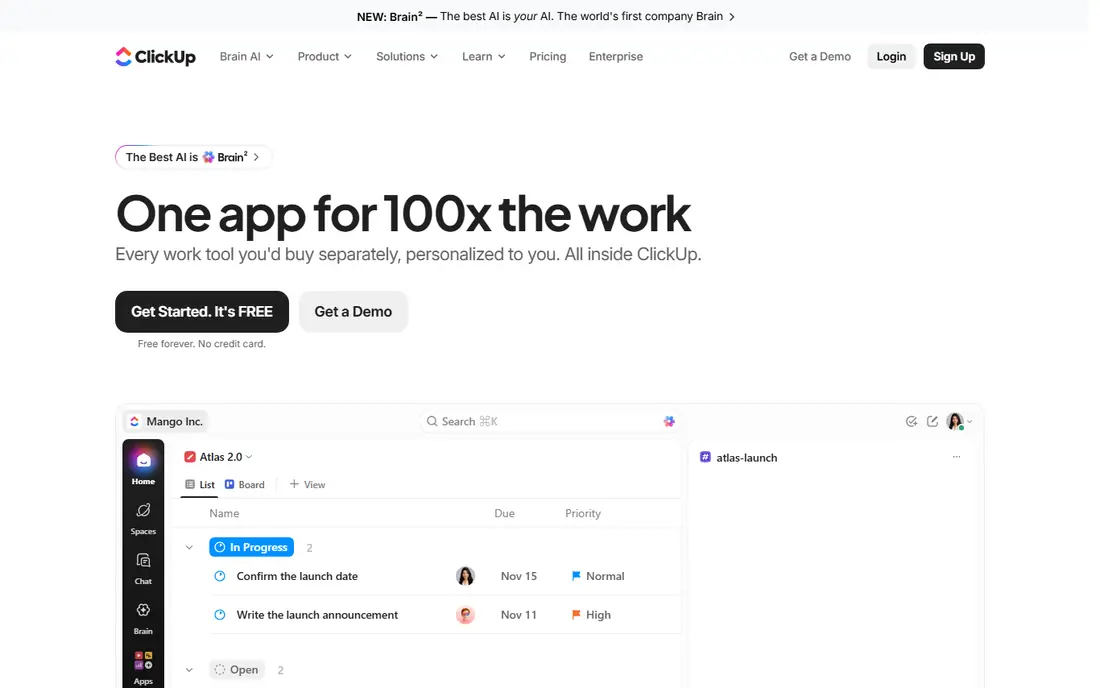
ClickUp is the value pick for teams that want to replace several apps with one workspace. Docs, whiteboards, goals, time tracking, and automations sit alongside tasks, and the free plan is generous enough for small teams to run real work before paying. Unlimited starts at $7 per user per month billed annually, undercutting most rivals here.
That breadth is also the weakness. New teams can spend weeks configuring ClickUp before it feels settled, and the sheer number of settings can overwhelm people who just want a task list. If you have someone willing to own the setup, ClickUp gives you the most for the money. If you need instant simplicity, Trello fits better.
- Huge feature set including docs, goals, and time tracking
- Generous free plan
- Low entry price
- Breadth creates a longer learning curve
- Settings can feel overwhelming for new teams
Trello is the tool to pick when a team resists project software. Boards, lists, and cards are immediately obvious, and most people understand Trello within minutes. For a small group tracking a pipeline, a content calendar, or a hiring process, that simplicity is a feature, not a limitation.
Depth is where Trello stops. Reporting, approvals, and complex workflows need Power-Ups or higher plans, and large programs with dependencies outgrow boards quickly. Standard starts at $5 per user per month billed annually. Use Trello when the workflow is simple and adoption matters more than control.
- Simplest kanban on this list
- Fast to learn
- Good free plan for small groups
- Limited reporting and workflow depth
- Heavy workflows need Power-Ups or higher plans
Notion suits teams whose work lives in documents as much as in tasks. A project page can hold the brief, the timeline, the task database, and the meeting notes together, so context never sits in a separate app. That combination is why small startups and content teams often run their whole operation in Notion.
As a pure workflow tool, Notion is lighter than Asana or Wrike: dependencies, workload views, and approvals are less developed. Plus costs $10 per user per month billed annually. Pick Notion when docs and tasks belong together, and pick a dedicated workflow tool when approvals and resource planning dominate.
- Tasks, docs, and wikis in one workspace
- Flexible databases
- Strong templates
- Task management is lighter than dedicated tools
- Offline use is limited
Smartsheet is the pick for teams that think in spreadsheets. Rows, columns, and formulas feel familiar to operations, finance, and construction teams, while Gantt charts, reports, and dashboards add project structure on top. Repeatable processes, such as onboarding checklists or event plans, translate naturally into Smartsheet templates.
The interface feels more corporate than monday.com or ClickUp, and there is no permanent free plan, only a trial, with Pro starting at $9 per user per month billed annually. For spreadsheet-native teams, that familiarity drives adoption that prettier tools cannot match. For creative teams, a visual board tool will feel more natural.
- Familiar grid interface for operations teams
- Gantt, reports, and dashboards
- Strong for repeatable processes
- Feels less modern than board tools
- Free plan is a trial, not a permanent tier
Wrike suits marketing and creative teams whose work passes through approvals. Proofing, approval chains, and request forms are built into the workflow, so a design does not need a separate review tool. Permissions and reporting are governed enough for larger organizations, which is why agencies and enterprises adopt it.
That governance adds weight. Setup takes longer than Trello or monday.com, and small teams may find the interface dense for simple task tracking. Team starts at $10 per user per month. If approvals, asset review, and cross-functional campaigns are your daily work, Wrike's structure pays off; if not, a simpler tool will feel faster.
- Approval workflows and proofing built in
- Strong for marketing and creative teams
- Governed permissions
- Setup takes longer than simpler tools
- Interface feels dense for small teams
Airtable is the pick when workflows are really databases in disguise. A content pipeline, a product catalog, or a hiring tracker becomes a linked base with views for kanban, calendar, gallery, and grid, plus Interfaces for stakeholders who should not see the raw data. Automations move records between stages without manual work.
The price reflects that power. Team starts at $20 per user per month billed annually, the highest entry price on this list, and large teams feel the per-seat cost quickly. For custom, data-heavy workflows, Airtable replaces a spreadsheet plus a task tool plus a reporting tool, which can justify the price. For simple task tracking, it is overkill.
- Relational database power with a friendly interface
- Interfaces and Automations for custom workflows
- Strong templates
- Highest entry price here
- Per-seat costs rise fast for large teams
How we picked these
We compared official pricing pages and recent independent comparisons, and kept only tools that manage workflows today with real team adoption. We favored tools with free plans or trials, clear automation and approval features, and distinct strengths on simplicity, structure, or customization, and we left out single-user task apps and pure chat tools. Prices change often, so confirm the current figure on each vendor site before you buy.
How to choose without overbuying
Start by naming the workflow, not the tool. A content pipeline needs approvals and deadlines, a client delivery process needs time and budgets, and a personal task list needs almost nothing. Write down the three workflows that cause the most status meetings, then test tools against those workflows with real tasks, not demo data.
Then check the cost traps. Seat minimums, automation limits, guest rules, and AI add-ons can double a headline price, so model the cost for your actual team size over a year. Run a two-week trial with the people who will use the tool daily, not just managers, and watch adoption: the best workflow tool is the one the team actually updates.
A setup that scales
Keep one source of truth per workflow, with clear owners and due dates, and resist building ten boards when three will do. Use templates for repeatable work, automations for handoffs and reminders, and a weekly review to close stale tasks. Review the tool itself every six months: teams outgrow tools, and a simpler tool that everyone uses beats a powerful one that only two people update.
Sources
Frequently asked questions
What is the best workflow management software for small teams?
Trello suits the smallest teams that want simple kanban, while ClickUp suits small teams that want many features for a low price. monday.com is the best middle ground when non-technical teammates need to adopt the tool quickly.
How is workflow management software different from project management software?
Workflow tools focus on repeatable processes, approvals, and handoffs, while project tools focus on one-off projects with deadlines and budgets. In practice the categories overlap, and tools such as Asana and monday.com cover both.
Is there good free workflow management software?
Yes. ClickUp, Trello, Asana, monday.com, Notion, Wrike, and Airtable all offer free plans that cover small teams. Free plans limit automations, guests, or history, so check those limits before relying on one for a growing team.
Which tool is best for approvals?
Wrike is the strongest pick here for approvals and creative proofing, with approval chains built into the workflow. monday.com and Asana also handle approvals, though their deeper approval features sit on higher tiers.
Should a team use Notion or Asana for workflows?
Use Notion when docs, wikis, and tasks belong together in one workspace. Use Asana when deadlines, dependencies, and cross-team timelines matter more than documents, since its task and portfolio views are stronger.
How much should a team budget per user?
Entry prices here run from $5 to $20 per user per month billed annually, before seat minimums and add-ons. Model the total for your real team size, including guests and automation limits, rather than trusting the headline rate.