Best Writing Software for Novelists in 2026: 8 Tools Compared
By ToolNimba Editorial Team November 10, 2026 11 min read

- Top pick
 Scrivener
Deep novel organization
Starting price$59.99 one-timeCheck out ScrivenerRead our review - Runner-up
 Dabble
Cloud plotting and drafting
Starting price$19 per monthCheck out DabbleRead our review - Also great
 Reedsy Studio
Free drafting and formatting
Starting priceFreeCheck out Reedsy StudioRead our review
How we researched this
We compared official pricing and feature pages, app store listings, privacy policies and public user reviews. Prices change, so check the provider's site before you pay.
Key takeaways
- Scrivener remains the best one-time purchase for novelists who want deep organization without a subscription.
- Dabble is the easiest cloud option for writers who plot scenes and want automatic sync across devices.
- Reedsy Studio is the strongest free drafting and formatting option for a first novel.
- Plottr is a planning tool, not a drafting tool, so pair it with Scrivener or a word processor.
- Atticus suits self-publishers who want to draft and format an ebook and print book in one purchase.
Quick comparison
| Name | Best for | Starting price | Free plan | |
|---|---|---|---|---|
| Scrivener | Deep novel organization | $59.99 one-time | Free trial | Visit |
| Dabble | Cloud plotting and drafting | $19 per month | Free trial | Visit |
| Reedsy Studio | Free drafting and formatting | Free | Yes | Visit |
 Plottr | Visual story planning | $60 per year | Free trial | Visit |
 Atticus | Writing plus book formatting | $147 one-time | No | Visit |
 Novelcrafter | Codex and story tracking | $4 per month | Free trial | Visit |
 Campfire | Fantasy worldbuilding | Free | Yes | Visit |
 Novlr | Simple cloud drafting | Free | Yes | Visit |
The best writing software for novelists
Novel writing software differs from a basic word processor because it helps you organize chapters, scenes, research and character notes in one project. We compared official pricing pages, feature pages and recent writer-focused reviews for the tools below, focusing on organization, plotting, sync, export and long-term cost.
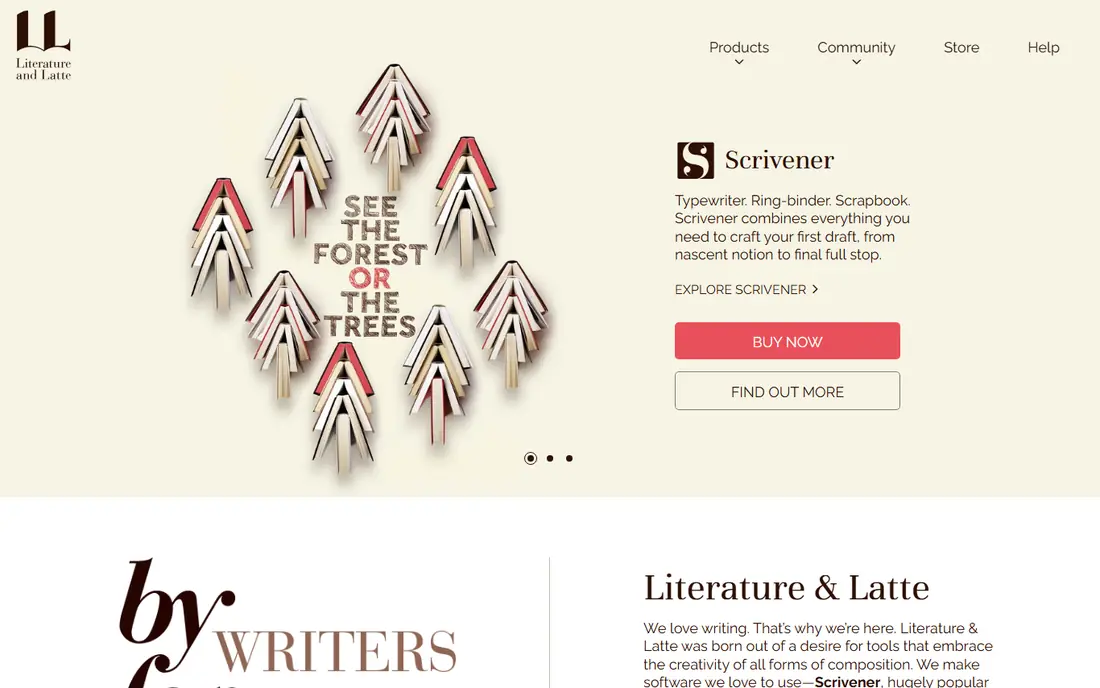
Scrivener has been the default novel tool for years for a simple reason: it treats a book as a set of movable pieces, not one long document. You can draft scenes out of order, rearrange chapters in the binder, view scenes as index cards on the corkboard, and keep research PDFs and images inside the same project. For a long novel with many threads, that structure keeps the draft manageable.
The cost is learning time. Scrivener has many features, and a new user can spend days exploring compile settings before writing a word. Sync also needs manual setup, usually through Dropbox, and the iOS app costs extra. If you write on one main computer and want to own your software outright, those trade-offs are worth it. If you want instant sync across phone and laptop, look at Dabble or Novlr first.
- Binder, corkboard and outliner for large manuscripts
- Research files live inside the project
- One-time desktop license
- Steep learning curve
- Sync needs Dropbox or a similar setup
- IOS app is a separate purchase
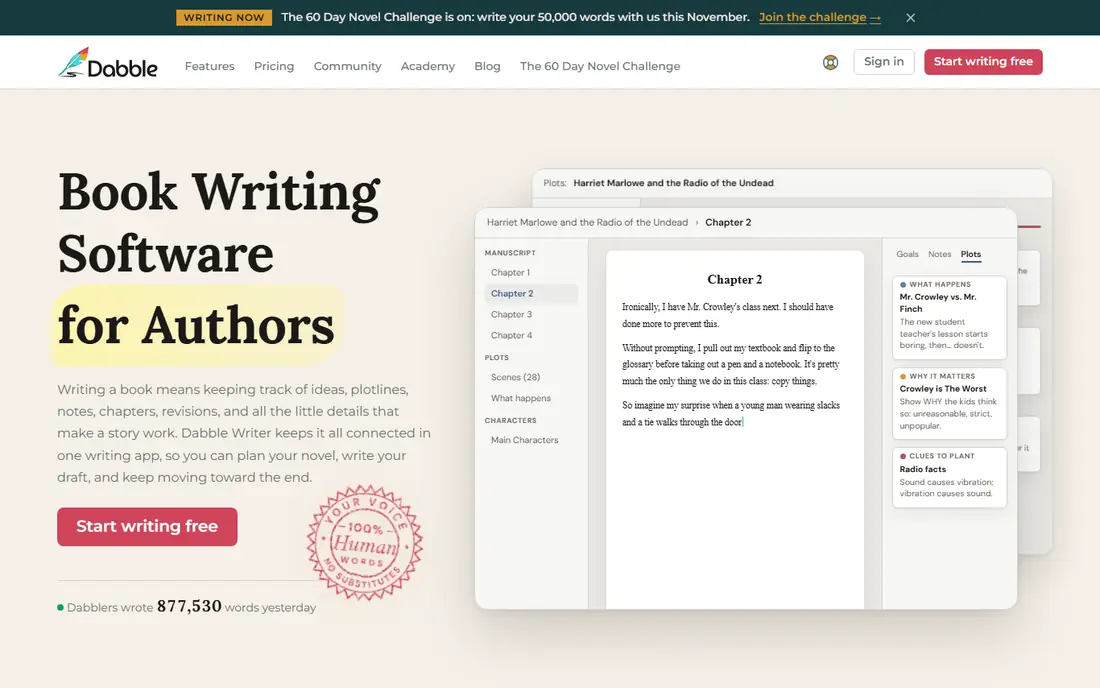
Dabble takes the core of Scrivener, plotting plus scene organization, and puts it in the cloud with a gentler learning curve. The Plot Grid shows scenes against plotlines, so you can spot a missing thread or a character who vanishes for ten chapters. Automatic sync means you can start on a laptop, continue on a phone and never think about file versions.
The subscription is the main drawback. At $19 per month for the Writer plan, rising to $29 and $49 on higher tiers, Dabble costs far more than Scrivener over a multi-year book. It also exports to Word and similar formats but does not format a finished ebook or print interior, so you will still need Atticus or Reedsy Studio at publishing time. For a writer who plots first and drafts daily, the ease of use can justify that cost.
- Plot Grid for scene-by-plotline planning
- Automatic cloud sync
- Co-authoring and story notes included
- Subscription cost adds up over years
- No ebook or print formatting
- Higher tiers needed for grammar and beta support

Reedsy Studio is the best free starting point for a novelist who wants to finish a book without paying for software. You can draft chapters, organize scenes, and export a formatted ebook or print-ready file without a subscription. That path from draft to formatted book in one free tool is rare, and it makes Reedsy Studio a practical choice for a first novel or a writer on a tight budget.
The tool is simpler than Scrivener or Dabble. Plotting is limited to one board on the free plan, and worldbuilding or deep research storage is not its strength. If your novel needs a detailed codex or a complex plot grid, pair Reedsy Studio with Plottr for planning. If your main need is a clean draft that can become a publishable file, Reedsy Studio covers it alone.
- Free to draft and export
- Clean book formatting for ebook and print
- Simple chapter and scene structure
- Plotting tools are light
- Fewer organization features than Scrivener
- Needs an internet connection for full use
Plottr is a planning tool, and judging it as a drafting app misses its value. Its timelines, outline templates and plotline views help you build a story structure before you write, or fix a sagging middle once a draft exists. Templates for common structures, such as three-act and hero journey outlines, give a new novelist a starting frame without forcing a rigid formula.
The limit is clear: Plottr does not replace a writing app. You will still draft in Scrivener, Dabble, Reedsy Studio or a word processor, then return to Plottr to check structure. A lifetime license at $150 softens the cost if you plan many books, while Pro adds more features at a higher price. Buy Plottr for structure, not for drafting, and it earns its place.
- Strong timeline and outline templates
- Visual plotlines for scenes and characters
- Lifetime license option
- No full drafting editor
- Needs a second tool for writing
- Pro features cost more
Atticus suits self-publishers who want to go from draft to a book that looks professional without learning separate formatting software. You can write chapters, set themes, add chapter headings and export ebook and print files that are ready for major retailers. The $147 one-time price is easy to compare with years of subscription fees, and for an author who publishes regularly, it pays for itself quickly.
Atticus is not a plotting powerhouse. It lacks the Plot Grid of Dabble or the corkboard depth of Scrivener, so heavy outliners should plan elsewhere and import a draft. It also has no free trial, though it offers a refund window. If formatting is your bottleneck and you already have a planning method, Atticus removes a whole stage of publishing work.
- Drafting and professional ebook and print formatting in one tool
- One-time price
- Theme and chapter styling options
- Plotting tools are minimal
- No subscription-free trial, only a refund window
- Less suited to heavy research projects
Novelcrafter is built for writers whose stories need a memory. Its codex links characters, locations, items and lore to scenes, so you can check a character eye color or a town history without searching a whole manuscript. That feature matters most for series writers and for fantasy or science fiction, where consistency across books is part of the craft.
Pricing starts low, at $4 per month on entry plans, with a trial to test the codex before paying. Export is more limited than Scrivener, and the AI options, while optional, may not appeal to writers who prefer a fully human draft. If your main struggle is keeping story details straight across a long series, Novelcrafter is a focused and affordable answer.
- Codex for characters, places and lore
- Optional AI features
- Grid and outline views for scenes
- Export options are limited compared with Scrivener
- AI features are optional and may not suit every writer
- Smaller community than leaders
Campfire is the worldbuilding pick on this list. It offers linked modules for characters, locations, timelines, maps and relationship webs, which suit fantasy, science fiction and long series where the world itself needs planning. A free tier lets you test the modules before paying $12 per month for full access, which keeps the entry cost low for a curious writer.
The drafting editor is not as polished as Dabble, and a contemporary novel with few locations will not need most of Campfire modules. That sprawl is the trade-off: the tool rewards a big, detailed world and can feel like overhead for a small, character-led story. Choose Campfire when the world is a character in its own right, and keep drafting expectations modest.
- Maps, timelines and relationship webs
- Free tier for basic use
- Exports to EPUB on paid plans
- Writing editor is simpler than Dabble
- Full modules need a paid plan
- Can feel sprawling for a simple contemporary novel
Novlr is a quiet, cloud-based editor for writers who want to open a browser and write, without learning a complex system. The free tier covers basic drafting, and the paid plan, around $8 per month, adds more features. Its clean layout, word count tracking and simple chapter structure suit a writer who already knows the story and just needs a reliable place to draft it.
The simplicity is also the limit. Novlr does not offer a Plot Grid, a deep codex or book formatting at the level of Reedsy Studio or Atticus. It is best as a drafting home for a straightforward novel, or as a low-cost way to test whether cloud writing suits you. If you later need plotting or formatting, export your draft and move it to a tool built for that stage.
- Free tier for basic drafting
- Clean, distraction-free editor
- Cloud access from any browser
- Plotting features are light
- Paid plan needed for full features
- Fewer export and formatting options than Reedsy Studio
How we picked these
We compared official pricing pages, feature pages and writer-focused reviews published in 2026, and kept only tools built for book-length fiction or with a clear novel workflow. We favored a mix of one-time purchases, subscriptions and free tools, and we noted where a tool plans but does not draft, or drafts but does not format. We did not claim hands-on testing of unpublished manuscripts, and we treated vendor pricing as a starting point to verify before purchase.
How to choose writing software for your novel
The right tool depends on where you get stuck. Some writers stall on structure, others on drafting habit, and others on formatting a finished book. Match the tool to that bottleneck, rather than buying the tool with the longest feature list.
Start with your planning style
If you outline in detail, a Plot Grid or timeline tool such as Dabble or Plottr will help most. If you discover the story as you draft, a simple editor such as Novlr or Reedsy Studio leaves room to explore. If you write series fiction, a codex tool such as Novelcrafter or Campfire will save you from consistency errors later.
Weigh one-time cost against subscription cost
A $59.99 Scrivener license or a $147 Atticus purchase costs less over three years than a $19 per month subscription, but a subscription buys automatic sync and ongoing updates. Work out the three-year cost for your shortlist, then ask whether sync, collaboration or formatting justifies the difference for the way you actually write.
Test export before you commit to a draft
Before you write 50,000 words in a new tool, export a test chapter to Word, EPUB or PDF and check that headings, scene breaks and italics survive. A tool that traps your manuscript in a weak export will cost you time at publishing, however pleasant its editor feels during drafting.
Sources
- https://blog.chapter.pub/scrivener-vs-dabble/
- https://blog.chapter.pub/dabble-alternatives/
- https://reedsy.com/studio/resources/dabble-writing-review/
- https://www.literatureandlatte.com
- https://www.dabblewriter.com
- https://reedsy.com
- https://plottr.com
- https://www.atticus.io
- https://www.novelcrafter.com
- https://www.campfirewriting.com
- https://www.novlr.org
Frequently asked questions
What is the best writing software for novelists?
Scrivener is our pick for most novelists who want deep organization for a one-time price, while Dabble is easier for cloud plotting and sync. Reedsy Studio is the best free option for drafting and formatting a first novel. The best tool for you depends on whether you need plotting, sync, formatting or all three.
What is the best app for writing a novel?
Dabble and Novlr are strong app choices for novel drafting, since both work across devices and keep chapters organized. Scrivener also has an iOS app, sold separately, for writers who use the desktop version as their main tool. Test the mobile editor before you rely on phone drafting for long sessions.
Is there free book writing software?
Yes. Reedsy Studio is free for drafting and formatting, Novlr has a free tier, and Campfire offers a free tier for worldbuilding. Google Docs and similar word processors are also free, though they lack novel-specific organization such as scene cards and plot grids.
What is the best writing assistant software for novelists?
For novelists, a writing assistant usually means grammar and style help rather than AI drafting. Tools such as ProWritingAid and Grammarly integrate with some writing apps, including Dabble, and help with consistency and style. Keep AI drafting optional, and check whether your chosen novel tool supports the assistant you already use.
Do I need Scrivener to write a novel?
No. Many novels are written in Reedsy Studio, Dabble, Novlr or even a plain word processor. Scrivener helps most with long, complex manuscripts that need scene rearrangement and research storage. If your novel is straightforward and you value simplicity, a simpler tool will get you to a finished draft faster.
What tools do writers use to plan a book?
Writers use Plottr for timelines and outlines, Dabble Plot Grid for scene-by-plotline planning, and Campfire or Novelcrafter for worldbuilding and story codex work. Choose the planning tool that matches your story complexity, then draft in the editor you find most comfortable for daily writing.