Best Canva Alternatives Free in 2026: 8 Apps Compared
By ToolNimba Editorial Team November 10, 2026 10 min read

- Top pick
 Adobe Express
All-round free design and templates
Starting priceFreeCheck out Adobe ExpressRead our review - Runner-up
 Photopea
Browser photo editing with PSD support
Starting priceFreeCheck out PhotopeaRead our review - Also great
 GIMP
Free desktop photo editing
Starting priceFreeCheck out GIMPRead our review
How we researched this
We compared official pricing and feature pages, app store listings, privacy policies and public user reviews. Prices change, so check the provider's site before you pay.
Key takeaways
- Adobe Express is the closest free alternative to Canva for templates, social posts and quick brand work.
- Photopea and GIMP give you deeper photo editing at no cost, with Photopea running in a browser and GIMP on desktop.
- VistaCreate, Visme and Kittl cover different strengths, from social templates to infographics and merch design.
- Pixlr is a fast browser option for photo edits and simple graphics, while Figma suits team design and interface work.
- Free plans vary on exports, storage and AI credits, so check those limits before you build a full brand kit around one tool.
Quick comparison
| Name | Best for | Starting price | Free plan | |
|---|---|---|---|---|
| Adobe Express | All-round free design and templates | Free | Yes | Visit |
| Photopea | Browser photo editing with PSD support | Free | Yes | Visit |
| GIMP | Free desktop photo editing | Free | Yes | Visit |
 VistaCreate | Budget social templates | Free | Yes | Visit |
 Visme | Presentations and infographics | Free | Yes | Visit |
 Pixlr | Quick browser photo edits | Free | Yes | Visit |
 Kittl | Typography, logos and merch | Free | Yes | Visit |
 Figma | Team design and interface work | Free | Yes | Visit |
The best Canva alternatives free
Canva is popular because it is fast, but a free alternative can be a better fit if you need deeper photo editing, a different template style or a tool that works offline. We compared official feature and pricing pages, app store listings and public reviews, with a focus on templates, exports, free limits, ease of use and whether a tool truly works without paying.
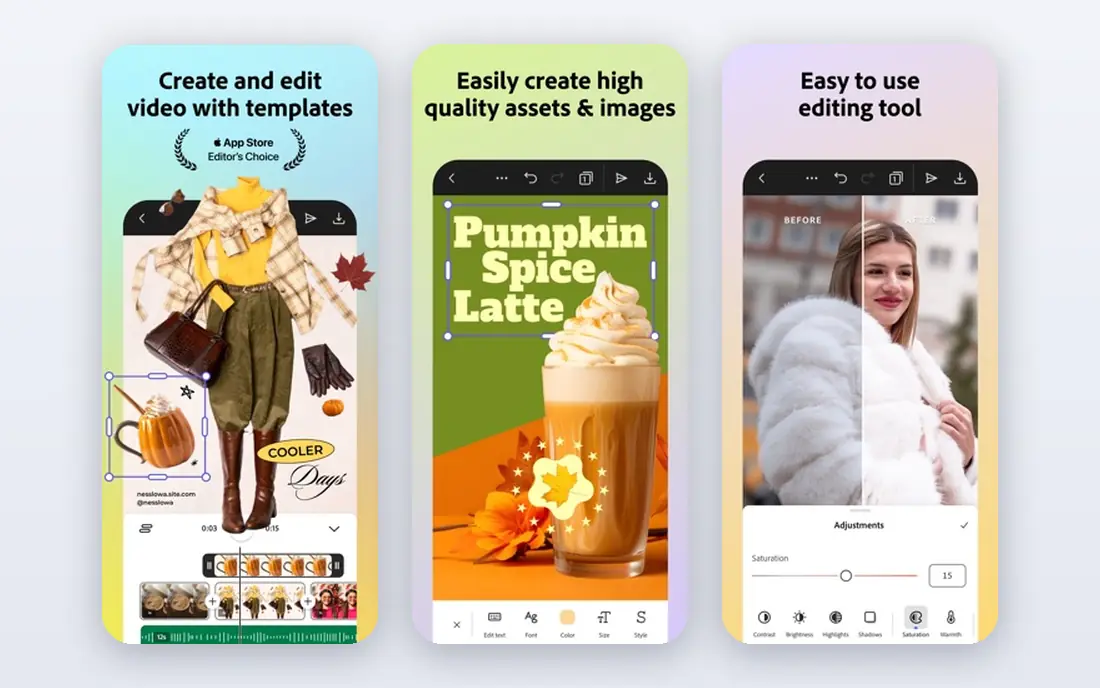
Adobe Express is the most direct free alternative to Canva for everyday design. You can start from a template for a social post, flyer, presentation or short video, then resize it for other formats without rebuilding it. The editor is simple enough for a non-designer, yet the Adobe font library gives results a more polished feel than many free rivals.
The free plan is genuinely useful, but brand kits, fuller stock access and advanced AI tools sit behind Premium at $9.99 per month. If you design daily for a business and need locked brand assets, that upgrade is worth pricing in. For occasional posts, invitations and simple marketing graphics, the free tier covers the job well.
- Large template library
- Adobe fonts and stock access on paid tiers
- Simple social and video tools
- Full brand kits and advanced AI features need Premium
- Free storage is limited
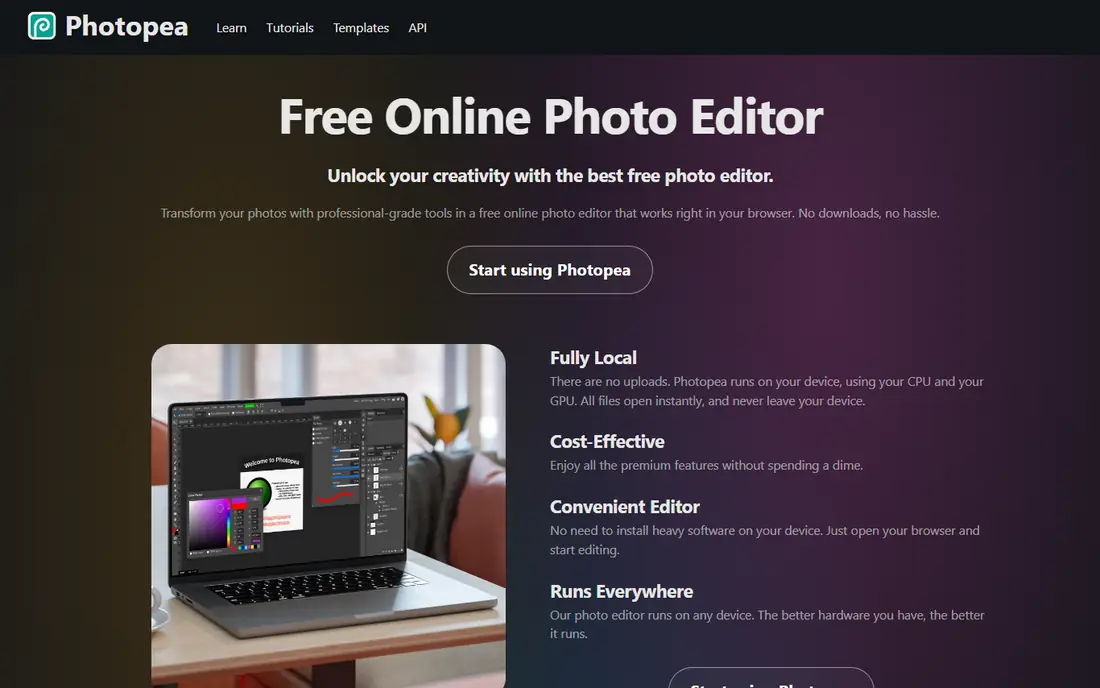
Photopea is the pick if your main need is photo editing rather than templates. It runs in a browser, opens PSD, AI and common image formats, and offers layers, masks, smart objects and adjustment layers that template tools do not. That makes it useful for retouching, compositing and preparing images for print or social use.
The trade is learning curve. Photopea looks like a professional editor, so a beginner may need time to find the right tools. Ads support the free version, and a paid Premium account removes them. If you already know Photoshop-style editing, Photopea gives you that power without a subscription.
- Opens and saves PSD files
- Layers, masks and adjustment tools
- No install needed
- Free version shows ads
- Interface is denser than a template-first tool
GIMP has been the free desktop photo editor of choice for years, and it remains strong for retouching, compositing and detailed image work. It is fully free, with no paid tier, and it runs on Windows, Mac and Linux. Plugins and scripts extend it for tasks like batch edits and specialised filters, which helps if you process many images.
It is not a Canva replacement for template-led social design, since you build layouts more manually. The interface can also feel dated to new users. For a photographer, illustrator or small business owner who wants a capable editor on desktop without a monthly fee, GIMP is a solid long-term choice.
- Free and open source with no subscription
- Deep retouching and layer tools
- Large plugin community
- Interface takes time to learn
- Template and social design features are limited
VistaCreate, formerly Crello, focuses on the same job as Canva, which is fast, good-looking social and marketing design from templates. The free plan includes many templates and storage, and the editor lets you animate a post or resize it for different platforms without starting again. That makes it a practical free alternative for a small business posting regularly.
Brand kits and the fullest stock and background removal features sit on the Pro plan. Template style also matters, since VistaCreate leans toward clean marketing layouts rather than the widest possible range. If you like its look and post often, the free tier is a good test before any upgrade.
- Large template library for social and marketing
- Animated designs
- Simple editor
- Paid Pro plan is needed for full stock and brand features
- Smaller design community than Canva
Visme is the better free alternative when your work is data-heavy, such as an infographic, report, pitch deck or training presentation. Charts, maps and data widgets help you turn numbers into a visual story, and interactive exports let viewers explore a presentation online. That depth sets it apart from tools built only for social posts.
The free plan is limited on storage and AI credits, and the editor takes a little longer to learn than a one-click post maker. For a teacher, marketer or small team that presents data often, Visme is worth the extra setup. For a quick Instagram post, a simpler tool will be faster.
- Strong infographic and presentation templates
- Data widgets and charts
- Interactive exports
- Free plan has storage and AI limits
- Learning curve is higher than a simple post maker
Pixlr gives you two browser editors, one simple and one more advanced, so you can choose speed or control for each job. It handles cropping, filters, layers and AI background removal, and it is useful for product photos, social images and quick fixes without installing software. The free tier is enough for regular light editing.
Premium features and some AI credits need a paid plan, and free users will see upgrade prompts. Pixlr is best as a fast middle ground between a template tool and a full editor like Photopea or GIMP. If you edit photos in a browser and want results in minutes, it fits well.
- Fast browser editing
- AI tools for background and object removal
- Simple and advanced editors
- Free tier limits some AI and premium assets
- Ads and prompts to upgrade appear in the free version
Kittl stands out for type-led design, with textures, effects and templates that suit logos, T-shirts, posters and merch. The editor makes it easier to get a bold, print-ready look than a general social tool, and it has a clear focus on apparel and brand marks. That niche strength is why many creators use it alongside a broader design app.
Read the free limits carefully. Free exports are lower resolution and for personal use, so a business selling merch will need a paid plan for commercial use and vector files. If you design for print or products, Kittl is a strong specialist pick, but it is not a full replacement for a general template library.
- Strong text effects and vintage design styles
- Logo and merch templates
- Vector exports on paid tiers
- Free exports are limited and for personal use
- Full commercial features need a paid plan
Figma is a different kind of free alternative, built for interface design, wireframes, presentations and team collaboration rather than one-off social posts. The free starter plan lets an individual work on a limited number of files, with real-time comments and shared components that help a team stay consistent. It is excellent for a website, app screen or brand system.
It is less convenient if you just need a fast Instagram template, since you will build more from scratch. Paid plans add unlimited files and team features. Choose Figma when design is collaborative and systematic, and pair it with a template tool if you also need daily social posts.
- Free starter plan for individuals
- Real-time collaboration
- Strong component and layout tools
- Not built for quick social templates
- Paid seats are needed for larger team projects
How we picked these
We compared official pricing and feature pages, app store listings and public reviews for tools that offer a usable free plan, not just a short trial. A product stayed on the list if a free user could create and export real work, and if it covered a distinct need, from photo editing to presentations, merch or team design. We gave weight to export quality, free limits, template range and ease of use for non-designers.
We did not claim hands-on testing we did not do. Instead, we weighed vendor pages against independent comparisons and user feedback, and we noted where a free plan restricts commercial use, resolution or storage. That approach helps you pick a tool you can actually keep using for free, rather than one that looks free until export time.
How to choose a free Canva alternative without hitting a paywall later
Start with the output you need most, whether that is a social post, a photo edit, a presentation or a logo file. That single answer narrows the list faster than comparing every template library.
Check exports, licences and storage first
Test a free export at the size you need, and read whether free use covers commercial work. Kittl and some template tools limit free exports to personal use, while Photopea and GIMP have no such template licence issue for your own images. Storage and AI credit limits also matter if you design every week.
Match the editor to your skill level
Template tools like Adobe Express and VistaCreate are fastest for beginners, while Photopea, GIMP and Figma reward time spent learning. A powerful editor you avoid opening is worse than a simple one you use daily. Try two tools on the same post or photo, and keep the one whose workflow feels natural.
Use two tools if one cannot cover everything
Many designers pair a template app for social posts with Photopea or GIMP for photo work, and that combination is often free. The best free Canva alternatives are not always a single replacement, and a small toolkit can cover more jobs than one paid subscription.
Sources
Frequently asked questions
What are the best free Canva alternatives?
Adobe Express is the closest all-round free alternative, Photopea and GIMP lead on free photo editing, and VistaCreate is a strong budget template option. The best pick depends on whether you need templates, photo control, presentations or merch design.
Is there a completely free alternative to Canva?
GIMP and Photopea are the closest to completely free for editing, since GIMP has no paid tier and Photopea offers full editing with ads. Template tools with free plans, including Adobe Express and VistaCreate, reserve brand kits and some stock or AI features for paid plans.
What is the best free alternative to Canva Pro?
Adobe Express Premium is the closest paid step up for Canva Pro users who want templates and brand tools, while Photopea Premium removes ads for a low cost if photo editing is the main need. Compare the features you actually use in Pro, since a free plan may already cover them.
Can I use free alternatives for business designs?
Yes, but check the licence for each tool, since some free exports are limited to personal use. Adobe Express, VistaCreate and Visme offer free business use within their plan limits, while Kittl free exports need a paid plan for commercial merch work.
Which free alternative is best for social media posts?
Adobe Express and VistaCreate are the strongest for social posts, with templates, resizing and animation tools built in. Pixlr is useful when a post needs a quick photo fix first, and Figma suits a team that wants a shared, consistent social system.
What is the best free alternative for photo editing?
Photopea is best in a browser, especially if you work with PSD files, while GIMP is best on desktop for deep retouching without a subscription. Pixlr is faster for simple edits, but less deep than either of those two.