ClickUp Alternatives in 2026: 10 Tools Compared
By ToolNimba Editorial Team November 9, 2026 10 min read

- Top pick
 Asana
Structured projects and goals
Starting price$10.99 per monthCheck out AsanaRead our review - Runner-up
 monday.com
Visual boards and dashboards
Starting price$9 per monthCheck out monday.comRead our review - Also great
 Notion
Docs, wiki and light projects
Starting price$10 per monthCheck out NotionRead our review
How we researched this
We compared official pricing and feature pages, app store listings, privacy policies and public user reviews. Prices change, so check the provider's site before you pay.
Key takeaways
- The best ClickUp alternatives are simpler in one clear way: Trello is simpler for kanban, Asana is clearer for structured projects, and Notion is stronger for docs.
- Free plans differ a lot, so check user limits, storage and project caps before you move a team, not just the word free.
- Monday.com suits visual managers who want dashboards, while Wrike and Smartsheet suit teams that need resource planning or spreadsheet-style tracking.
- Basecamp suits small teams that prefer a flat monthly price over per-user pricing, while Todoist suits individuals and very small teams.
- ClickUp itself is not listed here, since this article covers alternatives to it, and migration tools vary, so test imports with a real project first.
Quick comparison
| Name | Best for | Starting price | Free plan | |
|---|---|---|---|---|
| Asana | Structured projects and goals | $10.99 per month | Yes | Visit |
| monday.com | Visual boards and dashboards | $9 per month | Yes | Visit |
| Notion | Docs, wiki and light projects | $10 per month | Yes | Visit |
 Trello | Simple kanban boards | $5 per month | Yes | Visit |
 Todoist | Personal and small-team tasks | $5 per month | Yes | Visit |
 Wrike | Planning and resource management | $10 per month | Yes | Visit |
 Smartsheet | Spreadsheet-style tracking | $9 per month | Free trial | Visit |
 Basecamp | Flat-price team projects | See website | Yes | Visit |
 Airtable | Database-style operations | $20 per month | Yes | Visit |
 Jira | Software team delivery | See website | Yes | Visit |
The best ClickUp alternatives
We compared project and task tools that can replace ClickUp for planning, tracking and team work. ClickUp itself is not included. The ten below cover simple kanban, structured projects, docs-led work and software delivery.

Asana is our pick for teams that want clear structure without ClickUp complexity. Projects, tasks, timelines and goals sit in a clean layout, and templates help teams start recurring work fast. For marketing, operations and product teams with clear owners and deadlines, that clarity saves time.
The limit is the free plan. It suits one or two people, so most teams will need the Starter plan at $10.99 per user per month when billed annually. Advanced features such as portfolios and workload views sit on higher plans, so check the plan you need for your team size.
- Clear projects, timelines and goals
- Strong templates and integrations
- Free plan for one or two people
- Free plan is limited to a very small team
- Paid plans are needed for portfolios and advanced workload views
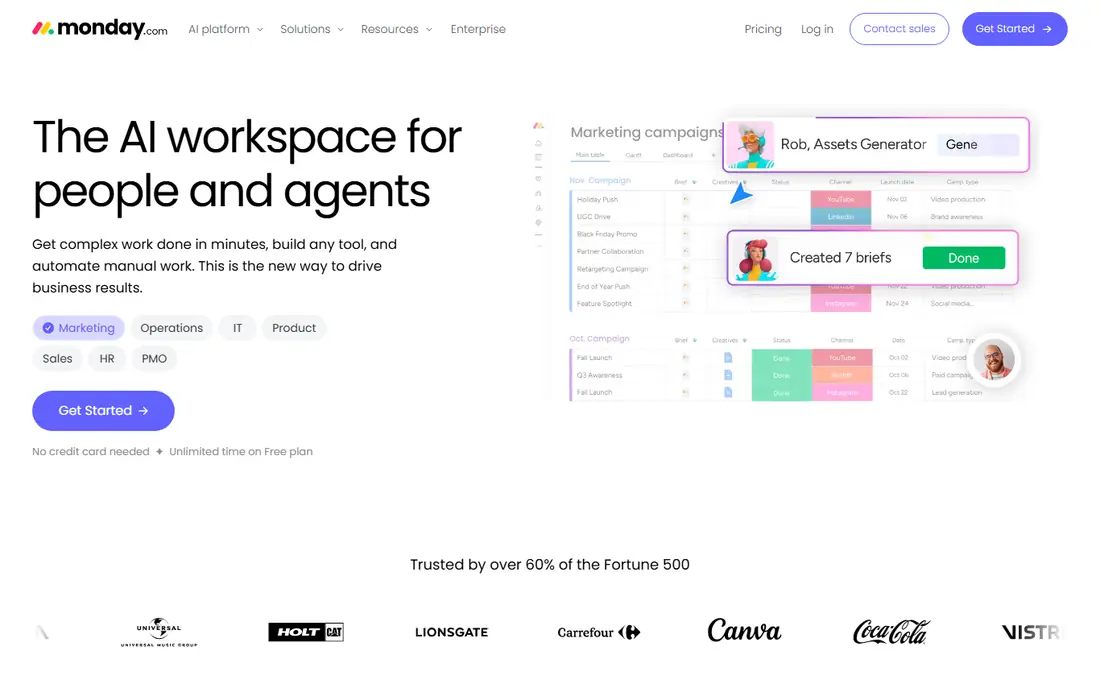
Monday.com suits managers who think in boards and dashboards. You can build custom columns, status views and automations, then roll work up into dashboards for leadership. That visual flexibility works well for operations, sales pipelines and content calendars.
The catch is pricing structure. The free plan is limited to two seats, and paid plans start at $9 per seat per month billed annually with seat minimums. Teams should price the seats they will actually use, including managers who only view dashboards.
- Highly visual boards and dashboards
- Flexible columns and automations
- Useful for managers who report status often
- Free plan covers only up to two seats
- Paid plans are sold in seat bundles, so small teams should price real seats
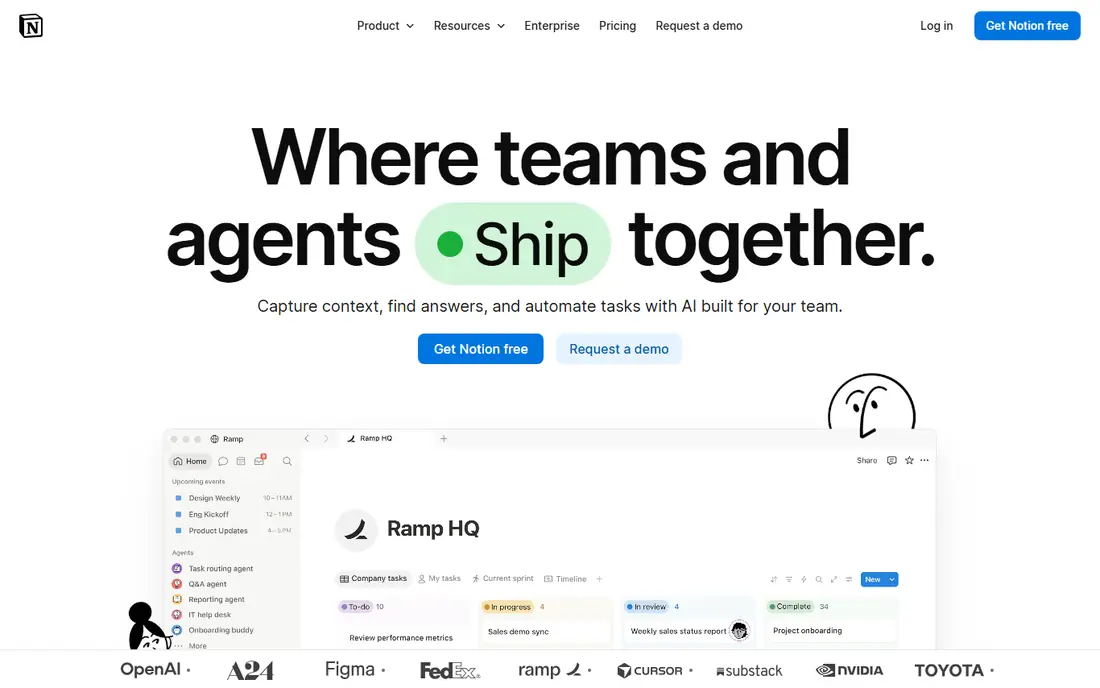
Notion is the pick for teams whose real problem is scattered documents. It combines notes, wikis, databases and light task tracking, so a team can plan a project, write the brief and track tasks in one place. For small teams and startups, that mix reduces tool sprawl.
The limit is project depth. Notion can track tasks, but it does not match Asana or Jira for dependencies, workload planning and advanced reporting. Use it when docs lead the work, and pair it with a dedicated tracker if delivery complexity grows.
- Docs, wiki and databases in one workspace
- Flexible templates
- Free plan for individuals
- Task tracking is lighter than dedicated project tools
- Large workspaces need careful setup to stay fast
Trello is the simplest replacement for teams that think in stages. Cards move across lists for content pipelines, hiring, onboarding or support work, and the free plan covers up to 10 collaborators per workspace. The Standard plan starts at $5 per user per month billed annually, making it one of the cheapest paid steps here.
The trade-off is depth. Trello handles simple flows well, but complex projects with many dependencies, portfolios and resource planning will outgrow it. It is best for teams that want speed and clarity over advanced project controls.
- Very easy kanban boards
- Free plan for up to 10 collaborators per workspace
- Low paid starting price
- Limited for complex projects with dependencies
- Advanced views and admin controls need higher plans
Todoist suits individuals and very small teams who want tasks done, not project software to manage. Its quick capture, due dates, labels and filters make daily work easy, and the free plan covers basic personal use. For freelancers and small teams, it is often enough.
The limit is team scale. Todoist does not offer the boards, timelines and portfolios that larger teams need, and reporting is light. Use it for personal and small-team task work, and move to Asana or monday.com when project reporting becomes central.
- Fast personal task capture and lists
- Free plan for up to five projects
- Low cost for individuals
- Not a full project management platform for larger teams
- Limited dashboards and reporting
Wrike suits teams that outgrow simple boards but do not want ClickUp sprawl. It offers Gantt charts, workload views, approvals and reporting, which help managers plan capacity and track delivery. Marketing, creative and operations teams often find its structure a good middle ground.
The catch is setup. Wrike rewards teams that define workflows, roles and reporting early, and it can feel heavy if you only need a task list. Start with one team workflow, test reporting, and expand only when the structure proves useful.
- Strong planning, workload and reporting tools
- Free plan for basic team use
- Good for marketing and operations teams
- Setup takes time for complex workflows
- Some advanced features need higher plans
Smartsheet is the pick for teams that live in spreadsheets but need project controls. Its grid view feels familiar, while Gantt charts, card views, automations and reports add project structure on top. Operations, construction and finance teams often adopt it faster than a board-only tool.
The limit is the free offer. Smartsheet offers a trial rather than a lasting free plan, and the Pro plan starts at $9 per user per month. Teams should use the trial with a real project to check whether the spreadsheet style suits daily work.
- Familiar spreadsheet-style grids with project features
- Gantt, card and calendar views
- Strong for operations and reporting
- No lasting free plan, only a trial
- Interface can feel spreadsheet-heavy for teams that prefer boards
Basecamp suits small teams that want one calm place for projects, without per-user pricing surprises. It combines to-dos, messages, schedules, files and group chat, and its flat pricing model makes budgeting simple as a team grows. For agencies and small businesses, that simplicity is the appeal.
The trade-off is advanced planning. Basecamp does not offer the same depth of timelines, portfolios and resource views as larger project platforms. It is best for teams that value clear communication and simple project tracking over complex reporting.
- Flat monthly pricing for the whole team
- Simple projects, messages, to-dos and chat in one place
- Calm, low-noise design
- Fewer advanced project views than Asana or Wrike
- Flat pricing can be costly for a very small team
Airtable suits teams that think in records and fields, not just tasks. You can track content pipelines, inventory, hiring or client work in structured bases, with views for different team roles. That database flexibility makes it powerful for operations work that does not fit a simple task list.
The catch is price and governance. The Team plan starts at $20 per user per month, and large bases need an owner to keep fields and views clean. Use it when structured data is central, and keep task-only work in a simpler tool if that is all a team needs.
- Flexible databases for operations, content and inventory
- Multiple views including grid, kanban and calendar
- Strong integrations
- Higher starting paid price
- Can become complex if bases grow without clear ownership
Jira is the clear pick for software teams that need sprints, backlogs and release tracking. It handles issues, epics, boards and roadmaps in a way that general project tools do not, and its free plan covers up to 10 users. For development teams already using Atlassian tools, integration is a further plus.
The limit is audience. Non-software teams often find Jira heavy, with terminology and workflows built for engineering delivery. Use it when software delivery is the core work, and choose Asana or monday.com for general business projects.
- Strong issue tracking, sprints and roadmaps for software teams
- Free plan for up to 10 users
- Deep Atlassian integrations
- Can feel complex for non-software teams
- Setup and admin work grow with team size
How we picked these
We compared official feature pages, pricing pages and free-plan limits for project tools that can replace ClickUp. We looked for clear task tracking, team collaboration and a realistic free or trial path, and we favored tools with distinct strengths rather than near copies of each other. Where pricing varied by seat bundles or billing period, we used the commonly published annual figure and noted the limit where it matters.
How to switch from ClickUp without losing work
Start by listing what your team actually uses in ClickUp: boards, docs, goals, automations or chat. That list decides the replacement, since a team that uses docs heavily needs Notion, while a team that uses sprints needs Jira. Do not pick a tool based on price alone if it drops a workflow your team relies on daily.
Test imports with a real project
Import one active project, not just a demo, and check tasks, assignees, due dates, attachments and comments. Some importers handle tasks well but drop custom fields or file links, so verify the details that matter for delivery. A short parallel run with one team can reveal gaps before a full move.
Keep the setup simple at first
ClickUp complexity is a common reason teams switch, so avoid rebuilding every custom field and automation on day one. Start with projects, tasks and one reporting view, then add automations only when a manual step proves painful. A simpler setup is easier for new team members to learn and harder to break.
Price seats, storage and add-ons together
Free plans often limit users, storage or projects, and paid plans may charge in seat bundles. Price the team you will have in six months, including viewers and occasional collaborators, and check whether AI features or storage add extra cost. A tool that looks cheap for three people can cost more at twenty.
Sources
Frequently asked questions
What are the best ClickUp alternatives for free?
Trello, Notion, Asana, monday.com, Todoist, Wrike, Airtable and Jira all offer free plans, but limits differ by users, projects and storage. Trello suits small kanban teams, while Asana and monday.com free plans suit very small teams or individuals.
What is the best alternative to ClickUp for small teams?
Asana suits structured small teams, Trello suits simple kanban work, and Basecamp suits teams that prefer flat pricing. Notion suits small teams that also need docs and wikis alongside tasks.
What are the best ClickUp alternatives for software teams?
Jira is the strongest software pick, thanks to sprints, backlogs and roadmaps. Asana and monday.com can also support software work, but they are general project tools rather than dedicated delivery platforms.
Can I import my ClickUp projects into another tool?
Many tools offer importers or CSV import, but coverage varies by tasks, custom fields, attachments and comments. Test an import with a real project before a full migration, and keep a ClickUp export until the new workspace is verified.
Is Notion a good ClickUp alternative?
Yes, if docs and wikis matter as much as tasks. Notion is strong for knowledge, planning and light project tracking, but it is lighter than Asana or Jira for dependencies, workload planning and advanced reporting.
What is the cheapest paid ClickUp alternative here?
Trello and Todoist start at $5 per user per month on annual billing, while Smartsheet starts at $9 and monday.com at $9 per seat. Basecamp uses flat pricing, so it can be cheaper for larger teams and costlier for very small ones.