Best Evernote Alternatives in 2026: 9 Apps Compared
By ToolNimba Editorial Team November 10, 2026 10 min read

- Top pick
 Notion
Team docs and databases
Starting priceFreeCheck out NotionRead our review - Runner-up
 Obsidian
Private local notes
Starting priceFreeCheck out ObsidianRead our review - Also great
 Microsoft OneNote
Free notebook replacement
Starting priceFreeCheck out Microsoft OneNoteRead our review
How we researched this
We compared official pricing and feature pages, app store listings, privacy policies and public user reviews. Prices change, so check the provider's site before you pay.
Key takeaways
- Notion is the best all-round Evernote alternative for teams and for people who want docs, databases, and notes in one place.
- Obsidian is the best choice for private, local-first notes that you own as plain files.
- OneNote and Apple Notes are the best free replacements if you already live in Microsoft or Apple ecosystems.
- UpNote copies the Evernote notebook-and-tag model most closely, at a low lifetime price.
- Export a test batch of notes before you migrate everything, and check attachments, tags, and web clips in the new app.
Quick comparison
| Name | Best for | Starting price | Free plan | |
|---|---|---|---|---|
| Notion | Team docs and databases | Free | Yes | Visit |
| Obsidian | Private local notes | Free | Yes | Visit |
| Microsoft OneNote | Free notebook replacement | Free | Yes | Visit |
 Apple Notes | Apple users | Free | Yes | Visit |
 Bear | Markdown writing on Apple | Free | Yes | Visit |
 Joplin | Open source notes | Free | Yes | Visit |
 Google Keep | Quick notes and lists | Free | Yes | Visit |
 Standard Notes | Encrypted notes | Free | Yes | Visit |
 UpNote | Closest Evernote look-alike | Free | Yes | Visit |
The best Evernote alternatives
Evernote users leave for different reasons: price, a simpler workflow, more privacy, or a better writing experience. The apps below cover those reasons, from full workspaces to plain local notes. The right alternative depends less on feature counts and more on how you actually organize notes day to day.
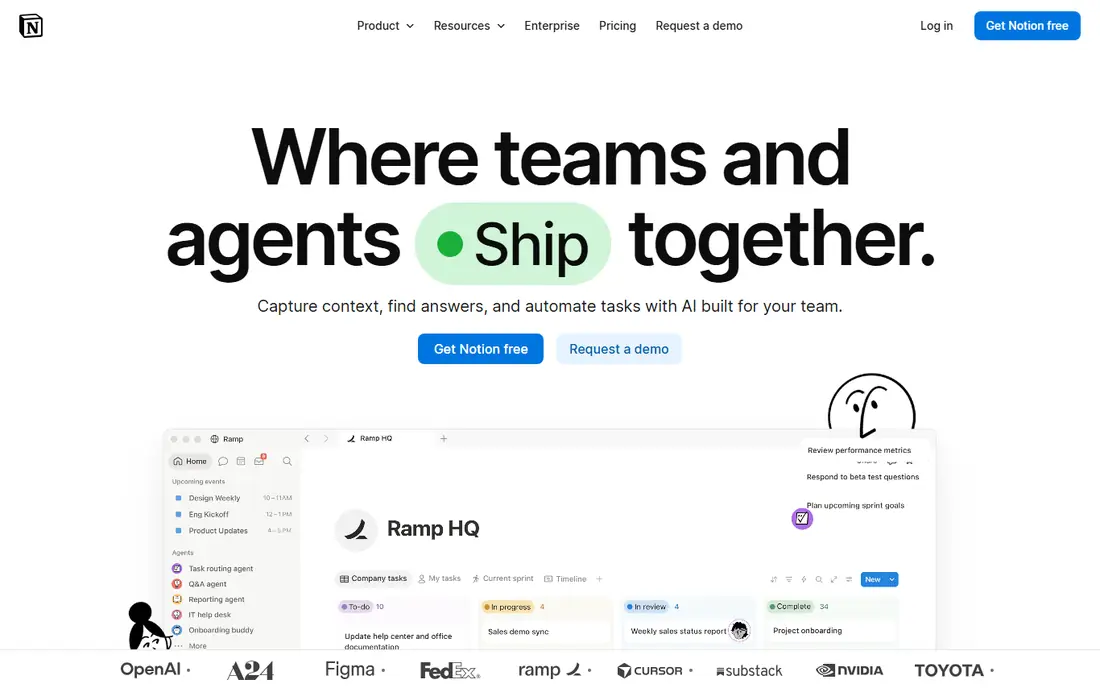
Notion is our pick for most Evernote users who want more than a notebook. You can build a wiki, a project tracker, a reading list, and a daily journal in one workspace, with databases that filter and sort in ways Evernote notebooks cannot. The free plan covers individual use well, and Plus is listed at $10 per user per month billed annually.
The trade-off is weight. Notion can feel slow for a quick note, and it needs a connection for full use. If you only want to capture and find notes fast, OneNote or UpNote will feel lighter. If you want notes to become a working system for a team or a complex personal project, Notion is the strongest replacement here.
- Docs, wikis, tasks, and databases in one workspace
- Strong templates
- Good collaboration
- Can feel slow and complex for simple notes
- Offline use is limited
- Learning curve for new users

Obsidian stores notes as plain Markdown files on your own device, so you own your notes in a format any text editor can open. Links between notes build a personal knowledge web, and the graph view shows how ideas connect. The app itself is free for personal use, and paid Sync starts around $4 per user per month billed annually.
Sync is the main decision. You can use your own cloud folder or pay for Obsidian Sync, but there is no free built-in sync that just works everywhere. Collaboration is also weaker than Notion. For private, long-term notes that must outlive any single app, Obsidian is the safest choice on this list.
- Notes stored as local Markdown files
- Linked notes and graph view
- Large plugin community
- Sync costs extra or needs setup
- No native real-time collaboration
- Setup takes time
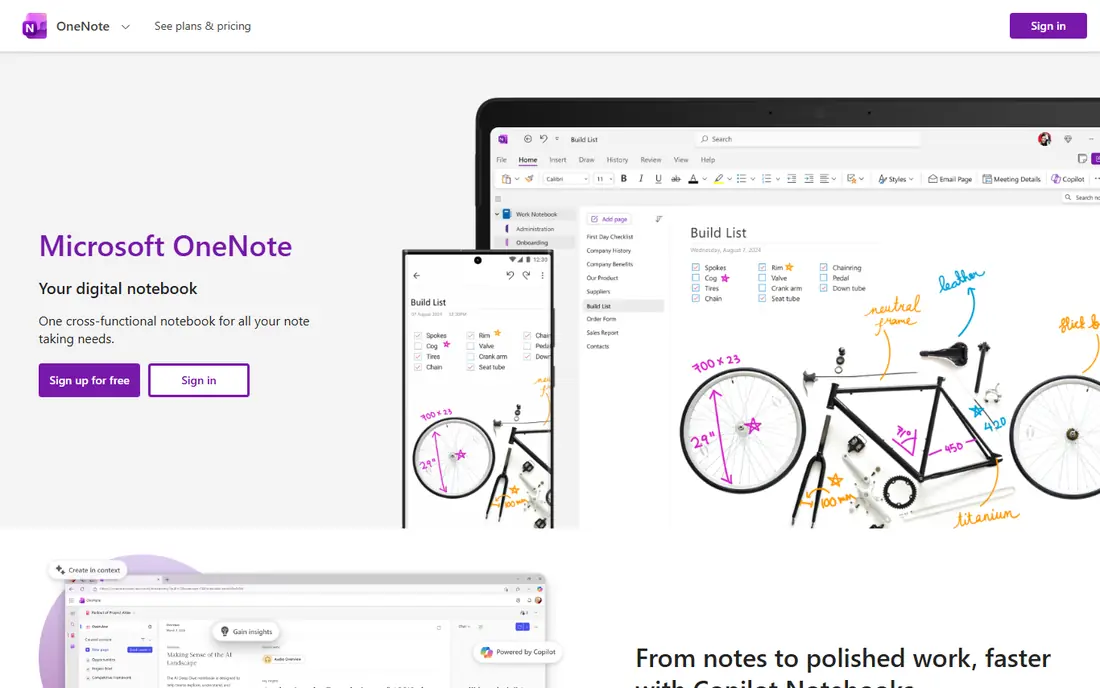
OneNote is the closest free notebook-style replacement for Evernote. Notebooks, sections, and pages mirror the way many Evernote users already organize, and the freeform canvas suits handwritten notes, sketches, and meeting notes. It is free to use, with extra storage through Microsoft 365 if you need it.
Formatting can feel inconsistent between Windows, Mac, web, and mobile, and OneNote lacks the database power of Notion. Its web clipper works but is not as strong as Evernote at its best. For students, meeting-heavy workers, and Microsoft 365 households, OneNote is the lowest-friction switch.
- Free notebook structure
- Handwriting and drawing support
- Deep Microsoft 365 integration
- Formatting can vary across devices
- No true database features
- Web clipper is adequate, not great
Apple Notes is the best Evernote alternative if you live entirely on Apple devices. Capture is instant, sync through iCloud is reliable, and features like folders, tags, locked notes, and document scanning cover most everyday needs. It costs nothing beyond your Apple account and iCloud storage, with 50 GB of iCloud+ listed at $0.99 per month if you need more space.
The limit is the ecosystem. Windows and Android users get no real Apple Notes app, and large research archives can feel constrained. For Apple-only users who want notes to just work, though, Apple Notes removes the need to pay for a notes app at all.
- Fast capture on iPhone, iPad, and Mac
- ICloud sync
- Folders, tags, and locked notes
- Apple devices only
- Limited structure for large archives
- Export is less flexible than Obsidian
Bear is the writing-first alternative. Its editor is clean, its Markdown support is excellent, and tags replace folders for organization. Writers who draft blog posts, journals, and long notes in Markdown will enjoy Bear more than any other app here. The free plan covers local notes, and Bear Pro is listed at $2.99 per month or $29.99 per year for sync and export.
Bear is Apple-only, which rules it out for mixed-device users. It also lacks the database and collaboration features of Notion. If you write on Apple devices and care about how writing feels, Bear is the most pleasant Evernote alternative to use daily.
- Beautiful Markdown editor
- Fast search and tagging
- Focus mode for writing
- Apple devices only
- No Windows or Android app
- Sync requires Bear Pro
Joplin is the privacy and open source pick. The app is free, notes use Markdown, and end-to-end encryption protects synced notes. It runs on Windows, Mac, Linux, iOS, and Android, and it imports Evernote notebooks well. Joplin Cloud, for hosted sync, starts around 2.40 euros per month billed annually on its Basic plan, though you can also sync through your own cloud storage.
The interface is plain, and team collaboration is not its strength. If you want a free, cross-platform Evernote replacement that you control, Joplin is the most honest choice. If you want polish and team features, Notion will feel more modern.
- Free and open source
- Markdown notes
- End-to-end encryption
- Works on every major platform
- Interface looks functional rather than polished
- Collaboration is manual
- Sync needs setup or Joplin Cloud
Google Keep is not a full Evernote replacement, and it does not pretend to be one. It is a fast capture tool for short notes, lists, reminders, and ideas you need today. Notes sync across web and mobile, share storage with the free 15 GB Google allowance, and work well alongside Gmail and Google Docs.
Long research notes, web clip archives, and large notebook systems will outgrow Keep quickly. Use Keep as a companion to a fuller notes app, or as your whole system if your notes are short and your life is already in Google apps. For quick capture, nothing here is faster.
- Instant capture
- Reminders and checklists
- Works with Google apps
- Free with a Google account
- No notebook hierarchy
- Weak for long notes and large archives
- Limited formatting
Standard Notes puts privacy and longevity first. Notes are end-to-end encrypted, sync works across devices, and the plain text focus means notes stay readable for years. The free plan covers encrypted plain text notes, while paid Productivity plans add richer editors and features at a higher annual price.
It is not built for rich web clipping, image-heavy research, or visual boards. If your Evernote use was mostly clipped articles and PDFs, Obsidian or Notion will fit better. If your notes are personal, sensitive, and meant to last, Standard Notes is a strong, principled choice.
- End-to-end encrypted sync
- Simple and durable plain text focus
- Long-term data approach
- Rich web clipping is limited
- Paid plans are pricey for full features
- Less visual than Notion or Bear
UpNote is the alternative for Evernote users who do not want to relearn how to organize notes. Notebooks, tags, and a clean editor mirror the Evernote model closely enough that migration feels familiar. It runs on Windows, Mac, iOS, Android, and web, and Premium is listed at $1.99 per month or $39.99 as a lifetime purchase.
The free plan limits the number of notes, so heavy archives need Premium, though the lifetime price keeps that cost low. UpNote lacks the databases of Notion and the plugin world of Obsidian. For a direct, low-cost Evernote replacement, it is the easiest switch on this list.
- Notebook and tag model close to Evernote
- Runs on every major platform
- Low lifetime price
- Smaller community than Notion or Obsidian
- Fewer power features
- Free plan limits note count
How we picked these
We compared official pricing pages, feature pages, and recent Evernote alternative roundups, checking which apps are still actively maintained and truly fit note taking. We favored apps with a free path, a clear organization model, and a realistic migration route from Evernote. We did not claim hands-on testing we did not do. Our ranking balances all-round power, privacy, price, and ease of switching, rather than rewarding one style of notes above all others.
How to switch without losing notes
Export a test batch first
Export a small notebook from Evernote and import it into your top two choices. Check that titles, tags, attachments, images, and web clips survive. A migration that looks clean on ten notes can still break on a thousand, so test before you move everything.
Decide how you organize
Notebook-and-tag users will feel at home in UpNote, OneNote, and Joplin. Database and wiki users should try Notion. Linked-note users should try Obsidian. Picking the wrong organization model is the main reason a switch fails, even when the new app is good.
Keep Evernote read-only for a month
After migration, keep your Evernote account read-only for a month while you use the new app daily. That safety net lets you recover a missing attachment or a clipped article without panic. Once you are confident, you can close or downgrade the old account.
Sources
Frequently asked questions
What are the best alternatives to Evernote?
Notion is the best all-round alternative, Obsidian is best for private local notes, and OneNote is best as a free notebook replacement. UpNote is best if you want the closest Evernote feel, while Bear is best for Markdown writing on Apple devices. Your best pick depends on how you organize notes.
What is the best free alternative to Evernote?
OneNote, Apple Notes, and Google Keep are all free and cover different needs. OneNote suits notebook users, Apple Notes suits Apple users, and Google Keep suits quick capture. Obsidian and Joplin are also free for personal use and give you more control over your note files.
Is Notion better than Evernote?
Notion is better for teams, wikis, and databases, where notes connect to tasks and projects. Evernote is simpler for pure capture and web clipping. If your notes have grown into a workspace, Notion wins. If you only capture and search notes, a simpler app like OneNote or UpNote may fit better.
Can I import my Evernote notes into another app?
Yes, most alternatives on this list support Evernote import, including Notion, Obsidian, Joplin, and OneNote through their import tools. Export a test batch first, check tags and attachments, and keep Evernote read-only until you confirm the full archive moved cleanly.
Is Obsidian really free?
Obsidian is free for personal use, including local notes, linking, and plugins. Paid Sync and Publish services cost extra, starting around $4 per user per month billed annually for Sync. You can also sync notes yourself through a cloud folder, which keeps the app itself free.
Which Evernote alternative is best for privacy?
Obsidian and Joplin lead for privacy, since both keep notes as local files and support your own sync choices. Standard Notes adds end-to-end encrypted sync by default. If privacy is your top concern, avoid apps that require cloud-only storage and read their privacy policies before migrating sensitive notes.