Free Alternatives to Grok Imagine in 2026: 9 Tools Compared
By ToolNimba Editorial Team November 10, 2026 10 min read

- Top pick
 Kling AI
Free short video clips
Starting priceFreeCheck out Kling AIRead our review - Runner-up
 Hailuo AI
Realistic free video
Starting priceFreeCheck out Hailuo AIRead our review - Also great
 Runway
Video editing plus generation
Starting priceFreeCheck out RunwayRead our review
How we researched this
We compared official pricing and feature pages, app store listings, privacy policies and public user reviews. Prices change, so check the provider's site before you pay.
Key takeaways
- Kling AI is our pick for free short video, because its credits refresh daily rather than running out after a single signup bonus.
- Leonardo AI and Ideogram are the strongest free picks for still images, with Leonardo better for art and Ideogram better for text in images.
- Adobe Firefly is the safest free starting point for client or commercial work, because it is built around licensed training data.
- Free plans differ sharply on watermarks, public output and commercial rights, so check those terms before you publish anything.
- No single free tool matches Grok Imagine for both images and video, so most creators use one image tool and one video tool.
Quick comparison
| Name | Best for | Starting price | Free plan | |
|---|---|---|---|---|
| Kling AI | Free short video clips | Free | Yes | Visit |
| Hailuo AI | Realistic free video | Free | Yes | Visit |
| Runway | Video editing plus generation | Free | Yes | Visit |
 Pika | Playful short social clips | Free | Yes | Visit |
 Leonardo AI | Free AI art and images | Free | Yes | Visit |
 Ideogram | Text-heavy images and posters | Free | Yes | Visit |
 Adobe Firefly | Commercially safer images | Free | Yes | Visit |
 Bing Image Creator | High-volume free images | Free | Yes | Visit |
 Google Gemini | Chat-based images and edits | Free | Yes | Visit |
The best free alternatives to Grok Imagine
Grok Imagine, from xAI, generates images and short videos from prompts, and it is known for fast, experimental output. The free tools below do not copy it exactly, but each one gives you a real free way to make images, video, or both, without paying first.

Kling AI is the free video tool we would start with, because its free credits refresh daily, which suits regular practice and social posting better than a one-time signup bonus. It handles text to video and image to video, and its motion often looks natural for short clips, especially for people, animals and camera moves. That makes it a good match for creators who want Grok Imagine style short videos without a subscription.
The free tier has limits you should expect. Resolution, clip length and watermark rules depend on the plan and settings you choose, and paid credits remove some of those limits. Use free Kling clips for drafts, tests and social experiments first, then pay only for the clips you plan to publish at full quality.
- Daily free credits
- Strong motion and camera movement
- Text and image to video
- Free output may carry a watermark
- Higher resolutions and longer clips need paid credits

Hailuo AI, from MiniMax, is known for realistic short video output and for creating clips from a reference photo as well as from text. That reference feature is useful when you want a person, product or scene to stay consistent across clips, which is a common Grok Imagine use case. The prompt workflow is simple, so beginners can get a first clip quickly.
The main catch is the free allowance. Free use is trial-style, with a watermark on free downloads and lower priority than paid users, so you should check your account balance before planning a series. For realistic test clips and short social videos, Hailuo is still one of the strongest free options, as long as the watermark fits your use.
- Realistic output for short clips
- Reference-based creation from photos
- Simple prompt workflow
- Free downloads carry a watermark
- Free allowance is a trial-style balance, not unlimited
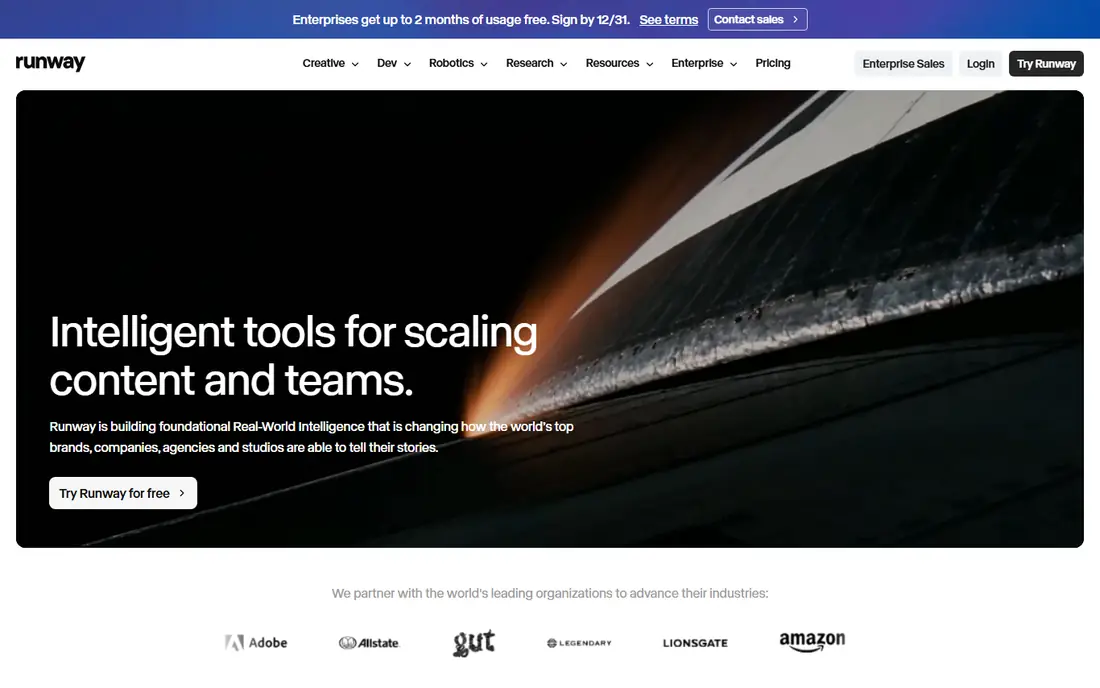
Runway is more than a prompt box. It pairs video generation with editing tools, so you can generate a shot, trim it, adjust it and build a sequence in one workspace. Its camera control and character consistency tools appeal to creators who think in shots rather than single clips, which is closer to a small filmmaking workflow than a social clip generator.
Free access is the limit. Runway offers a one-time free credit balance, so it works well for testing a few ideas, but it is not a daily free video source in the way Kling is. Treat Runway as a place to validate a concept or edit a final clip, and use a daily-credit tool for everyday experiments.
- Full editing suite alongside generation
- Image to video with reference control
- Strong camera control
- Free credits are a one-time balance, not a monthly refill
- Some models are paid only
Pika is built for short, stylized social clips, and it is one of the fastest tools to learn on this list. You type a prompt or upload an image, pick an effect or style, and get a short clip that works well for TikTok, Reels and Shorts. Its playful effects, such as transformations and animated styles, suit creators who want eye-catching posts rather than cinematic realism.
Free clips are short, and you should check watermark and commercial terms in your account before using them for a client or ad. Pika is best as a social experiment tool: make many quick clips, see which ideas land, then invest paid credits or a more realistic tool in the winners.
- Fast, prompt-friendly clips
- Fun effects for social content
- Simple interface
- Free clips are short and may carry a watermark
- Commercial use needs a paid plan check
Leonardo AI is the strongest free image studio for art, characters and stylized work. Its free plan gives a daily token balance, and you can choose from many models, presets and controls to shape style, composition and detail. That control is a big step up from a single-prompt image box, and it rewards users who like to iterate on a look.
The trade-offs are clear. Free creations are public, and tokens are spent at different rates depending on settings, so you cannot count on a fixed number of images per day. If privacy or commercial use matters, check the paid plan terms. For free art, concept images and social graphics, Leonardo gives you a lot of creative room.
- Daily free tokens
- Many models and presets
- Controls for style and composition
- Free creations are public
- Tokens do not map to a fixed number of images
Ideogram earns its place because text in AI images is still a weak point for many tools, and Ideogram handles posters, covers, logos and typography far better than most free options. If your Grok Imagine use was mainly for graphics with words on them, Ideogram will save you from the garbled lettering that ruins many other outputs. The interface is simple, and you can iterate on layout and wording quickly.
Free access is slower and weekly, so it is not a tool for high-volume daily work. Free generations are also public, which matters if you are working on an unannounced brand. Use Ideogram for finished graphics where text must be right, and a faster daily tool for rough ideas.
- Best free tool for readable text in images
- Good for posters, logos and graphics
- Simple prompt flow
- Free plan is slow and weekly, not daily
- Free generations are public
Adobe Firefly is the cautious pick, and that caution is valuable. It is designed around licensed content and public domain material, which makes it a safer starting point for client work, marketing and published graphics than tools trained on less clearly licensed data. It also fits naturally into Photoshop, Illustrator and other Adobe workflows, so you can generate an image and edit it in the same ecosystem.
Free daily generations are limited, and model and feature access differs by plan, so Firefly is better as a sampler and a commercial-safe source than as a high-volume free image factory. If you publish work for clients, that safety may matter more than a larger free allowance elsewhere.
- Built around licensed training data
- Works with Creative Cloud tools
- Free daily generations
- Free allowance is limited
- Best features and higher limits need a paid plan
Bing Image Creator, in the Bing app and on the web, is one of the most generous free image tools for everyday use. Microsoft account holders get a set of fast creations each day, with slower standard creation after that, which means you can keep experimenting even after the fast allowance runs out. It is a good fit for blog images, social graphics and quick concepts.
The limit is choice. You get Microsoft models, not a library of different models, and editing controls are thinner than in Leonardo or Firefly. For volume and simplicity, Bing is excellent. For precise art direction or commercial safety, pair it with Leonardo or Firefly.
- Free for Microsoft account holders
- Fast creations each day, then slower standard creation
- No extra app needed
- Limited to Microsoft models
- Less editing control than Leonardo or Firefly
Google Gemini lets you generate images and edit them by chatting, which feels different from a dedicated image studio. You can ask for an image, then say to change one detail, such as the background or the lighting, without starting over. That conversational editing is useful for product shots, illustrations and quick revisions, and it works inside a Google account most people already have.
Free image limits are not published as a fixed daily number, and they can change, so Gemini is hard to plan around for high-volume work. Its content filters can also refuse prompts that other tools would accept. Use Gemini for quality and easy edits, and keep a second free tool ready for volume or for prompts Gemini declines.
- Generate and edit images in conversation
- Strong prompt understanding
- No extra app for Google users
- Free image limits are not published and can change
- Content filters can refuse legitimate prompts
How we picked these
We compared official pricing and help pages, vendor terms and public reviews for tools that offer a real free plan or free credit allowance in 2026. We kept only tools that generate images, video, or both, and we noted where free output is watermarked, public or limited in commercial use, rather than calling every free tier equal. Prices were checked on vendor sites, and where a free allowance was not published, we say so instead of inventing a number.
How to use free tools without surprises
Start by reading the free plan terms in your account, not just the marketing page. Watermarks, public output, commercial rights and credit refresh rules are the four details that most often cause trouble after a clip is made. A tool that is perfect for personal experiments may not be right for a client post, and that distinction should guide which tool you use for each job.
Split image and video work
No free tool on this list does both images and video at Grok Imagine speed and quality for free. A practical setup is Leonardo or Ideogram for still images, plus Kling or Hailuo for short video, with Firefly as a safer option for published work. That split takes a few extra minutes, but it gives you better results in each medium than forcing one tool to do both.
Save prompts that work
Free credits are limited, so treat prompts as assets. Save the prompt, settings and model for any image or clip you like, and reuse that combination before trying a new one. That habit stretches a daily allowance further and makes your output more consistent across a series.
Sources
Frequently asked questions
Is there a truly free alternative to Grok Imagine?
Yes, but free means limited, not unlimited. Kling AI, Hailuo AI, Leonardo AI, Ideogram, Adobe Firefly, Bing Image Creator and Google Gemini all offer free allowances, with limits on credits, resolution, watermarks or commercial use that vary by tool.
Which free alternative is best for AI video?
Kling AI is our pick for free video, because its credits refresh daily. Hailuo AI is a strong second choice for realistic short clips, while Runway is better for editing a final clip than for daily free generation.
Which free alternative is best for AI images?
Leonardo AI is best for free art and stylized images, Ideogram is best for images with readable text, and Adobe Firefly is best for commercially safer work. Bing Image Creator is best for high-volume everyday images.
Can I use free AI images and videos commercially?
It depends on the tool and plan. Some free plans allow personal use only, some allow commercial use with limits, and some require a paid plan for commercial rights. Check the terms in your account before publishing work for a client or an ad.
Do free AI video tools add watermarks?
Some do, and the rules differ by tool and plan. Hailuo free downloads carry a watermark, while other tools vary by plan and settings. Check the export preview before you publish, and do not assume a free clip is watermark-free.