Free ChatGPT Alternatives in Hong Kong in 2026: 9 Tools Compared
By ToolNimba Editorial Team November 9, 2026 9 min read

- Top pick
 Gemini
Free all-rounder
Starting priceFreeCheck out GeminiRead our review - Runner-up
 Claude
Writing and long documents
Starting priceFreeCheck out ClaudeRead our review - Also great
 DeepSeek
Code and maths for free
Starting priceFreeCheck out DeepSeekRead our review
How we researched this
We compared official pricing and feature pages, app store listings, privacy policies and public user reviews. Prices change, so check the provider's site before you pay.
Key takeaways
- Gemini is the best free all-rounder for most users, because its free plan covers chat, images, research, and Google app connections.
- Claude is the best free pick for writing and long documents, while DeepSeek is the best free pick for code and maths.
- Perplexity is the best free pick when you need cited web sources, rather than a confident answer with no links.
- Free tiers all have daily limits, so keep a second free chatbot ready for busy days.
Quick comparison
| Name | Best for | Starting price | Free plan | |
|---|---|---|---|---|
| Gemini | Free all-rounder | Free | Yes | Visit |
| Claude | Writing and long documents | Free | Yes | Visit |
| DeepSeek | Code and maths for free | Free | Yes | Visit |
 Microsoft Copilot | Microsoft and Windows users | Free | Yes | Visit |
 Perplexity | Cited research | Free | Yes | Visit |
 Meta AI | Social app users | Free | Yes | Visit |
 Mistral Le Chat | Privacy-minded European option | Free | Yes | Visit |
 Poe | Trying many models in one app | Free | Yes | Visit |
 HuggingChat | Open-source model sampling | Free | Yes | Visit |
The best free ChatGPT alternatives in Hong Kong
We compared official product pages and current free-plan descriptions for chatbots that are widely accessible on the web in Hong Kong. The list focuses on free tiers you can use without paying, with notes on limits, language support, and privacy trade-offs. Availability and features can vary by account and region, so check the signup page if a service asks for a local phone number.
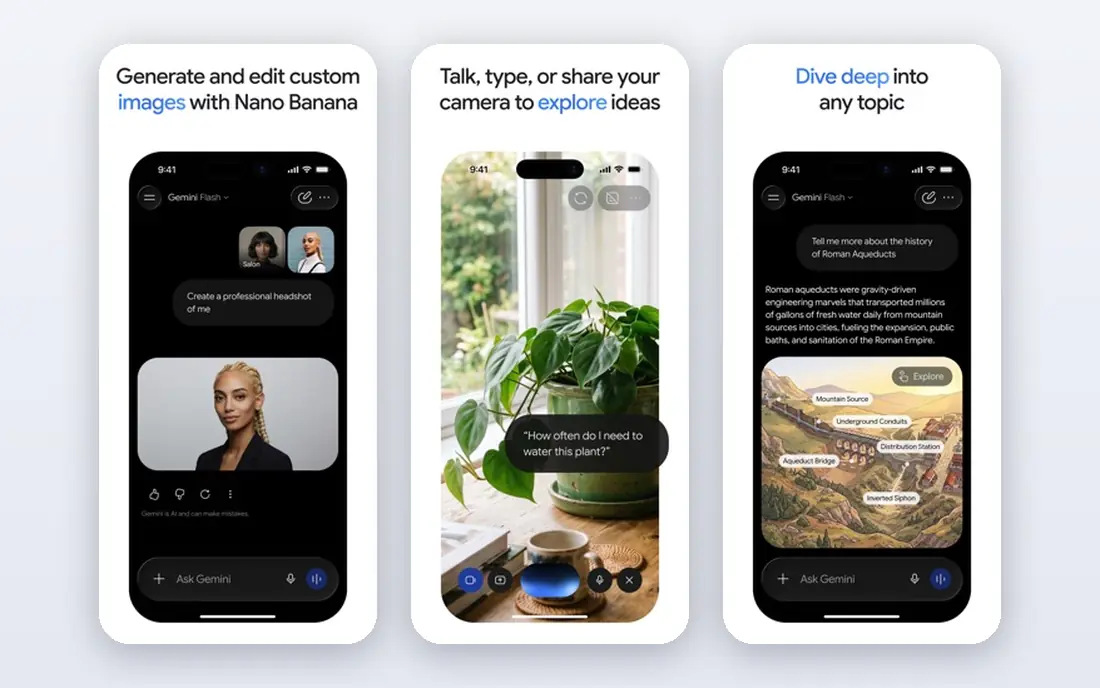
For households that want one subscription to cover the main devices, this is a sensible starting point. Gemini is the best free starting point for most users, because its free plan covers chat, research, images, and Google Workspace links.
With a Google account, you can connect Docs, Gmail, and Drive on supported plans, and the free tier includes image generation and live features. That breadth makes it a good replacement for everyday ChatGPT use, from drafting emails to planning trips. The most capable Gemini models sit on paid plans, and free-tier limits vary by feature and demand. For long or complex writing, Claude may still give cleaner results.
- Generous free plan
- Google app connections
- Image generation
- Best models are paid
- Limits vary

If you want strong protection without a lot of setup, this option earns a close look. Claude is the best free pick for writing, because its free plan produces clear, well-structured prose and handles long instructions reliably.
It suits essays, emails, reports, and editing, where tone and structure matter more than web search. The free plan uses Sonnet and Haiku models, which are strong for drafting and revising. Daily limits apply, and the free tier lacks some image and tool features found elsewhere. Keep Gemini or Copilot as a backup for days when Claude hits its cap.
- Clean writing style
- Long context handling
- Good for editing
- Daily message limits
- No image generation on free tier

Shoppers who care most about value for a large household will find a lot to like here. DeepSeek is the best free pick for code and maths, because its web chat is free and its reasoning model shows step-by-step work.
It handles coding problems, maths proofs, and technical explanations well, and it has no paid consumer tier for its main chat service. Students and developers on a budget often use it as a primary tool for technical tasks. It has fewer built-in tools, such as deep app integrations, than Gemini or Copilot. Check its privacy policy before pasting sensitive code or personal data.
- Free web chat
- Strong reasoning
- Good for code
- Fewer built-in tools
- Privacy terms to check
This one suits people who already know what they want and do not want extra tools in the way. Microsoft Copilot is the best free pick for Windows and Microsoft 365 users, because it is built into Windows, Edge, and Microsoft apps.
The free tier gives access to capable models for chat, drafting, and web research, and it works well for users who already sign in with a Microsoft account. It is a practical daily chatbot for office tasks and web questions. The most capable models and deep Microsoft 365 features sit on paid plans, and limits vary by where you use Copilot. For pure writing, Claude may still be cleaner.
- Free with Microsoft account
- GPT models
- Windows and Edge integration
- Best features need Microsoft 365
- Limits vary by surface
A good choice when ease of use matters more than a long list of extras. Perplexity is the best free pick for research, because it answers with web citations you can open and check.
Instead of a confident paragraph with no sources, it shows where facts came from, which helps for news, product research, and study. The free tier covers everyday searches, with a limited number of Pro searches per day. It is weaker for creative writing and long conversation than Claude or Gemini. Use it for research, then switch to another chatbot for drafting.
- Answers with citations
- Live web search
- Clean research mode
- Free Pro searches are limited
- Weaker for creative chat
Consider this if you want a well-known name with support that is easy to reach. Meta AI is the most convenient free chatbot if you already spend time in WhatsApp, Instagram, or Messenger, because it is built into those apps.
You can ask questions without opening a separate app, which suits quick facts, translations, and casual planning. The standalone Meta AI app also offers chat and image features for free. It is weaker for professional writing and complex research than Claude, Gemini, or Perplexity. Treat it as a handy everyday helper, not a primary work tool.
- Free
- Built into WhatsApp and Instagram
- Easy casual use
- Weaker for professional tasks
- Limited tools
This pick stands out for a specific strength that the broader suites do not match as well. Mistral Le Chat is a good free pick for users who prefer a European provider and open-weight models.
Le Chat offers fast chat, document handling, and web search on its free tier, and Mistral publishes open models that developers can run elsewhere. That openness appeals to privacy-minded users and developers. The ecosystem is smaller than Google or Microsoft, with fewer app integrations. For Google or Microsoft workflows, Gemini or Copilot will fit better.
- Free chat
- Open-weight models
- Fast responses
- Smaller ecosystem
- Fewer integrations
For buyers on a tighter budget, this is worth checking before paying for a full suite. Poe is the best free pick for sampling many models, because one app gives access to chatbots from several providers.
You can ask the same question to different models and compare answers, which helps when you are learning which model fits your task. The mobile apps make it easy to use on the go in Hong Kong. Free credits are limited, and the best models consume credits faster. Once you know your favourite model, using that provider directly may give a larger free allowance.
- Many models in one app
- Easy comparison
- Mobile apps
- Free credits are limited
- Quality depends on model chosen
When privacy or a lighter footprint is the priority, this option deserves attention. HuggingChat is the best free pick for open-source fans, because it lets you try rotating open models from one web page.
It requires no payment for basic use, and it is useful for testing how open models handle your prompts. Developers and students can compare models without signing up for many services. Quality varies a lot by the model chosen, and the interface is simpler than Gemini or Claude. For reliable everyday answers, a frontier free tier will usually be stronger.
- Free
- Many open models
- No paid tier needed for basic use
- Quality varies by model
- Interface is basic
How we picked these
We reviewed official pages for each chatbot, plus current comparison summaries, to confirm that a free tier exists and what it includes. We focused on web and mobile access that works in Hong Kong, and we excluded tools that require a paid plan to start.
We compared writing quality, research features, coding help, and privacy options, and we noted where a free plan caps messages or models. We did not claim hands-on testing, and we treated free-plan limits as changeable, because vendors adjust them often.
How to pick a free chatbot in Hong Kong
Start with your main task. Writing, coding, research, and everyday questions favour different models, and no free tier is best at everything. Try two free chatbots on the same prompt and keep the one that gives clearer, more accurate answers for your work. ### Language and local needs. Check Traditional Chinese support if you write in Traditional Chinese, and test how well the chatbot handles Hong Kong place names, local terms, and Cantonese-influenced phrasing. Some tools handle English better than Chinese, and some handle Simplified Chinese better than Traditional Chinese. ### Privacy and accounts. Free chatbots may use conversations to improve models unless you change a setting, so avoid pasting passwords, ID numbers, or sensitive work data. For private work, an open-weight tool that runs locally keeps data on your own computer, at the cost of lower quality. ### Limits and backups. Free plans cap daily messages, model quality, or image generation, and caps tighten at busy times. Keep a backup chatbot for days when your main tool hits its limit, and save important answers in your own notes.
Sources
Frequently asked questions
What is the best free ChatGPT alternative in Hong Kong?
Gemini is the best free all-rounder for most users in Hong Kong, because its free plan covers chat, image generation, research, and Google app links. Claude is better for writing, DeepSeek is better for code and maths, and Perplexity is better for cited research. The best pick depends on your main task.
Are these chatbots available in Hong Kong?
Gemini, Claude, DeepSeek, Copilot, Perplexity, and other web chatbots on this list are widely accessible on the web in Hong Kong, though signup and feature availability can vary. Some features may require a Google, Microsoft, or other account, and some may ask for phone verification. Check the signup page for your account type.
Is DeepSeek free?
DeepSeek web chat is free to use, with no paid consumer tier for its main chat service, which makes it a strong budget pick. It is strongest for reasoning, maths, and code, though it has fewer built-in tools than Gemini or Copilot. Data is processed under the provider terms, so check its privacy policy before pasting sensitive data.
Which free chatbot is best for research?
Perplexity is the best free pick for research, because it returns web answers with citations you can check. Gemini also offers research tools and Google search links on its free plan. For academic work, always open the cited source, because chatbot summaries can still contain errors.
Can I use these chatbots without an account?
Some open tools, such as HuggingChat, allow limited use without an account, but most frontier chatbots require a free account for full access. Local tools such as Ollama-style apps need no account once installed, because they run on your computer. Account-free web chatbots often have stricter limits.