Best Jotform Alternatives in 2026: 9 Form Builders Compared
By ToolNimba Editorial Team November 10, 2026 11 min read

- Top pick
 Typeform
Polished, guided forms
Starting price$25 per monthCheck out TypeformRead our review - Runner-up
 Google Forms
Free, simple forms
Starting priceFreeCheck out Google FormsRead our review - Also great
 Tally
Generous free hosted forms
Starting price$29 per monthCheck out TallyRead our review
How we researched this
We compared official pricing and feature pages, app store listings, privacy policies and public user reviews. Prices change, so check the provider's site before you pay.
Key takeaways
- Tally and Google Forms offer the most generous free starting points, with Tally giving unlimited forms and Google Forms giving a free tool with a Google account.
- Typeform suits brand-led surveys where completion matters, while Fillout suits complex logic and connected data at a lower price.
- WordPress users should shortlist WPForms for a large plugin ecosystem, while Formstack suits regulated teams that need workflows and approvals.
- Check response limits, file upload space and branding rules before you commit, because those limits often force an upgrade sooner than the headline price suggests.
Quick comparison
| Name | Best for | Starting price | Free plan | |
|---|---|---|---|---|
| Typeform | Polished, guided forms | $25 per month | Yes | Visit |
| Google Forms | Free, simple forms | Free | Yes | Visit |
| Tally | Generous free hosted forms | $29 per month | Yes | Visit |
 Fillout | Logic and connected data | $19 per month | Yes | Visit |
 WPForms | WordPress forms for beginners | $49.50 per year | Yes | Visit |
 Formstack | Business workflows and compliance | $83 per month | No | Visit |
 Zoho Forms | Value inside the Zoho suite | $12 per month | Yes | Visit |
 SurveyMonkey | Surveys and research feedback | $30 per month | Yes | Visit |
 Microsoft Forms | Microsoft 365 surveys and quizzes | Free | Yes | Visit |
The best Jotform alternatives
Jotform is a capable all-round form builder, but its free limits and higher paid plans push many users elsewhere. These nine options cover free hosted forms, polished surveys, WordPress forms and business workflows.
Typeform suits brands that want forms people actually finish, because its guided, conversational style feels less like paperwork and more like a short interview. For buyers, the clearest strength is One-question-at-a-time design, and that advantage shows up most when the tool is used for polished, guided forms. Pricing starts at $25 per month, with a free plan listed as Yes, so check the current plan page for limits on seats, usage or features before you rely on that price.
What stands out in daily use is strong templates. The honest catch is Free plan allows only 10 responses a month, and a second limit to weigh is paid plans cost more than simple builders. If those limits do not block your main workflow, this is a solid shortlist pick. If they do, move to the next option in this list rather than forcing a tool to fit a job it handles poorly.
- One-question-at-a-time design
- Strong templates
- Logic and calculations
- Free plan allows only 10 responses a month
- Paid plans cost more than simple builders

Google Forms suits schools, clubs and small teams that need a free, reliable form and already use Sheets to review answers. For buyers, the clearest strength is Free with a Google account, and that advantage shows up most when the tool is used for free, simple forms. Pricing starts at Free, with a free plan listed as Yes, so check the current plan page for limits on seats, usage or features before you rely on that price.
What stands out in daily use is instant sheets reporting. The honest catch is Limited design control, and a second limit to weigh is no built-in payments. If those limits do not block your main workflow, this is a solid shortlist pick. If they do, move to the next option in this list rather than forcing a tool to fit a job it handles poorly.
- Free with a Google account
- Instant Sheets reporting
- Simple branching
- Limited design control
- No built-in payments
- Branding is Google
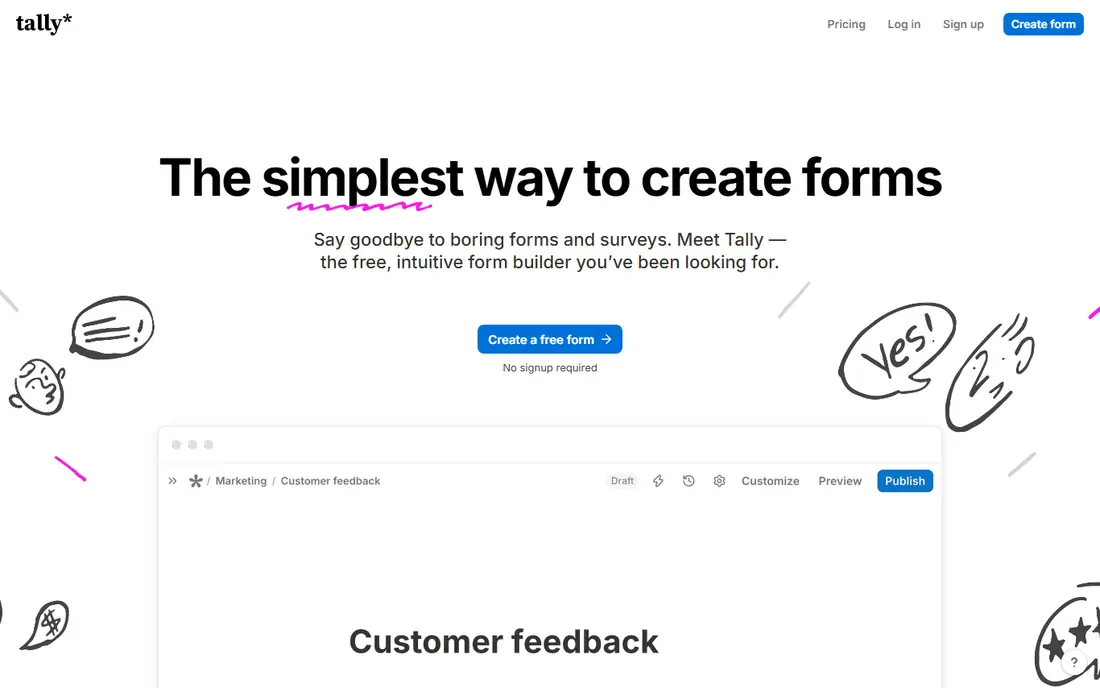
Tally suits solo builders and small teams that want a modern hosted form without paying for basic logic, unlimited forms or a decent free tier. For buyers, the clearest strength is Unlimited forms on the free plan, and that advantage shows up most when the tool is used for generous free hosted forms. Pricing starts at $29 per month, with a free plan listed as Yes, so check the current plan page for limits on seats, usage or features before you rely on that price.
What stands out in daily use is logic included. The honest catch is File uploads capped at 10 MB per file on free, and a second limit to weigh is branding removal needs pro. If those limits do not block your main workflow, this is a solid shortlist pick. If they do, move to the next option in this list rather than forcing a tool to fit a job it handles poorly.
- Unlimited forms on the free plan
- Logic included
- Clean, simple builder
- File uploads capped at 10 MB per file on free
- Branding removal needs Pro
Fillout suits teams that need forms tied to real data, with logic that updates fields, prefills answers and sends clean records to other tools. For buyers, the clearest strength is Strong logic and calculations, and that advantage shows up most when the tool is used for logic and connected data. Pricing starts at $19 per month, with a free plan listed as Yes, so check the current plan page for limits on seats, usage or features before you rely on that price.
What stands out in daily use is Airtable and Notion links. The honest catch is Design options are less rich than Typeform, and a second limit to weigh is higher limits need paid plans. If those limits do not block your main workflow, this is a solid shortlist pick. If they do, move to the next option in this list rather than forcing a tool to fit a job it handles poorly.
- Strong logic and calculations
- Airtable and Notion links
- 1,000 free responses a month
- Design options are less rich than Typeform
- Higher limits need paid plans
WPForms suits WordPress site owners who want contact, registration and payment forms inside their site without learning a separate hosted platform. For buyers, the clearest strength is Easy WordPress builder, and that advantage shows up most when the tool is used for wordpress forms for beginners. Pricing starts at $49.50 per year, with a free plan listed as Yes, so check the current plan page for limits on seats, usage or features before you rely on that price.
What stands out in daily use is Lite version is free. The honest catch is Only works inside WordPress, and a second limit to weigh is advanced features need higher tiers. If those limits do not block your main workflow, this is a solid shortlist pick. If they do, move to the next option in this list rather than forcing a tool to fit a job it handles poorly.
- Easy WordPress builder
- Lite version is free
- Many add-ons and templates
- Only works inside WordPress
- Advanced features need higher tiers
Formstack suits larger teams that need forms tied to approvals, documents and compliance rules, rather than a simple contact form. For buyers, the clearest strength is Workflows, approvals and e-signatures, and that advantage shows up most when the tool is used for business workflows and compliance. Pricing starts at $83 per month, with a free plan listed as No, so check the current plan page for limits on seats, usage or features before you rely on that price.
What stands out in daily use is strong for regulated teams. The honest catch is No free plan, and a second limit to weigh is higher starting price than most builders here. If those limits do not block your main workflow, this is a solid shortlist pick. If they do, move to the next option in this list rather than forcing a tool to fit a job it handles poorly.
- Workflows, approvals and e-signatures
- Strong for regulated teams
- Many integrations
- No free plan
- Higher starting price than most builders here
Zoho Forms suits teams already using Zoho, because forms, approvals and CRM records can share the same account and data without extra tools. For buyers, the clearest strength is Low starting price, and that advantage shows up most when the tool is used for value inside the zoho suite. Pricing starts at $12 per month, with a free plan listed as Yes, so check the current plan page for limits on seats, usage or features before you rely on that price.
What stands out in daily use is approvals and workflows. The honest catch is Design feels basic next to Typeform, and a second limit to weigh is some features need zoho apps. If those limits do not block your main workflow, this is a solid shortlist pick. If they do, move to the next option in this list rather than forcing a tool to fit a job it handles poorly.
- Low starting price
- Approvals and workflows
- Zoho CRM and Sheets links
- Design feels basic next to Typeform
- Some features need Zoho apps
SurveyMonkey suits teams that run repeated surveys and need analysis, filters and exports, rather than a one-off contact form. For buyers, the clearest strength is Strong survey logic and analysis, and that advantage shows up most when the tool is used for surveys and research feedback. Pricing starts at $30 per month, with a free plan listed as Yes, so check the current plan page for limits on seats, usage or features before you rely on that price.
What stands out in daily use is large template library. The honest catch is Best for surveys rather than registrations or payments, and a second limit to weigh is paid plans add up. If those limits do not block your main workflow, this is a solid shortlist pick. If they do, move to the next option in this list rather than forcing a tool to fit a job it handles poorly.
- Strong survey logic and analysis
- Large template library
- Reporting tools
- Best for surveys rather than registrations or payments
- Paid plans add up
Microsoft Forms suits schools and workplaces already on Microsoft 365, because results can flow into Excel and Teams without a new account. For buyers, the clearest strength is Free with a personal account, and that advantage shows up most when the tool is used for microsoft 365 surveys and quizzes. Pricing starts at Free, with a free plan listed as Yes, so check the current plan page for limits on seats, usage or features before you rely on that price.
What stands out in daily use is included with many microsoft 365 plans. The honest catch is Public forms are limited on free accounts, and a second limit to weigh is design and logic are basic. If those limits do not block your main workflow, this is a solid shortlist pick. If they do, move to the next option in this list rather than forcing a tool to fit a job it handles poorly.
- Free with a personal account
- Included with many Microsoft 365 plans
- Simple branching and quizzes
- Public forms are limited on free accounts
- Design and logic are basic
How we picked these
We compared official pricing pages, free-plan limits and feature pages for each builder, and we checked response allowances, logic, payments and branding rules. We did not claim hands-on testing. Prices and limits change, so confirm the current plan on the vendor site before you build a form that will collect paid or sensitive responses.
How to choose a form builder
Start with volume. Count how many forms you need and how many responses you expect each month, then match that count to the free or paid limit. A builder that looks cheap can cost more once you pass its response cap, and a generous free plan can save a small team a monthly bill for years.
Next, check the workflow after submission. Some teams only need an email and a spreadsheet, while others need payments, approvals, e-signatures or a CRM record. Pick the builder that covers the next step without a fragile chain of add-ons, and test the form on a phone before you publish it.
Sources
- https://www.typeform.com/pricing/
- https://www.google.com/forms/about/
- https://tally.so/pricing
- https://www.fillout.com/pricing
- https://wpforms.com/pricing/
- https://www.formstack.com/pricing
- https://www.zoho.com/forms/pricing.html
- https://www.surveymonkey.com/pricing/
- https://www.microsoft.com/en-us/microsoft-365/online-surveys-polls-quizzes
Frequently asked questions
What are the best Jotform alternatives for free?
Tally offers unlimited forms on its free plan with fair-use limits, and Google Forms is free with a Google account. Microsoft Forms is also free with a personal account, while Fillout and Typeform offer limited free tiers.
Which Jotform alternative is best for WordPress?
WPForms is the most beginner-friendly WordPress option, with a free Lite version and paid plans for payments and integrations. Teams that need developer control may prefer Gravity Forms, which is outside this list but is a common WordPress choice.
Which form builder is best for surveys?
Typeform suits short, guided surveys where design and completion matter, while SurveyMonkey suits larger research surveys with deeper analysis. Google Forms suits simple internal surveys at no cost.
Can these alternatives take payments?
Yes, several can. Typeform, Fillout, Tally on paid plans, WPForms and Formstack support payment integrations, though the payment provider and fees vary. Check the exact payment options before you build an order form.
Do I need a paid plan to remove branding?
Usually yes. Most free plans show the builder branding, and removing it needs a paid plan. Tally, Fillout and Typeform all list branding removal as a paid feature, so budget for it if your forms face customers.