Monday Alternatives in 2026: 8 Tools Compared
By ToolNimba Editorial Team November 9, 2026 9 min read

- Top pick
 ClickUp
Most features per dollar
Starting price$7 per user per monthCheck out ClickUpRead our review - Runner-up
 Asana
Structured timelines
Starting price$10.99 per user per monthCheck out AsanaRead our review - Also great
 Trello
Simple kanban
Starting price$5 per user per monthCheck out TrelloRead our review
How we researched this
We compared official pricing and feature pages, app store listings, privacy policies and public user reviews. Prices change, so check the provider's site before you pay.
Key takeaways
- ClickUp is our pick for most teams leaving monday, since it offers the most features per dollar and a free plan with unlimited members.
- Asana suits teams that want structured timelines and cross-team coordination without heavy customization.
- Trello remains the simplest alternative for small teams that mainly need kanban boards done well.
- Notion is the best alternative when docs, wikis and tasks must live in one workspace.
- Smartsheet and Airtable suit teams that think in spreadsheets or databases rather than colorful boards.
Quick comparison
| Name | Best for | Starting price | Free plan | |
|---|---|---|---|---|
| ClickUp | Most features per dollar | $7 per user per month | Yes | Visit |
| Asana | Structured timelines | $10.99 per user per month | Yes | Visit |
| Trello | Simple kanban | $5 per user per month | Yes | Visit |
 Notion | Docs plus tasks | $10 per user per month | Yes | Visit |
 Wrike | Approvals and marketing workflows | $10 per user per month | Yes | Visit |
 Smartsheet | Spreadsheet-style planning | $9 per user per month | Free trial | Visit |
 Airtable | Database-driven workflows | $20 per user per month | Yes | Visit |
 Basecamp | Flat pricing for larger teams | See website | Yes | Visit |
The best monday alternatives
Teams leave monday for many reasons: price as headcount grows, a need for deeper docs, stronger timelines, or a simpler board. The tools below cover those cases without copying monday board style exactly. Each one replaces the core job, which is shared tasks, deadlines and visibility, while adding its own strength.
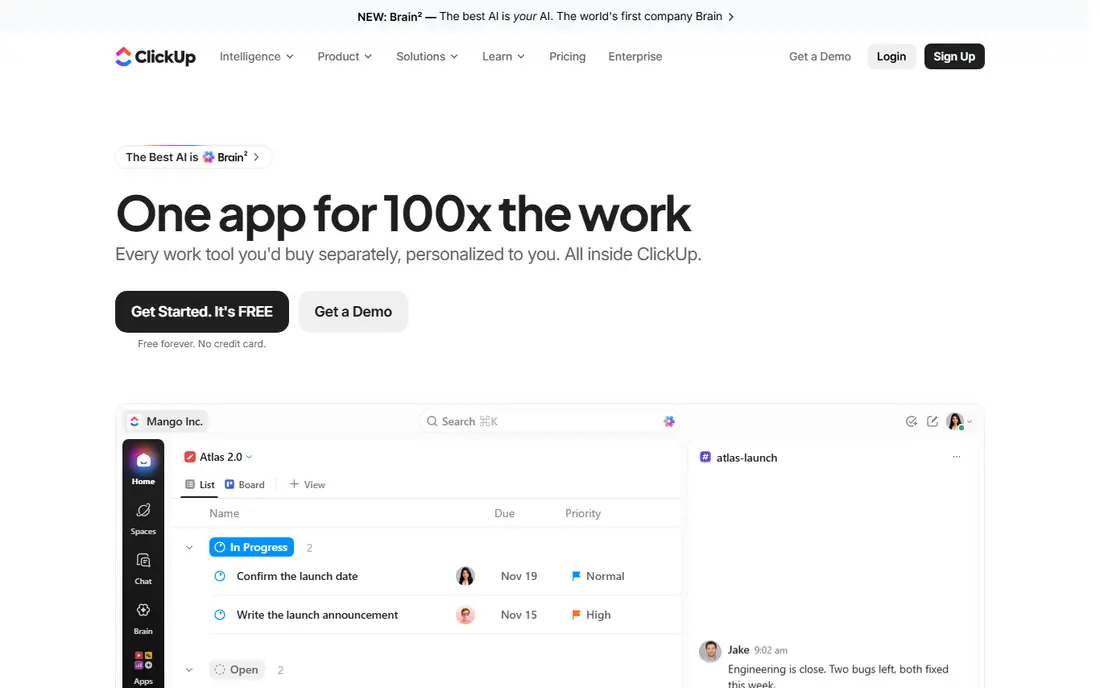
ClickUp is the closest like-for-like replacement for teams that want everything in one place. Tasks, docs, goals, chat, whiteboards and dashboards sit in one workspace, so a team can retire several smaller tools at once. The free plan allows unlimited members, which is rare, and the Unlimited paid plan starts at $7 per user per month billed annually.
The breadth is also the risk. New teams can spend weeks customizing views, statuses and automations before doing real work. Start with one project, a small set of statuses and a single dashboard, then expand only when a workflow proves itself. For value and range, ClickUp is hard to beat in this list.
- Tasks, docs, chat, whiteboards and dashboards in one workspace
- Free plan allows unlimited members
- Paid Unlimited plan from $7 per user per month billed annually
- Setup can feel overwhelming
- Full AI features cost extra per user

Asana suits teams that found monday boards too free-form. Projects have clear timelines, dependencies and portfolios, so campaign launches and cross-team work stay visible without constant status meetings. Templates for marketing, product and operations help new teams start fast, and the interface is calmer than a heavily customized workspace.
Pricing starts at $10.99 per user per month for Starter billed annually, with a free Personal plan for small use. The free plan is narrower than ClickUp, and some reporting and portfolio features sit higher up. If your team values structure and adoption speed over endless customization, Asana is a strong, low-friction move.
- Clear timelines, portfolios and goals
- Easy adoption for cross-functional teams
- Strong templates
- Personal free plan is limited
- Deeper customization needs higher tiers
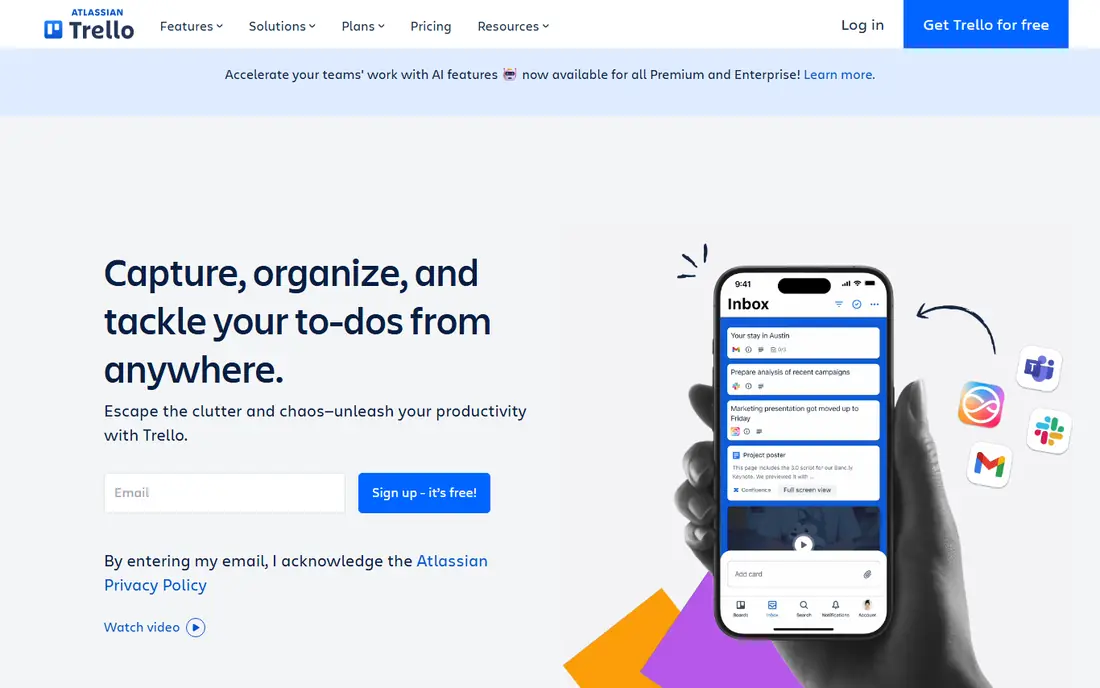
Trello is the pick when monday felt like too much tool. Boards, lists and cards cover most small-team work, from content calendars to hiring pipelines, with almost no training. A new member can understand a board in minutes, and the free plan covers up to ten boards per workspace for small groups.
Limits appear as work grows complex. Timelines, workload views and advanced reporting are thinner than Asana or ClickUp, and scaling automations needs paid plans. For a team of five to fifteen people with straightforward workflows, that simplicity is a feature. For a team running portfolios and dependencies, pick a stronger planning tool instead.
- Simplest kanban in this list
- Fast to learn
- Standard plan from $5 per user per month billed annually
- Weak for complex timelines and reporting
- Power-ups and automations need paid plans for scale
Notion replaces monday best for knowledge-heavy teams. Specs, meeting notes, wikis and project tasks live in the same pages, so context never sits in a separate doc tool. Databases let teams build custom trackers for content, bugs or hiring, and the Plus plan starts at $10 per user per month billed annually, with a free plan for individuals and small teams.
Pure task management is lighter here than in Asana or ClickUp. Dependencies, workload and advanced reporting need workarounds or integrations. If your team constantly loses context between docs and tasks, Notion solves that pain directly. If you mainly need Gantt charts and resource planning, a dedicated PM tool will serve you better.
- Docs, wikis, databases and tasks in one workspace
- Flexible pages for specs and notes
- Free plan for individuals
- Task management alone is lighter than dedicated PM tools
- Large workspaces need careful structure
Wrike suits marketing, agency and operations teams that need approvals built into the workflow. Creative assets can move through review, proofing and sign-off without leaving the task, and resource views help managers see who is overloaded. The free plan covers small teams, while the Team plan starts at $10 per user per month billed annually.
The interface is denser than Trello or Asana, and some reporting and automation depth sits on higher tiers. Teams that live on approvals, campaigns and client deliverables will value that structure. Teams that want a light task board will find Wrike heavier than they need.
- Strong approval workflows and proofing
- Resource and budget views
- Team plan from $10 per user per month billed annually
- Interface can feel dense
- Best features sit on Business and higher plans
Smartsheet is the natural move for teams that run work in spreadsheets but need structure, sharing and automation. Sheets look familiar, yet they add Gantt charts, card views, forms, approvals and dashboards. Operations, construction and event teams often adopt it faster than a board tool, since the grid matches how they already think.
Pricing starts at $9 per member per month for Pro billed annually, with a 30-day free trial rather than a permanent free plan. That makes Smartsheet a paid commitment from the start, and large teams should model per-member costs carefully. For spreadsheet-native teams, the familiarity and control are worth that cost.
- Familiar grid view for operations teams
- Gantt, card and calendar views
- Strong forms and automation
- No permanent free plan, only a trial
- Per-member pricing can add up for large teams
Airtable blends a spreadsheet with a database, and that mix suits teams that track structured work. Content pipelines, product catalogues, applicant trackers and inventory lists all fit its table-and-view model. You can switch the same data between grid, kanban, calendar and gallery views without rebuilding the tracker.
Price is the main catch. The Team plan starts at $20 per user per month billed annually, which is higher than most tools here, though a free plan covers basic use. Complex bases also need thoughtful design, or they become hard to maintain. For data-driven workflows, Airtable is powerful. For simple task lists, it is more tool than you need.
- Flexible databases with grid, kanban, calendar and gallery views
- Strong for content, inventory and CRM-style trackers
- Paid Team plan from $20 per user per month billed annually is dearer than rivals
- Complex bases need design care
Basecamp takes the opposite approach to most tools here: fewer features, done simply, for a predictable price. Each project bundles messages, to-dos, files, schedules and chat, so client work stays in one place without a maze of views. A free plan covers personal projects, while paid plans include a flat unlimited option that suits larger teams tired of per-seat billing.
The simplicity limits complex work. There is no deep Gantt, portfolio or automation system comparable to Asana, Wrike or ClickUp. Teams that want one calm place for client projects and internal work will like Basecamp. Teams that need detailed planning and reporting should pick a stronger PM tool and accept per-seat pricing.
- Simple projects with messages, to-dos, files and chat in one place
- Flat unlimited pricing avoids per-seat growth cost
- Fewer views and automations than ClickUp or Asana
- Not built for complex portfolios
How we picked these
We compared official pricing pages, feature pages and public reviews for project tools that replace monday core work in October 2026. We favored tools with clear task, timeline or board views, team sharing, and a current free or trial option where stated. We excluded monday itself, as requested, and we did not claim hands-on testing. Prices change, so check the vendor pricing page and seat minimums before switching, since some plans require a minimum number of seats.
What to check before you switch
Export before you cancel. Check what monday exports cleanly: tasks, comments, files, dates and custom fields may not map one-to-one to a new tool. Run a small pilot with one real project, not a demo template, and test imports, automations and reporting on that project first.
Next, count seats honestly. A tool that looks cheaper per user can cost more if it requires a seat minimum or charges for guests and viewers differently. Model your real team size, plus clients or contractors who need access, before comparing monthly totals.
Finally, train on one workflow, not every feature. Pick the project type you run most often, build that workflow in the new tool, and let the team use it for two weeks. If adoption stalls, the problem is usually too much customization at launch, not the tool itself.
Sources
Frequently asked questions
What is the best alternative to monday.com?
ClickUp is the best all-round alternative for value and breadth, while Asana suits structured timelines and Trello suits simple kanban. Notion is best when docs and tasks must live together. The right pick depends on team size, workflow complexity and budget.
Is there a free alternative to monday?
Yes. ClickUp, Asana, Trello, Notion, Wrike and Airtable all offer free plans, though limits vary. ClickUp free plan allows unlimited members, while Asana and Trello free plans are narrower. Smartsheet offers a trial rather than a permanent free plan.
Which monday alternative is easiest to use?
Trello is easiest for small teams that need kanban alone. Asana is easiest for structured projects with timelines. ClickUp is more powerful but needs more setup time, so start with one project and a simple status set.
Can I import monday boards into Asana or ClickUp?
Both Asana and ClickUp offer import tools for monday and other project tools, though field mapping needs checking. Test an import with one board first, and check dates, assignees, comments and custom fields before migrating a whole workspace.
Is ClickUp better than monday?
ClickUp offers more features per dollar and a broader free plan, which suits teams that want docs, chat and dashboards in one workspace. Monday may feel more visual and faster to adopt for non-technical teams. Value favors ClickUp, while visual simplicity favors monday for some teams.
What is the best monday alternative for agencies?
Wrike suits agencies that need approvals and client workflows, while ClickUp suits agencies that want many tools in one workspace. Teamwork and Basecamp also serve client work well, with Basecamp offering flat pricing for larger teams.